
Skip to content

Christophe Cosme

With more than 30 years of experience in IT architecture, development, and implementation, Christophe Cosme specializes in Microsoft SQL Server administration and development, Business Intelligence with the Microsoft BI suite and cloud services, Power BI Azure service and Report Server, and Azure/AWS cloud architecture and engineering. His background also covers project management and business analysis in global organizations. Prior to dbi services, he was Solution Lead Business Intelligence at Hoffmann-La Roche in Basel and Senior Manager Head of Business Intelligence at Swiss International Air Lines. Christophe holds a Master's degree in Engineering, Automation and IT from ENSISA.

25 posts since November 2018

FabCon 2026 Barcelona: Artificial Intelligence Takes Center Stage in Microsoft Fabric

I recently had the opportunity to attend FabCon 2026 in Barcelona, Microsoft’s flagship event dedicated to Microsoft Fabric data, analytics, Artificial Intelligence and and SQL Server. As a Technology Leader data analytics and quality, attending events like FabCon enables staying ahead of the rapidly evolving Microsoft ecosystem and understanding how new innovations can create business value for our customers. This… 
Power BI Report Server: unable to publish a PBIX report

Introduction I installed a complete new Power BI Report Server. The server had several network interfaces to be part of several subdomains. In order to access the Power BI Report Server web portal from the different subdomains I defined 3 different HTTPS URL’s in the configuration file and a certificate binding. I used as well a specific active directory service… 

SQL Server Integrated acceleration & offloading

Introduction I was asked by one of my customers to have a look at the SQL Server 2022 Integrated acceleration & offloading feature. The goal of it is to provide a framework for offloading specific SQL Server workload compute to hardware devices.  At first it seems very interresting to speed up for instance backup tasks especially for big databases. But… 

Data Platform Summit 2022 – Cracking Power BI Performance Tuning In A Day!

Introduction The second pre-conf I attended was about tuning Power BI. I was curious to hear and learn from Nikola  Ilic, who presented the session, what his experience and technique are dealing to solve Power BI performance issues The agenda was the following over the 2  half days Data Modelling Nikola first explain why data modelling is so important and… 

SQL Server 2022 – Azure Synapse Link

Why is this feature interesting? The Azure Synapse Link for SQL Server 2022 will enable you to replicate your operational data into Azure Synapse Analytics dedicated SQL pool. Azure Synapse is an enterprise analytics service that accelerates time to insight across data warehouses and big data systems. Azure Synapse brings together the best of SQL technologies used in enterprise data… 

Data Platform Summit 2022 – Analytics at scale with Power BI and Azure Synapse

Introduction Introduction This morning I attended the first part of the pre-conf of the Data Platform Virtual Summit 2022 titled “Analytics at scale with Power BI and Azure Synapse” presented by Dave Ruijter. Working a lot with Power BI and gathering experience with Azure Synapse Analytics , I was looking forward to have Dave’s point of view and experience on… 

Power BI – Active Directory data integration

Introduction This documentation explains how to integrate Active Directory data in a Power BI report. It explains also how to link this data with another data source. To illustrate the method, we will integrate Active Directory Computer data and link it with SCCM Server information.  We will only use 2 different data sources in this example. You can find the… 

SSDT offline installation for Visual Studio 2019

Introduction Before Visual Studio 2019, you were able to install the SSDT with the offline installer. You were able to install it as a standalone Visual Studio for SSDT or for an already installed Visual Studio 2017. It was almost straightforward. With Visual Studio 2019, there is no SSDT standalone installer, so you have to install the extensions. Of course,… 

SQL Server – Granting SQL Server permission to service SID

Introduction We know that SQL Server itself is using it own SID NT SERVICEMSSQL$ and NT SERVICESQLAGENT$ to grant permission to the database engine and the SQL agent services. But the same method can be used for other application services to acces and use the SQL Server instances. The enables to allow the access to the SQL instance when the… 

SQL Server database design – Moving table to new filegroups

Introduction A database is very often created without thinking of its growing and in the most cases that is not really an issue until the data volume is not increasing a lot. And most of the time when a high data volume is expected, some actions are taken to organize the database in a more complex way, creating several data… 

SQL Server – Contained Database

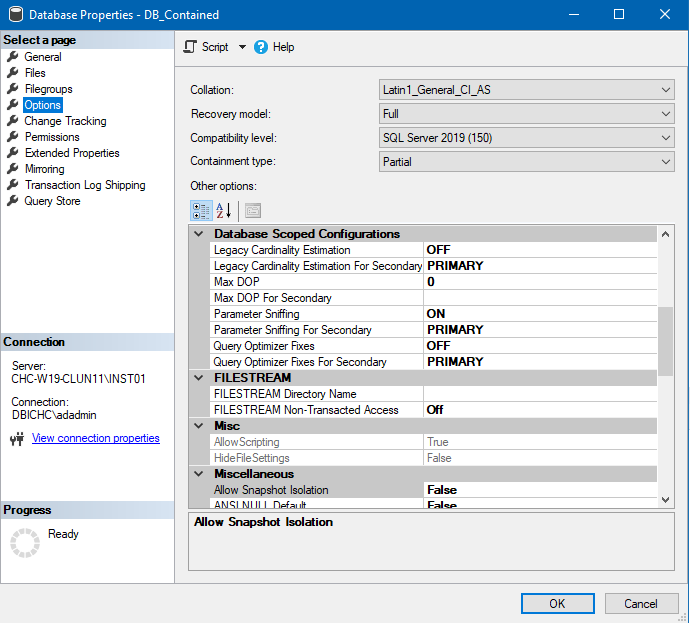
Introduction You may have encounter already case when an application offers the possibility to create and maintain SQL database users and consequently the associated SQL Server instance logins. That’s of course not especially really what a DBA likes, loosing control on the logins that are created on the instance he is responsible of. But sometimes you have to deal with…