Skip to content

Christophe Cosme

With more than 30 years of experience in IT architecture, development, and implementation, Christophe Cosme specializes in Microsoft SQL Server administration and development, Business Intelligence with the Microsoft BI suite and cloud services, Power BI Azure service and Report Server, and Azure/AWS cloud architecture and engineering. His background also covers project management and business analysis in global organizations. Prior to dbi services, he was Solution Lead Business Intelligence at Hoffmann-La Roche in Basel and Senior Manager Head of Business Intelligence at Swiss International Air Lines. Christophe holds a Master's degree in Engineering, Automation and IT from ENSISA.

25 posts since November 2018

Power BI Report Server – URL reservation Warning – Delegation blocked

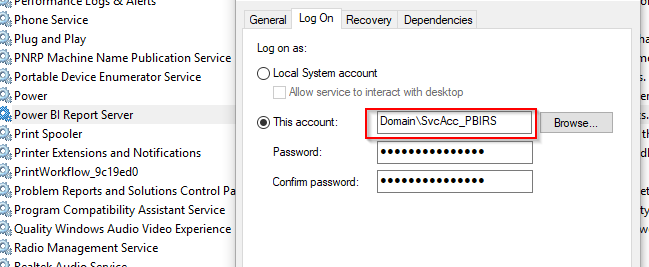
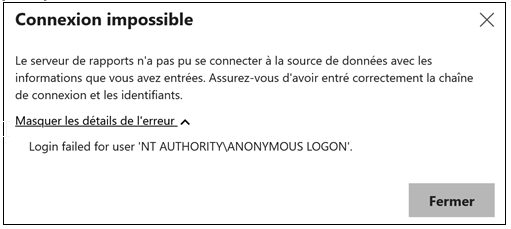
Introduction Recently I experienced some strange behavior on Power BI Report Server. My customer reported some failure when authenticating on shared data source using Kerberos delegation. On the test environment everything was working as expected and the delegation was working fine. Where as on the development server the delegation was not working at all. We had as well a comparable… 
AWS – RDS – SQL Server Native backups

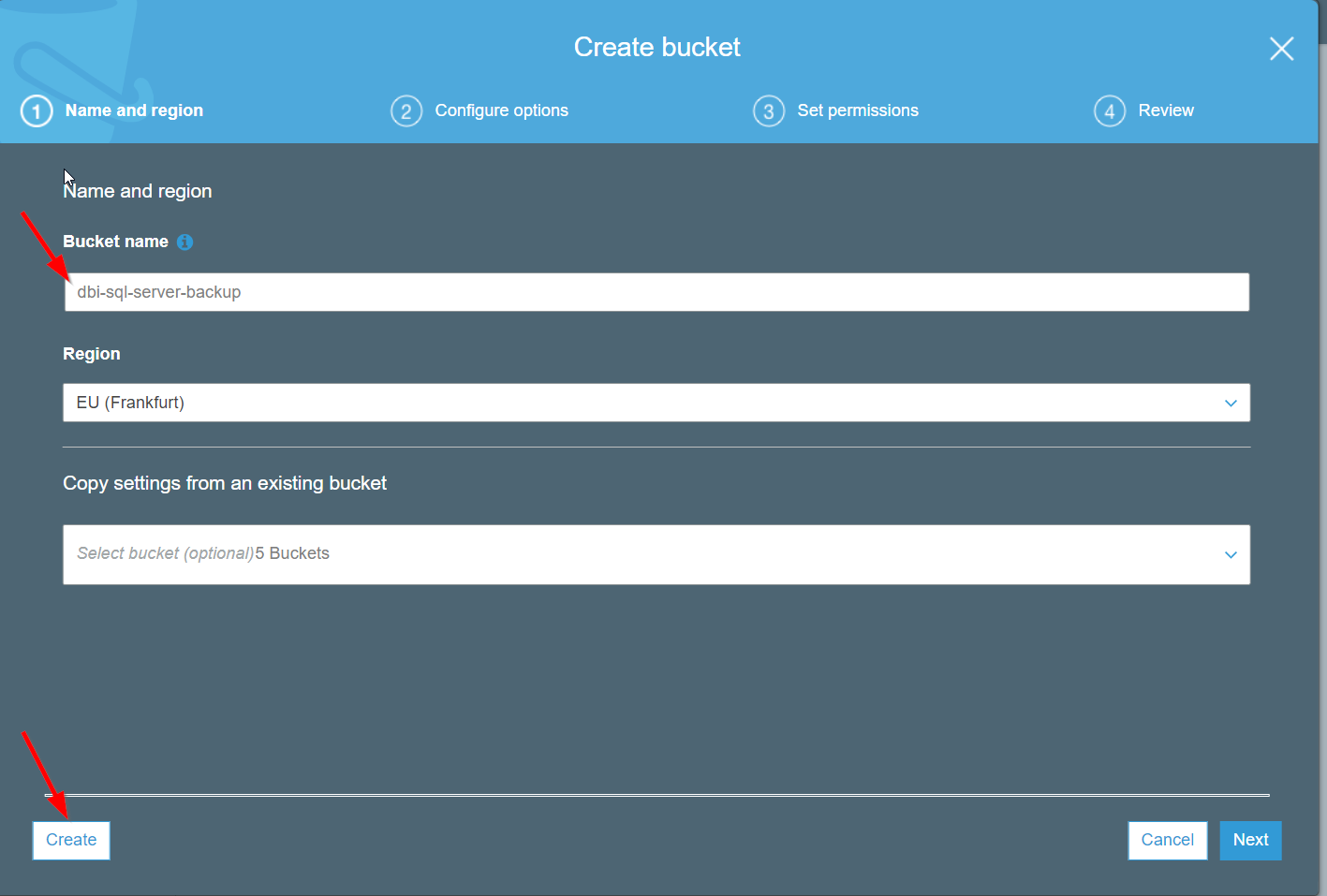
Introduction RDS provide automatic backup feature. This feature will backup the entire RDS instance. As a DBA sometimes you need to backup individual database, they are many reason for that (legal, migration, replication,…). Unfortunately individual database backups are not available within the RDS instance. This post explains how you can enable the native database backup on RDS , as you… 

AWS Automation – Stop a RDS instance

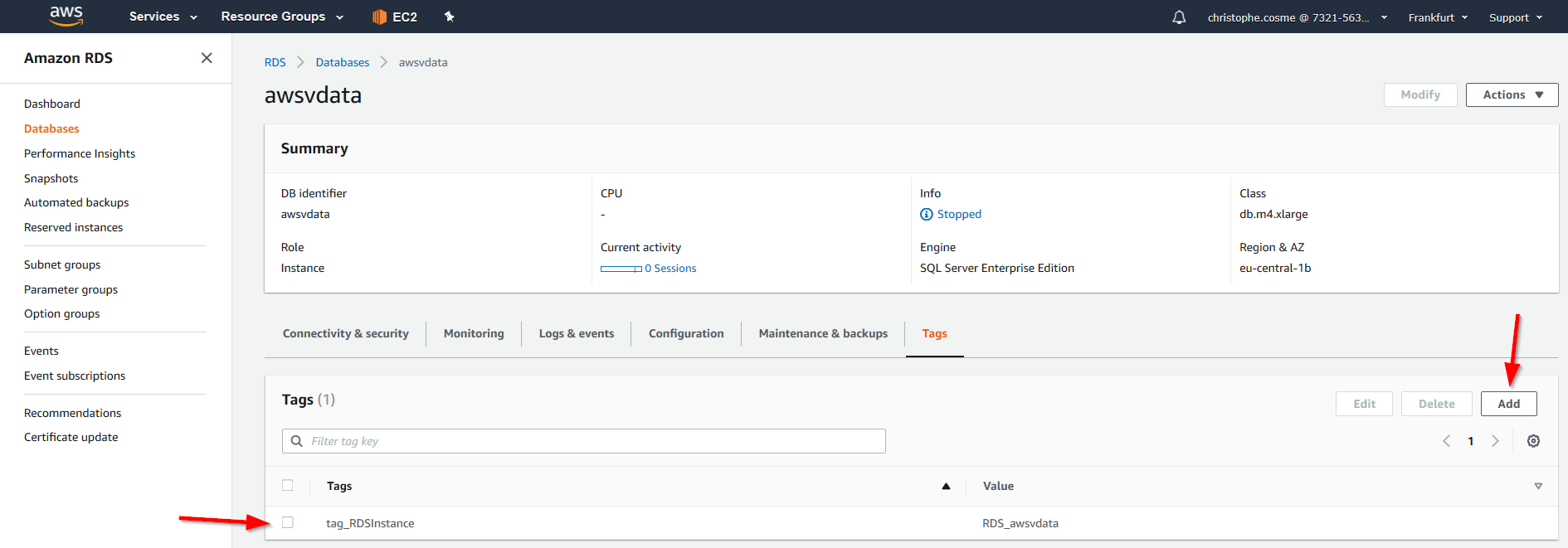
Introduction I created a RDS SQL Server instance on AWS. I use it for test purpose and to minimize the costs I needed to ensure that my instance is stopped automatically at the end of the working day and also because on RDS instances are automatically activated when its schedule maintenance is triggered. In this article I will share the… 

Power BI Report Server – Kerberos Advanced configuration

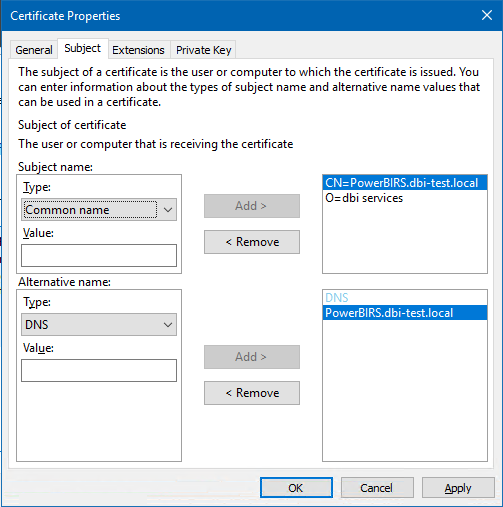
Introduction Following the basic configuration explained in a previous blog (Link), I describe here how to make more advanced configurations in some specific cases but often met by customers. It is only complementing what has being described in the previous blog in some specific situations needing additional or alternative configurations Configuration using HTTPS protocol with DNS alias If you are… 

SQL Server – Collecting last backup information in an AlwaysOn environment

Introduction Sometimes you face interesting challenges with unusual environment. One of my customer needed a automated and flexible backup solution. Said like that nothing very complex you will say. But if I mention that some databases were 60TB big with more than 30 filegroups and around 600 database data files each and moreover synchronized in an AlwayOn availability group, it… 

Upgrade your Power BI Report Server

Introduction Even if upgrading your Power BI Report Server is straight forward, I have been asked many times where to find the installation files and how to run it that I thought a blog is worth it. Before you start Before upgrading your Power BI Report Server it is recommended to perform some backup steps. Back up the encryption keys… 

Copy or Migrate a SSISDB environment

Integration catalog is easy to work with and the environments feature is as well very convenient. In SQL Server management Studio, there are a lot of features available to administrate your SQL Server instances, but some are missing that can be very useful. You have the possibility to move an SSISDB environment but this is only possible in another folder… 

Power BI Report Server Kerberos Setup

In the case you have the following configuration and requirements Your Power BI, paginated mobile KPI reports are published on your on premise Power BI Report Server (Named i.e. SRV-PBIRS), their data sources is an Analysis Services located on another server (Named i.e. SRV-SSASTAB\INST01, INST01 being the named instance) and you want to track/monitor who is accessing the data on… 

Pass Summit – dbi visit day 4 (2)

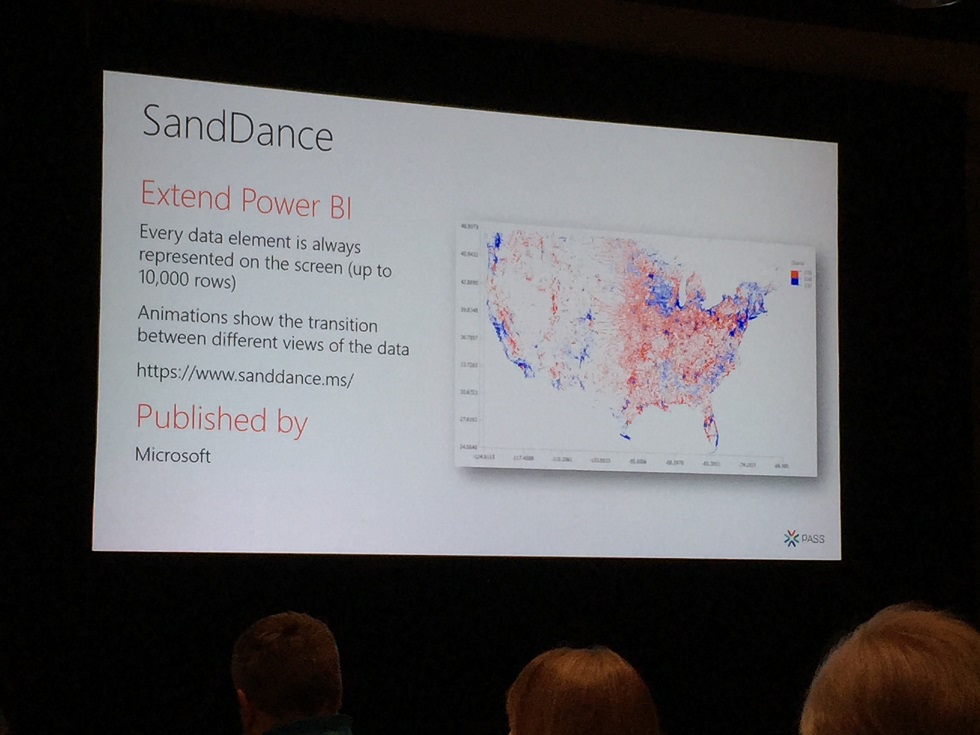
Power BI 5 top custom visuals The development of Power BI itself is fast. But, the means to represent data is too. I mean there are constantly new Power BI custom visuals developed by the community and Microsoft. You can develop your own custom visuals and publish them on the marketplace for your organization or the whole community. Tips :… 

Pass summit – day 4

Optimizing Multi-Billion Row Tables in Tabular in 2018   I wanted to attend the session moderated by Marco Russo to see his approach of optimizing performance in Tabular model The first thing to understand is how the data is stored and organized in a Tabular model. It is of course using the xVelocity in-memory capabilities with the Vertipac column storage… 

Pass summit – dbi visit day 3

The Microsoft data platform is evolving The third day began with the Keynote help by Rohan Kumar the Corporate Vice President of Azure Data by Microsoft The main message was “Hybrid data platform is the way for the future” and Microsoft is working in this direction. The use of AI and analytic to transform the customer business is also a… 

Pass summit – dbi visit day 2

  The Art and Science of Designing Smart Data story This pre-conference session was moderated by Mico Yuk CEO and founder of BI Brainz Mico drove us through the path of BI data visual storytelling and the importance it has to present the data in an attractive way. She warned the session will not be technical at all, I was…