

Hello everybody,
I recently faced issues when using some control-m features on EDGE and Chrome.Indeed I was not able to get my folder exported in XML format, something was blocking.
Issue description
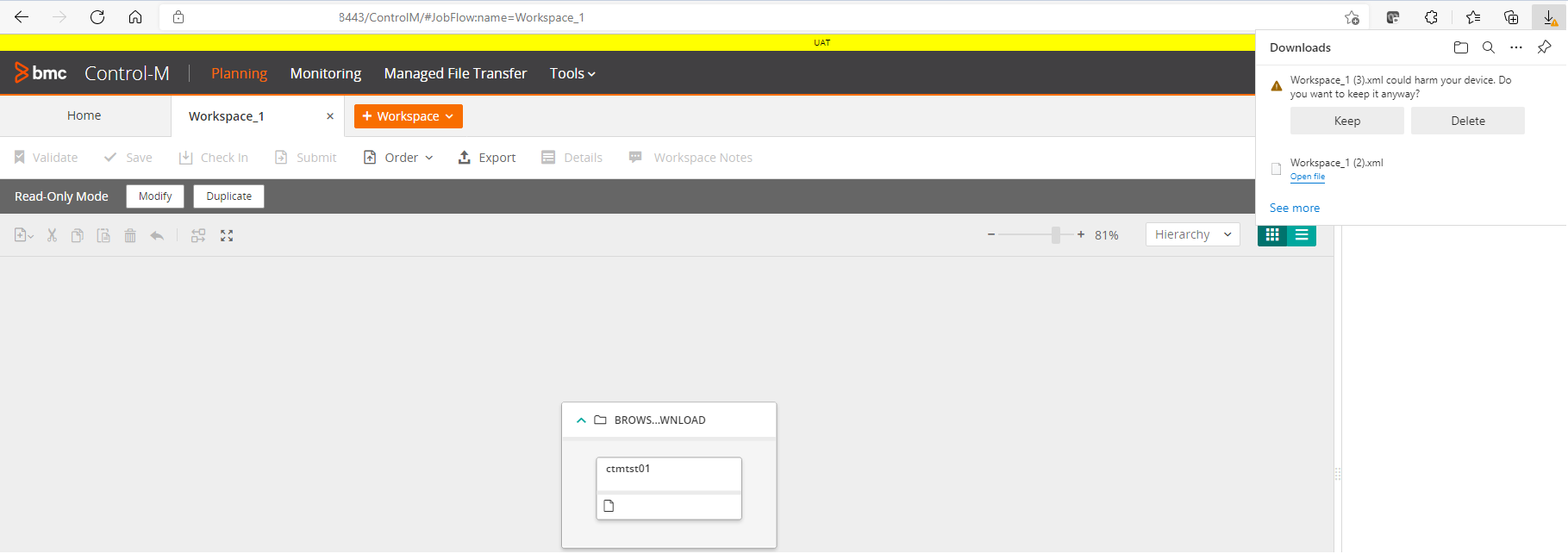
When clicking on the export button nothing happens, usually we have a pop-up with file to download or download starting.
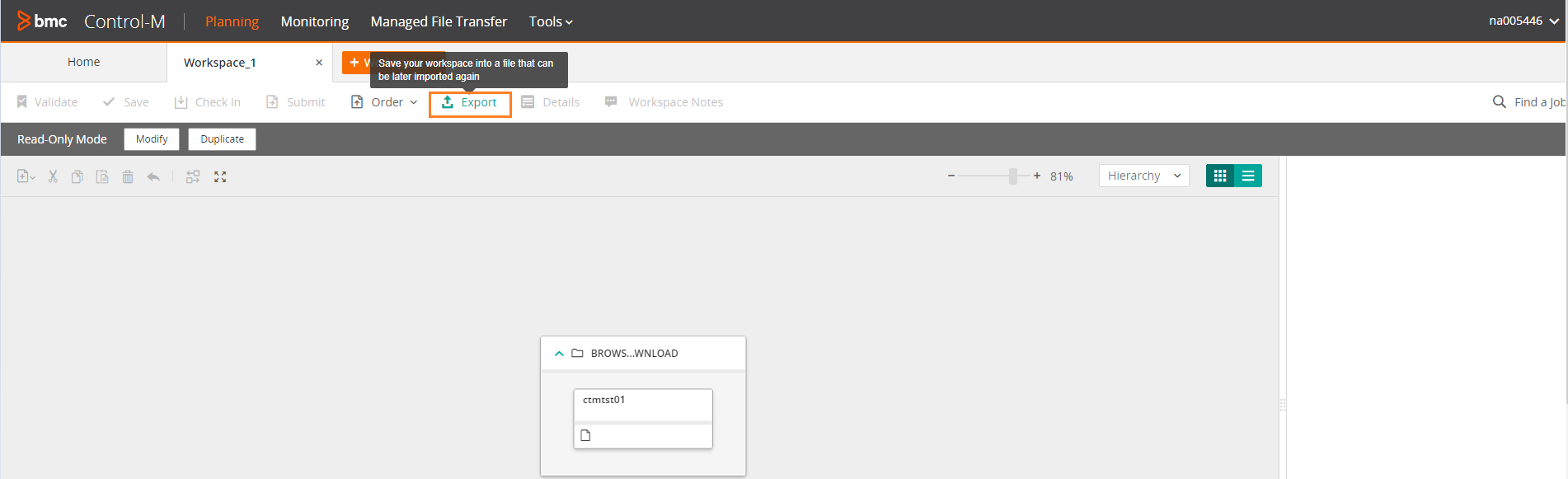
So I tried to figure out by sneaking around browser option and I found an explicit message.
I opened developers tool and checked in the console tab if messages are displaying.
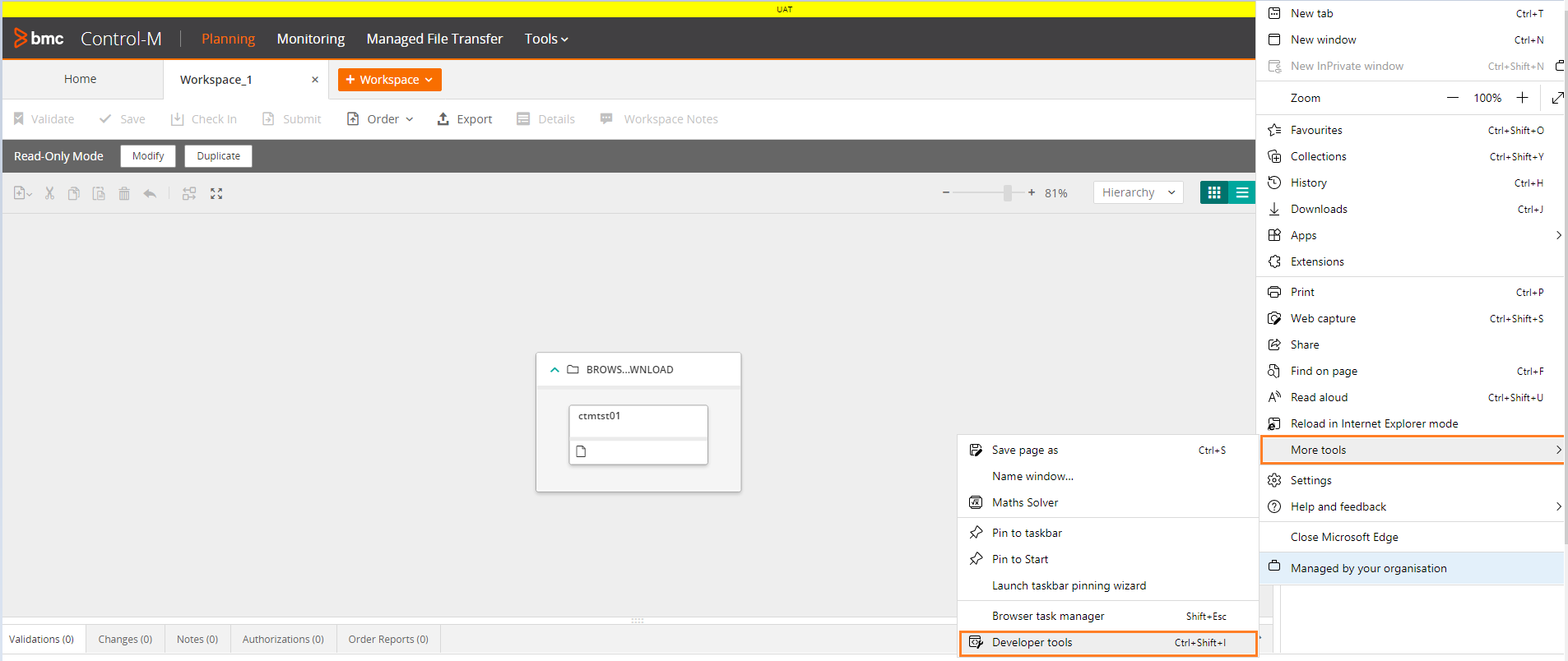
We can see that download is not allowed on the browser , the message redirect us to a page explaining that.

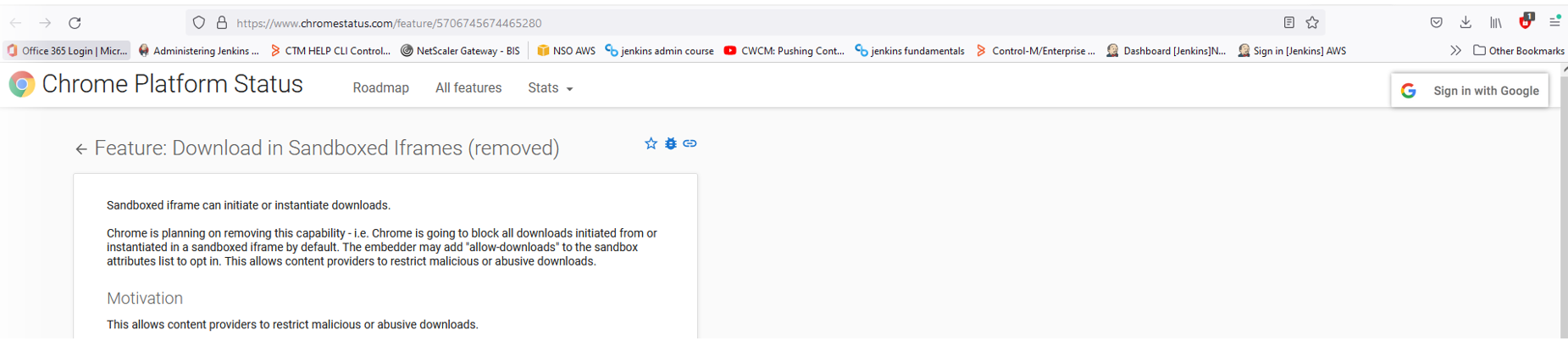
“Download is disallowed. The frame initiating or instantiating the download is sandboxed, but the flag ‘allow-downloads’ is not set. See https://www.chromestatus.com/feature/5706745674465280 for more details.”
When opening the chrome link we have this info:
Solution
We have to add a parameter in a configuration file to allow export download , but where?I have activated option such as allow pop-up in browser parameters but still not working.
I have decided to ask BMC SOFTWARE for some support and hopefully there was a similar issue in their knowledge database 🙂 (thanks to them for showing me that I was on the good way :))
So the file to update was not on web browser’s option but on Control-M file configuration
Here are the actions to do:
- backup web.xml file located under /../ctm_em/etc/emweb/tomcat/conf
SERVER% pwd
/pkgs/controlm/enterprise/ctm_em/etc/emweb/tomcat/conf
lbnds1208% ls -lart web.xml
-rwxr-xr-x. 1 emsrv controlm 160753 Nov 29 17:53 web.xml
SERVER%cp -p web.xml web.xml.old
- update file using the editor of your choice with option “allow-downloads” in security web part
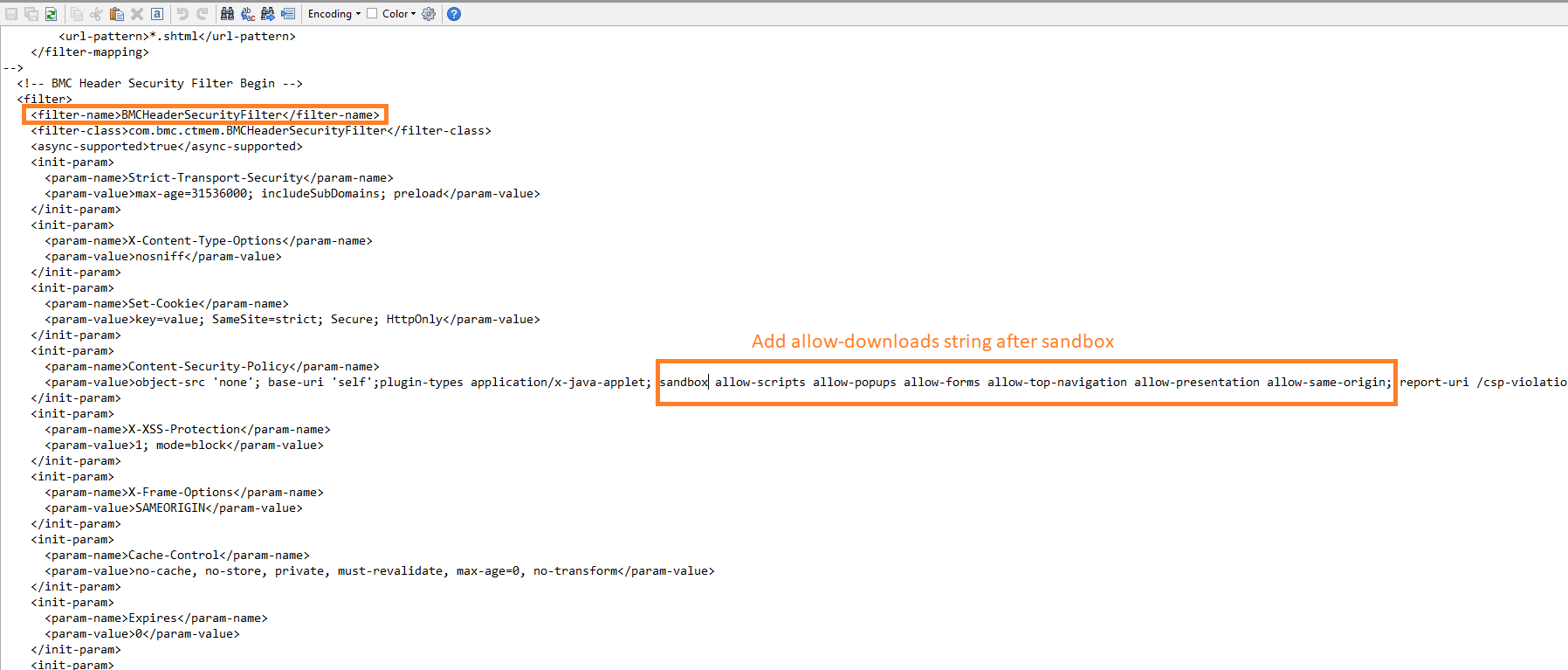
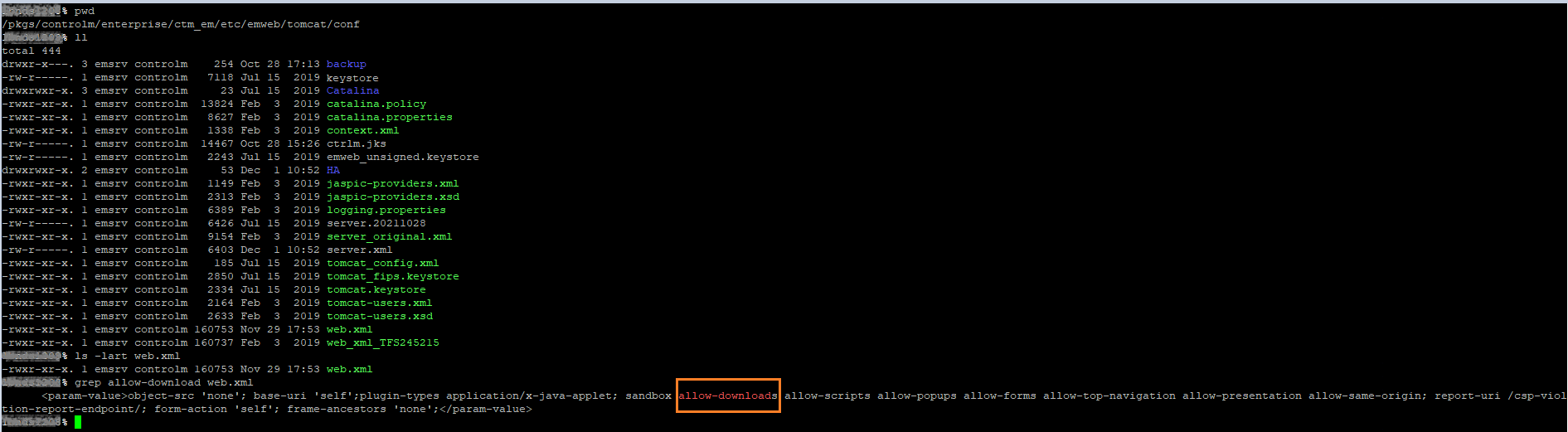
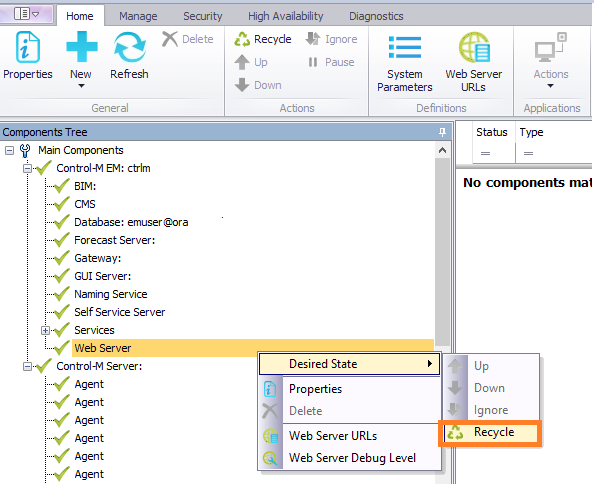
- recycle Control-M web server-connect to web client
- load a folder and try an export
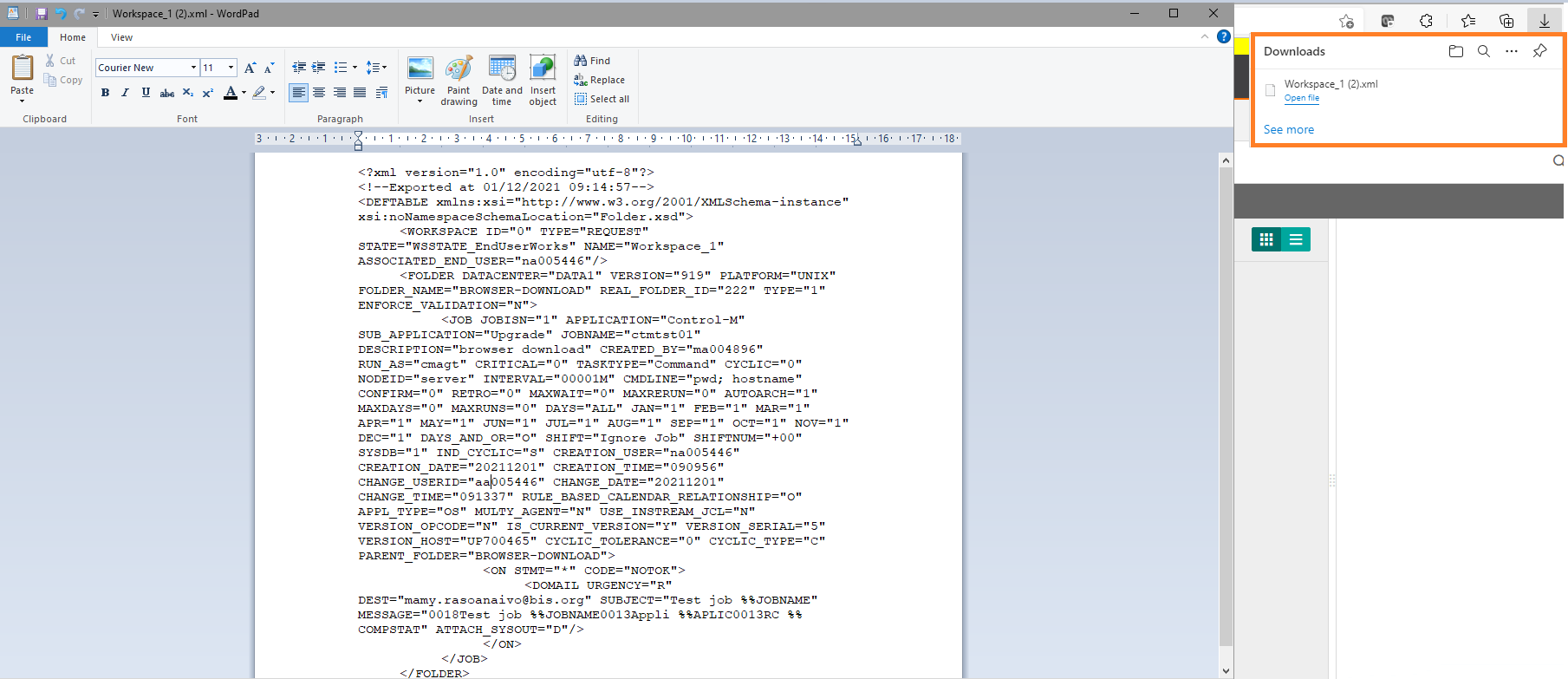
- and that’s it you got your xml file!
Conclusion
You know now how to enable download and export your file using Control-M web, don’t hesitate to visit BMC’s site and their support center to get precious info on Control-M and visit dbi bloggers 😉
