

idql and its column output
A few days ago, I was reading an interesting blog from distinguished colleague Clemens Bleile with the title “sqlplus and its column output” (link here https://www.dbi-services.com/blog/sqlplus-and-its-column-output/) and I said to myself: the lucky Oracle administrators and developers have sqlplus, a rather good, out of the box command-line tool to talk to their databases. What equivalent tool do we have with Documentum ? Well, we have mainly idql, which, to put it mildly, sucks. Unlike sqlplus, idql has no column formatting, no reporting, no variable substitution, no error trapping, actually almost nothing, not even command editing or command history (at least, under Unix/Linux). It just reads DQL statements, passes them to the content server and displays back the received answer. Pretty basic. However, for their defense, the Documentum creators gave away the source code of an ancient version (look for $DOCUMENTUM/share/sdk/example/code/idql.c), so it is relatively easy to enhance it the way you like.
Needless to say, having a nicely displayed output is not possible within idql. Whereas sqlplus’ column formatting allows to control the column width to make it narrower and thusly avoids those unending lines filled with spaces, in idql a query is displayed as is. For example, in sqlplus, “column mycol format A10” tells sqlplus to display the column mycol as an alphanumeric value in a field not larger than 10 characters; exceeding characters are wrapped around on the next line(s). However, if, many columns are SELECTed, long result lines are unvoidable in both sqlplus and idql and the solution proposed in Clemens’ blog can help with idql too since it applies to the terminal as a whole.
Hereafter though, I’d like to propose a few alternatives that don’t require another terminal software, although they may somewhat lack in interactivity. One of them uses the less command, another uses less + a named pipe and a third one a simple awk script to compact and reflow a query’s output. Here we go.
1. Use less command
If reading the output can be done separately from entering the commands into idql, “less -S” is pretty cool:
# run the select and output the result into a text file;
idql dmtest -Udmadmin -Pdmadmin -w100 > tmp_file
select * from dm_sysobject
go
quit
EoQ
# now use less -S to examine the result;
less -S tmp_file
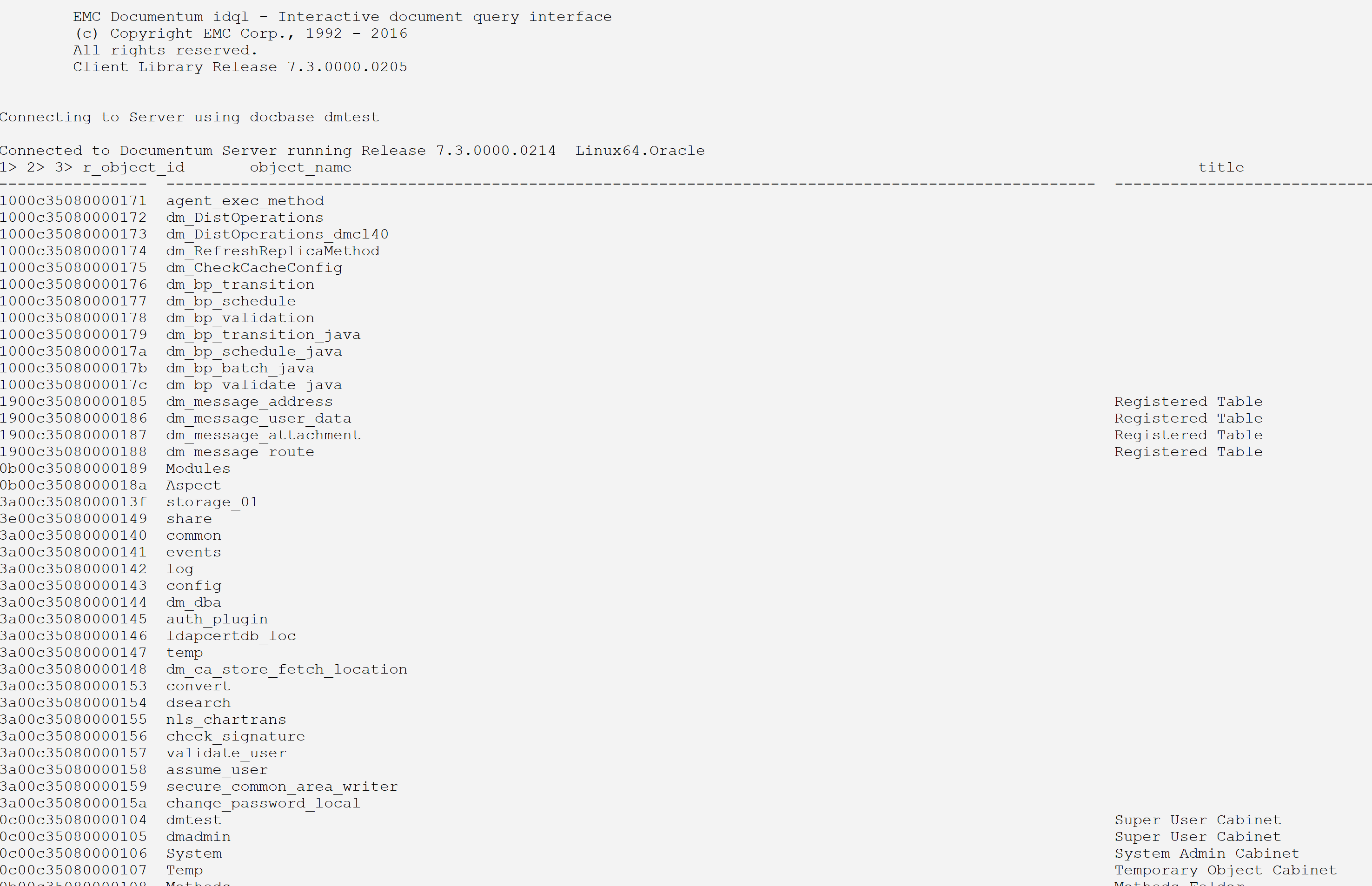
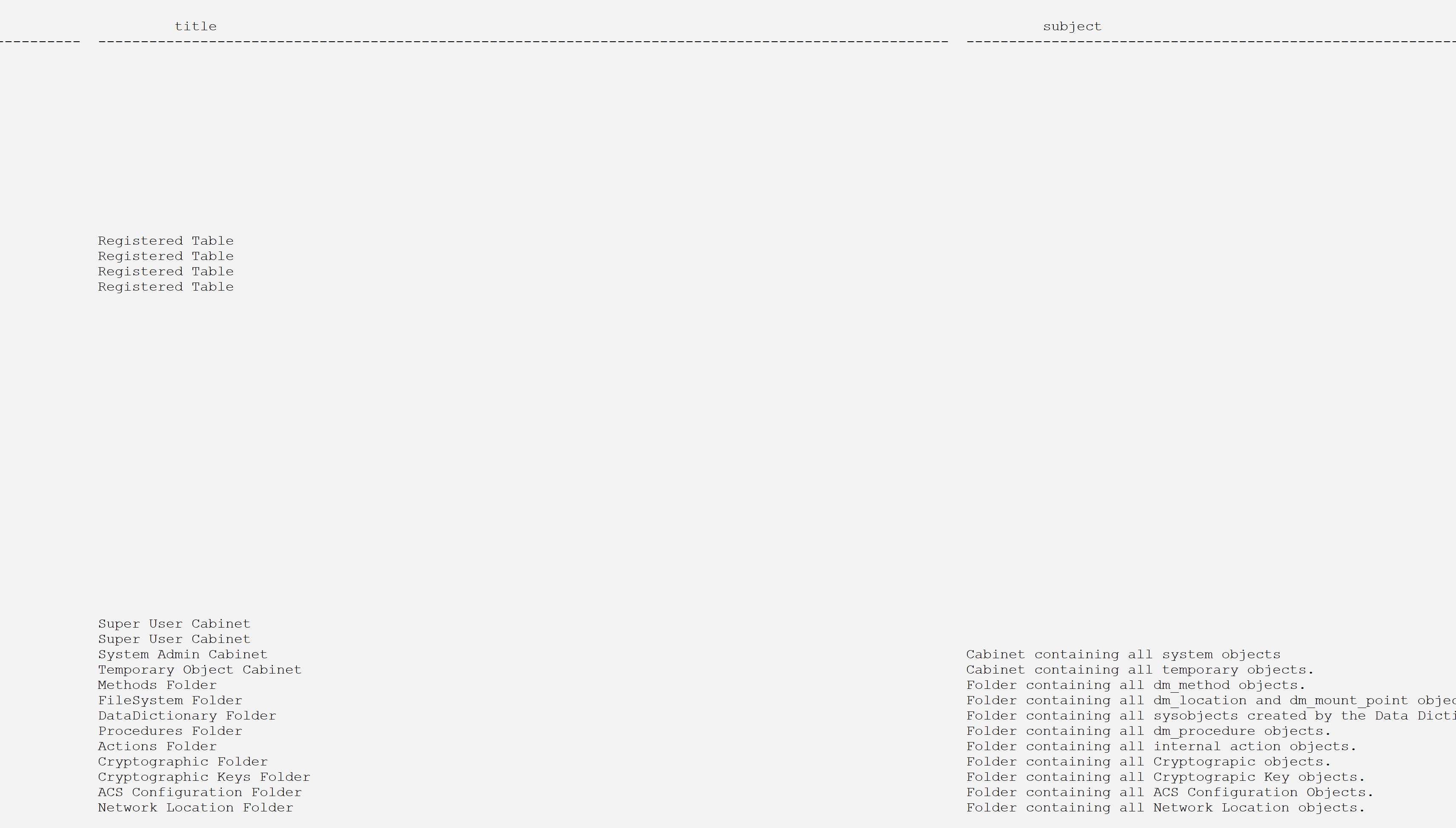
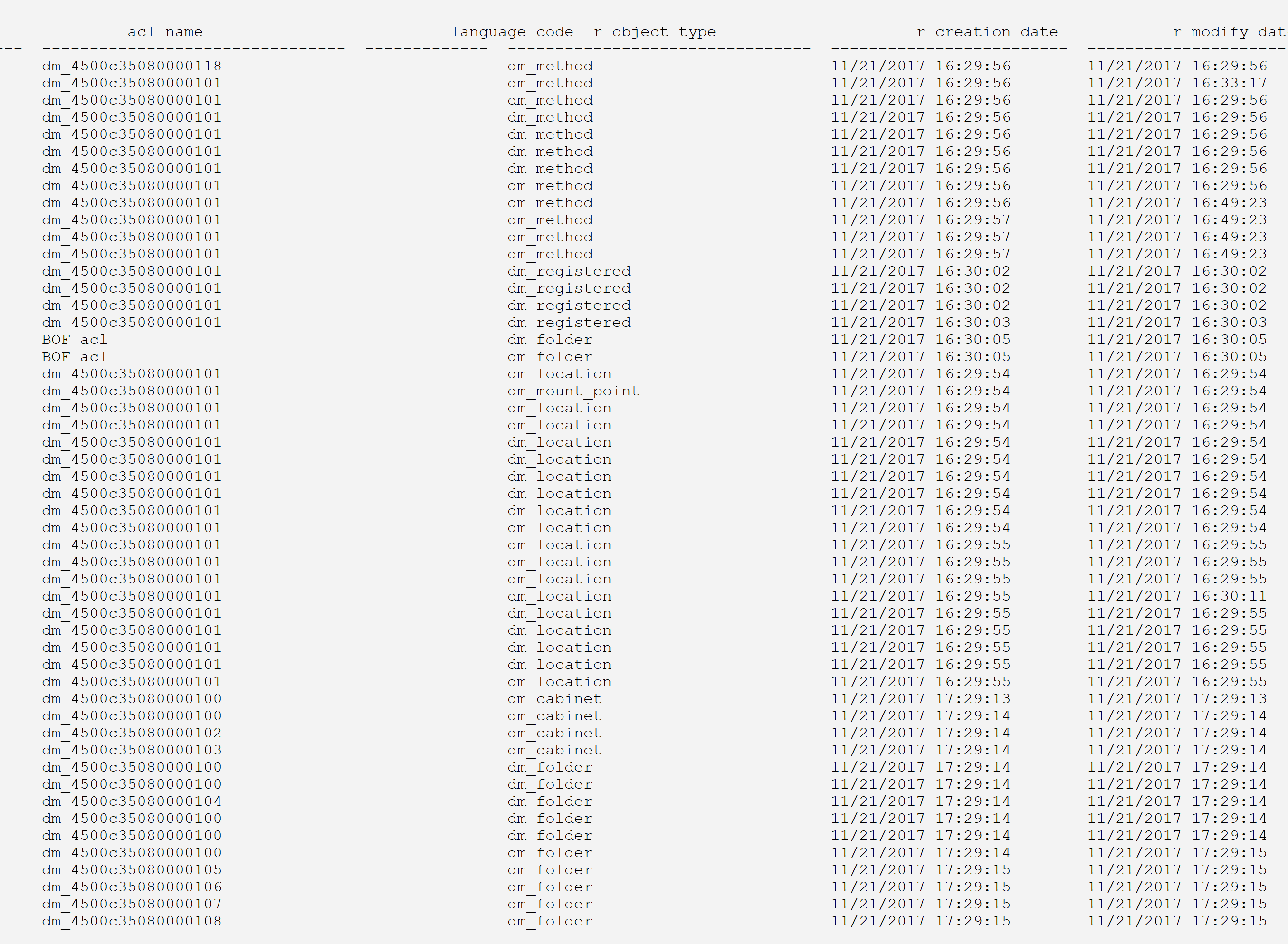
Now, it is possible to scroll left and right and have a good look at the result.
Some columns, though, are so wide and filled with trailing blanks that it is quite distracting. This will be taken care of later in the last alternative.
2. A more interactive variant with less -S
It is possible to stay in idql while the output is being redirected into a named pipe which is read by “less -S” and displayed in a second terminal. To do this, follow the steps below:
a. Create a named pipe named idqlp:
mknod -p idqlp
Contrary to the usual anonymous pipes, named pipes have, well, a name, and are created like files in a filesystem. As expected, like their counterparts, they can be written to and read from.
b. copy/paste the following command, it will create a pre-processor script for the less command:
cat - <<EoScript > lesspipe.sh
#! /bin/sh

# must define LESSOPEN environment variable to be used;
# export LESSOPEN="|~/lesspipe.sh %s"

case "$1" in
   idqlp)
      cat idqlp
      ;;
   *) exit 1
      ;;
esac
exit $?
EoScript
The preprocessor script will be invoked when less is launched, right before it. This is a nifty feature of less which allows to play tricks with binary files, e.g. decompressing them before viewing them (if they are compressed files). I guess less-ing a java class file could first invoke a decompiler and then pass the result to less. There is also a postprocessor for tasks to be performed after less exits, such as cleaning up the intermediate file created by the preprocessor. All this is very well presented in less’ man page.
c. make it executable:
chmod +x lesspipe.sh
d. copy/paste the following command in a terminal, it will create the consumer script that will continuously be reading from the named pipe idqlp:
cat - <<EoScript > readpipe.sh
#! /bin/bash

export LESSOPEN="|~/lesspipe.sh %s"

while [ true ]; do
   less -S idqlp
done
EoScript
e. make it executable:
chmod +x readpipe.sh
f. in the first terminal, run this script in the foreground:
./readpipe.sh
g. in the second terminal, run idql with a redirection into the named pipe idqlp:
idql dmtest -Udmadmin -Pdmadmin -w100 > idqlp
f. now, type your DQL statements with or without those endless lines:
execute show_sessions

go

select * from dm_sysobject
go

select * from dm_document
go
Result:
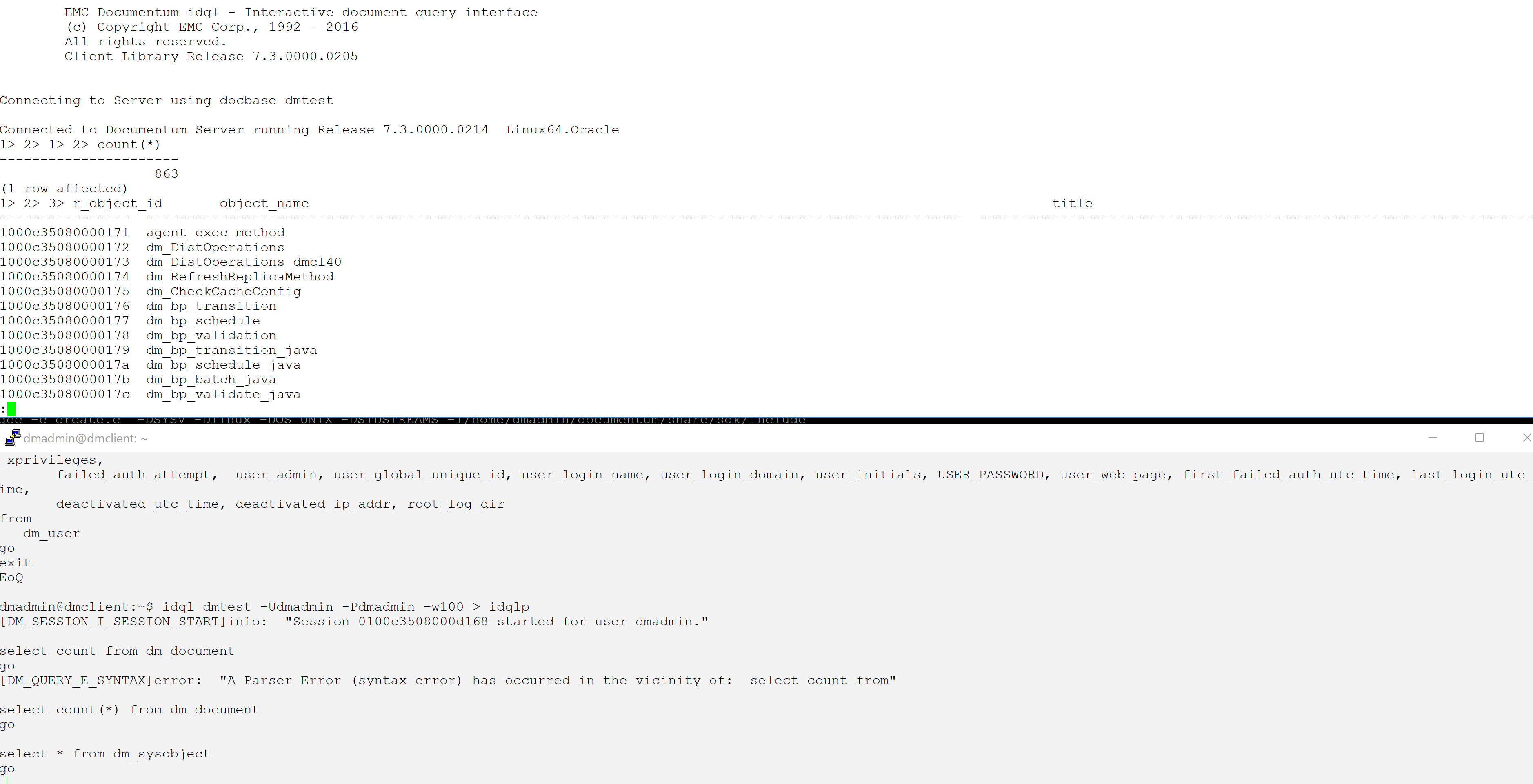
The DQL output of the second terminal (bottom) is displayed in the first terminal (top) where it can be browsed by less.
This trick works quite well as long as a few precautions are respected. As you know, a pipe blocks the producer when it gets full until the consumer starts reading it at the other end. Thus, idql is blocked as long as less has not finished reading its output; for short outputs, no special action is required but for those long listing, in order to force less to reach the end of the output, type shift-g in the less window; give it enough time so the DQL statement completes its output, then ctrl-C. idql is then released whereas the output can be quietly navigated from within less in the first terminal. Once done, BEFORE entering any new command in idql, quit less (command q) so the next cycle begins. Now, the next command can be typed in idql. Failure to do this can hang the consumer in the first terminal and the commands below must be used to get it back on track:
ctrl-Z         # send the consumer into the background;
jobs -l        # identify the pid that's messed up;
kill -9 pid    # send it ad patres;
./readpipe.sh  # restart the consumer;
Or use the one-liner:
jobs -l | grep readpipe.sh | cut -d\ -f3 | xargs kill -9
Sometimes, even the producer process must be restarted. If all this looks clumsy at first, once you get the habit of it, it becomes quite automatic.
This alternative is nice because it avoids cluttering the command window: the DQL commands are separated from their output and therefore stay visible in the second terminal. Moreover, as illustrated, error messages don’t show in the less-ed output.
3. The third alternative: compact the output
Eventhough those pesky long lines are now tamed, the issue of those extra-wide columns mostly filled with blanks remains and this alternative is aimed at it.
Firstly, here is where we take our inspiration from, Oracle sqlplus. Consider the SQL query below:
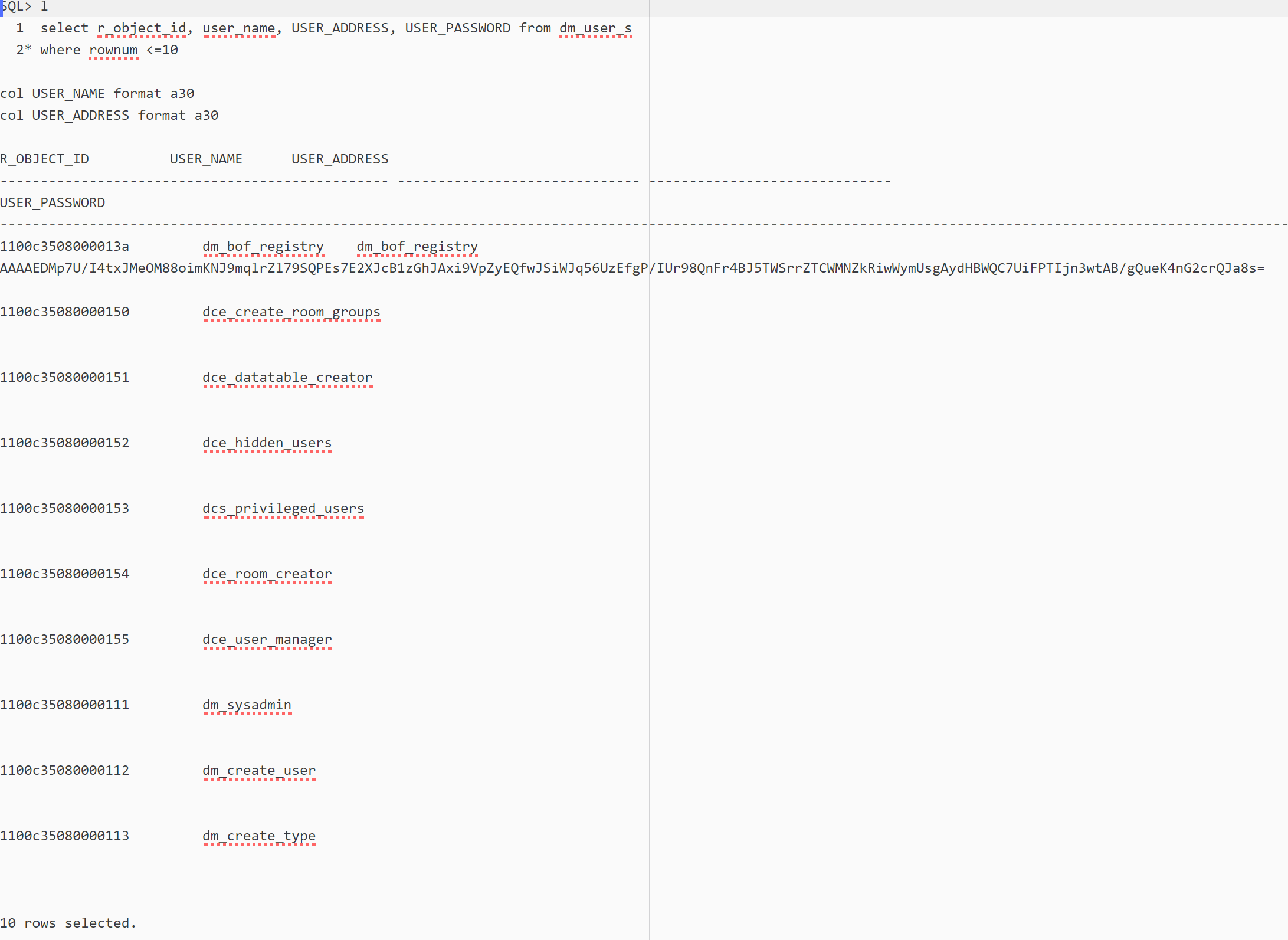
— The USER_PASSWORD column is still too wide, let’s narrow it:
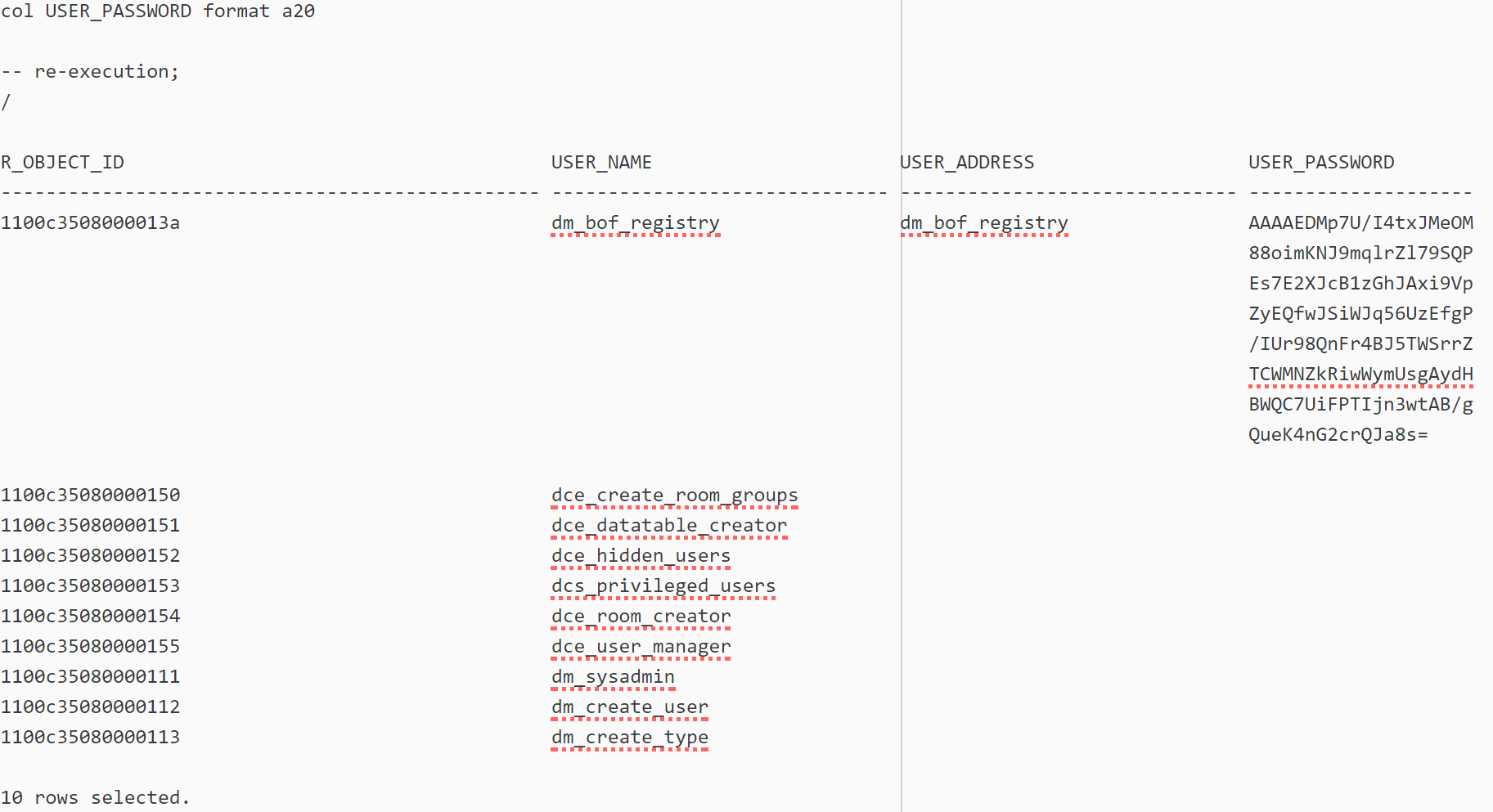
See what happened here ? Column USER_PASSWORD’s text has been reflowed inside the column’s width, not truncated.
OK, we want all these 3 things:
. compact the columns by removing trainling blanks;
. control the columns width by resizing the way we like;
. introduce column wrapping if our width is too narrow;
Obviously, since we don’t have the source code of idql, we cannot enhance the way it displays the query results so we will do this outside idql and in 2 steps, execute the query and capture its output to process it.
The output processing is performed by the following awk script:
-- compact_wwa.awk;
# Usage:
#    gawk -v maxw=nn -f compact_wwa.awk file
# or:
#    cmd | gawk -v maxw=nn -f compact_wwa.awk
# where:
#     maxw is the maximum column width; characters outside this limit are wrapped around in their own column;
# example:
#     gawk -v maxw=50 -f compact_wwa.awk tmp_file  | less -S
# C. Cervini, dbi-services.com
BEGIN {
   while (getline && !match($0, /^([0-9]+> )+/));
   header = substr($0, RLENGTH + 1)
   getline
   nbFields = NF
   fs[0] = 0; fw[0] = -1 # just so that fs[1] = 1, see below;
   headerLine = ""; sepLine = ""
   for (i = 1; i <= NF; i++) {
      fs[i] = fs[i - 1] + fw[i - 1] + 2
      fw[i] = length($i)
      sepLine = sepLine sprintf("%s  ", substr($0, fs[i], min(fw[i], maxw)))
   }
   printWithWA(header)
   printf("%s\n", sepLine)
}
{
   if (match($0, /^\([0-9]+ rows? affected\)/)) {
      print
      exit
   }
   printWithWA($0)
}
function printWithWA(S) {
   do {
      left_over = ""
      for (i = 1; i <= nbFields; i++) {
         Min = min(fw[i], maxw)
         printf("%s  ", substr(S, fs[i], Min))
         subS = substr(S, fs[i] + Min, fw[i] - Min)
         if (length(subS) > 0) {
            left_over = left_over sprintf("%-*s  ", fw[i], subS)
         }
         else
            left_over = left_over sprintf("%*s  ", fw[i], "")
      }
      printf "\n"
      gsub(/ +$/, "", left_over)
      S = left_over
   } while (left_over)
}
function min(x, y) {
   return(x <= y ? x : y)
}
Now, let’s put it to use:
idql dmtest -Udmadmin -Pdmadmin <<EoQ | gawk -v maxw=35 -f compact_wwa.awk | less -S
select r_object_id, user_name, user_os_name, user_address, user_group_name, user_privileges, owner_def_permit, world_def_permit, group_def_permit, default_folder, user_db_name, description,
acl_domain, acl_name, user_os_domain, home_docbase, user_state, client_capability, globally_managed, user_delegation, workflow_disabled, alias_set_id, user_source, user_ldap_dn, user_xprivileges,
failed_auth_attempt, user_admin, user_global_unique_id, user_login_name, user_login_domain, user_initials, USER_PASSWORD, user_web_page, first_failed_auth_utc_time, last_login_utc_time,
deactivated_utc_time, deactivated_ip_addr, root_log_dir
from
   dm_user
go
exit
EoQ
By the way, funny thing, here “select user_password” is not the same as “select USER_PASSWORD”. The first returns a sequence of asterisks while the second an ASCII representation of the encrypted password. The generated SQL explains why.
“select user_password” gets compiled into the SQL statement below:
select all '****************' as user_password from dm_user_sp dm_user
whereas “select USER_PASSWORD” is the real one:
select all dm_user.USER_PASSWORD from dm_user_sp dm_user
Unlike unquoted column names in Oracle SQL, attribute names in DQL are case-sensitive !
And here is the result:
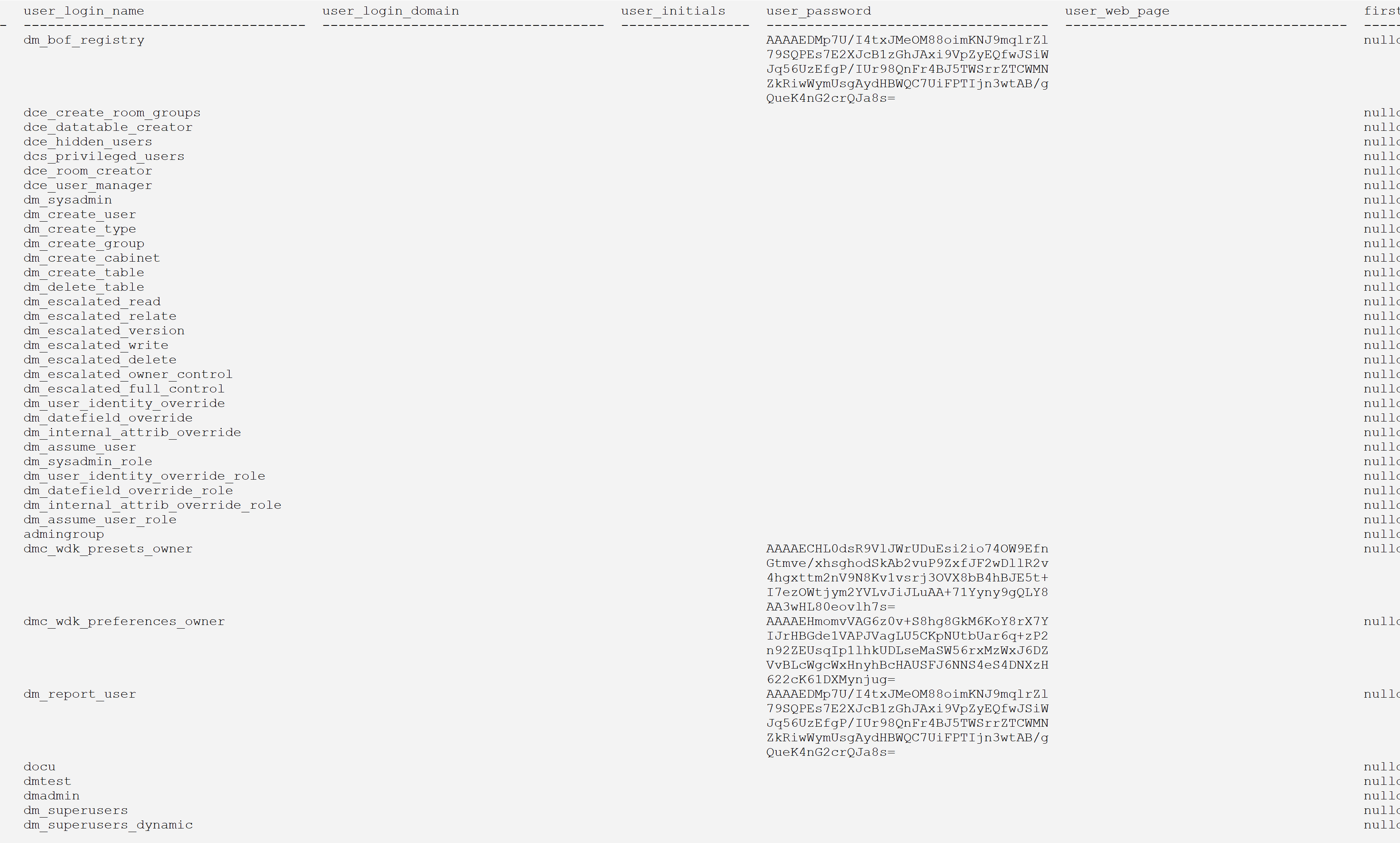
The script takes one parameter, maxw, the maximum column width. If the columns have too many characters, they are wrapped around on the next line(s) until the whole column has been displayed.
4. The altogether
What if we want the above line compaction and column wrapping around but interactively like in alternative 2 ? Easy. Just edit the script readpipe.sh and change line
cat idqlp
to
cat idqlp | gawk -v maxw=35 -f compact_wwa.awk
Said otherwise, we are preprocessing idql’s output through the awk filter before giving it to less.
A final alternative
We can achieve the same result with dmawk by writing a generic procedure that takes a DQL query to execute and a maximum column width, or a list of columns name and width (like if we entered a sequence of “col mycol format …” in sqlplus) so everything is done on the fly, but, as they say, this is left as an exercise to the reader. Or, why not, maybe in a blog to come.

Hi Parmigiana,
The Dirty Trick #1 can be greatly simplified in gawk using the string variable FIELDWIDTHS, as described in paragraph 4.6.1 Processing Fixed-Width Data of the GAWK: Effective AWK Programming manual.
It works like this: set FIELDWIDTHS as a list of one-space separated field widths (including the 2-blank separator string), e.g. “18 34 24 255” for a “select r_object_id, a_content_type, r_full_content_size, object_name from dm_document”.
r_object_type is a 16-long character field, + 2 column separation characters, that’s the 18 above; and so on for the other fields.
Then, you can extract the individual columns as usual using $1, $2, etc.
Because of idql’s columnar output, this works very well.
To programmatically build the FIELDWIDTHS string, just parse the header’s dashed separation line in the output. It gives you the column widths to assign to FIELDWIDTHS. To get that line, in the BEGIN {} section, use getline in a loop until the regexp “^-+” is satisfied (you may want to be more specific if it is too ambiguous). Then, iterate from 1 to NF and set widths[i] = length($i), or append directly the length($i) to FIELDWIDTHS with a separator space.
Of course, you can also go full procedural and use dmawk and the API functions to send a DQL query, retrieve and parse the result set line by line, column by column. In the aforementioned links, there are functions that do that, and more (e.g. return the full result set already parsed into an associative array). If your prefer gawk over dmawk, there is even a binding of the dmAPI to gawk. Also for python and perl, and for the JVM-based languages via the DFCs such as groovy or jython.
As you see, there are numerous work-arounds the idql output limitation, but if you must absolutely use idql/iapi, consider prefixing those tools with rlwrap (see link above); the piping facility of this tool can help parsing too.
Best regards,
Cesare
Now I have browsed the C annex “ISQL & IAPI” in “DQL Reference Guide” and discovered @ to include other script files (good!)
(and then, echo is not documented!).
And we are using some dirty tricks to get by and obtain output that is a bit more palatable later using gawk:
* Dirty trick #1 to delimit fields in a result row: select field1, ‘##’ as c1, field2, etc
* Dirty trick #2 to delimit lines of a result set, echo #BEGIN xxx, echo #END xxx, before and after every query sentence
* And of course, as you do, matching the final counter for a result set of lines /^\([0-9]+ rows? affected\)/
Thanks!
— Same IT minion from Barcelona
Hello Parmigiana,
The command-line tools iapi and idql are documented in Documentum Content Server DQL Reference Guide. Their command-line parameters are listed there along with the commands to comment a line (#), and the other commands you mentioned.
I totally agree with you about the limitations of those tools. In fact, they are so frustrating that I wrote several articles to work-around them, see for example the 2-part one here https://www.dbi-services.com/blog/enhancing-idql-iapi-with-rlwrap-part-i/ and https://www.dbi-services.com/blog/enhancing-idql-iapi-with-rlwrap-part-ii/. This one make idql and iapi actually quite usable.
If you just want a nice output from a DQL query, you can use the gawk filter presented here: https://www.dbi-services.com/blog/an-awk-filter-to-truncate-or-wrap-around-tabular-output/, or use the python output functions presented here https://www.dbi-services.com/blog/dctmapi-py-revisited/, or even write your own using the API interface to gawk (cf. https://www.dbi-services.com/blog/adding-a-documentum-extension-to-gawk-part-i/) or python (cf. https://www.dbi-services.com/blog/dctmapi-py-revisited).
There are several scripting languages that can be used with Documentum and the DMCL or DFCs API, cf. https://www.dbi-services.com/blog/a-few-scripting-languages-for-documentum/, so you can format the output the way you want.
Finally, if you work under Windows, you can use the free dqMan GUI-based utility (https://dqman.com/download/) or DQL Buddy (https://www.informedgroup.com/products/dql-buddy/) which is free too.
I hope you’ll find this information useful.
Best regards,
Cesare
I am discovering it, trying to use it for some rutinary batch data extractions, and I can’t believe that the output of documentum idql is so useless.
Are there any reference for the not-so-obvious commands like: go, echo, quit, # comment, etc?
Anyway, thankyou for showing the way,
— Some IT minion in sunny, hot and humid Barcelona