

At a customer, I received an incident saying that on D2 a document is found by browsing and not found using normal search. The root cause seems to be easy: The Document isn’t indexed?! Not really, you will see it wasn’t easy to find 😉
1. Analysis
When we have an issue to find a document, usually the problem is that this document is not indexed or the user don’t have enough permissions.
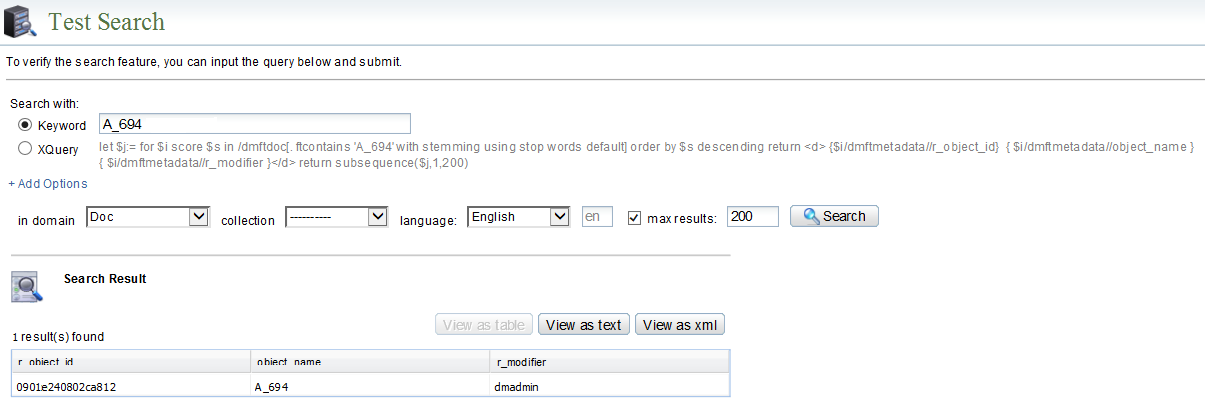
I checked if the document is indexed, by doing a search from:
– DsearchAdmin, Document found:
– Content Server using idql, Document found also:
1> select r_object_id,object_name,r_modifier,r_modify_date from dm_document search document contains 'A_694';
2> go
r_object_id       object_name        r_modifier      r_modify_date
----------------  -----------------  --------------  --------------------
0901e240802ca812  A_694              dmadmin         3/30/2019 03:02:30
So, the Document is indexed and found correctly as I showed you in above both searches.
Let’s check permissions, despite that I know already that the user has permissions as he can browse and see the document.
Got the ACL name of the document:
API> dump,c,0901e240802ca812
...
USER ATTRIBUTES

  object_name                     : A_694
  title                           : This Document is related to my blog
...
  acl_domain                      : Doc
  acl_name                        : d2_2350e171_213b12de
...
Got ACL Object ID:
1> select r_object_id,description from dm_acl where object_name='d2_2350e171_213b12de';
2> go
r_object_id       description
----------------  -------------------
4501e24080028cce  1 - BLOG - Documents
(1 row affected)
Check permissions:
API> dump,c,4501e24080028cce
...
USER ATTRIBUTES

  object_name                     : d2_2350e171_213b12de
  description                     : 1 - BLOG - Documents
...

SYSTEM ATTRIBUTES

  r_is_internal                   : F
  r_accessor_name              [0]: dm_world
                               [1]: dm_owner
                               [2]: GROUP_BLOG_TEST1
                               [3]: GROUP_BLOG_TEST2
  r_accessor_permit            [0]: 1
                               [1]: 7
                               [2]: 3
                               [3]: 6
  r_accessor_xpermit           [0]: 3
                               [1]: 3
                               [2]: 3
                               [3]: 3
  r_is_group                   [0]: F
                               [1]: F
                               [2]: T
                               [3]: T
...
The impacted user is member of GROUP_BLOG_TEST1, you can check using DA for example, browse:
Administration -> User Management -> Users, then find the impacted user, right click and chose “View Current User Memberships”.
So, the document is indexed and the user has correct permission…
2. Solution
In fact, when a user search using keyword, Documentum will make the search on Documents indexed to find matched documents, but that’s not all… ACL are got from Search also and applied to documents found to give permission to the user accordingly, that’s mean that ACL should be also indexed!
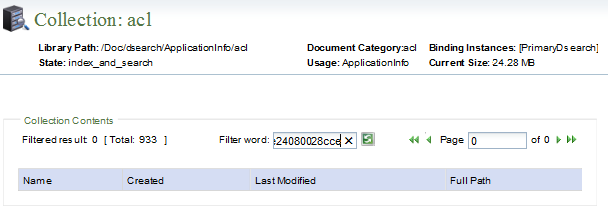
Check ACL index status in the DsearchAdmin:
4501e24080028cce d2_2350e171_213b12de
The ACL is not found :
Submit the indexing to the queue, using api:
queue,c,4501e24080028cce,dm_FT_i_user
Once indexed, I asked the user to search the document again on D2, and he could find it. So, yes the ACL need also to be indexed if not the document will not be found even if it is indexed.