Our client was experiencing issues after publishing a report that used Direct Query mode. Specifically, when the report was queried, the following error occurred:
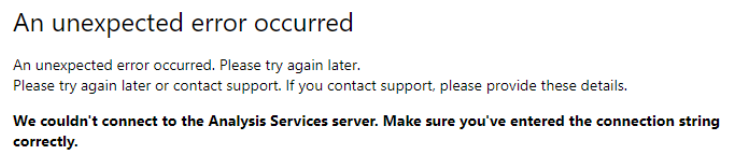
Error : We couldn’t connect to the Analysis Services server. Make sure you’ve entered the connection string correctly.
However, this issue did not occur in Power BI Desktop.
In Power BI, several data loading modes are available. Import mode loads data into the Power BI model, which usually provides faster performance and richer modeling capabilities. DirectQuery mode does not store the data in the model instead, each interaction sends queries to the source system in real time. Import is generally better for speed and flexibility, while DirectQuery is useful when data must stay in the source or remain near real-time. The trade-off is that DirectQuery depends more heavily on source performance, network latency, and source-system limitations.
Configuration
At first glance, one might think that the corresponding report is trying to connect to an SSAS service and that there is a connectivity issue between Power BI Report Server and a SQL Server Analysis Services instance.
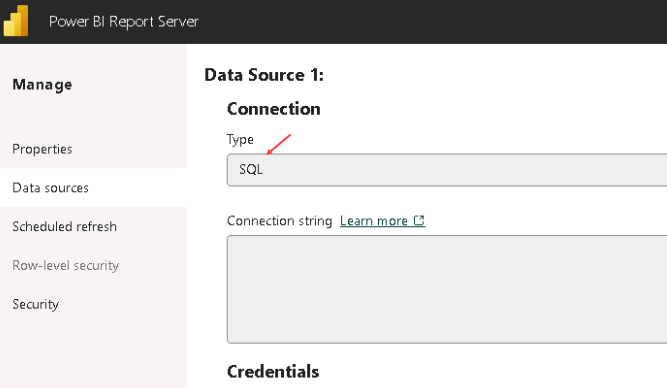
However, after reviewing the data source, there was no connection to SSAS:
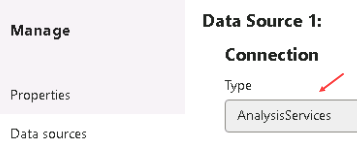
We did not have this type of configuration:
The questions that arise
Why are we getting an error message even though the report is not trying to connect to a SQL Server Analysis Services instance?
Why is our client seeing this error message and unable to query the report?
Troubleshooting
By reviewing the Power BI Report Server logs, it was possible to see this type of message:
Failed to get CSDL. —> MsolapWrapper.MsolapWrapperException: Failure encountered while getting schema.
CannotRetrieveModelException: An error occurred while loading the model… Verify that the connection information is correct and that you have permissions to access the data source.
It is also possible to retrieve some information from the ExecutionLog3 table:

Indeed, whenever a Power BI report is rendered or a scheduled refresh is executed, new entries are written to the ExecutionLog3 table. These entries can be queried through the ExecutionLog3 view in the Report Server catalog database. The ConceptualSchema event corresponds to a user viewing the report.
When querying the Event Viewer, it returned these errors at the time we tried to query the report:

More details about the first errors
We have two error messages that seem to point in two different directions. In reality, the first error messages are not very useful and appear because although the error message refers to Analysis Services, the report was not connecting to an external SSAS instance. Power BI Report Server uses an internal Analysis Services engine to load and query Power BI report models. Therefore, the error was raised by the internal PBIRS Analysis Services engine, not by a standalone SQL Server Analysis Services instance.
Power BI Report Server may report an Analysis Services-related error even when the report does not connect to an external SSAS instance. This is because PBIRS uses an internal Analysis Services engine to host and execute the Power BI semantic model behind the report. In DirectQuery mode, the data remains in SQL Server, but the report model, metadata, relationships, measures, and DAX queries are still processed through this internal engine.
When a user opens the report, PBIRS asks this local Analysis Services process to load the model and generate the queries sent to SQL Server.
Therefore, if the internal engine fails while loading the model, validating metadata, or connecting to the SQL Server data source, the error may mention Analysis Services. This does not mean that the report is connected to a standalone SSAS instance.
More details about the second errors
This was the second error that pointed us in the right direction to actually resolve the issue. After looking at it more closely, we started considering connection encryption and certificates. This problem is documented, and several solutions are available.
Indeed, the SQL Server instance queried to retrieve the data did not have a certificate issued by a trusted certificate authority. It was using a self-generated certificate.
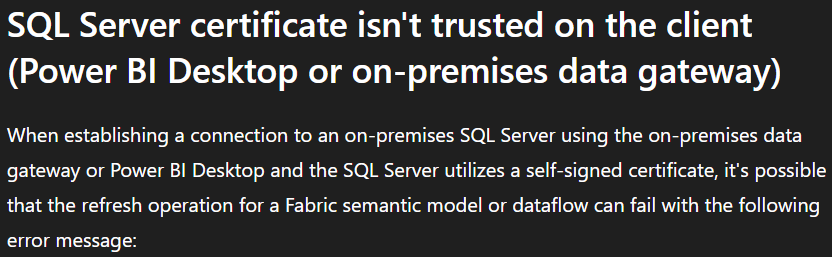
This can lead to errors such as the ones mentioned above, or errors like the following:
Microsoft SQL: A connection was successfully established with the server, but then an error occurred during the login process. Provider: SSL Provider, error: 0 – The certificate chain was issued by an authority that is not trusted.
Solutions
We had at least three options to resolve this issue:
- Change the connection mode to Import
- Install a certificate issued by a trusted certificate authority however this would represent a major change
- Create a new environment variable on the Power BI Report Server
The client chose the easiest solution to implement: creating the corresponding environment variable.
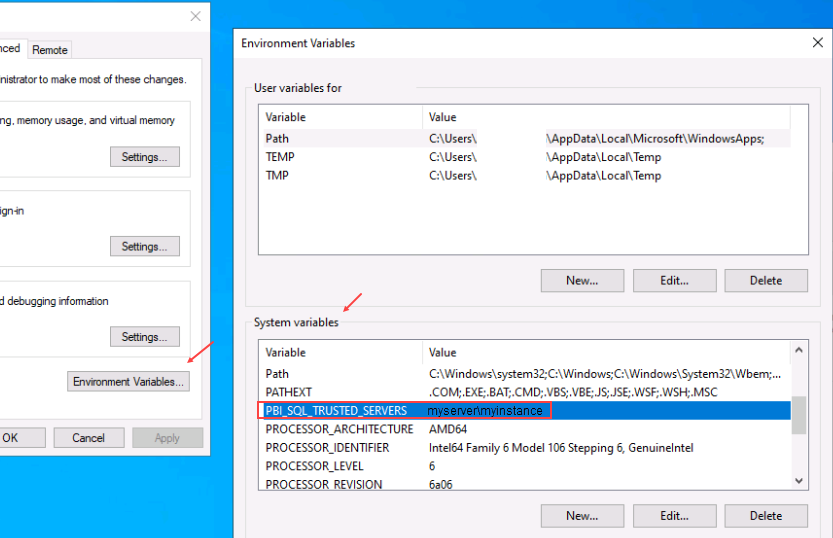
We then restarted the corresponding Power BI Report Server service and this resolved the issue.
References :
https://learn.microsoft.com/en-us/power-bi/report-server/scheduled-refresh-troubleshoot
Thank you. Amine Haloui
![Thumbnail [60x60]](https://www.dbi-services.com/blog/wp-content/uploads/2024/03/AHI_web.jpg)
![Thumbnail [90x90]](https://www.dbi-services.com/blog/wp-content/uploads/2022/09/CHC_web-min-min-scaled.jpg)
![Thumbnail [90x90]](https://www.dbi-services.com/blog/wp-content/uploads/2025/11/LTO_WEB.jpg)
![Thumbnail [90x90]](https://www.dbi-services.com/blog/wp-content/uploads/2025/05/martin_bracher_2048x1536.jpg)