

This Monday morning, we begin our SLA Support with a customer call.
He cannot do a select on a table in his database…
After creating the Ticket, I connect to the instance and see that the msdb system database is in a Suspect State:
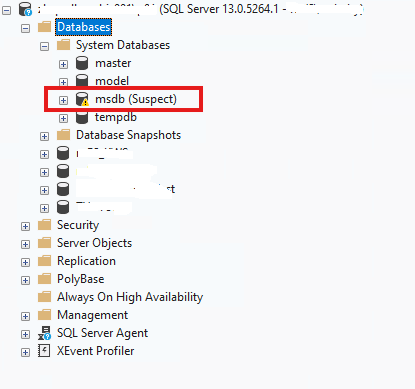
After taking a deep breath because I don’t see that every day, I begin my investigation by asking the state with the system view sys.databases first:
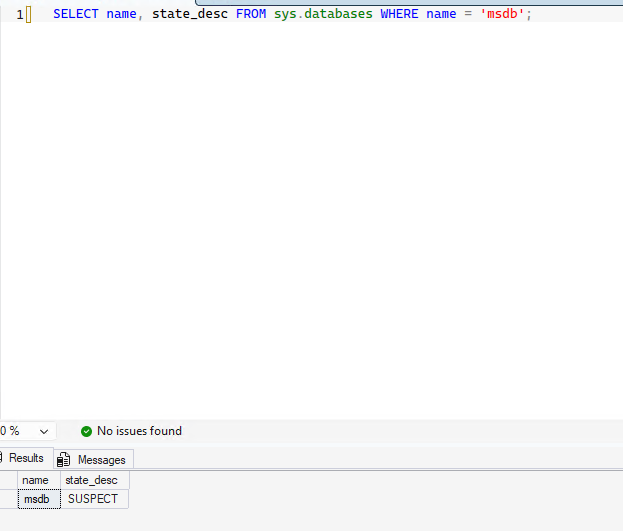
msdb is really in a suspect mode…
Now, to begin the analysis, I go to read the error log.:
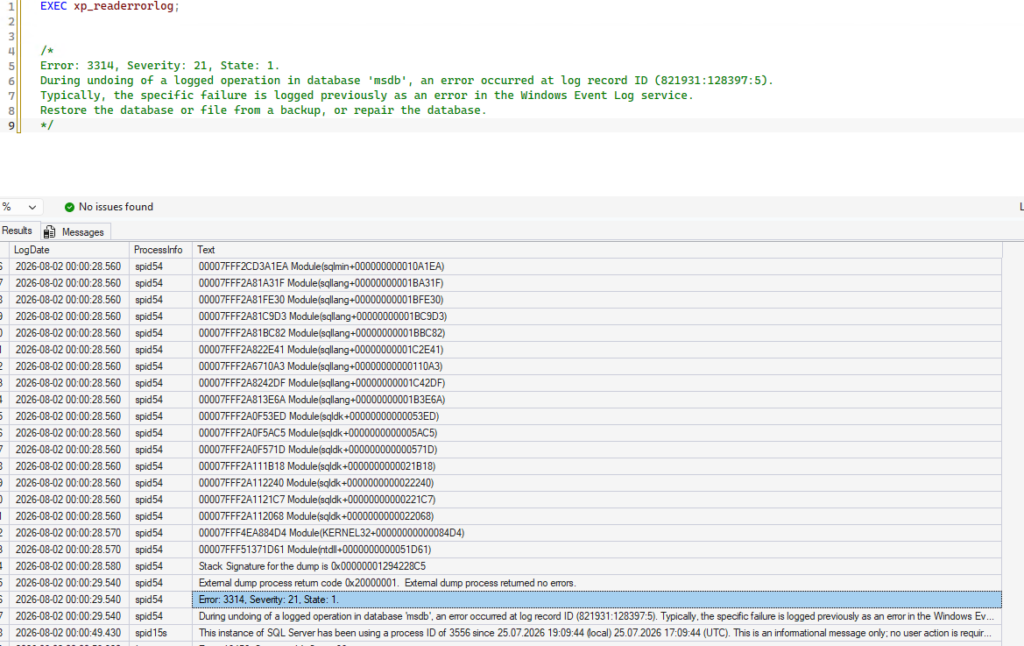
The Error Log give me the error that I comments in SSMS query to read it better:
Questions about your own setup? A dbi services consultant can look at your case.
Talk to an expert (opens in a new tab)Error: 3314, Severity: 21, State: 1.
During undoing of a logged operation in database ‘msdb’, an error occurred at log record ID (821931:128397:5).
Typically, the specific failure is logged previously as an error in the Windows Event Log service. Restore the database or file from a backup, or repair the database.
If you have this error message, the best is to restore the msdb;
As the information of the backups is in the msdb, I cannot do a right-click to restore the database… ☹
I looked for the latest backup in the error log and find it:
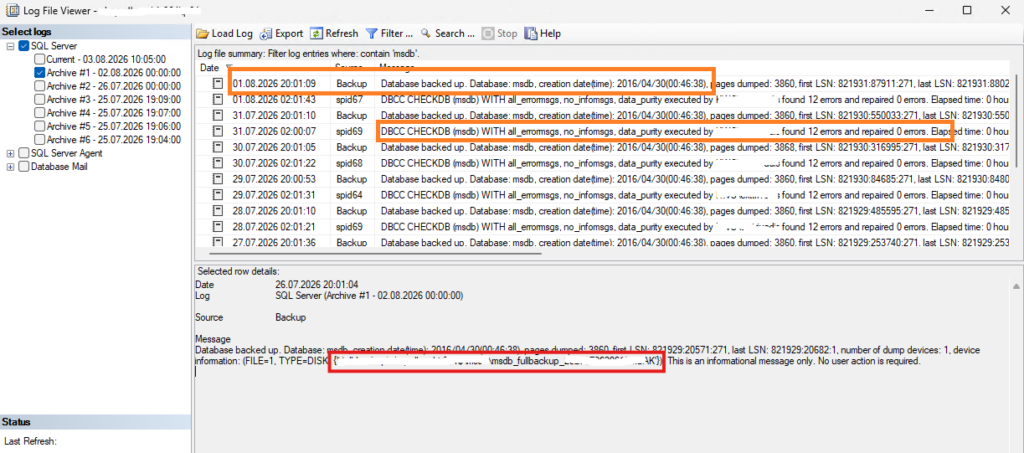
But I also sse that the checkdb before each backup give 12 errors…
My question is at this point: Wasn’t there an alert saying that the database was corrupted?
As the users are blocked, I need to react quickly.
This is why, I do my restore and a CHECKDB with REPAIR_ALLOW_DATA_LOSS:
RESTORE DATABASE msdb FROM DISK = 'xxx\msdb\msdb_fullbackup_xxxx20260801xxxx.BAK' WITH REPLACE;
GO
 ALTER DATABASE msdb SET SINGLE_USER WITH ROLLBACK IMMEDIATE;
GO
DBCC CHECKDB ('msdb', REPAIR_ALLOW_DATA_LOSS) WITH NO_INFOMSGS, ALL_ERRORMSGS;
GO
ALTER DATABASE msdb SET MULTI_USER;
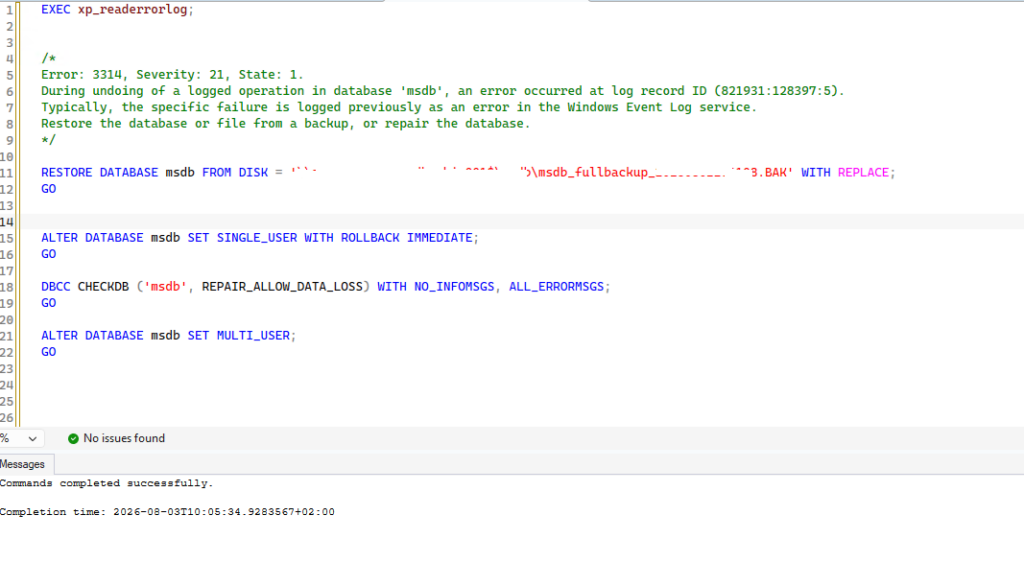
The commands completed successfully! YES!
The database msdb is online and working fine. SUPER!
To be sure, I go in the errorlog to see the restore and the checkdb with REPAIR_ALLOW_DATA_LOSS:
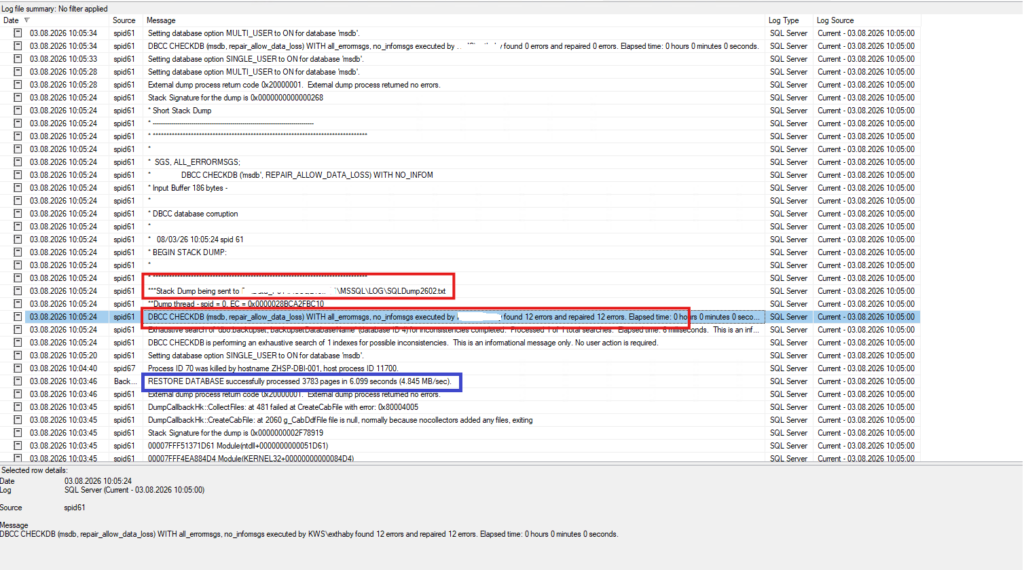
The restore was successful and in the checkDB with can see 12 errors and repaired 12 errors.
If I will investigate deeper, I will go the dump file and analyse it.
I finally managed to sort out and resolve the critical alert on monday morning.
Users can connect and read their tables again…
The customer knows why he comes to us for an SLA…
A good victory for a monday morning in our support SLA dbi-services!
See you soon for sharing again customer cases! 😉
Hello,
Thanks for this blog post….the suitation is confusing especaillyt the solution proposed. If there is a “clean/valid” MSDB database backup that was not corrupted then a database restore would be enought to mitigate the problem. Otherwise, if there is NO valid database backup (I mean backup when MSDB was not corrupted) then we should proceed with CHECKDB with REPAIR_ALLOW_DATA_LOSS option since there is no other way around. Doing a restore and checkdb with data loss option is confusing….kindly elboreate more.
Thanks again.
Emad Al-Mousa