After working on a GoldenGate deployment recently, I felt that the OGG-30007 error would be worth writing about. This error happens when registering certificates in GoldenGate. Whether you do it from the web UI or with the REST API, this GoldenGate error is detailed as such:
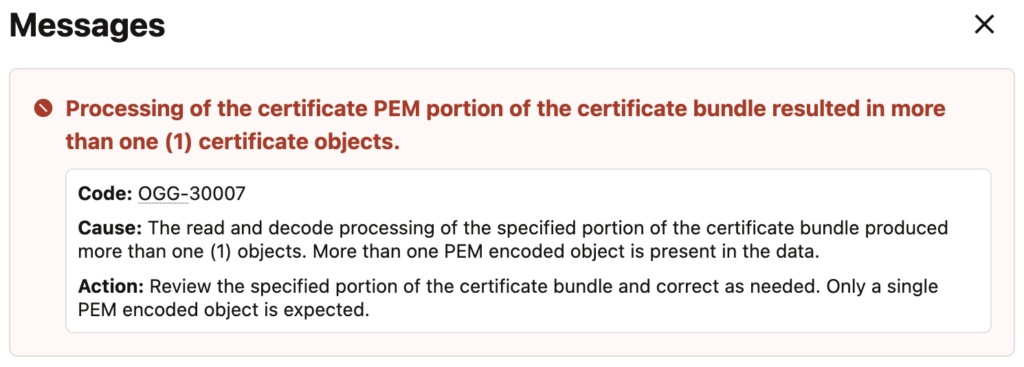
Processing of the certificate PEM portion of the certificate bundle resulted in more than one (1) certificate objects.

Code: OGG-30007

Cause: The read and decode processing of the specified portion of the certificate bundle produced more than one (1) objects. More than one PEM encoded object is present in the data.

Action: Review the specified portion of the certificate bundle and correct as needed. Only a single PEM encoded object is expected.
This error occurs because GoldenGate expects exactly one PEM object per import, while a certificate chain file contains multiple certificates. In the web UI, a pop-up will alert you that something is wrong:
As mentioned, this typically happens when registering a certificate chain. For instance, you could face the issue when connecting two deployments secured with NGINX. The server presents a certificate chain including the intermediate, while the client (GoldenGate) must trust both the root and the intermediate.
But when the Certificate Authority doesn’t sign your certificate directly with the Root Certificate, but with an Intermediate Certificate, the server presents a certificate chain including the intermediate. A certificate like the following will generate an OGG-30007 error if you try to add it to the truststore:
-----BEGIN CERTIFICATE-----
(intermediate)
-----END CERTIFICATE-----
-----BEGIN CERTIFICATE-----
(root)
-----END CERTIFICATE-----
And to make sure that your connections work, you should not only add the root certificate, but also the intermediate certificate. Because of the way GoldenGate stores these certificates, two separate entries must be created in the truststore. To ease monitoring and certificate management, you can name them rootCA_ogg_target and intermediateCA_ogg_target

With this, you should have no problem connecting GoldenGate deployments ! To avoid OGG-30007, ensure that each certificate is imported separately. In practice, this means extracting the root and intermediate certificates from the chain file and registering them as individual entries in the GoldenGate truststore.
![Thumbnail [60x60]](https://www.dbi-services.com/blog/wp-content/uploads/2025/05/JDE_Web-1-scaled.jpg)
![Thumbnail [90x90]](https://www.dbi-services.com/blog/wp-content/uploads/2025/11/LTO_WEB.jpg)