Skip to content

xPlore

Documentum – xPlore installer refuses to start because of ‘Multiple launches’

While working with xPlore, you might have faced before a message saying that an xPlore installer refused to start because it is not allowed to run multiple instances at the same time. This could have happened while running any installer: binaries, patches, dsearch, aso… However, when checking the processes, there is only one running and that’s the one you just… 

Documentum – Large documents in xPlore indexing

Documentum is using xPlore for the Full Text indexing/search processes. If you aren’t very familiar with how xPlore is working, you might want to know how it is possible to index large documents or you might be confused about some documents not being indexed (and therefore not searchable). In this blog, I will try to explain how xPlore can be… 

Documentum xPlore: Tuning of JVM for high throughput and low CPU usage

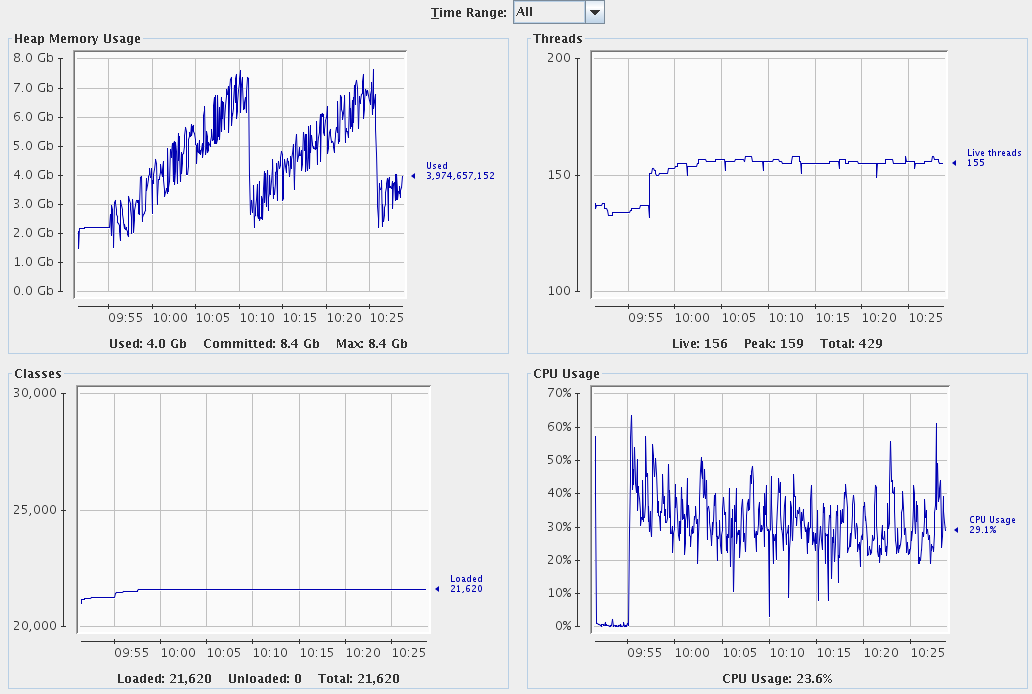
Sometimes you have java processes or even jboss servers using a lot of CPU. In my example I had an xPlore dsearch server using like 98% of the cpu. When using jconsole and jvisualvm I figured out the garbage collector was using 50 to 60% of the cpu time. This was because the server was indexing and accessing the internal… 

Documentum story – Status of IndexAgent not visible in HTTPS (xPlore)

In one of our project, we were using CS 7.2 P02 (upgraded later with P05) in correlation with xPlore 1.5 P02. With these versions, we wanted to setup the IndexAgents in HTTPS to have a completely secured environment. We choose to follow the xPlore documentation and use the Groovy script that EMC is now providing to facilitate the setup in… 

Documentum story – Setup the DSearch & IndexAgent in HTTPS (xPlore)

In this blog, I will show you how to setup the Primary DSearch and IndexAgent in HTTPS for xPlore 1.5. The documentation about that is available on the EMC WebSite as always and the pdf name is: “xPlore 1.5 Installation Guide.pdf”. The reason why I wanted to wrote this blog is because the documentation is not too bad but there… 

Documentum xPlore – ftintegrity tool not working

I’ve been patching around some xPlore servers for a while and recently I went into an issue regarding the ftintegrity tool. Maybe you figured it out as well, for xPlore 1.5 Patch 15 the ftintegrity tool available in $DSEARCH_HOME/setup/indexagent/tools was corrupted by the patch. I think for some reason the libs were changed and the tool wasn’t able to load… 

xPlore list all ids from xhive

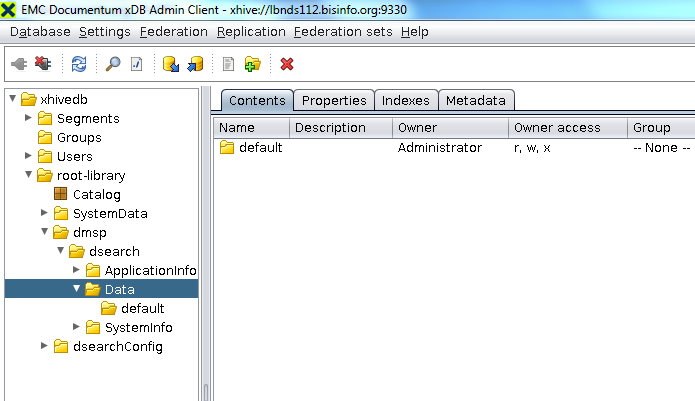
I went into a case that I found a kid of ‘Ghost’ index which I may present in another blog. But to summarize I had to get the full list of indexes from the xPlore server. The problem is that there isn’t such a list easily accessible. Hence I wondered, all indexes are stored in a database, what if I… 

D2 xPlore search on apostrophes

When using the D2 searches you are likely to go into trouble regarding special characters such as apostrophes. The goal in this blog is to show you how to parameterize new special character searches. In many documents you’ll have text with apostrophes or special characters that you want to search on. But unfortunately by default the D2 search will return… 

Documentum upgrade project: Wrong icons in D2 search results with xPlore

After migrating from “Fast” to “xPlore” Documentum full-text search engine, our team discovered wrong icons in D2 search results. Documents in checked-out state continued to be displayed with the normal icon, even if xPlore indexed attribute value for “r_lock_owner”. This attribute contains the user name who has checked-out the document. In the following picture, you can see the search result… 

Documentum upgrade project – from FAST to xPlore

We planned to do our full production upgrade in a weekend – and one part was the replacement of FAST by xPlore. As we had to index more than 10 millions objects, we had to find a solution where the full repository would be indexed by Monday morning. Since we used a clone of production to validate and test our…