Skip to content

Azure

How to store SQL Server data files in Azure Storage

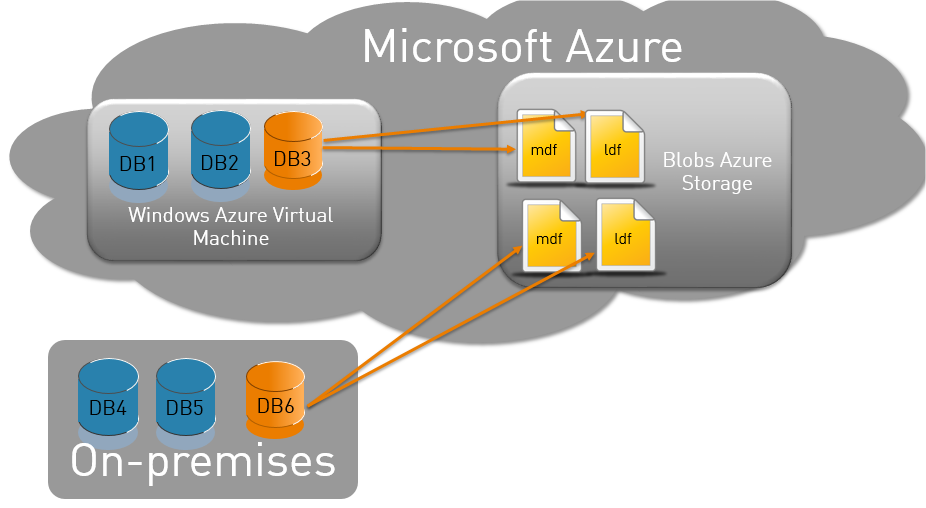
A new functionality, introduced with SQL Server 2014, enables to store data files from a SQL Server database in Windows Azure Storage. In this posting, I will show how it works.   Accessing Azure Storage The Azure Storage account is named “dbiservices”, and is composed of the “datafiles” container. This container does not contain blobs yet. If you are not… 
Deploying a SQL Server database to Azure

Deploying an SQL Server database to a Windows Azure virtual machine is a feature introduced with SQL Server 2014. It can be useful for an organization  that wants to reduce its infrastucture management, simplify the deployment, or have a fast virtual machine generation. Concept This new feature is a wizard which allows either to copy or migrate an On-Premise SQL… 

Backup a SQL Server database from On-Premise to Azure

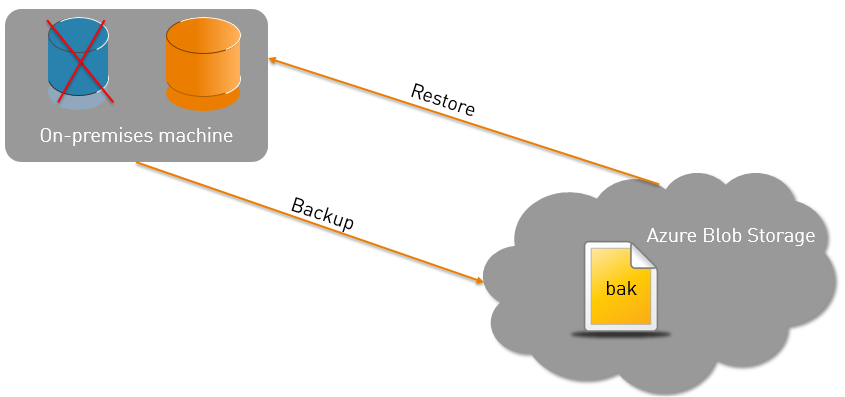
SQL Server database backup & restore from On-Premise to Azure is a feature introduced with SQL Server 2012 SP1 CU2. In the past, it could be used with these three tools: Transact-SQL (T-SQL) PowerShell SQL Server Management Objects (SMO) With SQL Server 2014, backup & restore can also be enabled via SQL Server Management Studio (SSMS). Concept This feature is… 

IT Pro TechDays 2013 in Lausanne: BYOD, SQL Server & SharePoint

I had the opportunity to attend the IT Pro day at the Microsoft Techdays in Lausanne. Let me give you a few insights on my day there. Being a SharePoint specialist but also ramping up on Microsoft SQL Server I tried to balance between SQL and SharePoint related sessions. BYOD As usual, the day started with a Keynote focusing on…