I recently came across an interesting case involving a client whose application used SQL Server symmetric keys to encrypt sensitive data. The database was hosted in an Always On Availability Group environment for high-availability and disaster-recovery.
The interesting and challenging aspect of this setup is ensuring that the encryption and decryption remains intact after a failover.
This challenge originates from SQL Server’s encryption hierarchy. In a typical setup, the Service Master Key (SMK) on server level protects the Database Master Key (DMK) on database level. The Database Master Key, in turn, protects certificates and asymmetric keys, while certificates are commonly used to protect symmetric keys. These symmetric keys may then be used by the application to encrypt and decrypt sensitive data.
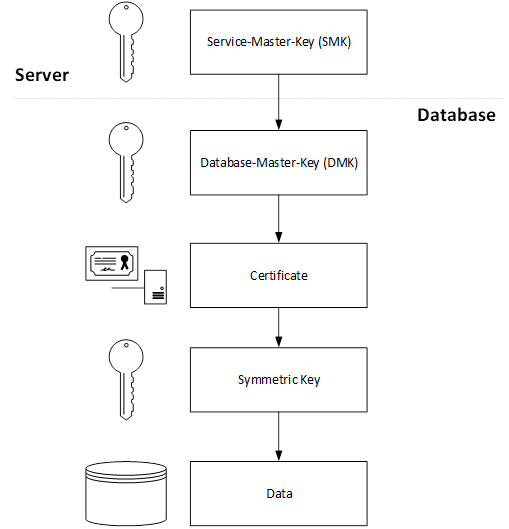
When a failover to a secondary replica occurs, the Service Master Key (SMK) is no longer the same as on the previous primary replica. Since the Database Master Key (DMK) is typically encrypted by the local Service Master Key, SQL Server may no longer be able to open the DMK transparently after the failover. As a result, any encryption objects that depend on the DMK, such as certificates and symmetric keys, may become inaccessible, potentially causing application failures when encrypted data needs to be read or written.
Let’s now explore the built-in approaches in SQL Server to ensure that the encryption hierarchy remains functional across replicas and that applications continue to operate seamlessly after a failover.
First, let’s create a test database and a Database Master Key:
-- Create Demo DB
CREATE DATABASE TestDMK;
GO
--Backup DB
BACKUP DATABASE TestDMK
TO DISK = 'C:\SQLServer_mnt\BACKUP\TestDMK.bak';
go
-- Create Database Master Key
CREATE MASTER KEY
ENCRYPTION BY PASSWORD = 'MyVeryStrongPassword_123!';
GO
-- Check Master Key
SELECT DB_NAME() as DB, *
FROM sys.symmetric_keys
WHERE name = '##MS_DatabaseMasterKey##';
GO
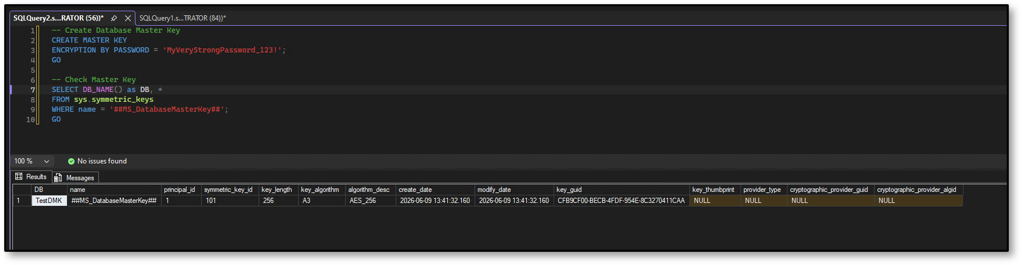
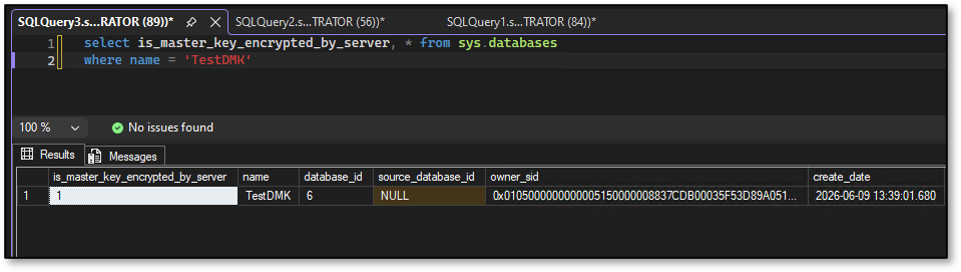
It is worth noting that you can verify whether a Database Master Key is also encrypted by the Service Master Key by querying the sys.databases catalog view. When a Database Master Key is created, SQL Server typically adds encryption by the Service Master Key automatically. This behaviour can be changed by explicitly removing the Service Master Key encryption.
select is_master_key_encrypted_by_server, * from sys.databases where name = 'TestDMK'
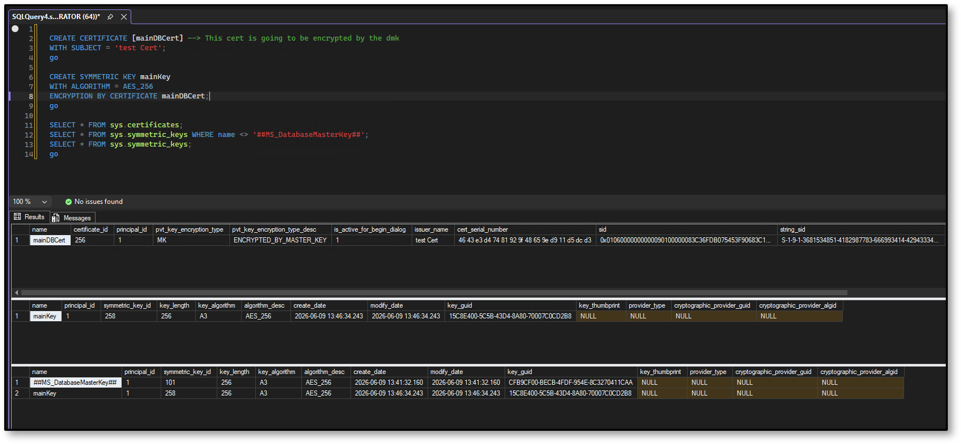
With the Database Master Key in place, let’s create a certificate and a symmetric key that will be used throughout the remainder of this demonstration.
CREATE CERTIFICATE [mainDBCert] --> This cert is going to be encrypted by the dmk
WITH SUBJECT = 'test Cert';
go
CREATE SYMMETRIC KEY mainKey
WITH ALGORITHM = AES_256
ENCRYPTION BY CERTIFICATE mainDBCert;
go
SELECT * FROM sys.certificates;
SELECT * FROM sys.symmetric_keys WHERE name <> '##MS_DatabaseMasterKey##';
SELECT * FROM sys.symmetric_keys;
go
To demonstrate the encryption and decryption process, let’s create a simple table that will contain sensitive information and insert some data.
--create table with sensitive data
CREATE TABLE CreditCards
(
    Id int,
    CreditCardNr varbinary(max),
    CVC varbinary(max),
    ExpirationDate varbinary(max)
);
go
--open symmetric key
OPEN SYMMETRIC KEY mainKey
DECRYPTION BY CERTIFICATE mainDBCert;
--insert sensitive data
INSERT INTO CredîtCards
VALUES
(
    1,
    EncryptByKey(Key_GUID('mainKey'), '1234-5678-9012-3456'),
    EncryptByKey(Key_GUID('mainKey'), '123'),
    EncryptByKey(Key_GUID('mainKey'), '1233')
);
CLOSE SYMMETRIC KEY mainKey;
GO
Select * from CreditCards
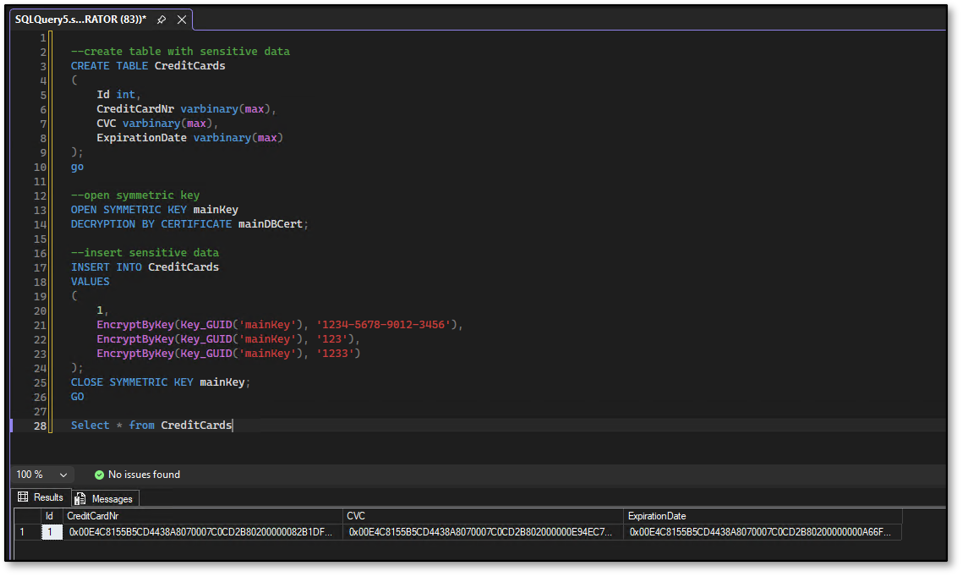
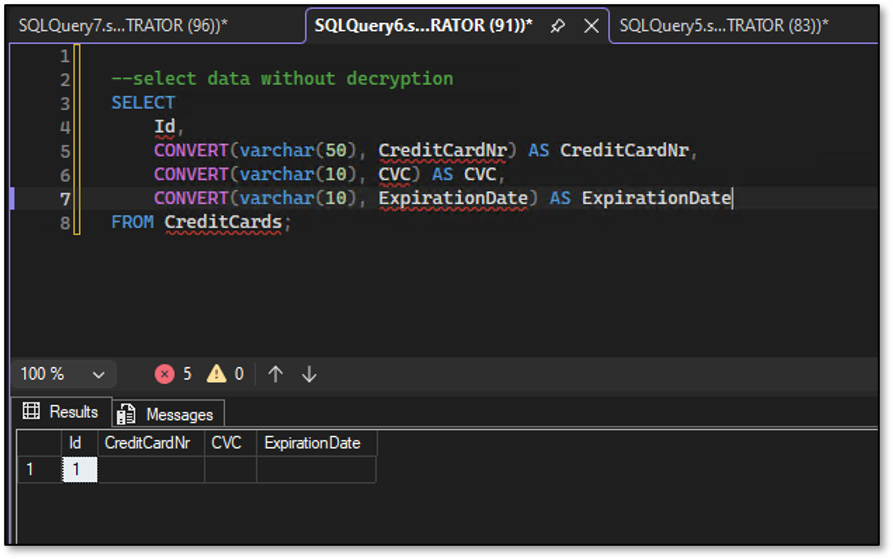
If we query the table without opening the symmetric key and decrypting the values, we can see that we won’t see the data.
--select data without decryption
SELECT
    Id,
    CONVERT(varchar(50), CreditCardNr) AS CreditCardNr,
    CONVERT(varchar(10), CVC) AS CVC,
    CONVERT(varchar(10), ExpirationDate) AS ExpirationDate
FROM CreditCards;
However, if we open the symmetric key first and use it to decrypt the data, we are able to retrieve the original sensitive information:
OPEN SYMMETRIC KEY mainKey
DECRYPTION BY CERTIFICATE mainDBCert;
GO
SELECT
    Id,
    CONVERT(varchar(50), DecryptByKey(CreditCardNr)) AS CreditCardNr,
    CONVERT(varchar(10), DecryptByKey(CVC)) AS CVC,
    CONVERT(varchar(10), DecryptByKey(ExpirationDate)) AS ExpirationDate
FROM CredîtCards;
GO
CLOSE SYMMETRIC KEY mainKey;
GO
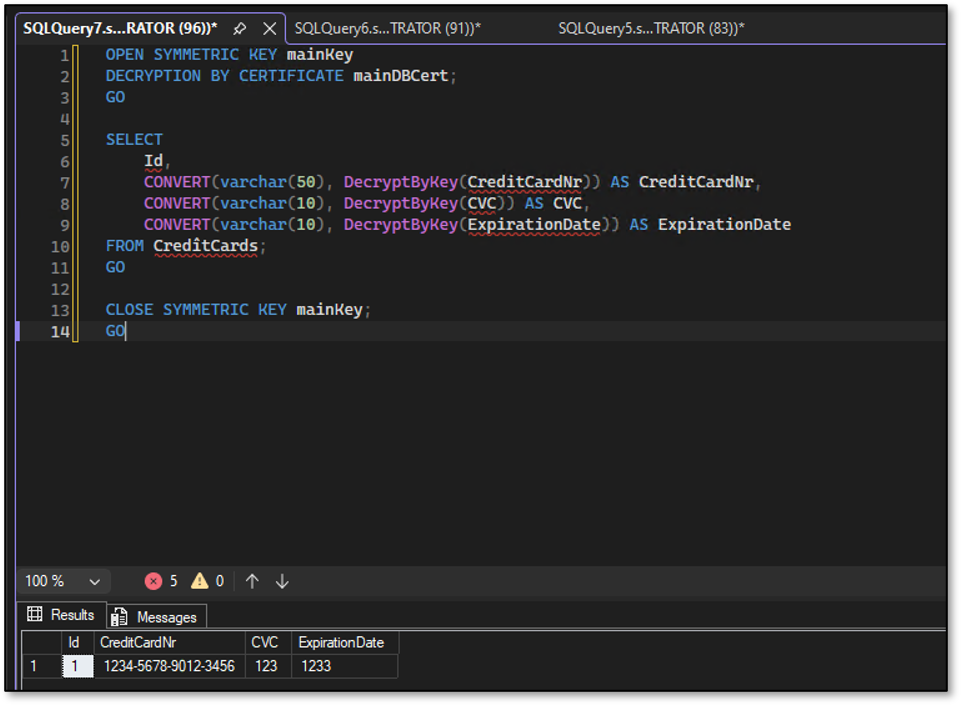
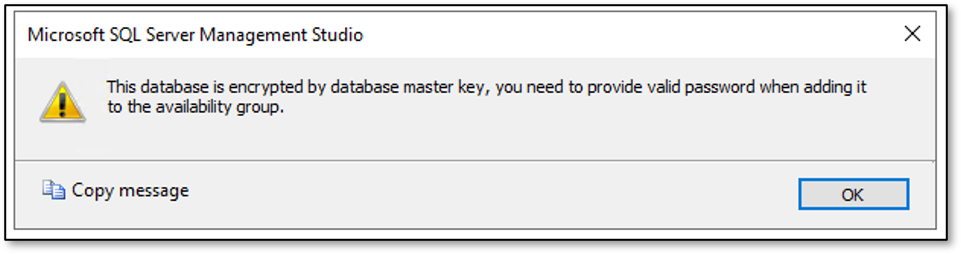
Now let’s add our database to an Always On Availability Group to provide high availability and disaster recovery. If you follow the Availability Group wizard, you may notice that the wizard asks you to enter a password. What the wizards is asking for here is the password of the Database Master Key (DMK). The DMK protects the certificate in our encryption hierarchy, and the certificate, in turn, protects the symmetric key used to encrypt and decrypt the sensitive data.
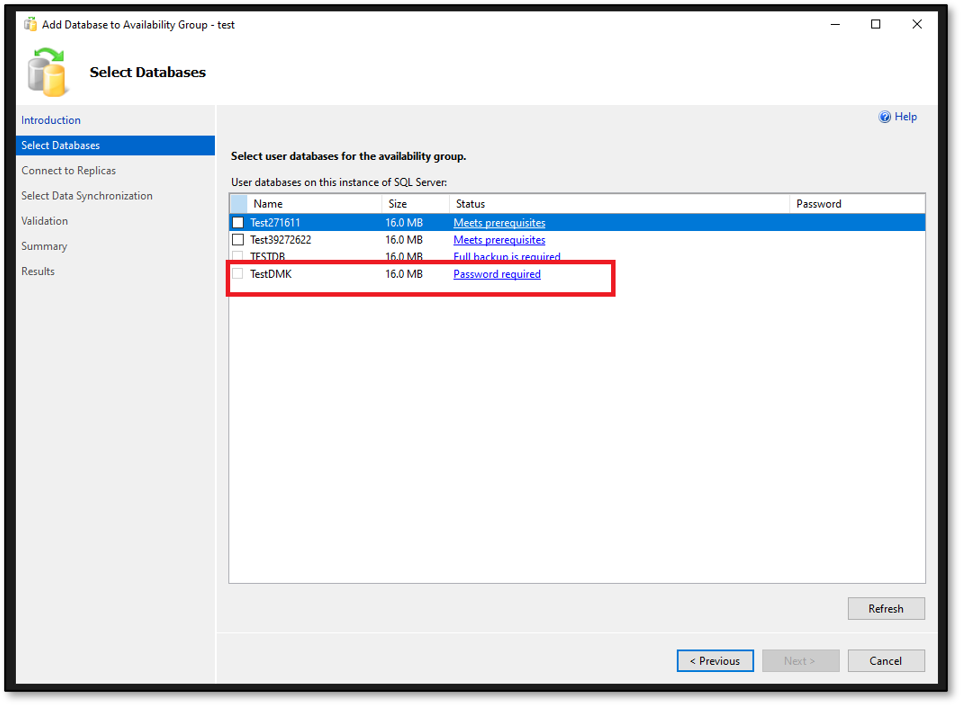
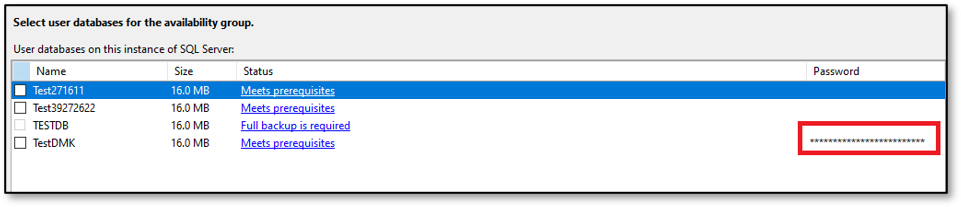
On the right-hand side of the wizard, there is a small and easily overlooked text box where you can enter the Database Master Key password.
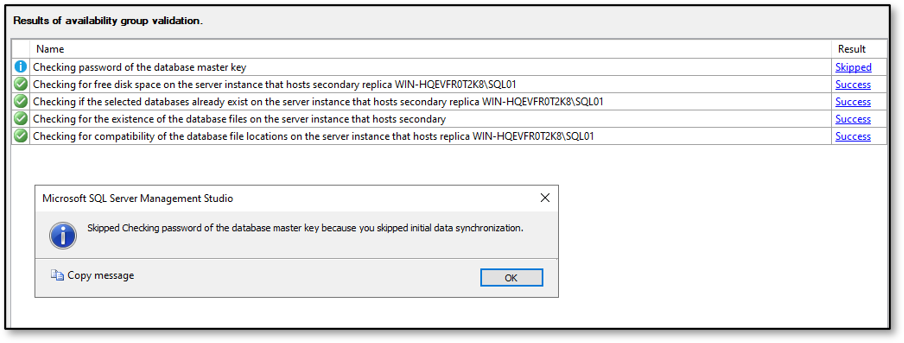
And now comes the tricky – and at the same time somewhat surprising – part. If you use automatic seeding, which is my preferred option whenever the database size allows it, the process will skip the part where the Master Key password is verified and applied on the secondary replicas.
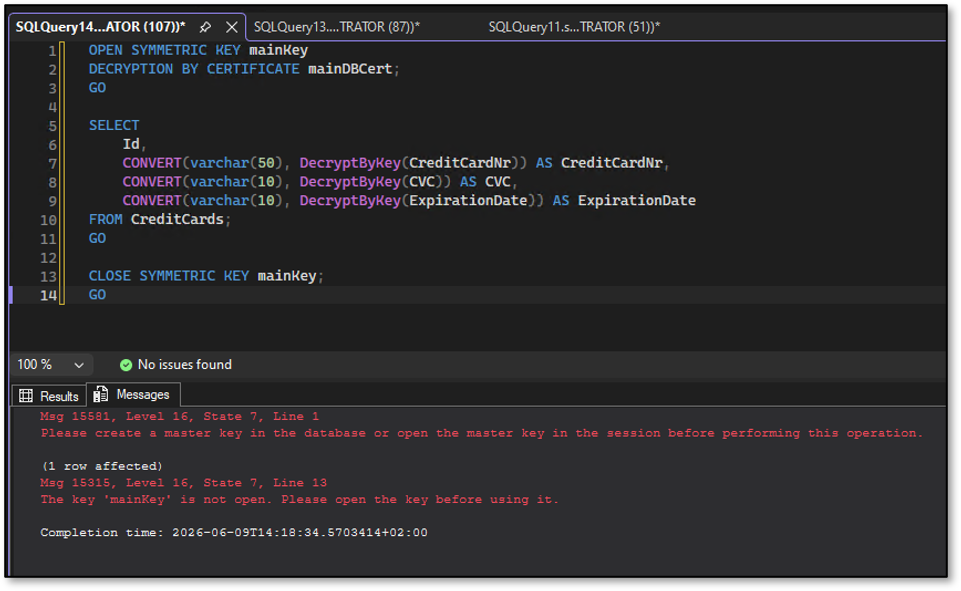
As a result, when a failover occurs, SQL Server would no longer be able to open the Database Master Key (DMK) transparently on the new primary replica. Consequently, the application would no longer be able to encrypt or decrypt data unless the Database Master Key is explicitly opened first with the password.
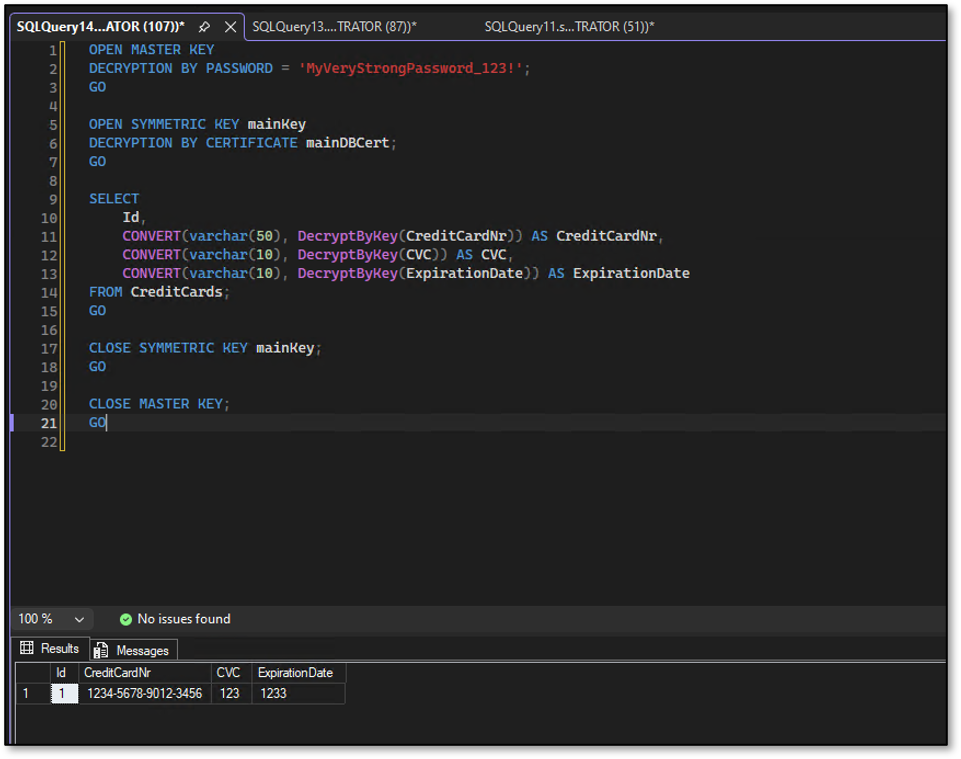
In such a scenario, the issue can be resolved by storing the Database Master Key password as a credential on each replica using the sp_control_dbmasterkey_password stored procedure. SQL Server can then use this credential to automatically open the Database Master Key after a failover, allowing the encryption hierarchy to remain intact and ensuring that certificates, symmetric keys, and encrypted data remain accessible transparently.
!!Note that you must do that on each replica!!
sp_control_dbmasterkey_password @db_name = N'TestDMK'
    , @password = N'MyVeryStrongPassword_123!'
    , @action = N'add';
select * from sys.master_key_passwords;
select * from sys.credentials;
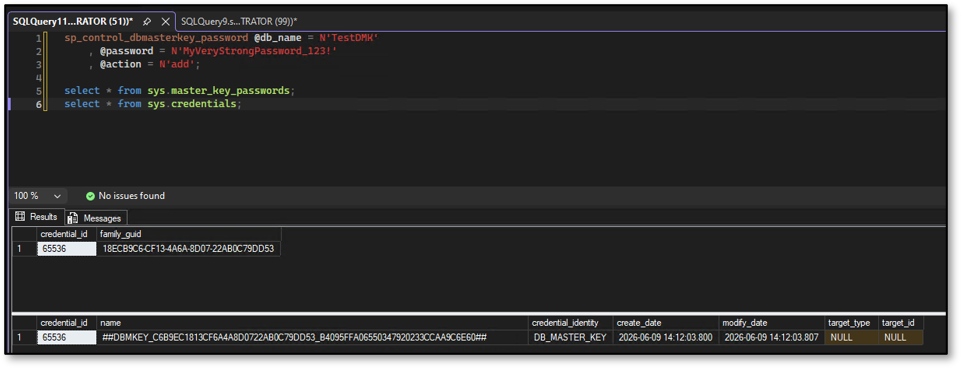
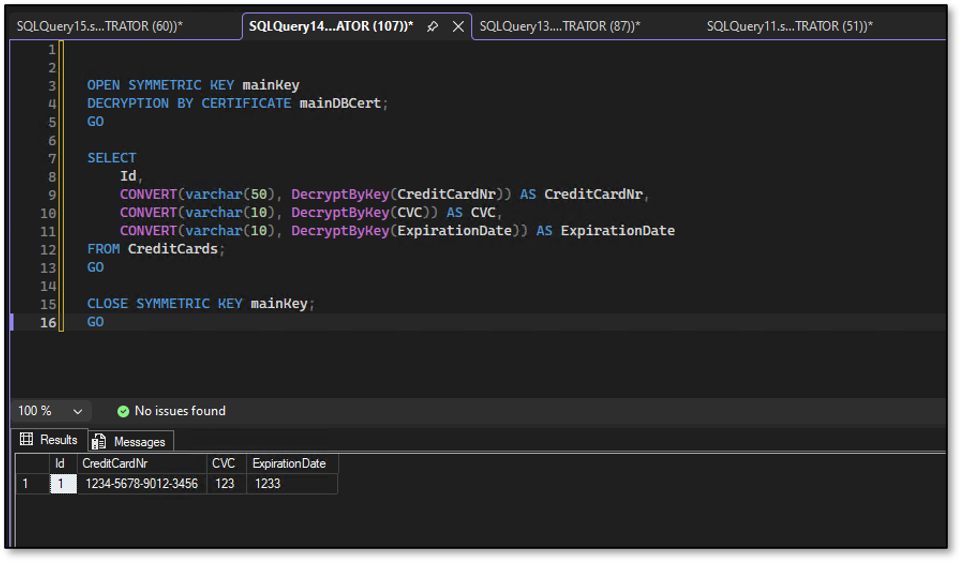
Once the credential has been created, SQL Server is again able to open the Database Master Key transparently. As a result, the application can continue to encrypt and decrypt data without having to explicitly open the Master Key with the password.
There is also an option by which SQL Server automatically creates the Database Master Key credential across all replicas when a database is joined to an Availability Group. This happens when “Full Database Backup and Log Backup” is selected as the initial data synchronization option in the Availability Group wizard.
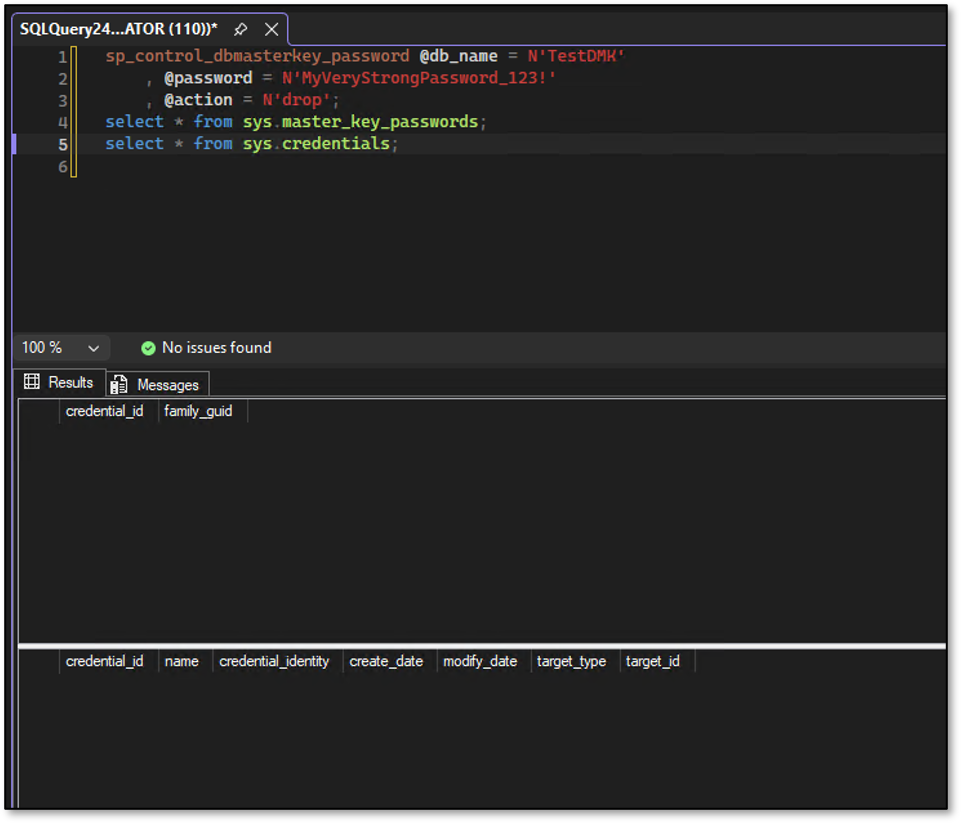
To demonstrate this, let’s remove the previously created credential using the same stored procedure.
sp_control_dbmasterkey_password @db_name = N'TestDMK'
    , @password = N'MyVeryStrongPassword_123!'
    , @action = N'drop';
select * from sys.master_key_passwords;
select * from sys.credentials;
Now, let’s select “Full Database and Log Backup” as the initial data synchronization option in the Availability Group wizard.
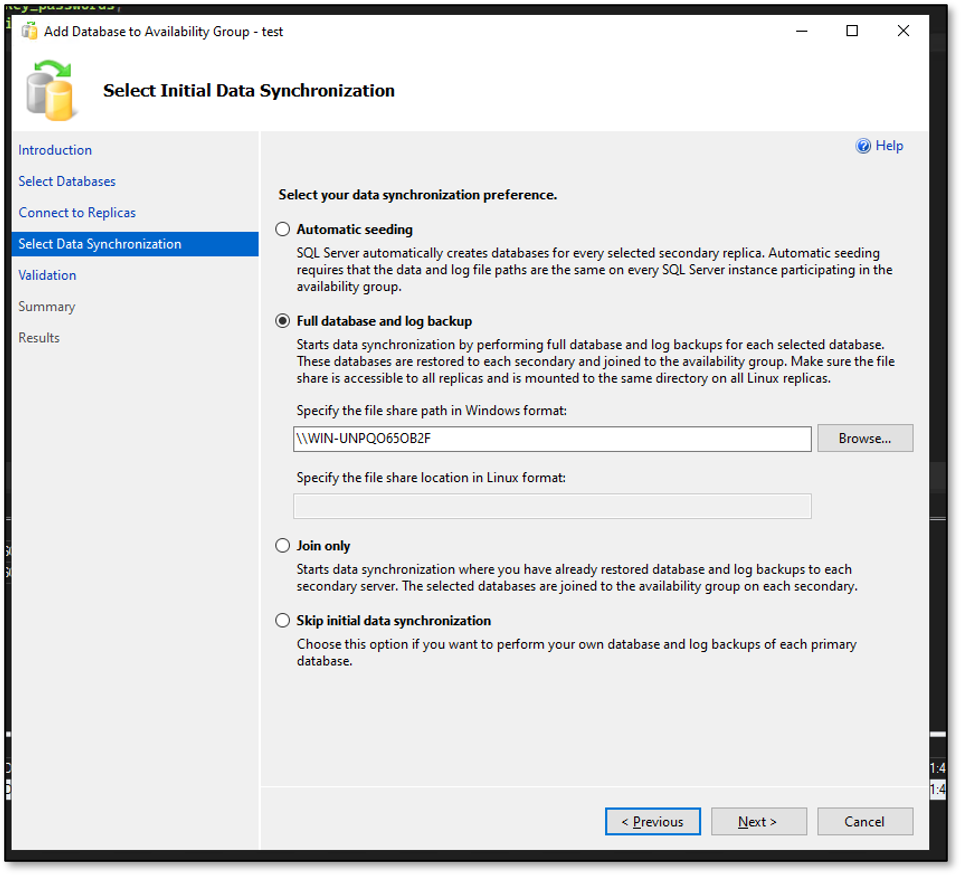
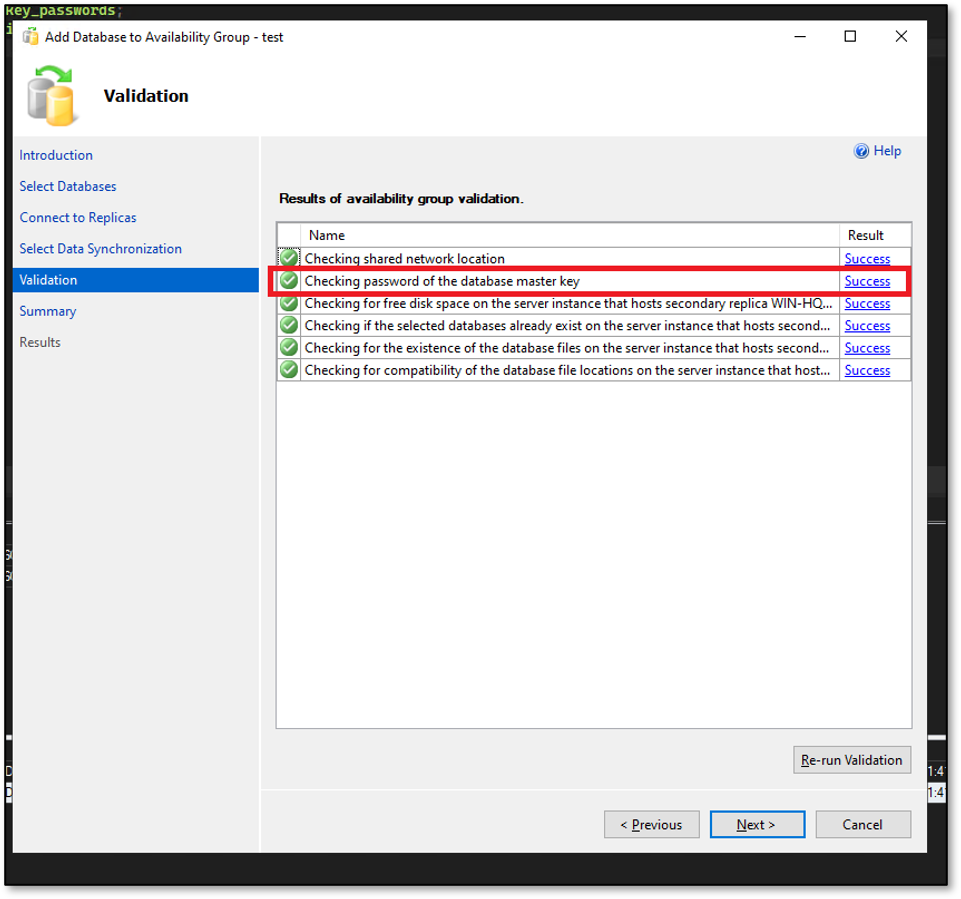
As you can see, the process is no longer skipping the Database Master Key password validation step.
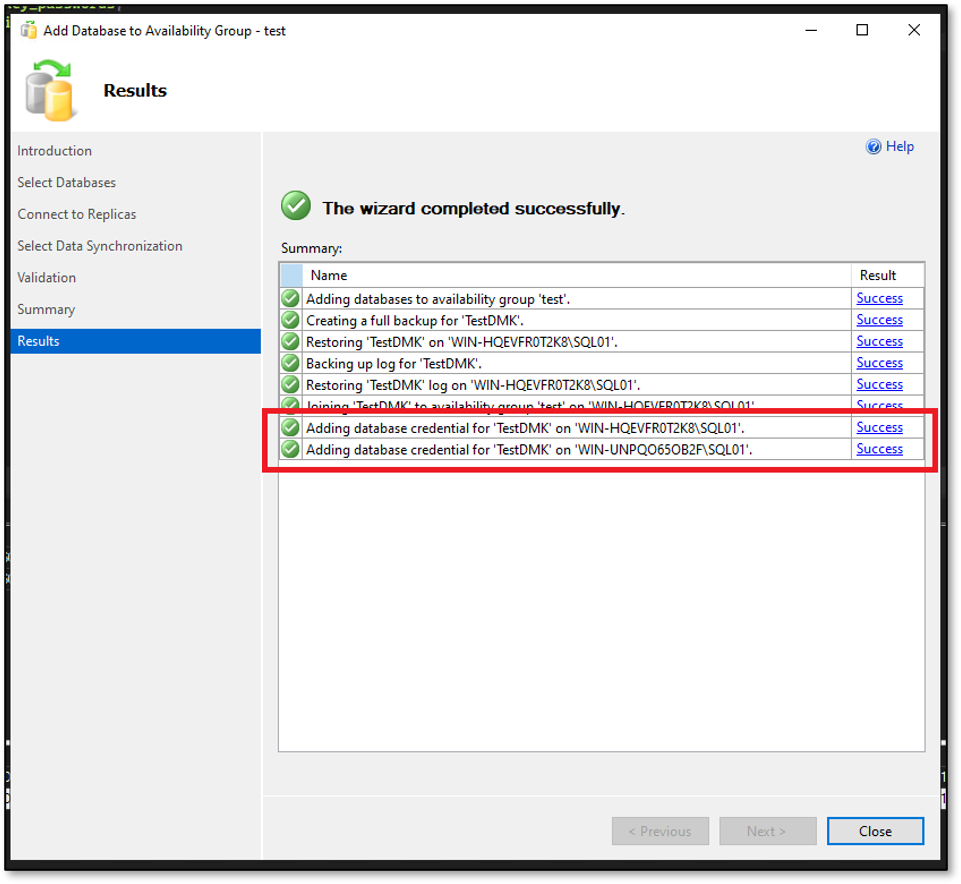
In the summary, you can see that the process automatically created the Database Master Key password credential on each replica.
If you check the credentials on each replica afterwards, you can verify that they were created automatically.
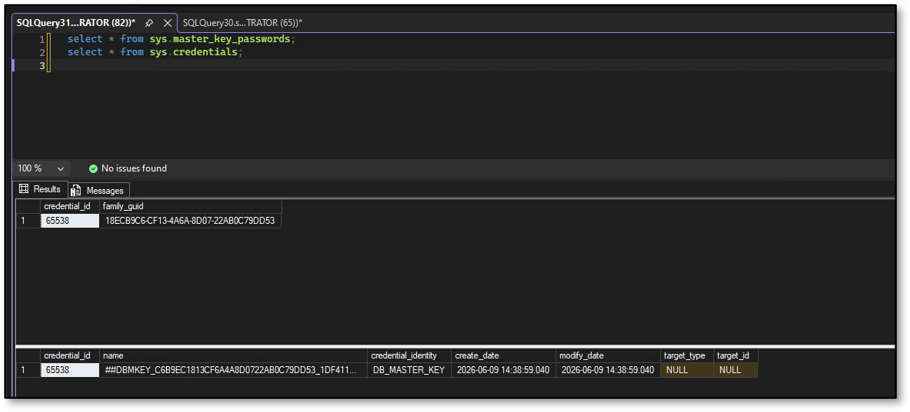
As the Database Master Key password credential has been added to all replicas, SQL Server can transparently open the DMK after a failover. As a result, the application can continue to encrypt and decrypt data without having to explicitly open the Database Master Key.
But one question still puzzles me: why the same operation isn’t performed automatically when automatic seeding is used?
Honestly, I have no clue yet. If you know more let me know it in the comments section. I’d love to learn more about it.
Thanks for reading – Hocine 😉
![Thumbnail [60x60]](https://www.dbi-services.com/blog/wp-content/uploads/2024/01/HME_web.jpg)
![Thumbnail [90x90]](https://www.dbi-services.com/blog/wp-content/uploads/2025/11/LTO_WEB.jpg)
![Thumbnail [90x90]](https://www.dbi-services.com/blog/wp-content/uploads/2022/08/JEW_web-min-scaled.jpg)
![Thumbnail [90x90]](https://www.dbi-services.com/blog/wp-content/uploads/2022/08/STH_web-min-scaled.jpg)