

Backup operations can increase significantly I/O and even CPU utilization when we use backup compression. To avoid using resources on primary replica, offloading backups to a synchronized or synchronizing replicas seems to be the good solution even if we have some limitations.
For the time being, supported backups on a secondary replicas are:
- Full backup with copy_only
- Transaction log backup
So we cannot perform:
- Normal Full backup
- Differential backup
- Transaction Log backup with copy_only
Those limitations may cause some problems during point-in-time restore as with copy_only backup point-in-time restore is not possible. This can lead to point-in-time restore taking lots of time because the last Full backup without copy-only is far away on time and we need to apply thousands of transaction log backups or in worst inability to execute point-in-time restore…
With SQL Server 2025, not just Full backups with copy_only are available on secondary replicas, it introduces normal Full backups as well as Differential backups.
To perform those new backups on secondary replicas we need to enable specific trace flags:
- Trace flag 3261 will enable differential backups on secondary replicas
- Trace flag 3262 will enable full backups on secondary replicas
First of all we need to install the new SQL Server Management Studio 21, two SQL Server 2025 CTP2 instances and configure an Always On Availability Group with backup Preferences set to Prefer Secondary.
Questions about your own setup? A dbi services consultant can look at your case.
Talk to an expert (opens in a new tab)Before to try the new Full and Differential backups on a secondary replica with the trace flags, lets try to run a Full backup without copy_only on a secondary:
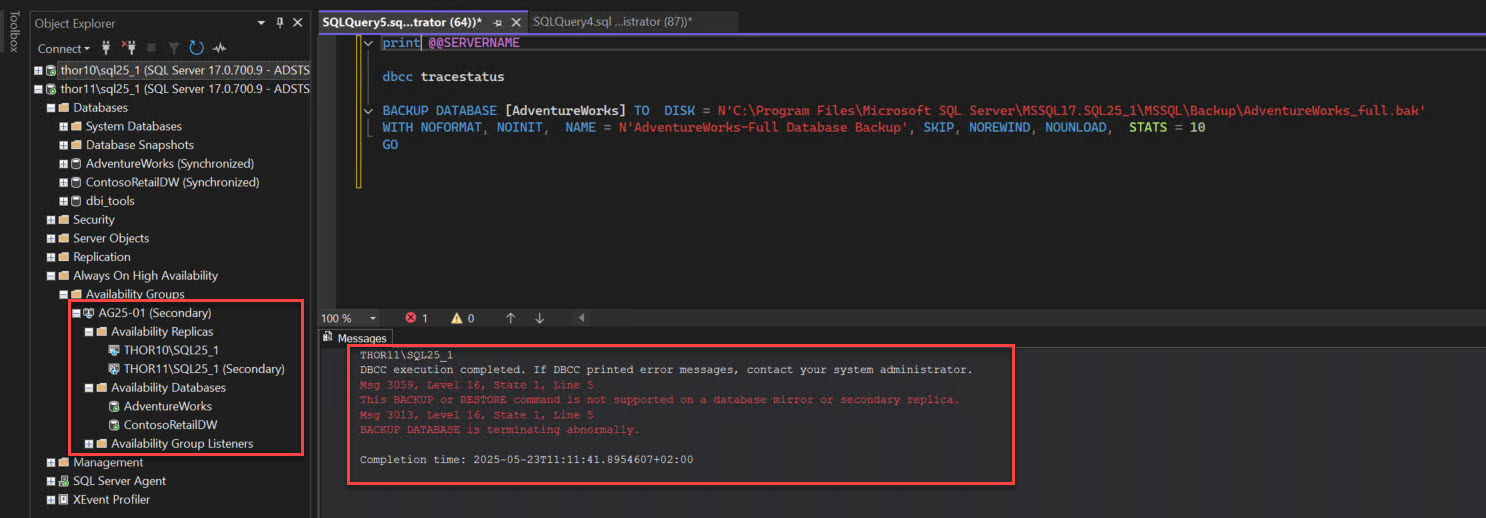
As expected it fails.
Lets try to configure those new backups and enable the new trace flags, here globally, but we will do it with -T in the startup parameters of the SQL Service to persist them later on:
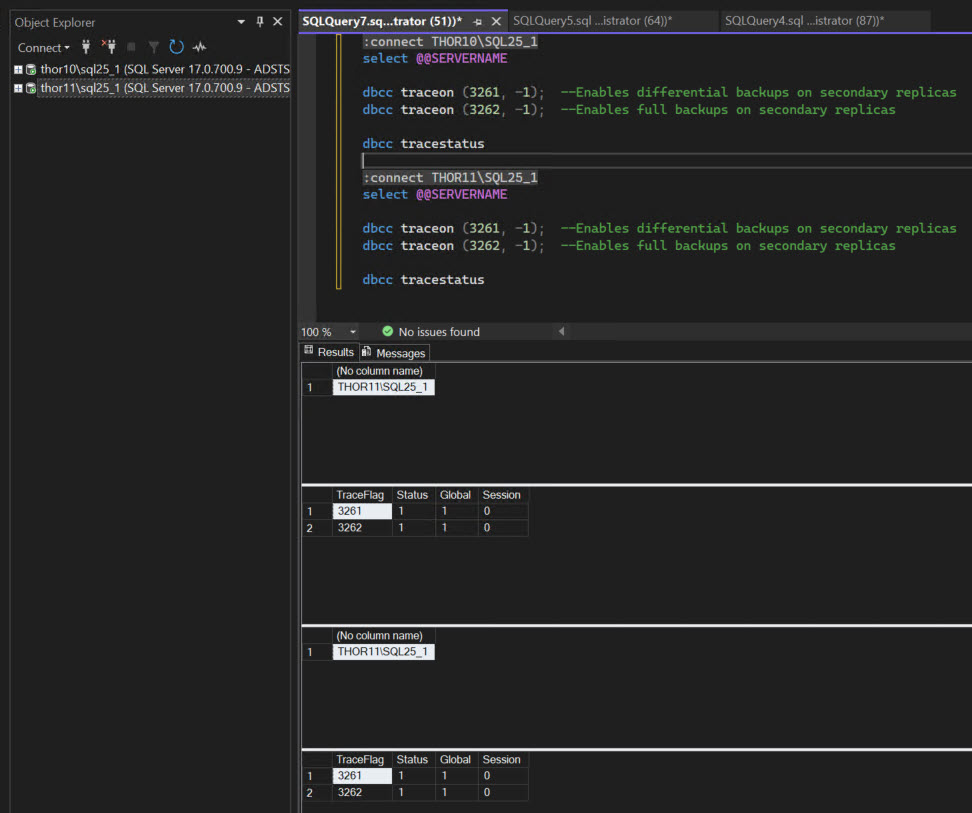
Once done on my two cluster nodes, I will try to execute a Full backup of the AdventureWorks database on a secondary replica:
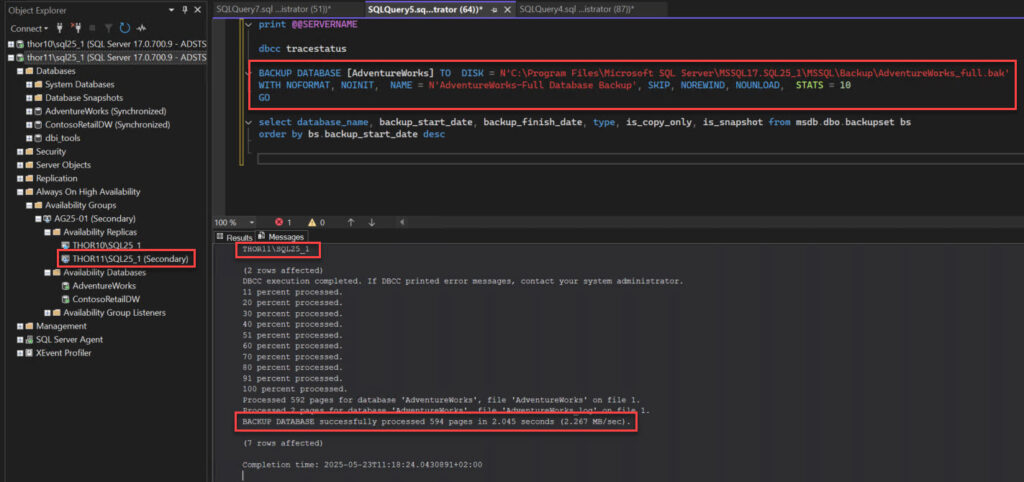
My Full backup succeeds and it’s not a Full backup with copy_only but a normal one:
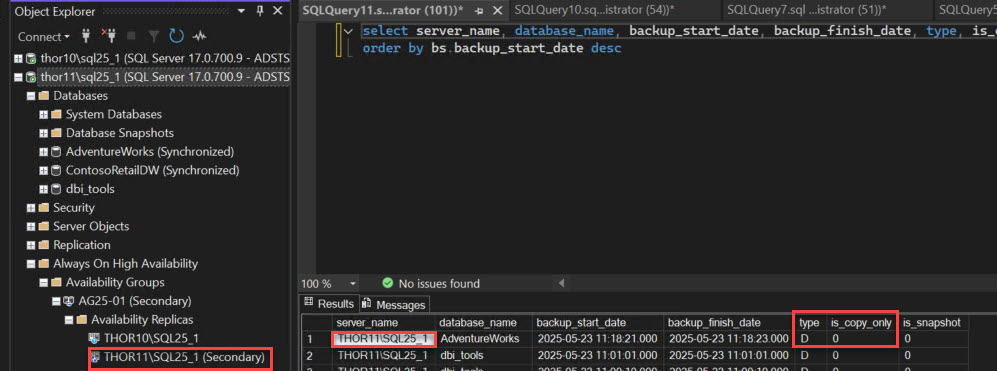
We can also execute a Differential backup and as we can see my Incremental backup has been executed successfully:
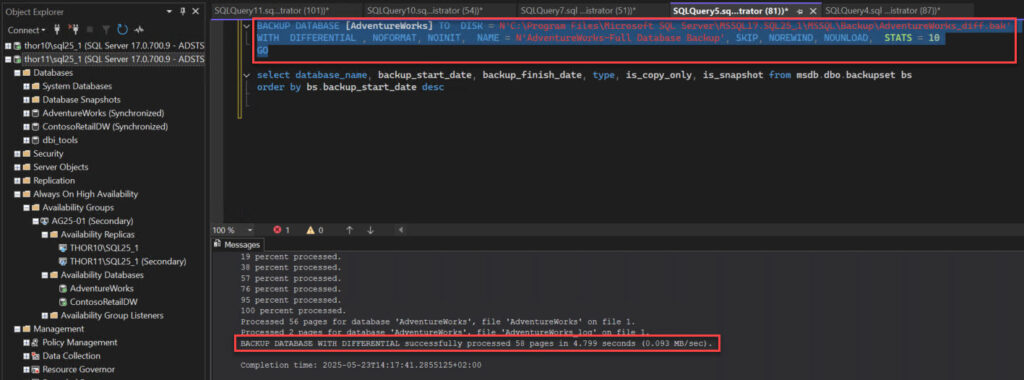
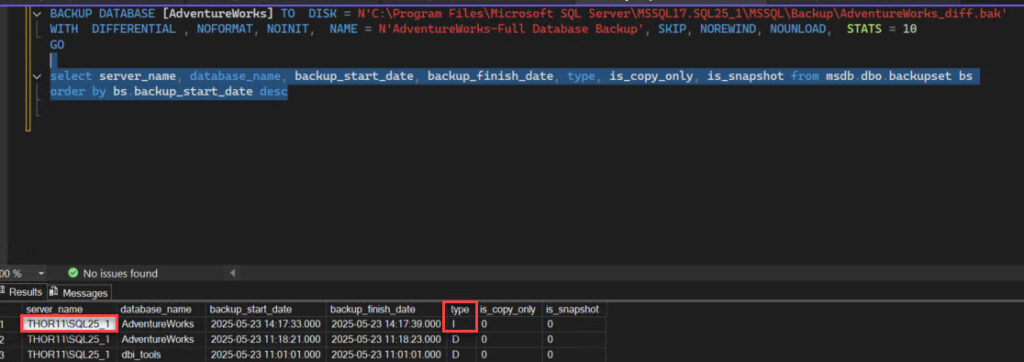
Removing the backup workload from the primary replica and relocate it on the secondary is a great benefit. Before SQL Server 2025, this configuration was not robust as it should be due to the copy_only restriction and the inability to execute Differential backup.
With this new version no doubt that more and more customers will move to this configuration. Of course backup jobs need to be tuned to just execute the backup when the database is on its preferred backup replica but most of the backup jobs already check that 😉
Effectively I used CPT2 when I wrote this blog, now those traces flags are, as you mentioned, used to disable the Full and Diff backups on a secondary replica of an Always On availability group.
Thanks Steve.
I believe the traceflag behaviour has changed. According to https://learn.microsoft.com/en-us/sql/t-sql/database-console-commands/dbcc-traceon-trace-flags-transact-sql?view=sql-server-ver17 those trace flags DISABLE, rather then ENABLE. I think the behavior may have changed since the preview builds, this article appears to have been written against CTP 2.0