

If you have restricted access to the server and you do not know if your packages are installed on the SQL Server with the R Services, you have the possibility to do it by T-SQL.
The R command/function to use is “installed.packages()”.
As you can read in the R Documentation for installed.packages(), this function scans the description of each package.
The output is a table with 16 columns with basically these information:
- Package
- LibPath
- Version
- Priority Depends
- Imports
- LinkingTo
- Suggests
- Enhances
- OS_type
- License
- Built
To understand, I propose an example with this function installed.packages() with a result writes in a table of 16 columns:
EXECUTE sp_execute_external_script @language = N'R',
@script=N'x <- data.frame(installed.packages())
			OutputDataSet <- x[,c(1:16)]'
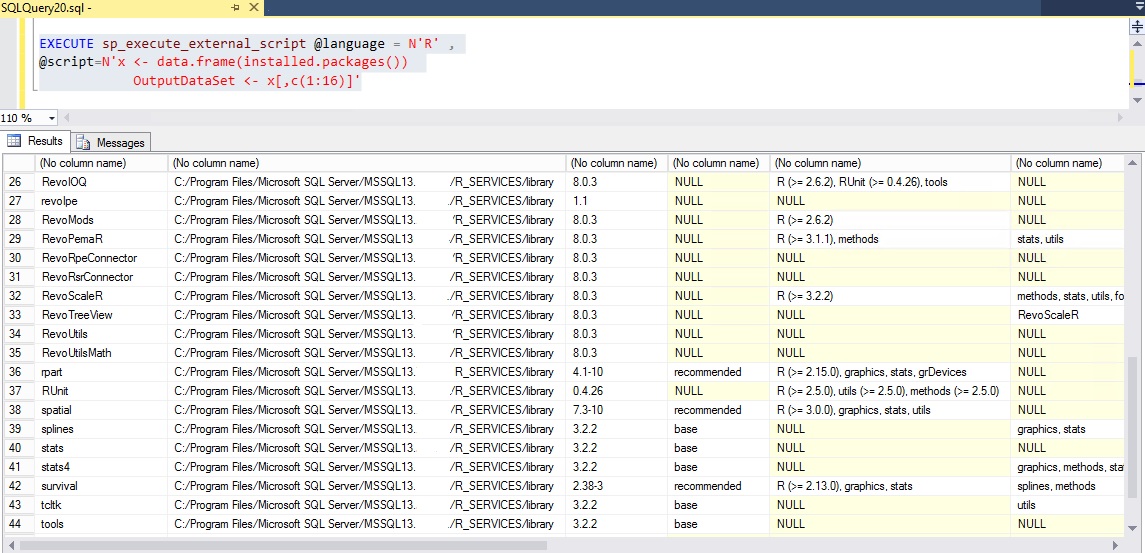
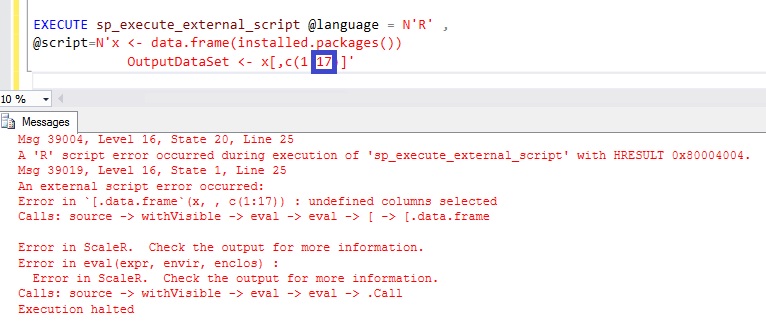
Just for your information, if you change the number of columns to 17, you get the following error message:
Msg 39004, Level 16, State 20
Just to find the information that I need, I create a temporary table with the package name, the path and the version. These information are in the 3 first columns:
CREATE TABLE #packages_list
(
[Package] sysname
,[Package_Path] sysname
,[Version] NVARCHAR(20)
)
INSERT INTO #packages_list
EXECUTE sp_execute_external_script @language = N'R' ,
@script=N'x <- data.frame(installed.packages())
OutputDataSet <- x[,c(1:3)]'

SELECT COUNT(*) as NumberOfPackages FROM #packages_list

SELECT * FROM #packages_list
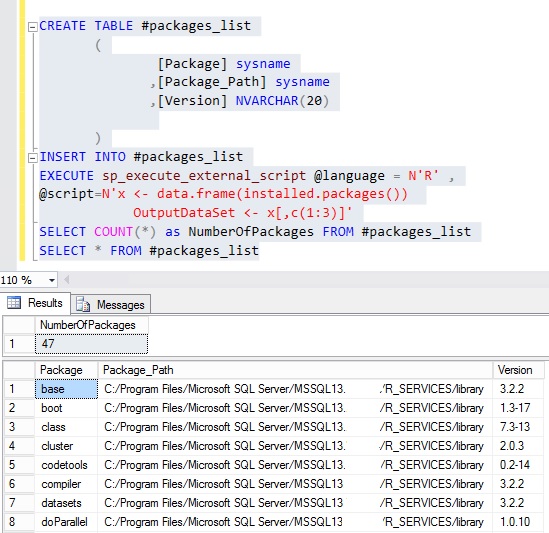
As you can see, 47 packages are installed by default with the R Services.
I hope that my little tips will help you to begin with the R language in SQL Server 😉