

Introduction
I came across a situation where there were no more Administrator users in Rancher. Therefore there was no access to the local (Rancher) cluster and administration of Rancher through the UI. No user could configure and reassign the Administrator role. I will show you how to retrieve the Administrator role for your Rancher users.
Solution
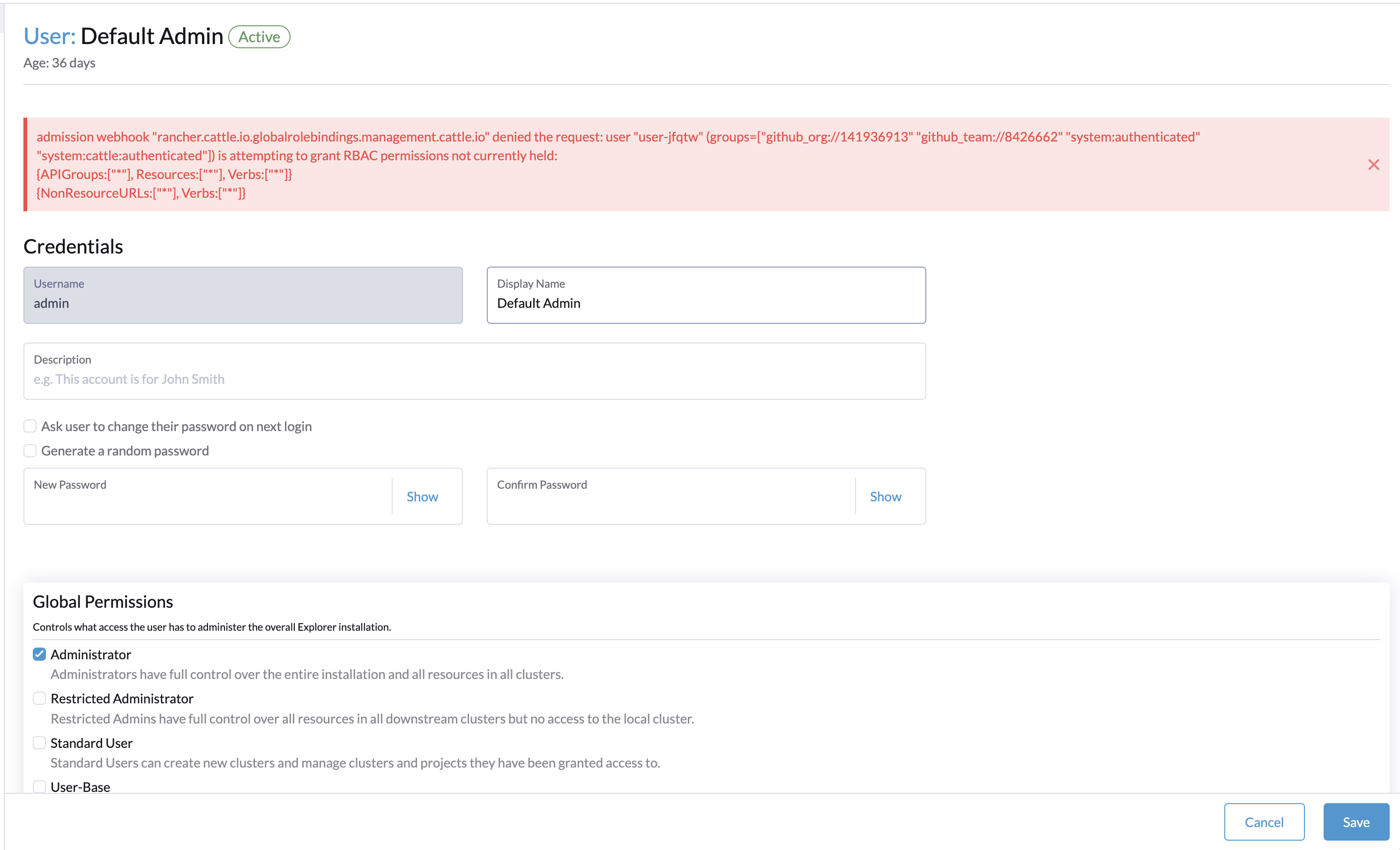
The current default admin user has the role Restricted-Administrator. He is no longer an Administrator and cannot reassign himself to the Administrator role due to insufficient rights.
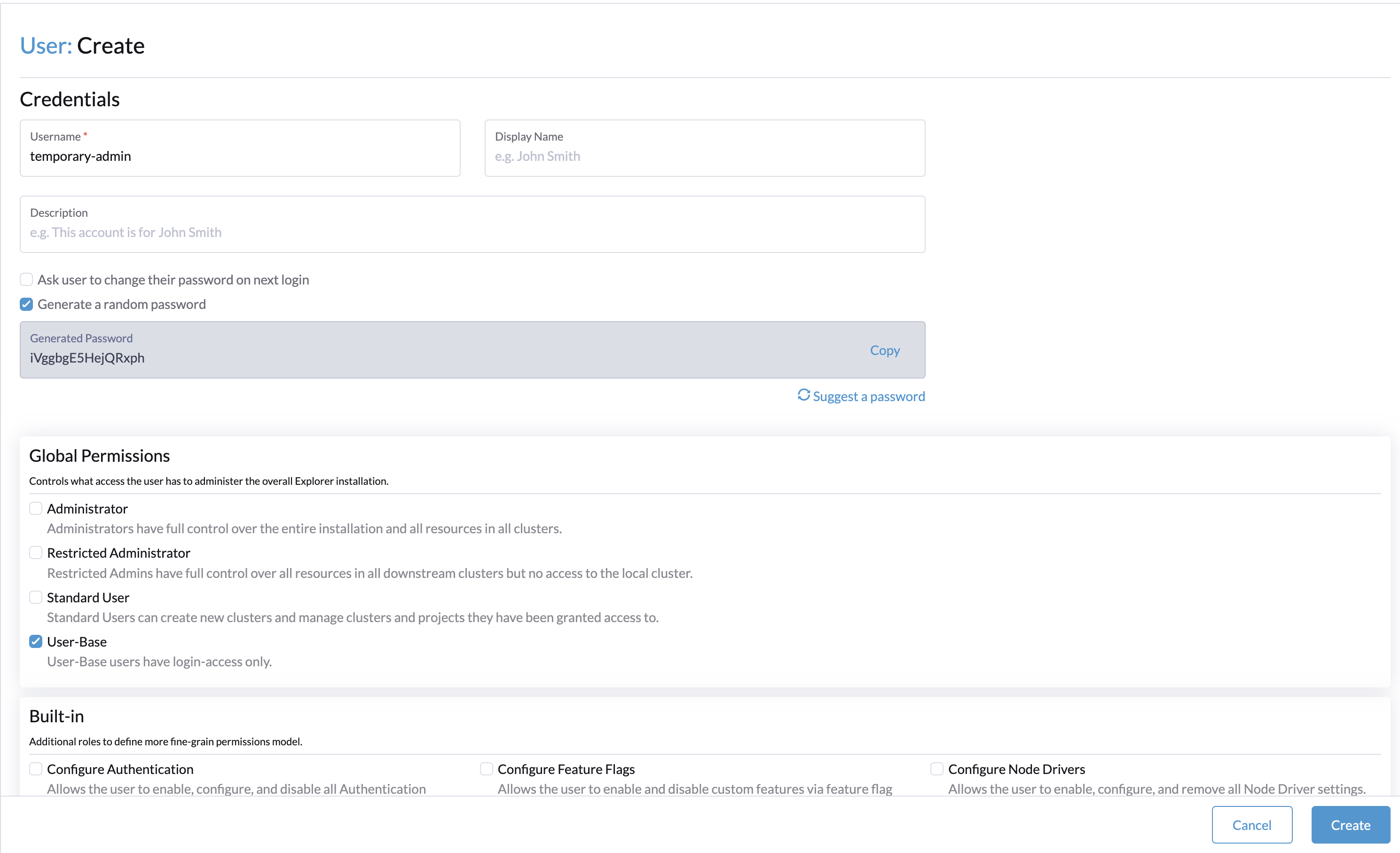
Let’s create a new user called temporary-admin with User-Base permission.
Get the ID of the user and access your Rancher Kubernetes cluster. Use a config file that can modify ClusterRoleBinding in the cluster.
Questions about your own setup? A dbi services consultant can look at your case.
Talk to an expert (opens in a new tab)
Search for the ClusterRoleBinding associated with the user ID, here u-7s8dx.
$ kubectl get clusterrole | grep 7s8
u-7s8dx-view                                                           2024-02-07T15:38:53Z
$ kubectl get clusterrole u-7s8dx-view -o yaml

apiVersion: rbac.authorization.k8s.io/v1
kind: ClusterRole
metadata:
  creationTimestamp: "2024-02-07T16:16:05Z"
  finalizers:
  - wrangler.cattle.io/auth-prov-v2-crole
  labels:
    cattle.io/creator: norman
  name: u-7s8dx-view
  ownerReferences:
  - apiVersion: management.cattle.io/v3
    kind: User
    name: u-7s8dx
    uid: f409c575-e413-429d-8860-ca2e8103e736
  resourceVersion: "5803466"
  uid: 23d7347c-838c-4ed4-a1c2-290c782384ad
rules:
- apiGroups:
  - management.cattle.io
  resourceNames:
  - u-7s8dx
  resources:
  - users
  verbs:
  - get
Edit the ClusterRole with the following rules:
rules:
- apiGroups:
  - '*'
  resources:
  - '*'
  verbs:
  - '*'
- nonResourceURLs:
  - '*'
  verbs:
  - '*'
Now the user temporary-admin should have the permissions to reassign the Administrator role to your user. Edit your user so they can be Administrator again, log into it, then delete the temporary-admin user.
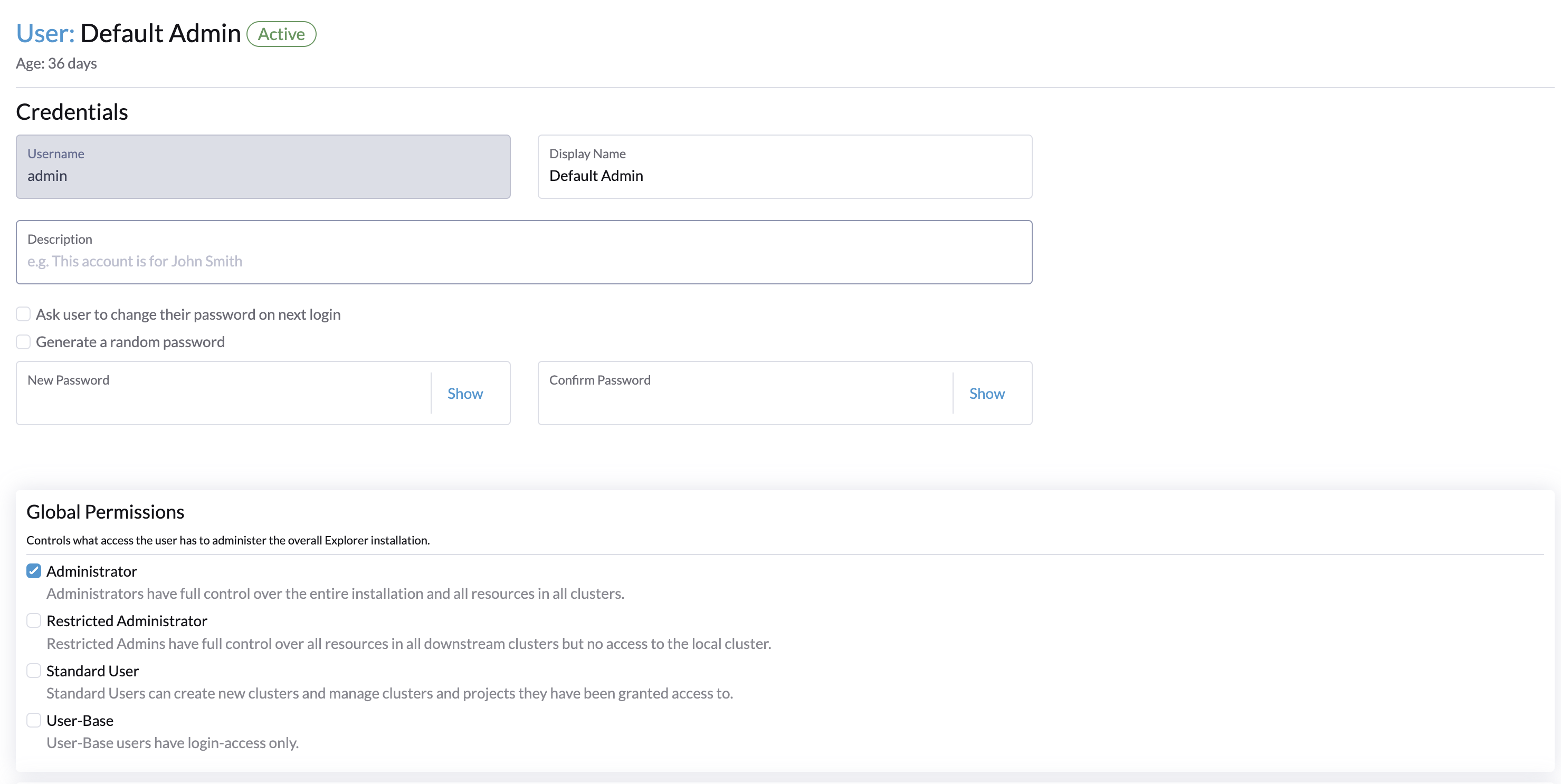
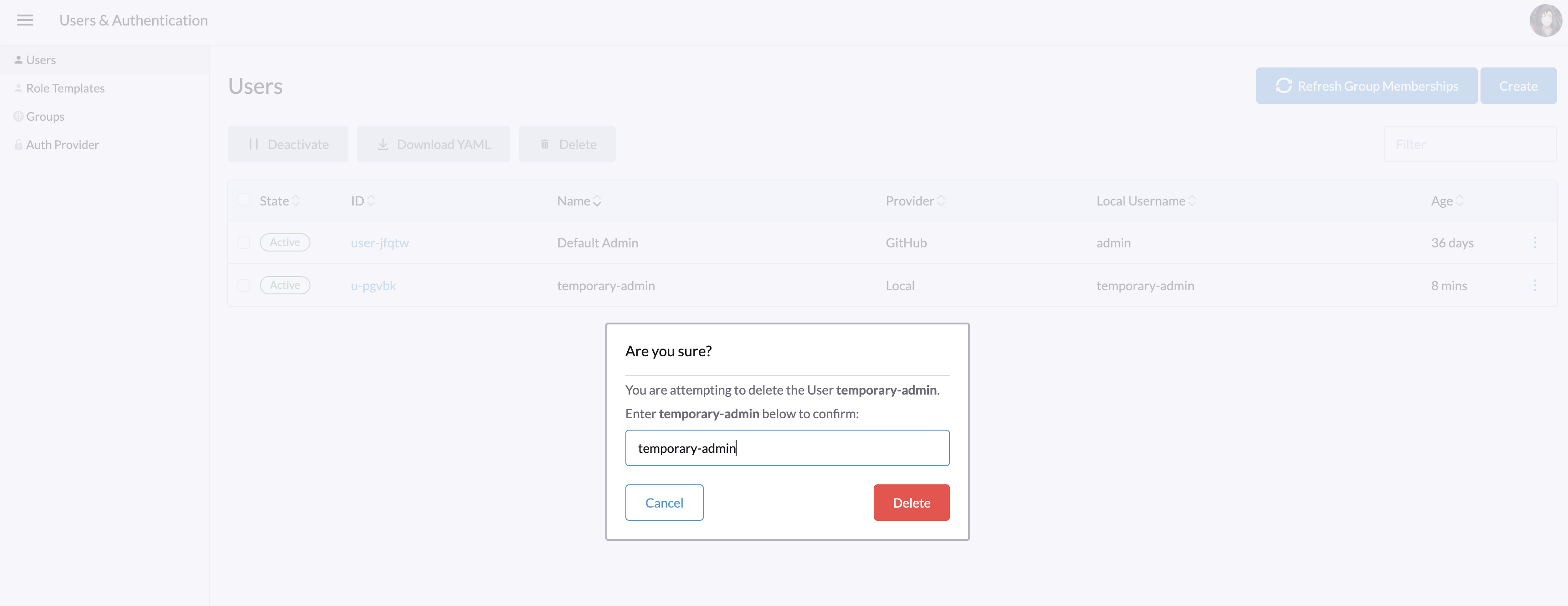
Now, your user has the Administrator role back in Rancher, and all your local modifications with the temporary-admin user have been deleted.
Check our other blog articles
https://www.dbi-services.com/blog/category/devops/
https://www.dbi-services.com/blog/category/kubernetes/
