

By Mouhamadou Diaw
To install a flex cluster (or a flex ASM) Grid Naming Service (GNS) is required. A GNS can be configured with dynamic public networks (DHCP) for VIP. This method is suitable for a big number of nodes.In this case GNS domain delegation is mandatory.
In case of a few number of nodes, GNS can be configured without domain delegation. In this case we have to define manually all VIP addresses (like in a standard cluster)
In this article we will briefly show how to install a two nodes flex cluster (we suppose we are familiar with standard cluster installation). We will just insist in supplementary steps to configure a flex cluster. A GNS without Subdomain will be used.
What do we need ?
1- A DNS server to resolve all addresses
2- Two servers: rac12a.localdomain and rac12b.localdomain with 1 public address, 1 virtual address and 1 private address for each node
3- A GNS Subdomain: gns.localdomain resolved by 1 address in the public subnet in the DNS
4- A scan name : racscan.gns.localdomain resolved by 3 addresses in the public subnet. Note that the name of the scan should contain the GNS subdomain name gns.localdomain.
We present below all IP addresses we use for our flex cluster
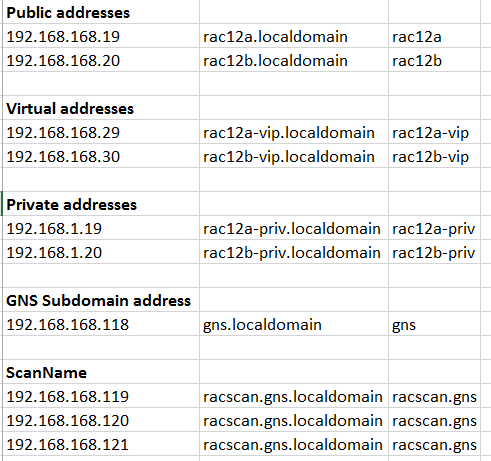
To start installation we have to launch the ./runInstaller file. Below we will not present all screen shots of the installation. We only show the ones which are different from the standard installation
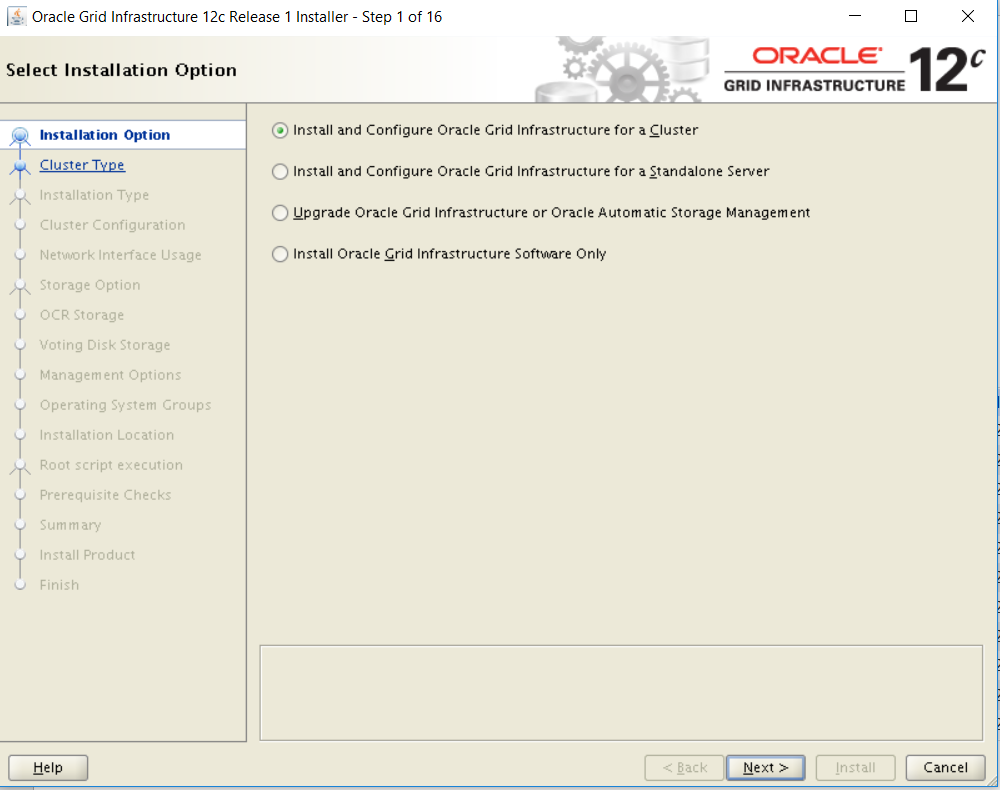
Click Next
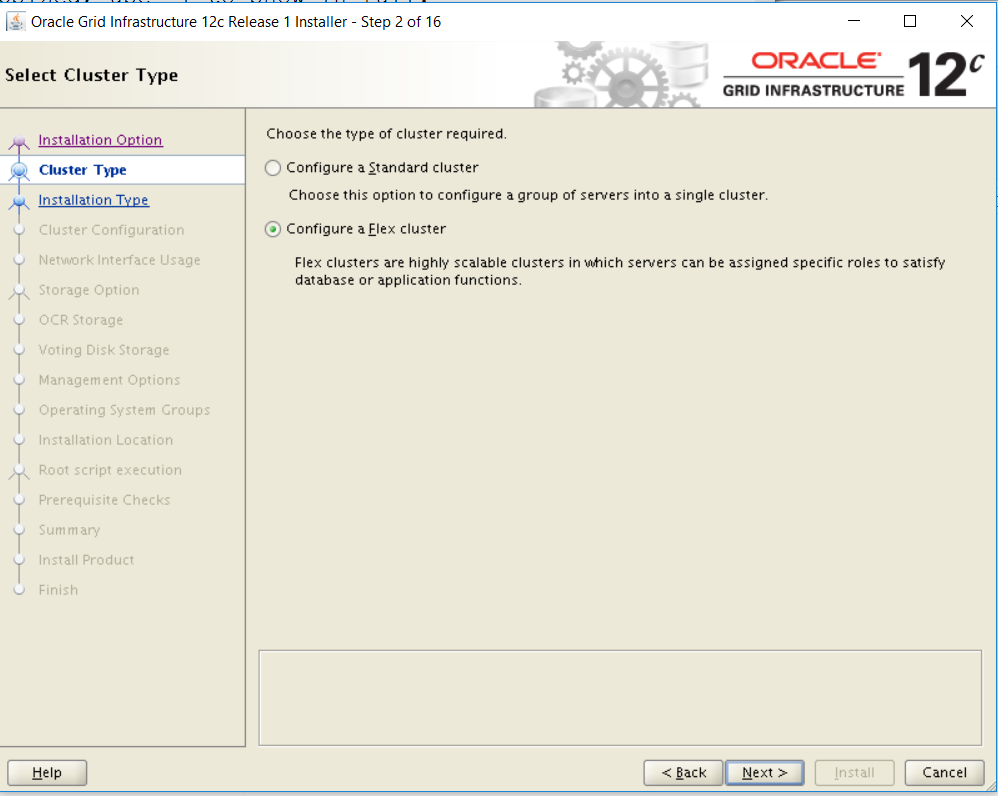
We choose Configure a flex cluster
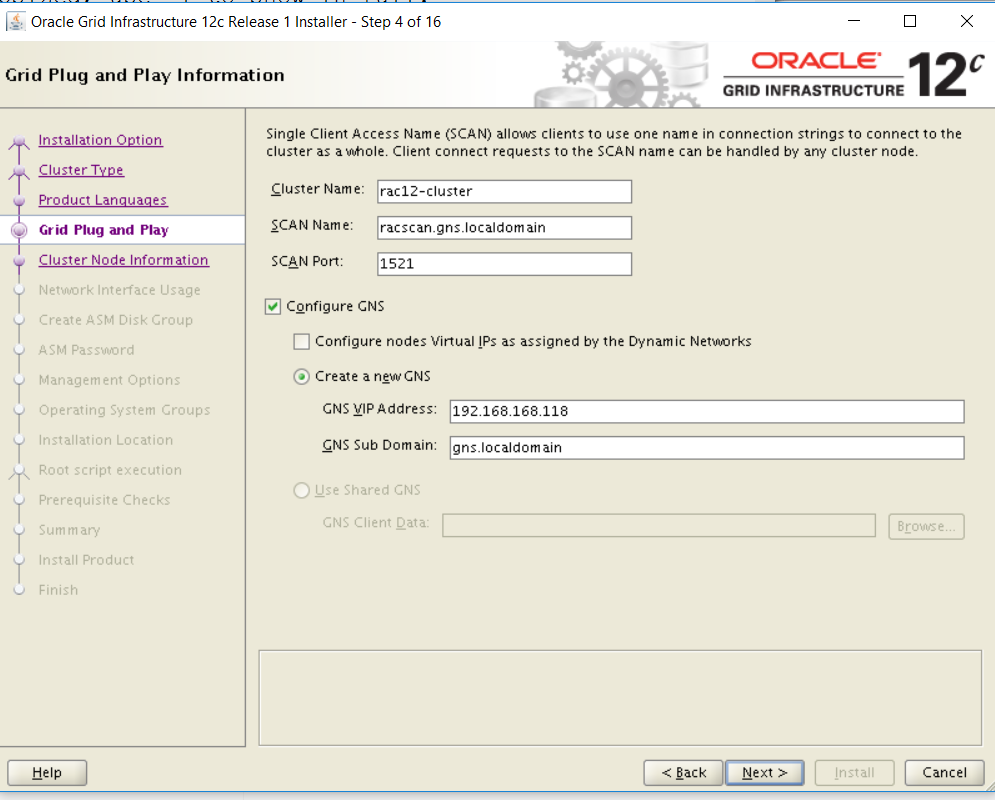
In this step we have info about GNS and SCAN configuration. Note that We check Configure GNS and that we don’t choose Dynamic Networks. Note also that the scan name is including the GNS Subdomain name.
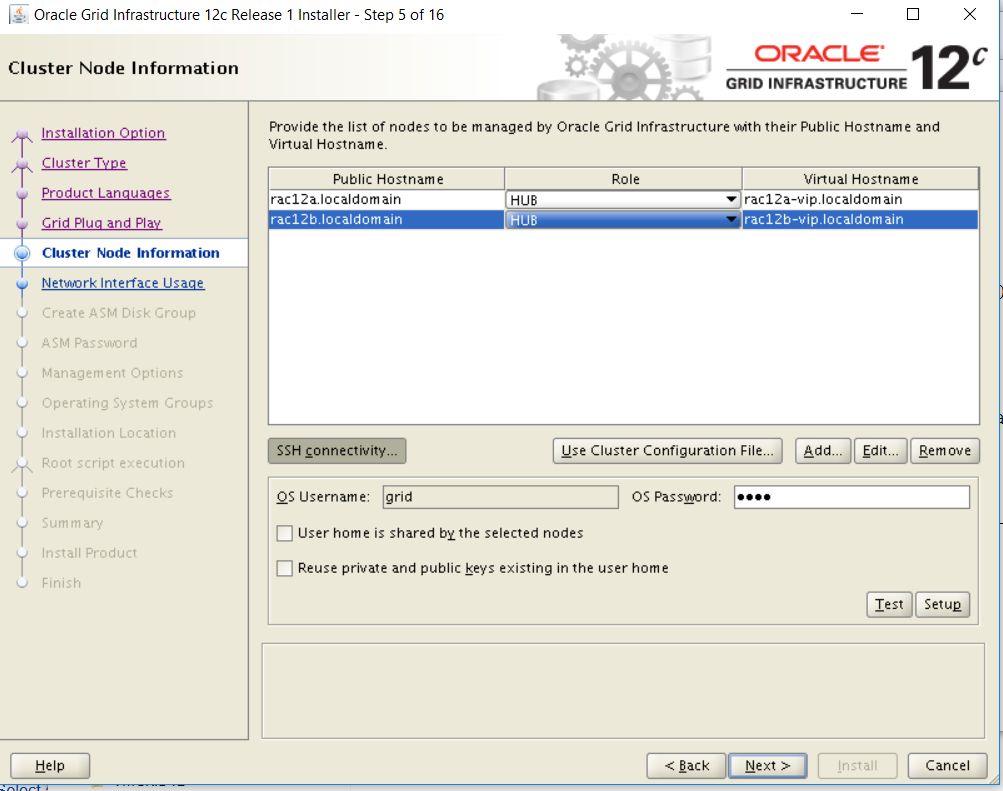
Here we can choose to configure a hub node or a leaf node.
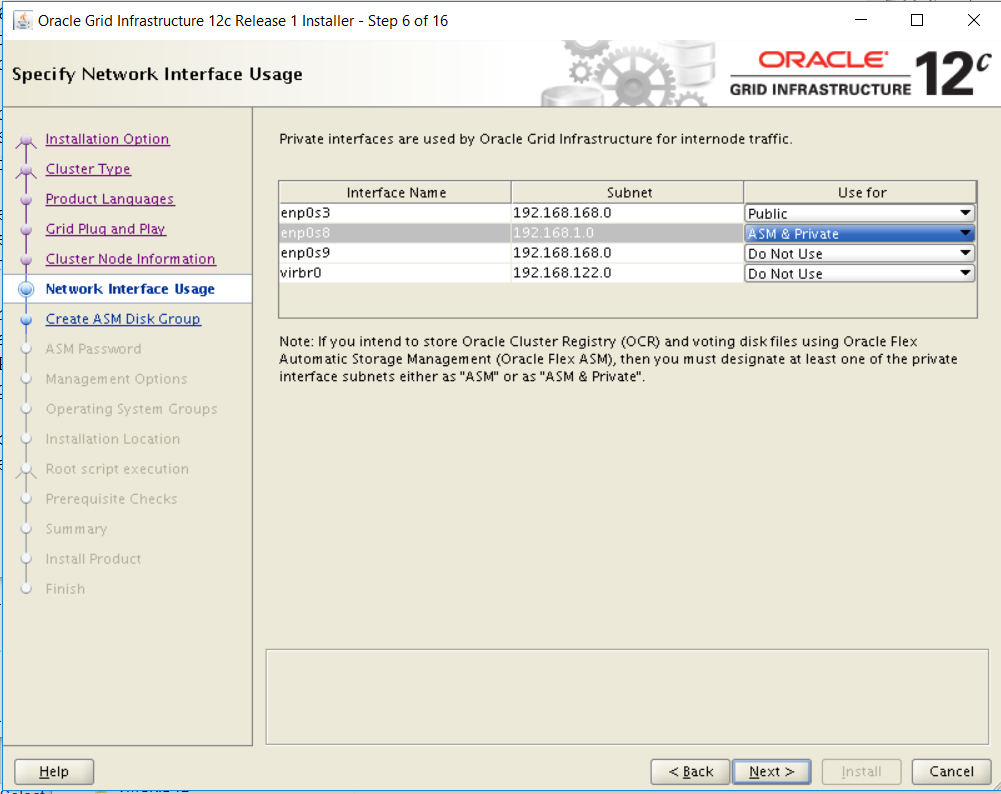
In this step we have to specify network for public, private and ASM.
The remaining steps are same than in a standard installation and will not be shown here
Once install done successfully we can verify the mode of the cluster
|
1
2
3
|
[grid@rac12a ~]$ crsctl get cluster mode statusCluster is running in "flex" mode[grid@rac12a ~]$ |
We can see that a GNS is configured
|
1
2
3
4
5
|
[grid@rac12a ~]$ srvctl config gnsGNS is enabled.GNS VIP addresses: 192.168.168.118Domain served by GNS: gns.localdomain[grid@rac12a ~]$ |
The following shows that there is a flex ASM running
|
1
2
3
|
[grid@rac12a ~]$ asmcmd showclustermodeASM cluster : Flex mode enabled[grid@rac12a ~] |
In a future article we will see how flex ASM works and what are the benefits