
Skip to content

Control-M/EM Mass create reset counter to 0

Introduction

Hi everybody, making jobs has never been such easier in using mass create utility, easy also to increment with counter feature (ex: JOB1,JOB2,JOB3) but  sometimes we may not have the expected result,especially when you do mass update for 2 different folders.Let’s see that:
You already know how to do mass update, if not check on of my previous posts
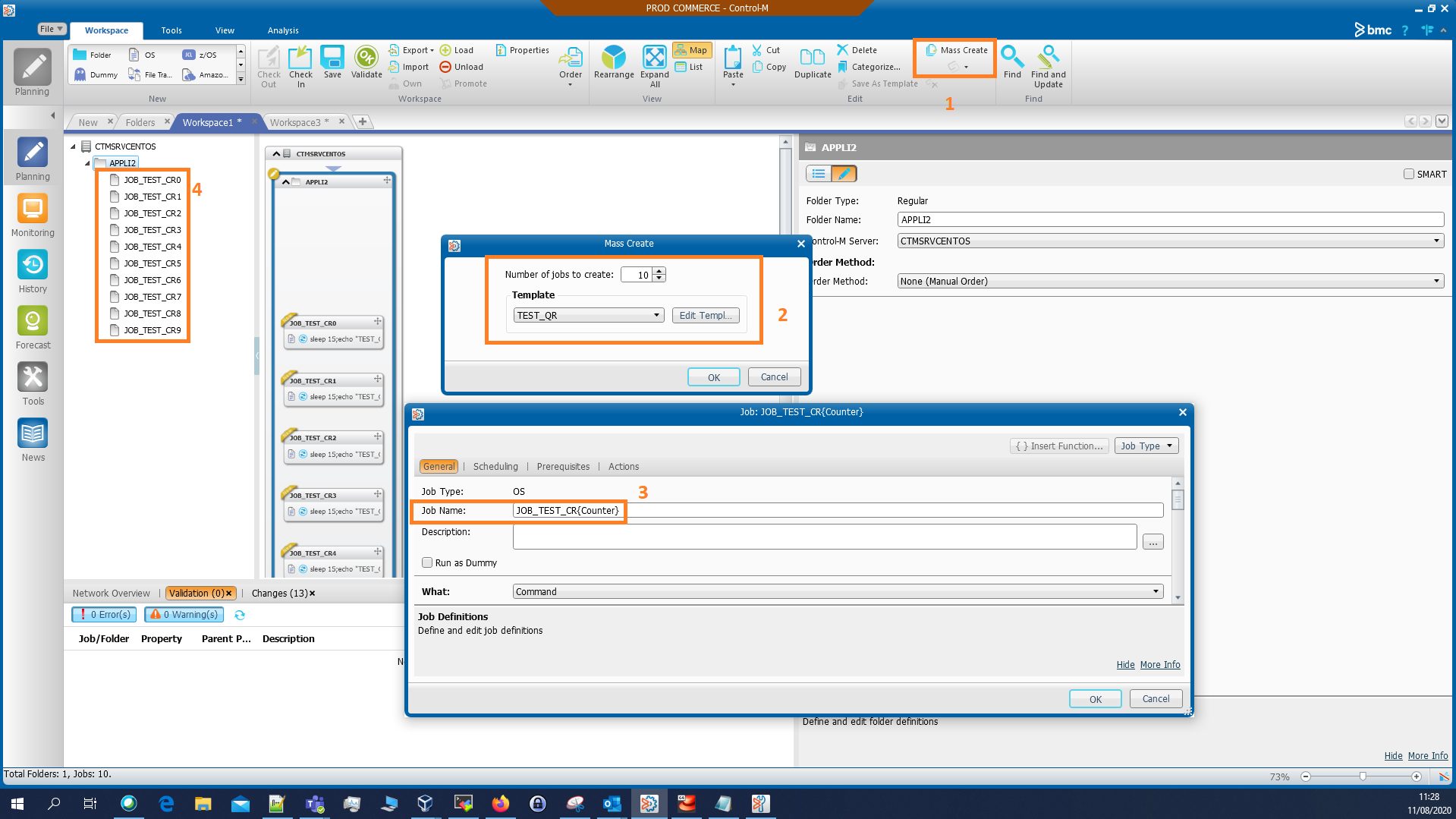
But what happens when I try to mass create jobs for another folder?
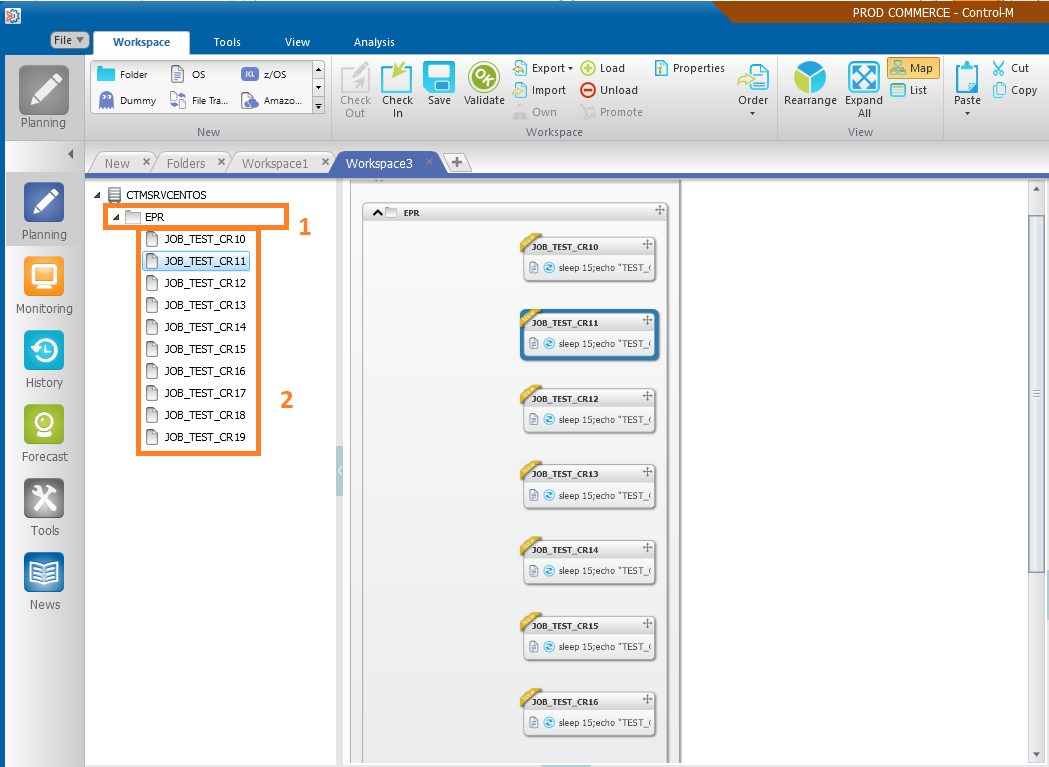
As we can see, job created were starting with number 10
Cause
Job counter is not reset, to create new jobs starting from 0 we have to update the counter
Solution
Select option part on your local client, then in planning part put the job definition counter to zero
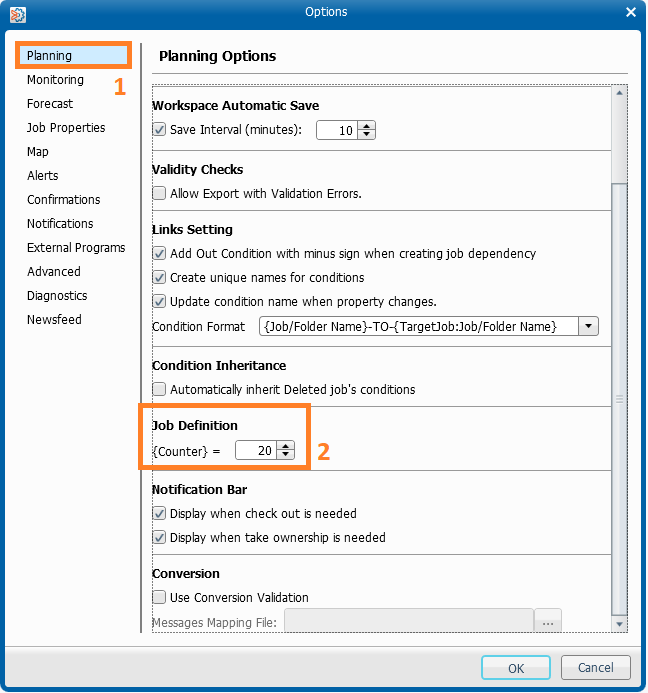
When you retry your mass update, jobs are incremented correctly

Conclusion

Sometimes it’s good to put the counter to 0 and start from scratch 🙂
Enjoy with your jobs!

Let’s work together

Ready to operate at
the next level?

Tell us about your challenge. We’ll bring the depth, the expertise, and the Swiss precision.

Middleware Team

Middleware Team

Posts published under the Middleware Team account are collective contributions by the dbi services middleware and enterprise content management consultants. The practice covers ECM platforms such as OpenText Documentum, Alfresco, and M-Files, as well as application servers and integration technologies including WebLogic, JBoss, Tomcat, and the Elastic Stack, from architecture and deployment to operations under service level agreements.View Author posts

322 posts since February 2013

Most read in Control-M

The Control-M posts our readers open most: the all-time favourites, and what is trending right now.

Leave a Comment

Your email address will not be published. Required fields are marked *