Skip to content

SQL Server

Microsoft SQL Server in practice: installation, Always On availability groups, backup and restore, performance tuning, security, PowerShell automation, SQL Server on Linux and upgrades.

How to create an Azure SQL Database using Azure PowerShell

In this blog post, I’ll go through the steps to create an Azure SQL Database using Azure PowerShell. Introduction to Azure SQL Database The SQL database services provided by Microsoft on the cloud are now grouped under the name of Azure SQL. The Azure SQL family contains services that I will briefly summarize; Azure SQL Database – DBaaS (Database-as-a-Service) Azure… 

SQL Server: Synchronize logins on AlwaysOn replicas with dbatools

The SQL Server environment  I worked with today has dozens of SQL Server instances using AlwaysOn Availability Groups for High Availability.When a login is created on the Primary replica of an Availability Group it is not synchronized automatically on secondary replicas. This might cause some issues after a failover (Failed logins). Since this is not done automatically by SQL Server… 

Install & configure a Nagios Server

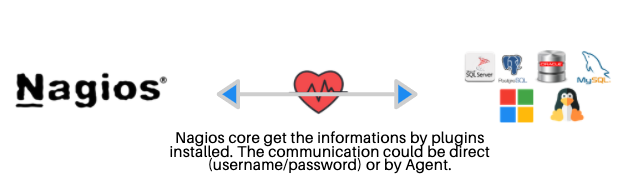
What is Nagios ? “Nagios is a powerful monitoring system that enables organizations to identify and resolve IT infrastructure problems before they affect critical business processes.” https://www.nagios.org/ In simple words, you can monitor your servers (linux, MSSSQL, etc …) and databases (Oracle, SQL Server, Postgres, MySQL, MariaDB, etc …) with nagios.   We use the free version !!! 😀  … 

Nagios architecture

Use MABS to protect Hyper-V on-premises VMs workload

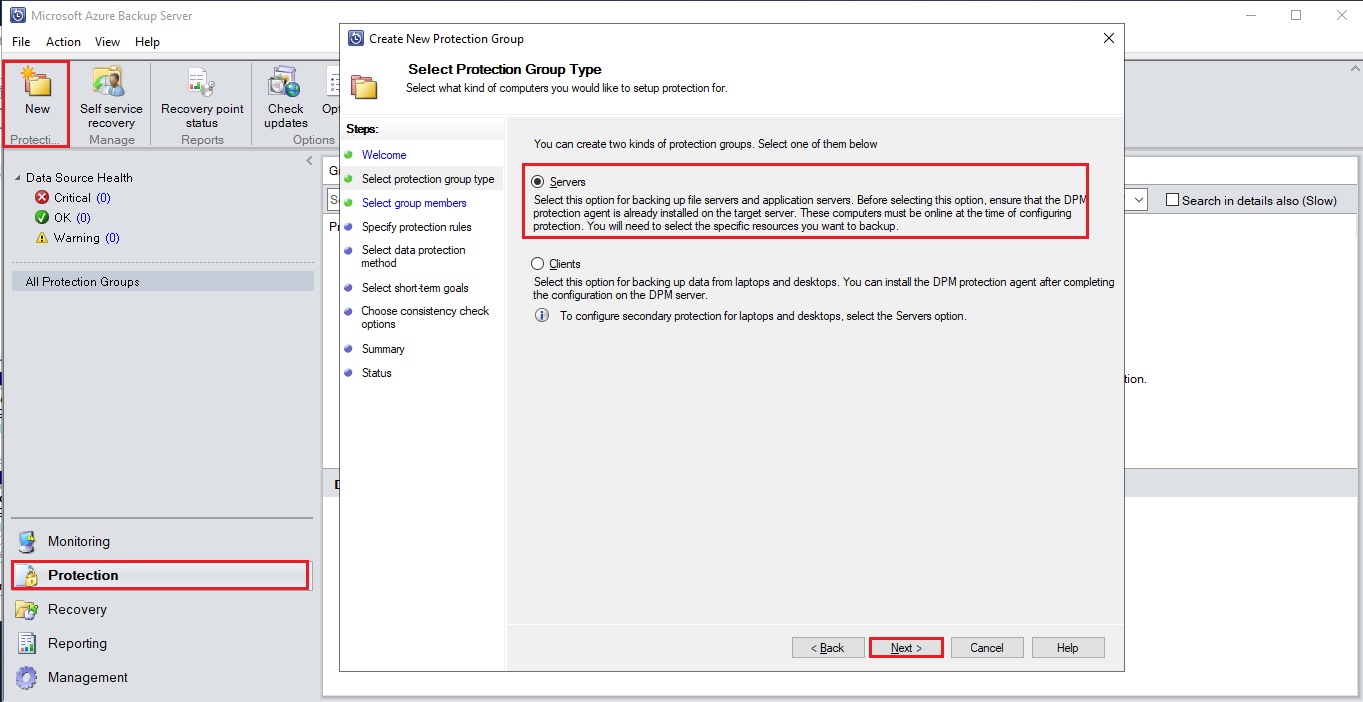
During my last blog post I explained how to installed a MABS. Now that your infrastructure is setup you will be able to protect the workload of your Hyper-V Virtual Machines. You have first to create a new protection group. This group will contain one or more VMs which will share the same backup configuration for retention, synchronization and recovery.… 

How to install MABS (Microsoft Azure Backup Server) and use it to protect on-premise virtual machines

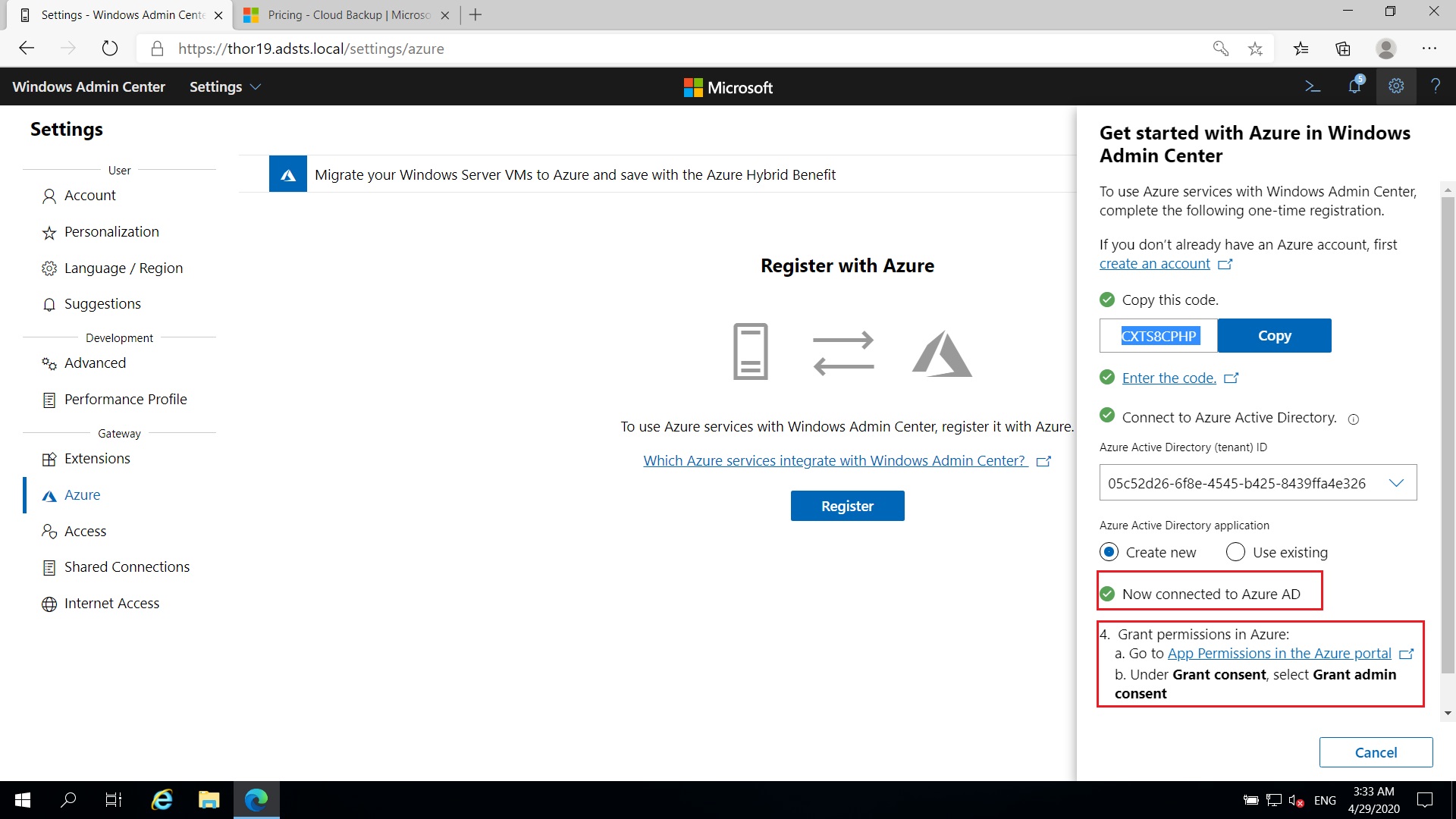
During my last blog-posts I tested the MARS (Microsoft Azure Recovery Service) through Windows Admin Center and how to use Azure Backup to recover files/folders or System State for protected servers. To continue my Azure protection possibilities overview I will today installed a MABS on one of my virtual on-premise server and uses it to protect my others virtual on-premises… 

The myth of NoSQL (vs. RDBMS) agility: adding attributes

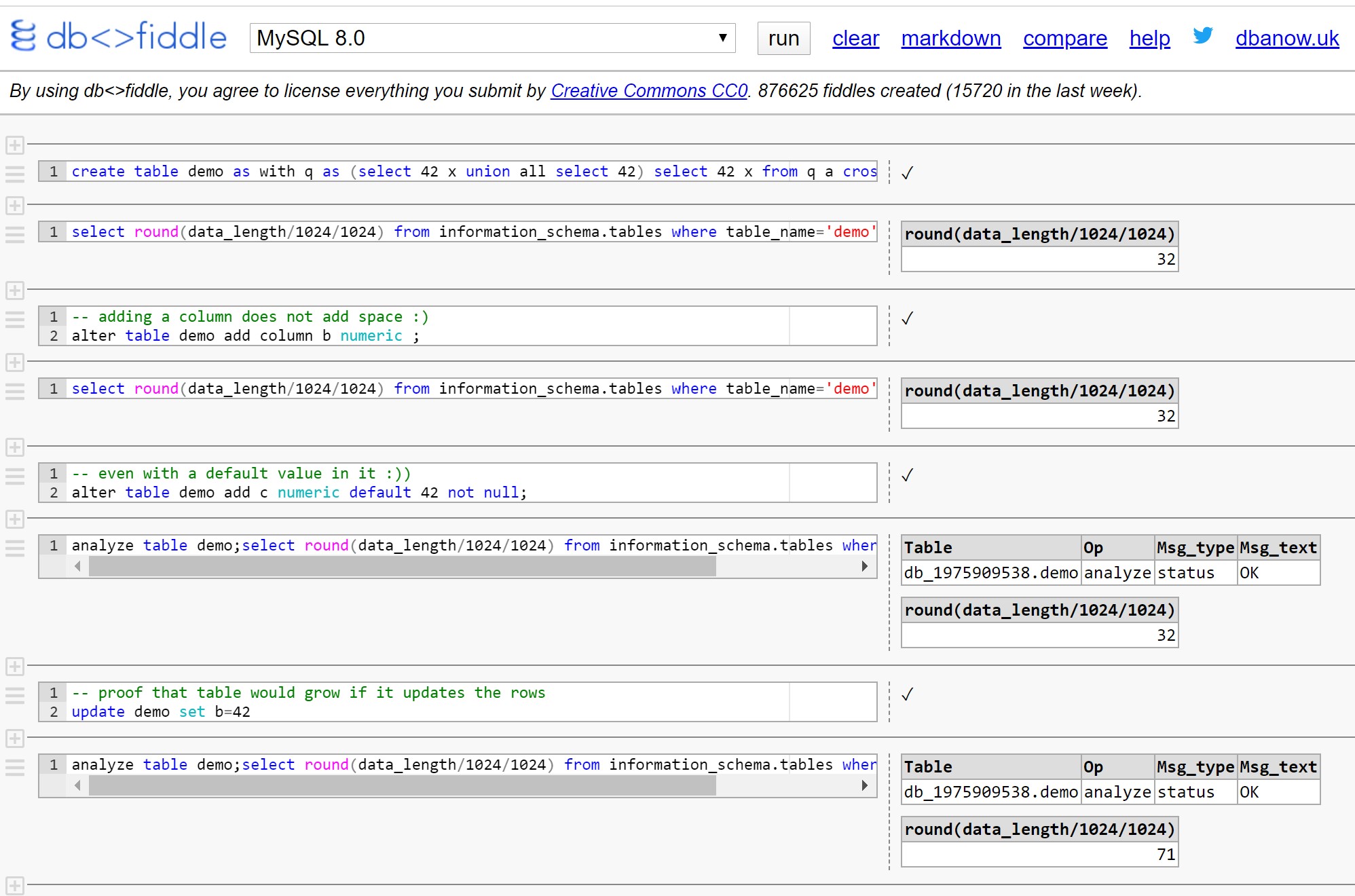
By Franck Pachot . There are good reasons for NoSQL and semi-structured databases. And there are also many mistakes and myths. If people move from RDBMS to NoSQL because of wrong reasons, they will have a bad experience and this finally deserves NoSQL reputation. Those myths were settled by some database newbies who didn’t learn SQL and relational databases. And,… 

How Windows Admin Center can backup on Azure

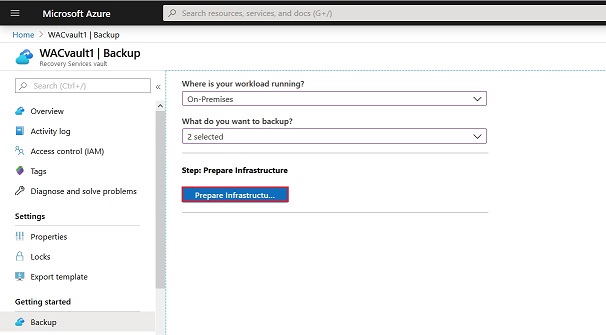
To be honest I never used before Windows Admin Center but after some hours of utilization I’m still convinced. As SQL Server Management Studio is a great tool to manage our SQL Server instances with a CMS (Centralized Management Server), Windows Admin Center is a great tool to centralize the management of our Physical, Virtual, on-premises…Windows Server. This browser-based tool… 

How to run Avamar backup on SQL Agent Job with PowerShell

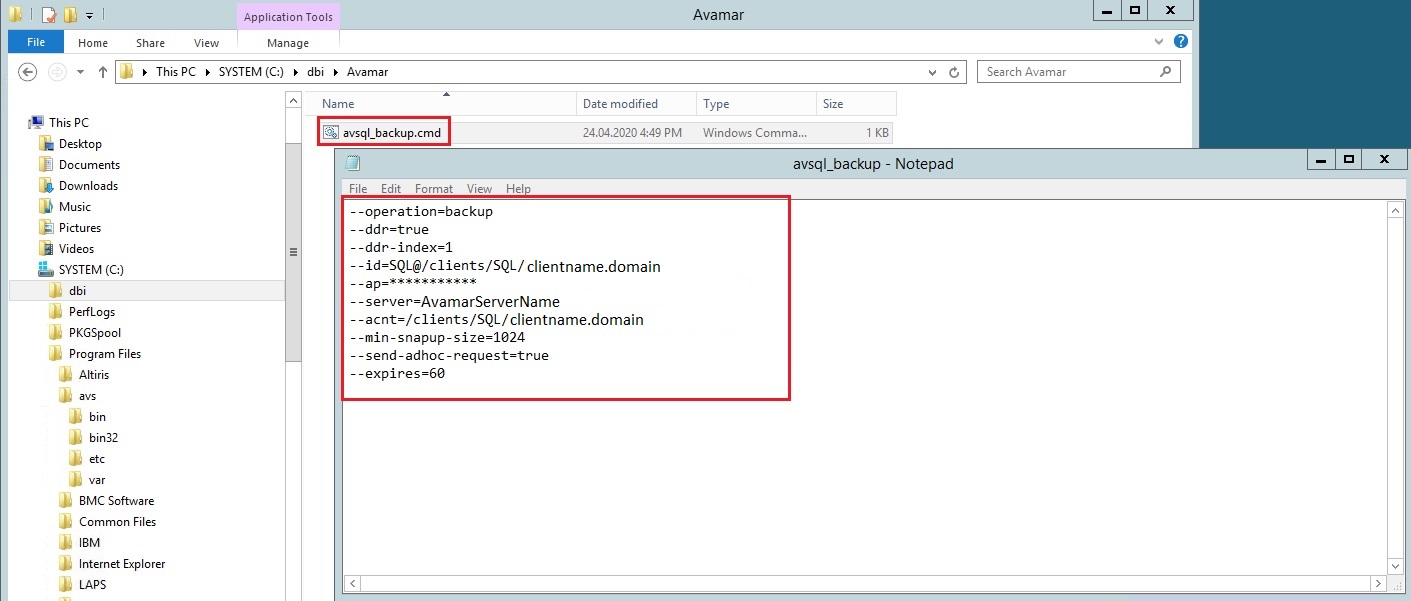
By one of our customer we use Avamar for the backup and restore solution. I was asked by this customer to find a solution to run Avamar backups for a group of databases on a specified instance. In fact, we currently try a database clone solution on some instances and clone’s databases must not be backed up, but the rest… 

SQL Server: Quickly clean backup history with dbatools

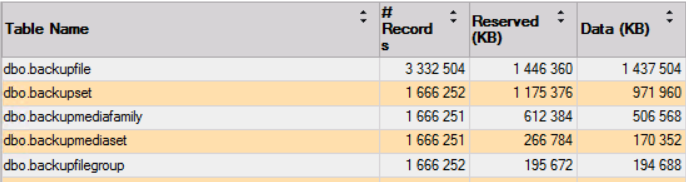
I just had to restore a database in production for my customer. Before doing the restore I have the habit to query the msdb.dbo.backupset table to get an overview of the last backups. When running my query, I felt it was taking longer than usual. So out of curiosity, I looked at the SSMS standard report “Disk Usage by Top… 

SQL Server Tool: MSSQL-CLI

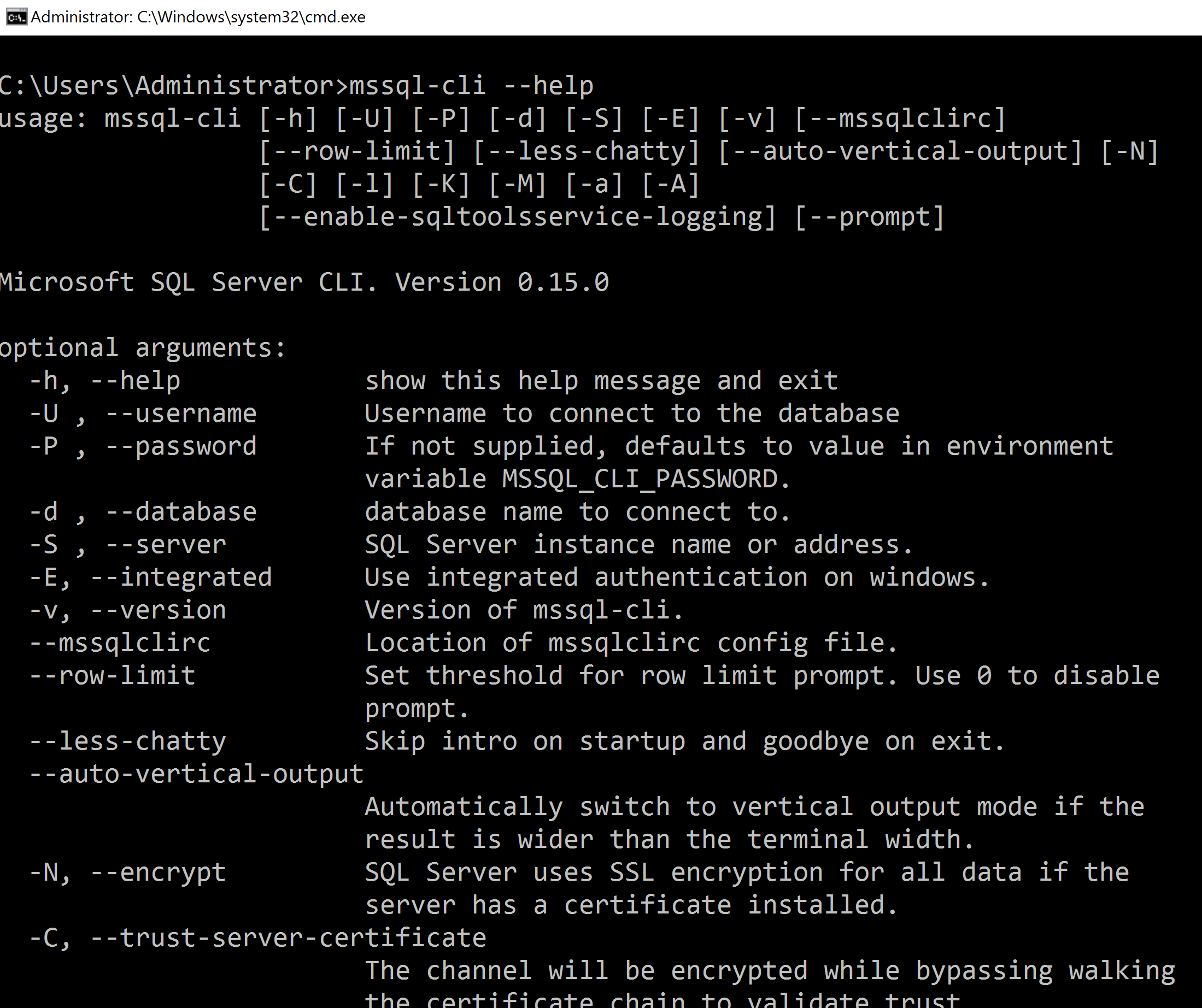
MSSQL-CLI is a useful new command line tool. Not so new because this tool exist since 2018 but a little bit unknow. You find this tool on GitHub here. One of the big advantage is the number of platforms available, Windows of course but also macOS, Ubuntu, Debian, CentOs, Red Hat, OpenSuse, Suse Enterprise and Fedora. This interactive command-line query… 

SQL Server: Collect Page Split events using Extended Event session

Earlier this week someone tried to show me how to capture page split events using Extended Events (XE) but unfortunately, the demo failed. This is a good opportunity for me to refresh my knowledge about page split and set up a simple demo about this. Hopefully, this one will be working. It’s not necessarily a bad thing when a page… 

How SQL Server MVCC compares to Oracle and PostgreSQL

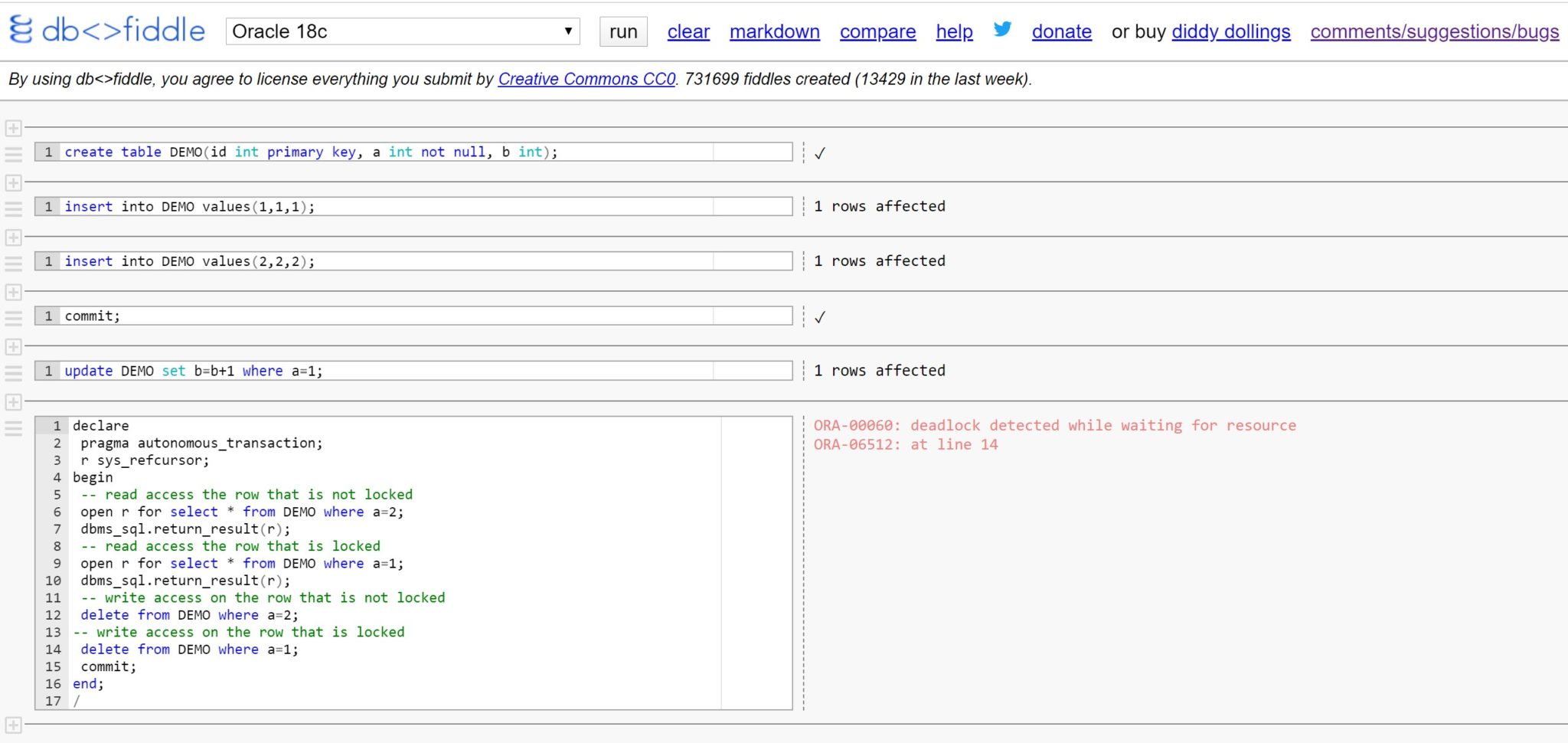
By Franck Pachot . Microsoft SQL Server has implemented MVCC in 2005, which has been proven to be the best approach for transaction isolation (the I in ACID) in OLTP. But are you sure that writers do not block readers with READ_COMMITTED_SNAPSHOT? I’ll show here that some reads are still blocked by locked rows, contrary to the precursors of MVCC…