Skip to content

Database

Everything our consultants learn while running databases for customers: Oracle, PostgreSQL, SQL Server, MySQL, MariaDB, MongoDB and Delphix. Expect hands-on posts about installation, day-to-day administration, backup and recovery, performance tuning, replication and upgrades.

Oracle 12cR2 PL/SQL new feature: TNSPING from the database

By Franck Pachot . Database links are resolved with the server TNS_ADMIN configuration (sqlnet.ora and tnsnames.ora). You can use tnsping to check the resolution, but it supposes that you are on the server and have set the same environment as the one which started the database. In 12.2 you have a new package to check that: DBMS_TNS. It’s the kind… 

Oracle 12cR2 : Partitioning improvements – auto-list partitioning

The second release of Oracle Database 12c (12cR2) comes with new improvements regarding partitioning. In this blog post I’ll show one of them : auto-list partitioning. Auto-list partitioning is an extension of list partitioning. It enable the automatic creation of partitions for new values inserted into the partitioned table. Image : “Oracle Partitioning in Oracle Database 12c Release 2” –… 

EDB Postgres Advanced Server 9.6 BETA released

Yesterday EnterpriseDB released the beta of the next version of Postgres Advanced Server. You can sign up for the beta program here and download the software here. As usual this release includes all the features of the community release of PostgreSQL (version 9.6) plus the EDB additions such as Oracle compatibility. The release notes are here.

Oracle Public Cloud: create a database from command line

By Franck Pachot . You love the Oracle Public Cloud with its simple Web interface? Great. But what if you want to automate a database creation from command line? Easy with the CURL and REST API. JSON First, you need to create a JSON file with all the information for your service. Everything is documented: https://apicatalog.oraclecloud.com/ui/views/apicollection/oracle-public/database/1.1/serviceinstances $ cat createrequestbody.json  … 

SQL Server AlwaysOn availability groups and statistic issues on secondaries

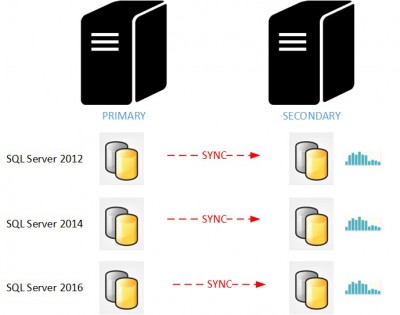
I would like to share with you an interesting issue you may face while using SQL Server AlwaysOn availability groups and secondary read-only replicas. For those who use secondary read-only replicas as reporting servers, keep reading this blog post because it is about update statistics behavior on the secondary replicas and as you may know cardinality estimation accuracy is an… 

Dbvisit replicate when you flashback the target

By Franck Pachot . I had a quick question today about Dbvisit replicate as a solution to feed an Operational Data Store. The need is to run some end-of-month jobs on data from a specific state. The best way is to stop the APPLY at that fixed state for the duration of the job. Then no need for flashback query… 

12c online move datafile in same filesystem.

By Franck Pachot . On Linux, when you move a datafile, with “mv” within the filesystem it’s just a rename. There is no copy. In 12c you can move a datafile online where oracle takes care of the move at OS level. But be careful. Even if you are in the same filesystem, moving a datafile online does a copy… 

SQL Server 2016 – R Services Tips: How to find installed packages using T-SQL?

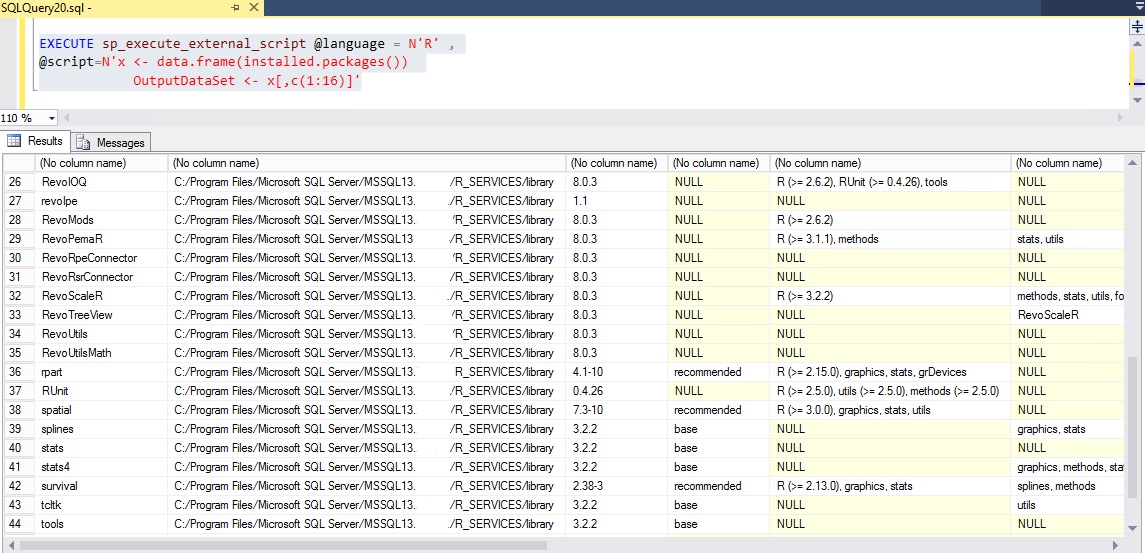
If you have restricted access to the server and you do not know if your packages are installed on the SQL Server with the R Services, you have the possibility to do it by T-SQL. The R command/function to use is “installed.packages()”. As you can read in the R Documentation for installed.packages(),  this function scans the description of each package.… 

SQL Server 2016: New useful function STRING_SPLIT()

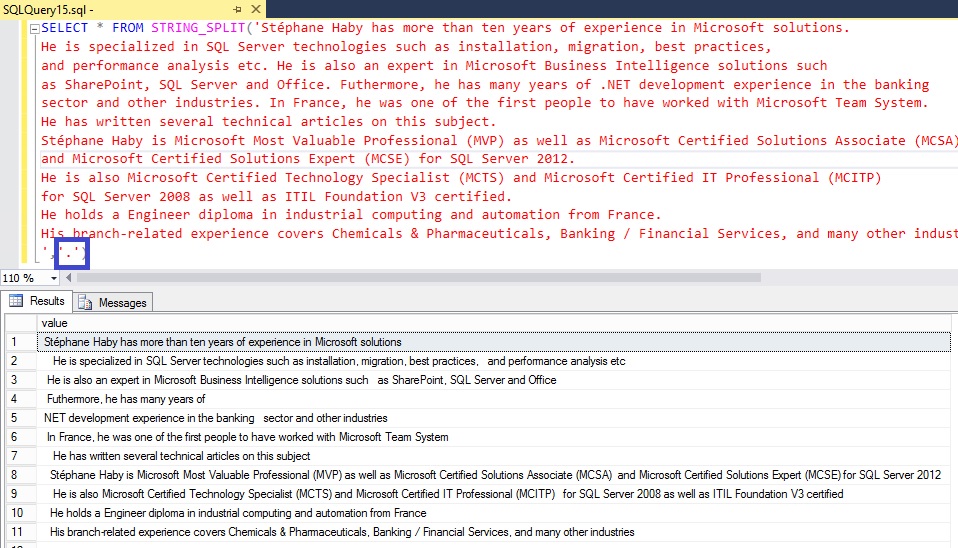
Now, in the latest version of SQL Server, you have one of the most expected function as well as for developers as for administrators, splitting a string natively in T-SQL: STRING_SPLIT(<character expression>,<separator>) This function has 2 parameters: The character expression with a data type of nvarchar,varchar,nchar or char The separator with a data type of nvarchar(1), varchar(1), nchar(1) or char(1)… 

Oracle 12c – Difference between ‘%F’ #default and ‘%F’

By William Sescu Do you see any differences between these two RMAN SHOW commands? RMAN> SHOW CONTROLFILE AUTOBACKUP FORMAT; RMAN configuration parameters for database with db_unique_name OCM121 are: CONFIGURE CONTROLFILE AUTOBACKUP FORMAT FOR DEVICE TYPE DISK TO ‘%F’; # default and RMAN> SHOW CONTROLFILE AUTOBACKUP FORMAT; RMAN configuration parameters for database with db_unique_name OCM121 are: CONFIGURE CONTROLFILE AUTOBACKUP FORMAT FOR… 

Oracle 12c – Automatic Control File Backups

By William Sescu By default, automatic control file backups are disabled (even with 12c), maybe for performance reasons. RMAN> SHOW CONTROLFILE AUTOBACKUP; RMAN configuration parameters for database with db_unique_name OCM121 are: CONFIGURE CONTROLFILE AUTOBACKUP OFF; # default And also good to know, the autobackup after structural changes does not occur for databases in NOARCHIVELOG mode. So, if your database is… 

Oracle 12c – When the RMAN Dummy Instance does not start up …

By William Sescu Not too often, but sometimes you might run into a situation when you lose everything, your DB Files, your Controlfiles and even your spfile. In situations like that, you need to restore first your spfile, then your controlfile and then the rest. For restoring the spfile, RMAN has a chicken/egg issue. To be able to restore the…