Stéphane Savorgnano has more than 20 years of experience in Microsoft software development and SQL Server database solutions, specializing in SQL Server installation, performance analysis, and best practices. He holds Microsoft Certified Solutions Associate (MCSA) and Expert (MCSE) for SQL Server 2012 through 2017, MCTS, MCITP for SQL Server 2008, and ITIL V3 Foundation certifications. Prior to dbi services, he was a software engineer at Ciba Specialty Chemicals in Basel. He holds a Master's degree in Informatics from the University of Mulhouse. His industry experience covers banking and financial services, chemicals, and pharmaceuticals.
In my first blog-post about Striim, I showed you how to create an Initial Load from an on-premise database to an Azure SQL DB. In this second blog post I will create an application which will stream Data Changes from a CDC-Enabled on-premise SQL Database to my Azure SQL Database. The first step is to enable CDC (Chane Data Capture)…
In this blog-post I will discuss about my first test with Striim. Striim is a data integration platform which can ingest real-time data from a variety of sources (SQL Server, Oracle, Kafka, Hadoop…) and quickly deliver it to Cloud systems or even to an on-premise infrastructure. The goal today will be to do the creation of my schema data in…
Since Tuesday, I have the chance to follow the SQLBits 2022 conference. Sadly, I have to do it remotely this year but I promise next time I will come in-person 😉 SQLBits is one of the largest SQL Server conference in the world with some famous speakers like Brent Ozar, Bob Ward, Erik Darling… In this blog post, I will…
As promised during my last Rubrik blog post I’m writing a second one to explain how to: log your different steps in a file add an integrity check after the restore and also improve my first scripting I will start by the end and improve my first scripts by creating functions for each step of the process. With Rubrik you…
One of our customer uses Rubrik as a solution to recover, manage, and secure all their data. In this context, Rubrik is used to backup and restore all the SQL Server instances. We need to run restore tests in this validated environment every year. To do so we decide to create a PowerShell script to automate the restore of all…
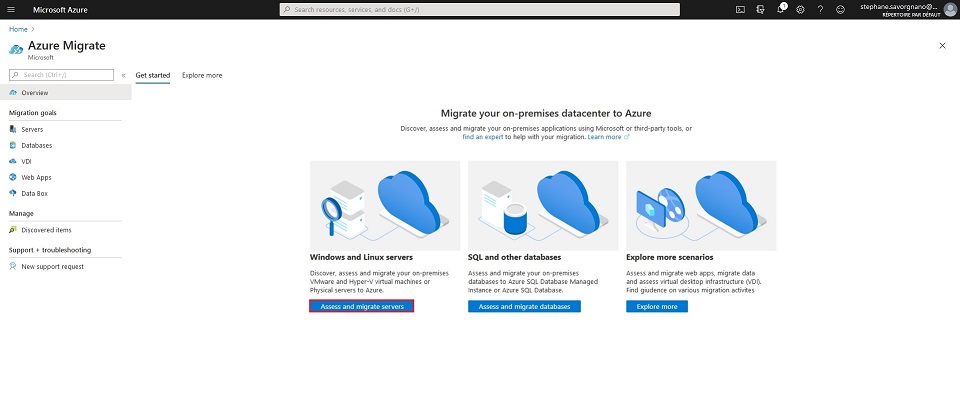
Azure Migrate provides a set of tools to assess and migrate on-premise infrastructure like Hyper-V or VMware virtual machines, physical servers as well as SQL and other Databases, web application… The Azure Migrate overview page resumes the different key scenario available. Lets have a look how easily you can assess your Hyper-V virtual machines for a future migration to Azure…
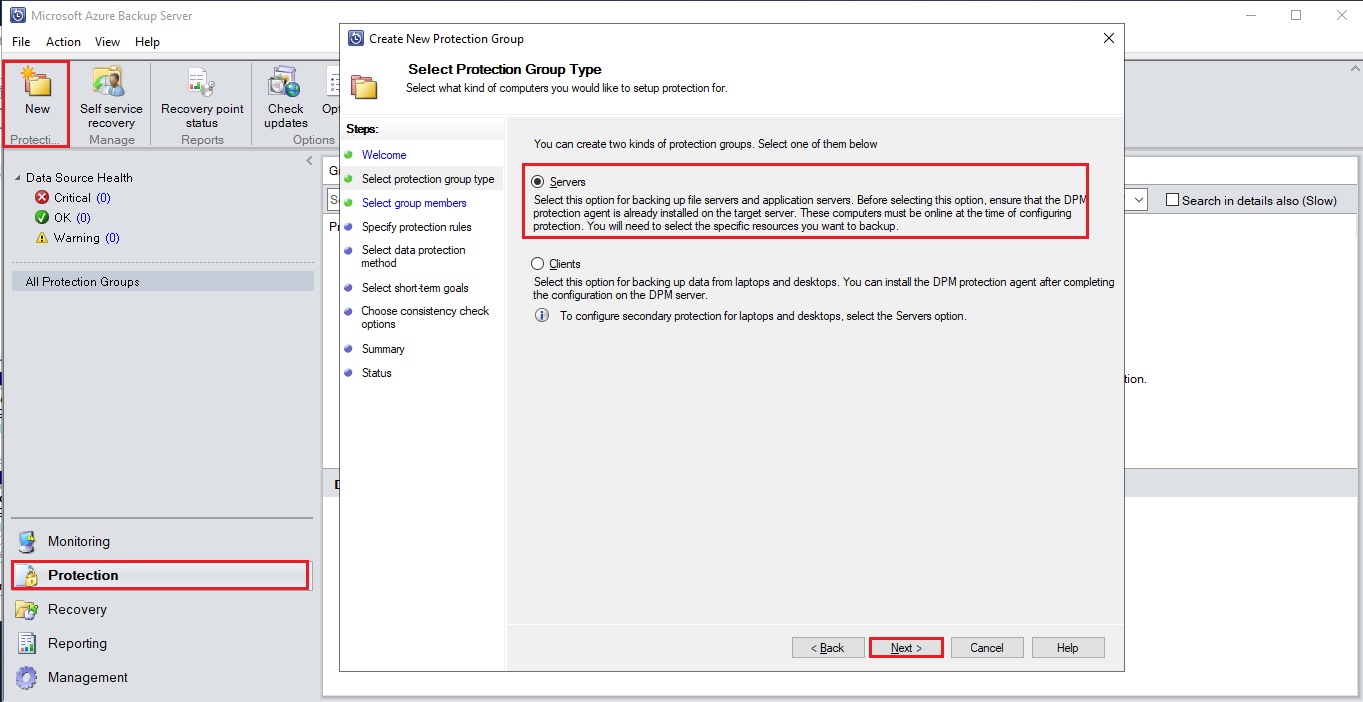
During my last blog post I explained how to installed a MABS. Now that your infrastructure is setup you will be able to protect the workload of your Hyper-V Virtual Machines. You have first to create a new protection group. This group will contain one or more VMs which will share the same backup configuration for retention, synchronization and recovery.…
During my last blog-posts I tested the MARS (Microsoft Azure Recovery Service) through Windows Admin Center and how to use Azure Backup to recover files/folders or System State for protected servers. To continue my Azure protection possibilities overview I will today installed a MABS on one of my virtual on-premise server and uses it to protect my others virtual on-premises…
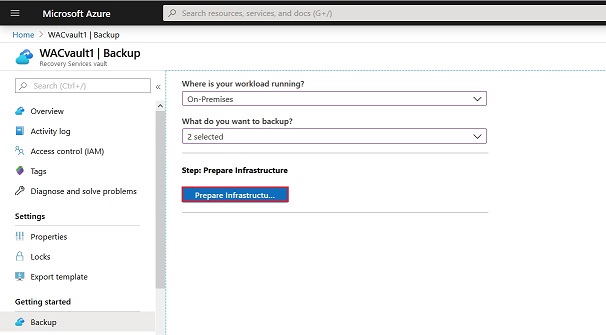
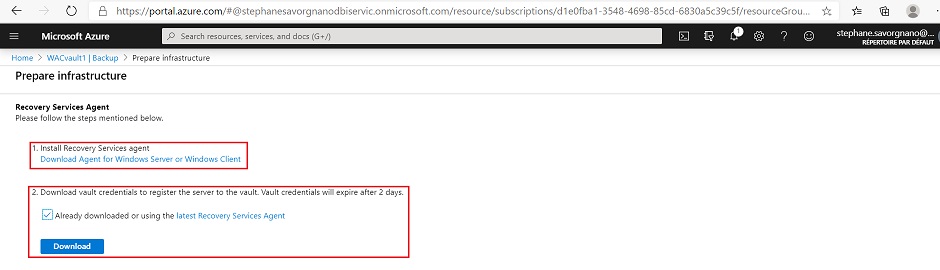
During my last blog-post I experienced to use Azure backup to protect an on-premise Windows server. To recover data from Azure backup we need to use the Microsoft Azure Recovery Services console (MARS). This service and its management console have been installed during the setup of the Azure backup in the Windows Admin Center. When we open the Microsoft Azure…
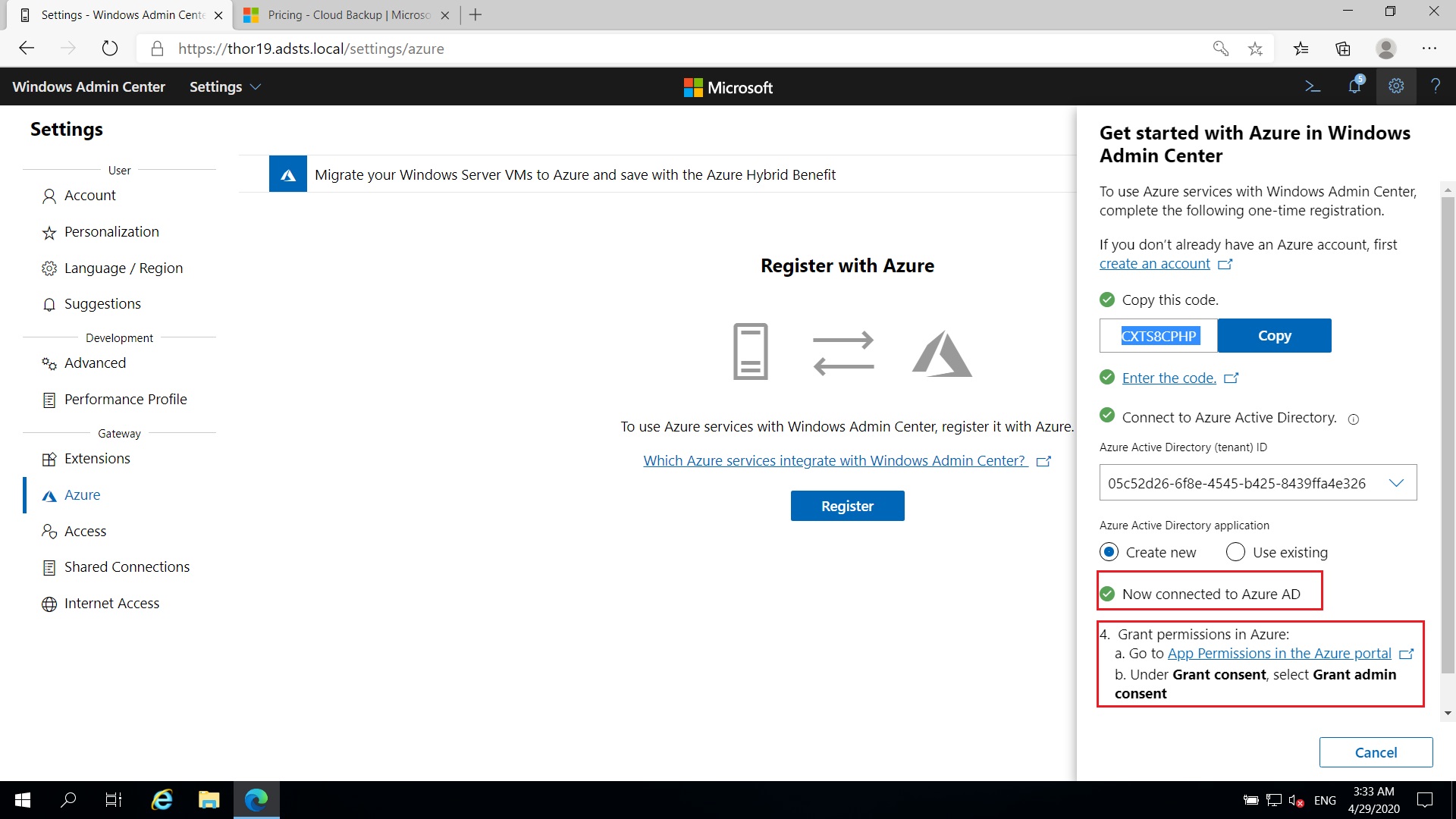
To be honest I never used before Windows Admin Center but after some hours of utilization I’m still convinced. As SQL Server Management Studio is a great tool to manage our SQL Server instances with a CMS (Centralized Management Server), Windows Admin Center is a great tool to centralize the management of our Physical, Virtual, on-premises…Windows Server. This browser-based tool…
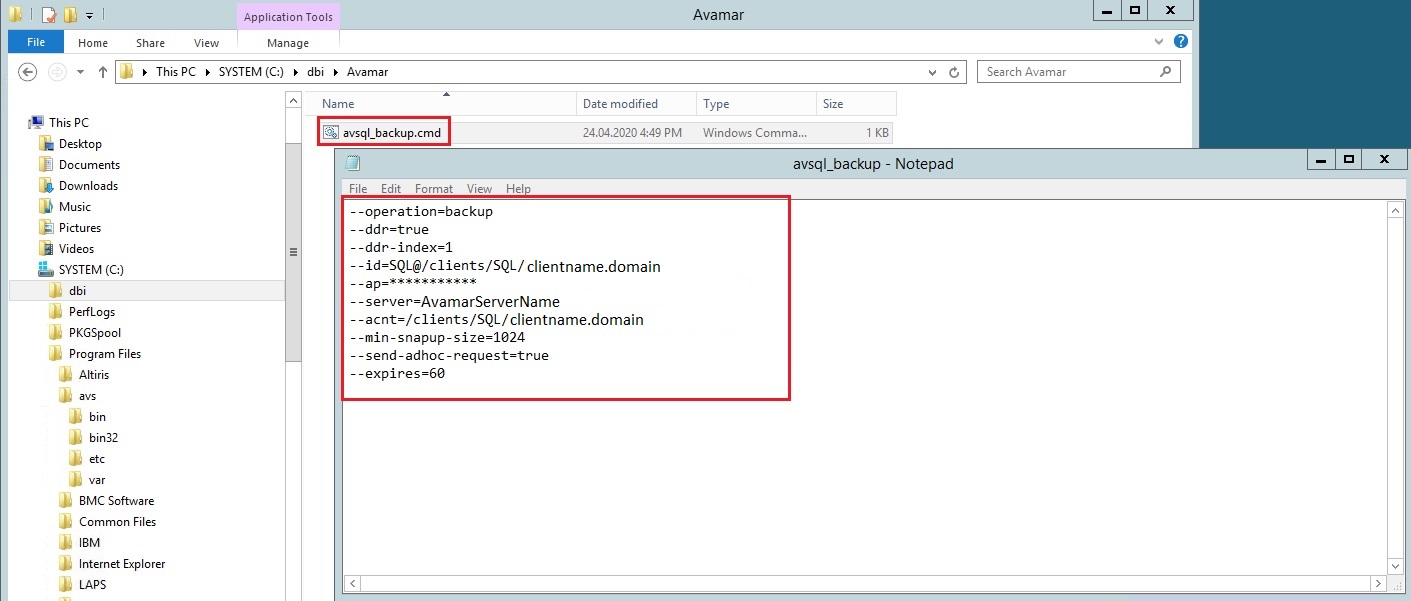
By one of our customer we use Avamar for the backup and restore solution. I was asked by this customer to find a solution to run Avamar backups for a group of databases on a specified instance. In fact, we currently try a database clone solution on some instances and clone’s databases must not be backed up, but the rest…
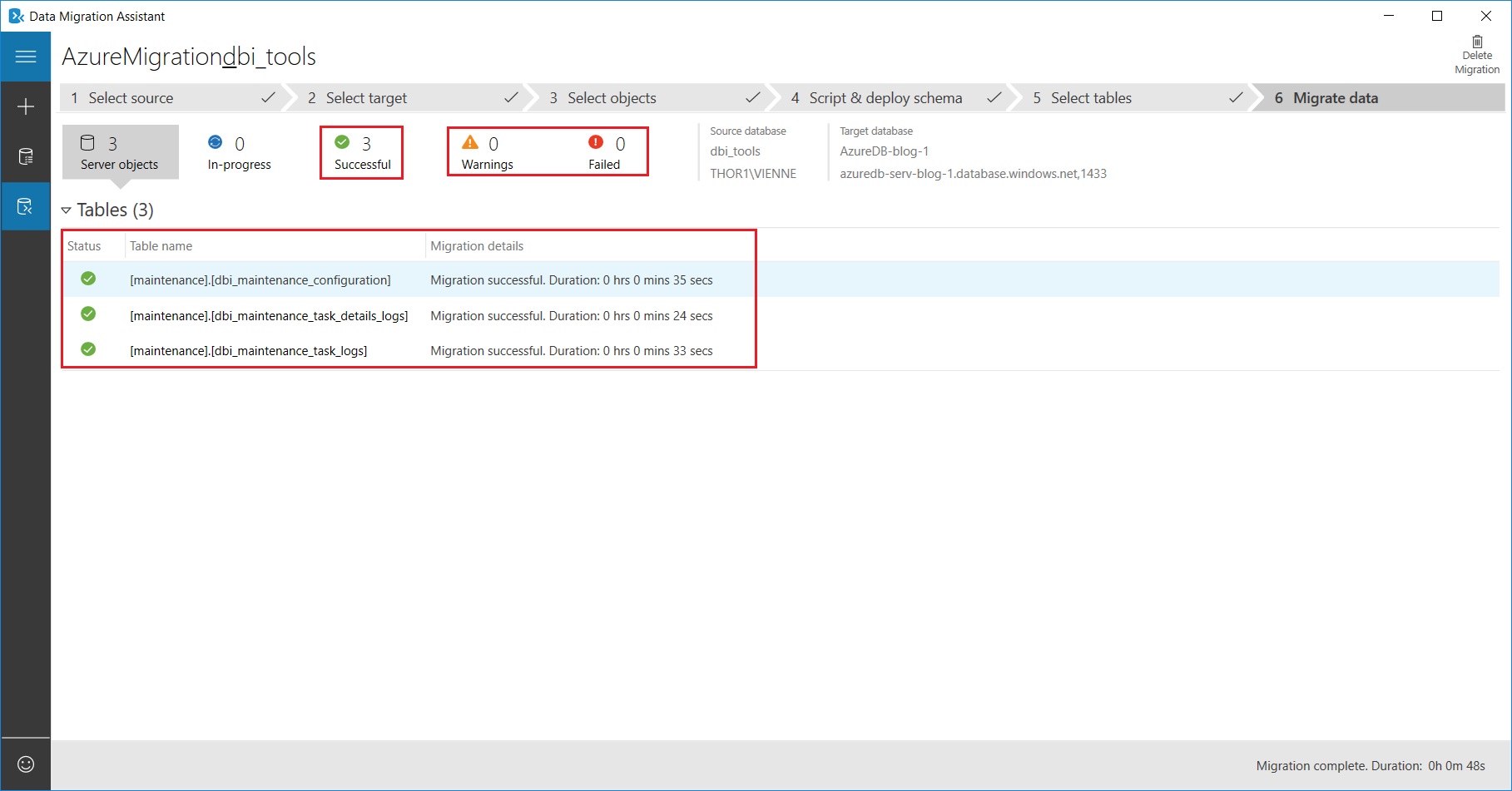
As a SQL Server DBA we have the habit to migrate databases from an instance to another one or to a new environment. But migrate a database from on-premise to the Azure Cloud is an operation that we don’t deal with every day. As a reminder, Azure SQL Database is a relational database-as-a-service (DBaaS) which gives the ability to manage…