Stéphane Haby has more than 20 years of experience in Microsoft solutions, specializing in the installation, migration, best practices, and performance analysis of Microsoft SQL Server, as well as Microsoft Business Intelligence solutions (SharePoint, Office) and .NET development for the banking sector. A former Microsoft Most Valuable Professional (MVP) and early adopter of Microsoft Team System in France, he has authored several technical articles. He holds Microsoft Certified Solutions Associate (MCSA) and Expert (MCSE) for SQL Server, MCTS, MCITP for SQL Server 2008, and ITIL V3 Foundation certifications. His industry experience covers chemicals and pharma, banking, and financial services.
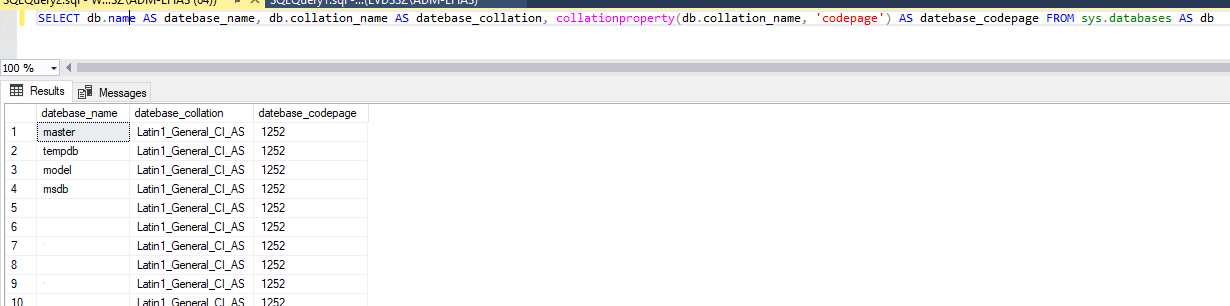
Sometimes during an SQL Server audit, I check the collation of the server and the databases but every time separately. The goal of this blog is to give you a script to have both and compare it. First step is to have the server collation and the code page. The code page will help to see if the character set…
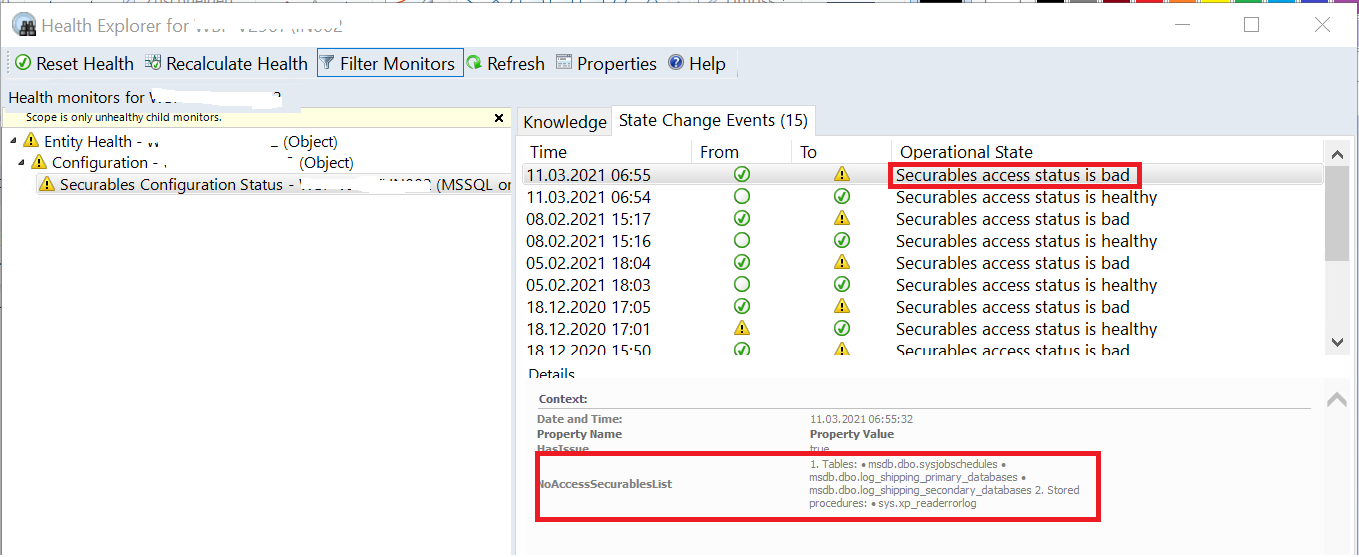
Sometimes, it’s hard to find how to analyze a Warning in the SCOM Interface and correct the problem. By a customer, we install new instances in SQL Server 2019 and change the version of SCOM. All new servers have a warning on the Health. The first step in the SCOM interface is to go to the SQL Server Roles: On…
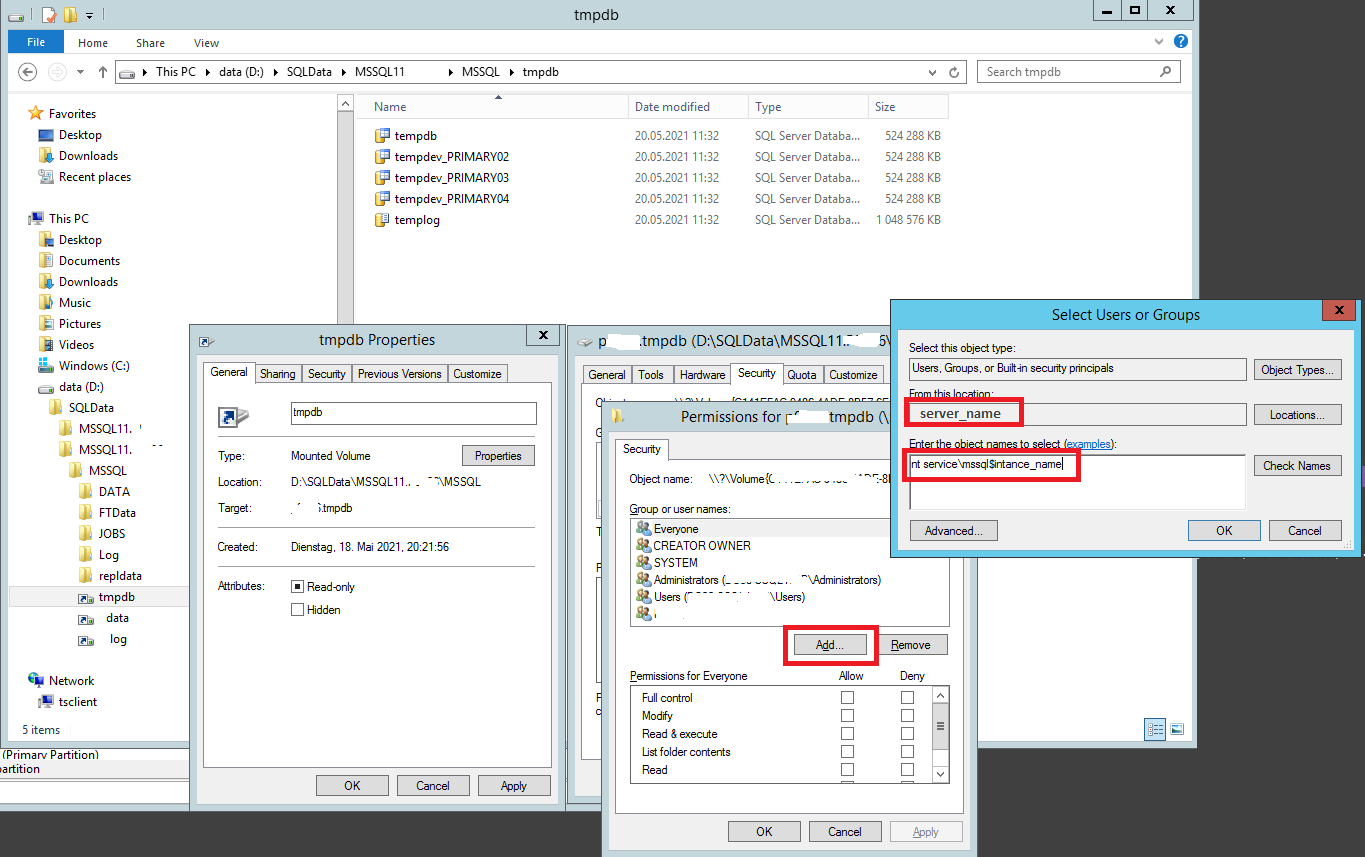
Recently by a customer, we are facing the case to lose all mount points on a secondary node in a HA SQL Server AlwaysOn infrastructure due to a big problem on the Datacenter. We need to build from scratch all mount points for the Data, Log and Tempdb. After multiple researches, I didn’t find how to give back correctly the…
It’s every time hard to replace a login who as role and permissions in every database like the service account for SCOM. In the previous version of Scom, you create a service account (dbiscom) to access the SQL Server and check the health of the databases. Now it’s possible to use the System Center Operations Manager Health Service (NT SERVICEHealthService).…
Today, I follow our Workshop Ansible Basics with Jérôme Witt. Why I follow this workshop? First, it’s to have the basics and Best Practices before begin myself and do “bricolage” by my customers. The second point is to develop templates to use and reuse by all customers if needed. Let’s start the course! My first remark is that the Control…
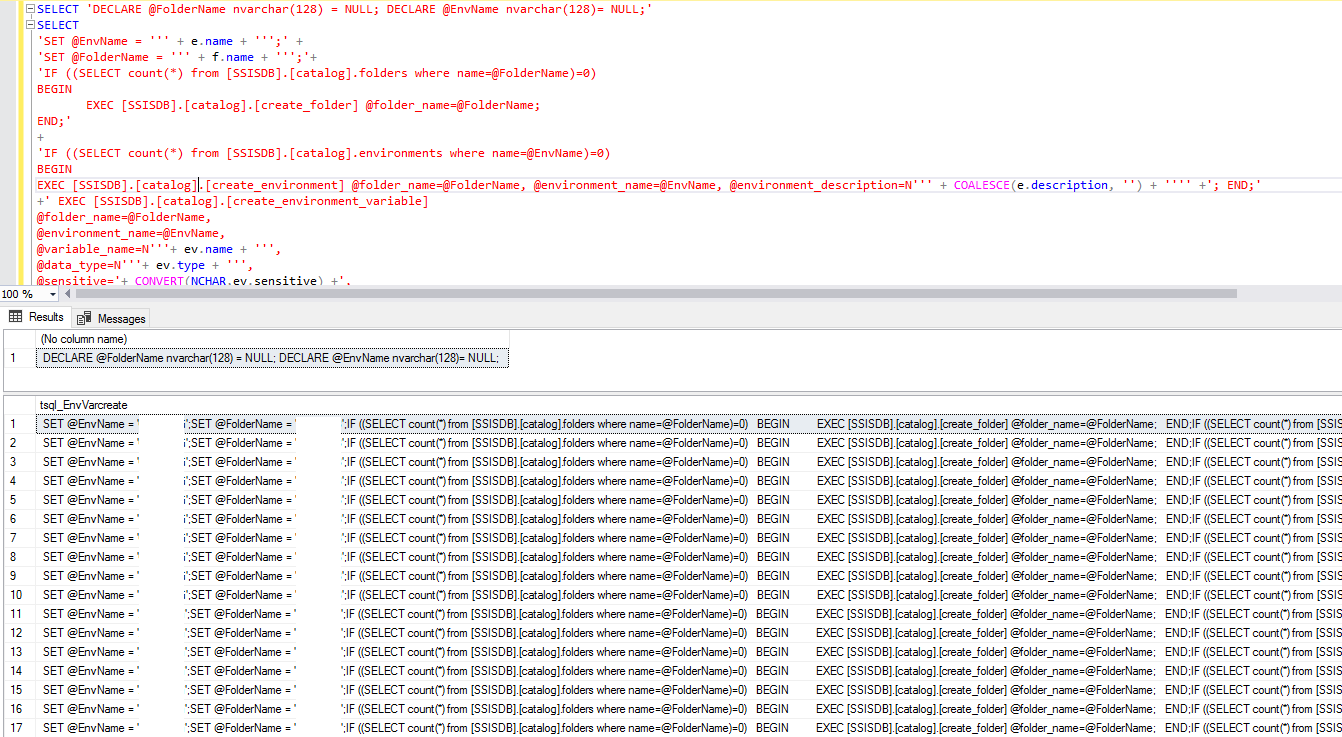
Based on the blog “Copy or Migrate a SSISDB environment” of my colleague Christophe, I create a new one named 2.0. In the precedent script, you need to give the folder name and environment name and he generates all environment variables for these 2 parameters. In my case, I need to generate all folders and what are in these folders.…
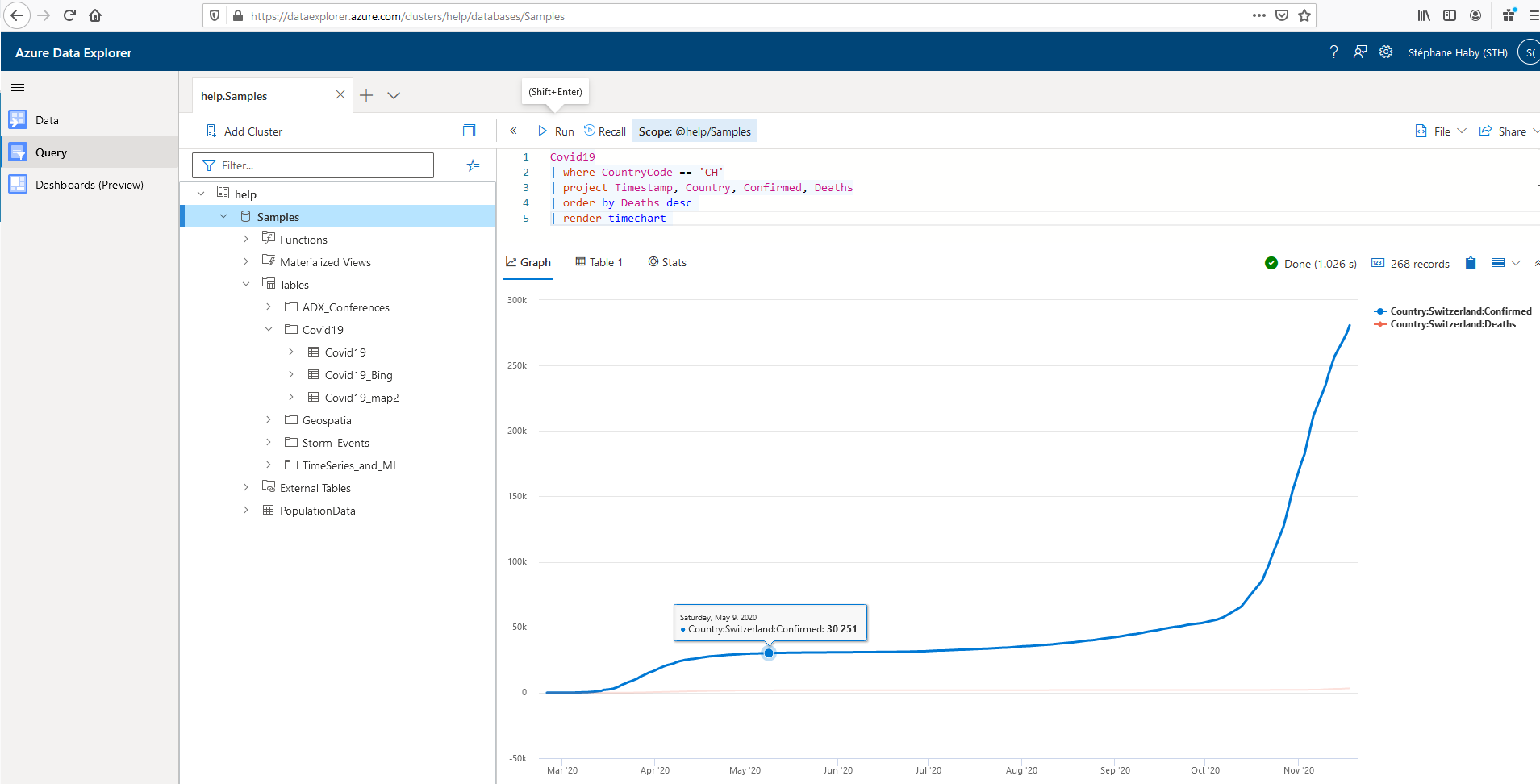
Do you know this query language? No, it’s time to explain you and see what it is. “A Kusto query is a read-only request to process data and return results.” dixit Microsoft Documentation here The KQL is very simple to understand and use. I can do it then you can also do it! 😛 The first thing to know…
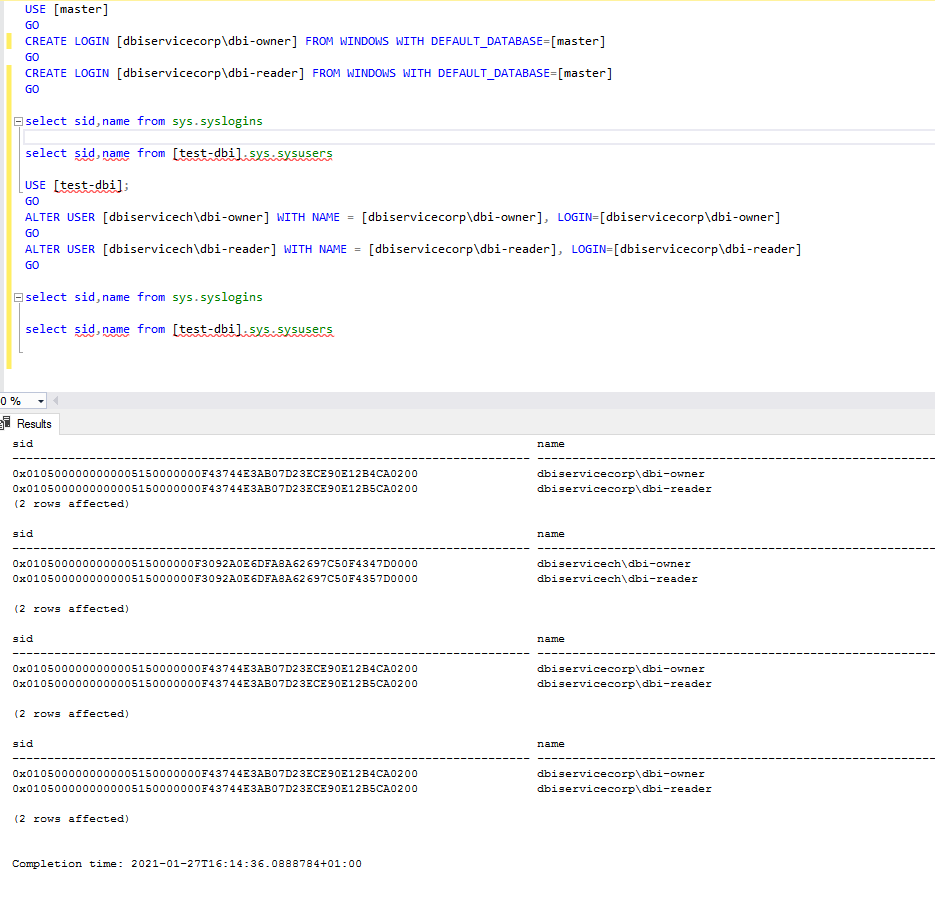
By a customer, I must migrate a database from a domain to another. The goal is to keep the database-user permissions, take the new SID from the windows login of the new domain and change the database-user name. In my blog, I will do it with two dbi’s domains: – dbiservicech: The old domain – dbiservicecorp: The new domain I…
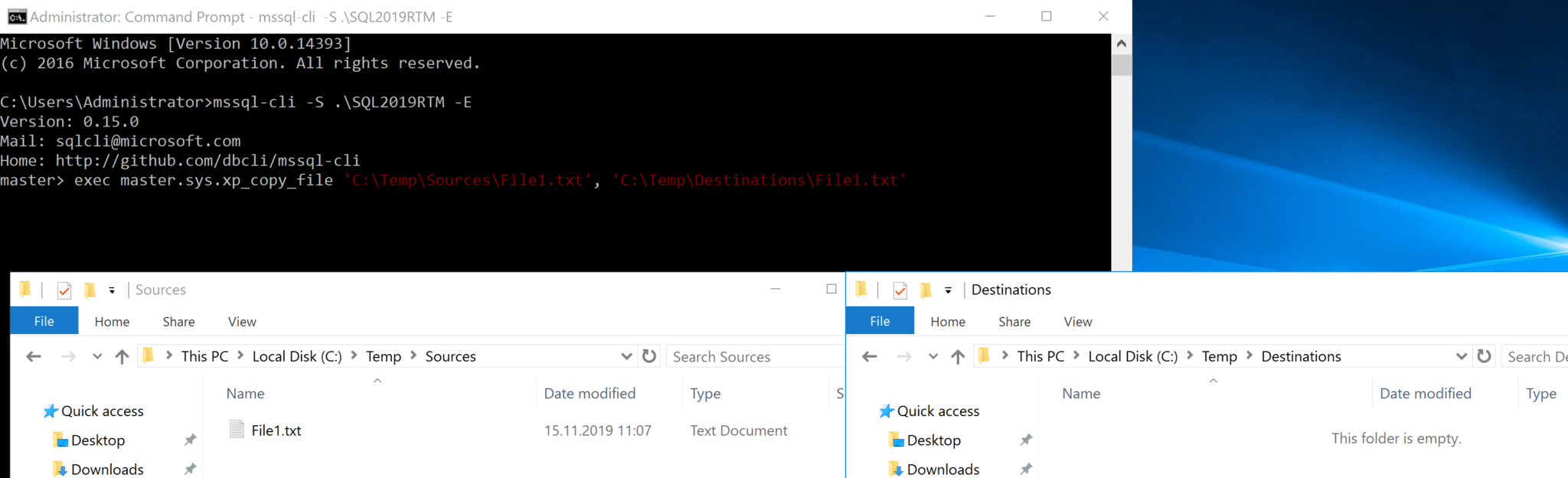
Three new interesting extended stored procedures comes with SQL Server 2019. I was very interested to discover these new store procedures: Sys.xp_copy_file is to copy a specific files from a folder to another Syntax: exec master.sys.xp_copy_file ‘source folder+file’, ‘destination folder+file’ Example: exec master.sys.xp_copy_file ‘C:\Temp\Sources\File1.txt’, ‘C:\Temp\Destinations\File1.txt’ Before the command: After the command: As you can see in my test, you will…
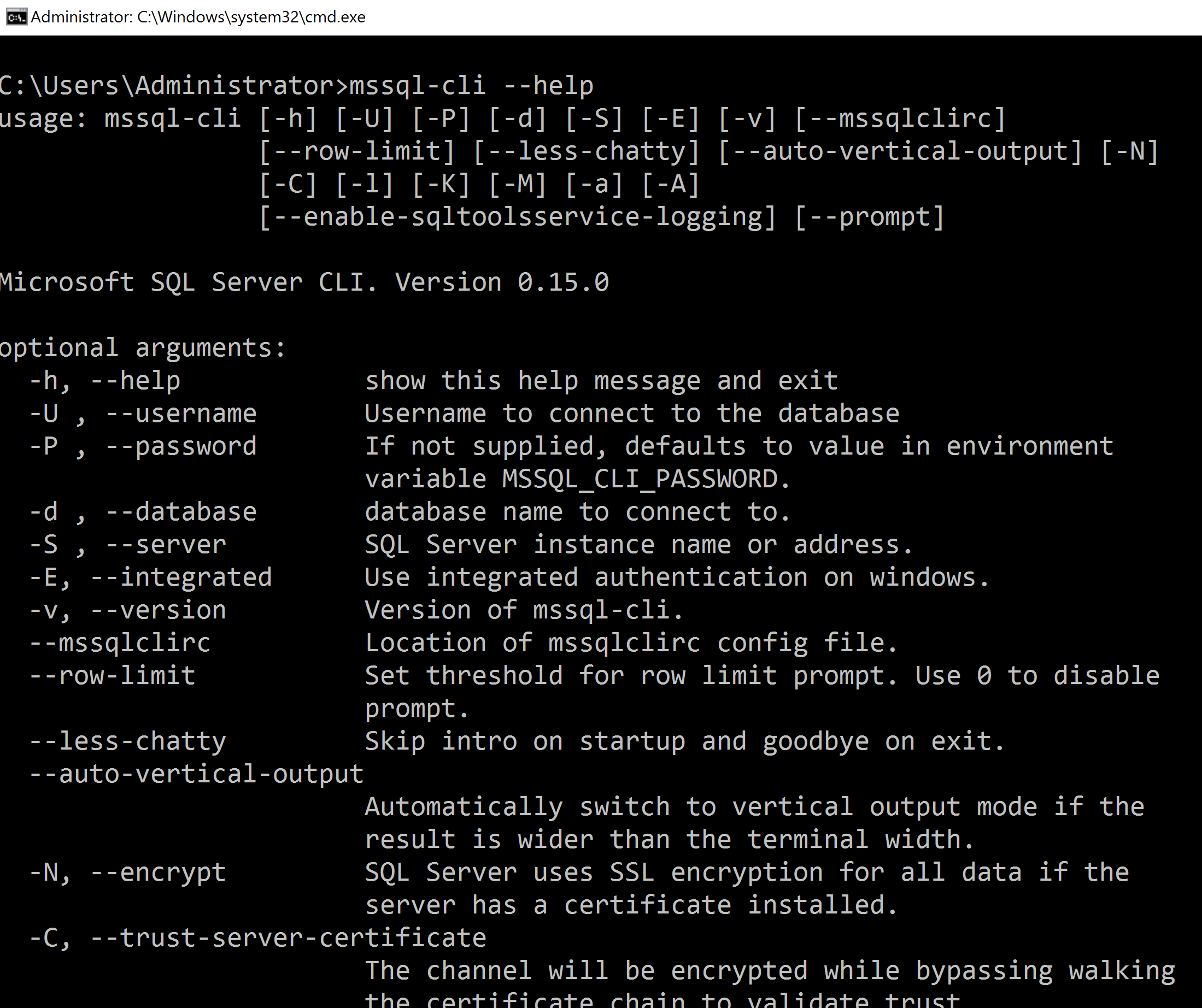
MSSQL-CLI is a useful new command line tool. Not so new because this tool exist since 2018 but a little bit unknow. You find this tool on GitHub here. One of the big advantage is the number of platforms available, Windows of course but also macOS, Ubuntu, Debian, CentOs, Red Hat, OpenSuse, Suse Enterprise and Fedora. This interactive command-line query…
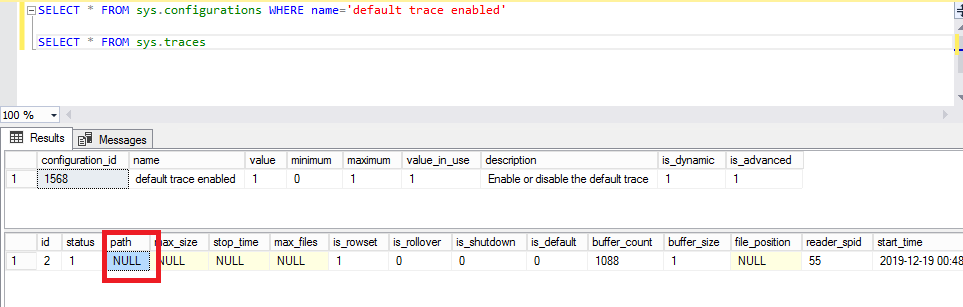
In addition of my precedent blog about this subject “SQL Server Tips: Default trace enabled but no file is active…”, I add a new case where the default path of the trace file was empty. The first step was to verify if the default trace is enabled with the command: SELECT * FROM sys.configurations WHERE name=’default trace enable’ It is…
Today, with my colleague Christophe, we follow the Microsoft Azure Training Day: Data and Analytics @ Microsoft Zürich (Wallisellen to be exact). After a presentation of SQL Server 2019, we begin with the First Lab about SQL Server 2019 and new features and we going through intelligent query processing, Data Discovery and Classification for personally identifiable information (PII) and General…