Recently, I wrote about deleting a GoldenGate deployment with the REST API, and when investigating this issue, I remembered a limitation of the configuration assistant, which I wanted to talk about. For more information about deployment removal with the configuration assistant, you can read a blog I wrote on the topic (for 23ai, but nothing changed in that regard in 26ai).
Let’s now talk about the INS-85038 error, which is rather generic. You will definitely need more details to investigate, and this blog does not cover all possibilities. Still, I will try to give you solutions, including one that should work in most cases.
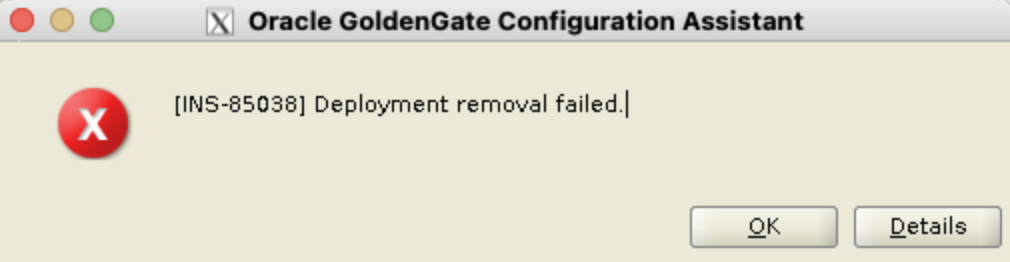
As a reminder, there are three steps when deleting a GoldenGate deployment with oggca.sh :
- Verify the deployment credentials
- Stop the deployment services
- Unregister the deployment in the Service Manager
In my case, the problem I noticed is that the configuration assistant waits for the deployment to be stopped. However, it fails after some time with the following error details:
Log of this session available at: /u01/app/oraInventory/logs/OGGCAConfigActions2026-04-22_12-51-46PM
Setup completed with overall status as Succeeded
Setup completed with overall status as Failed
Verification failed. Expected value: (NOT) 'running', actual value: 'running'
Verification (0) failed for property 'response/status'.
Verification failed for REST call to '/services/v2/deployments/ogg_test_blog'
Results for "Stop the deployment":
..."Retrieving the 'ogg_test_blog' deployment details.": SUCCEEDED
..."Stop the 'ogg_test_blog' deployment.": SUCCEEDED
..."Verify the 'ogg_test_blog' deployment is stopped": FAILED
(1) Errors ocurred when trying to stop deployment. Make sure Service Manager is running. Check Service Manager log files for more details.
However, when debugging this issue, I observed the following strange behavior. While the configuration assistant complains about the deployment being started, my deployment was stopped when checking its status a few seconds after.
I decided to analyze the restapi.log file of my deployment. What I discovered was that the configuration assistant was checking the status of the deployment every ten seconds for two minutes. After this period, it fails with the abovementioned error.
What to do after an INS-85038 error ?
If you still want to delete this deployment, you have two options:
- Deleting the deployment with the REST API, with the method described in this blog, using the dedicated endpoint.
- Restarting the deployment and re-running the configuration assistant. But this time, if you get the same error as before, remember to wait. Once the deployment is completely stopped, click on Skip in the configuration assistant. The assistant will follow with the next step, unregistering the deployment from the Service Manager.
To summarize, if you get an INS-85038 error in the configuration assistant, try to remove the deployment with the REST API. But if the reason for this error is just a deployment that is not stopping soon enough, just use the Skip button to continue removing the deployment when it is finally stopped.
![Thumbnail [60x60]](https://www.dbi-services.com/blog/wp-content/uploads/2025/05/JDE_Web-1-scaled.jpg)