Recently, during one of my missions, a client asked me to give him access rights to the SQL Server logs from SSMS to his application managers. As you know, you must grant the role “securityadmin” to have such rights. However, with this role you can also manage logins, CREATE DATABASEs and change passwords.
These are “too many rights” for an IT manager, but there seems to be no other way 😥 … or is there?
Of course, SQL Server 2012 can resolve this problem! How?
- Since SQL Server 2012, you can create your own server roles.
Step 1: Create a user for my demo
I can create a simple SQL server user with the right to be owner of the famous AdventureWorks Database.
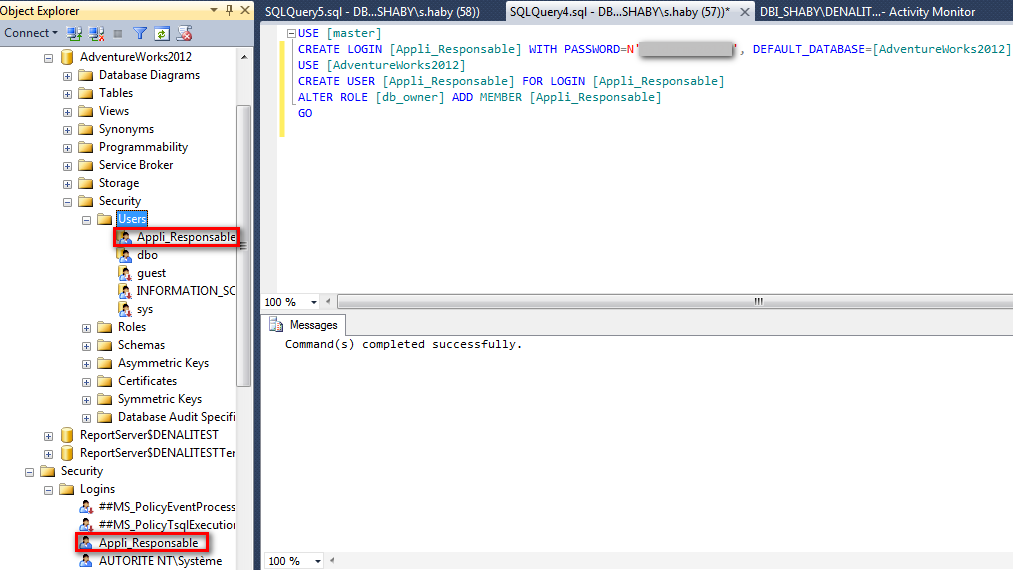
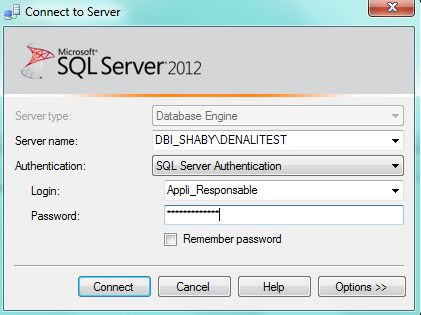
I can connect to SSMS (SQL Server Management Studio) with this account.
Let’s try to look up the SQL Server Logs…
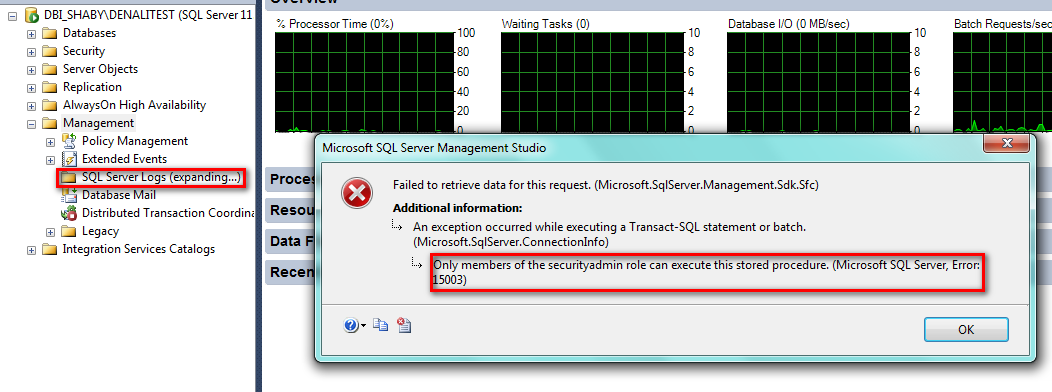
In the error message, we can read:
“Only members of the securityadmin role can execute this stored procedure” Error 15003
Naturally, the easiest way is to give “securityadmin” role to my user Appli_Responsable, but I don’t want this user to be able to create new databases or new users.
My new choice is to do my own role to read the logs:-D
Step 2: Create a new server role
Connect to your instance with sysadmin rights and then you can use the wizard or type directly in a query.
In my example, I created the server role “ReadingSQLServerLogs”
I then granted the “VIEW SERVER STATE” to my role and the “CONNECT” by default.
These rights are sufficient to read the logs.
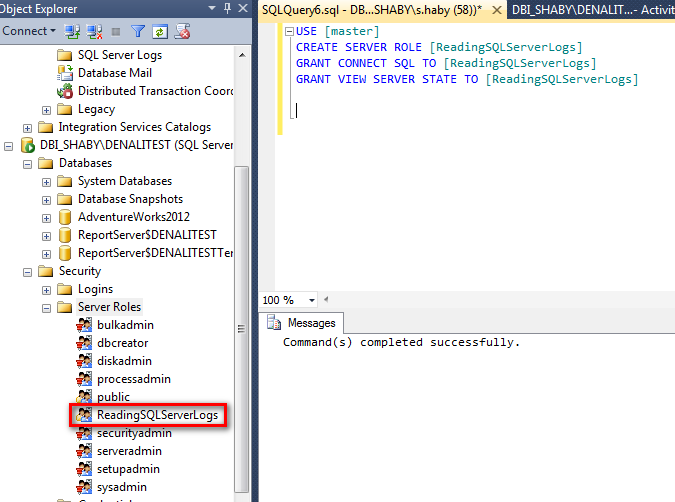
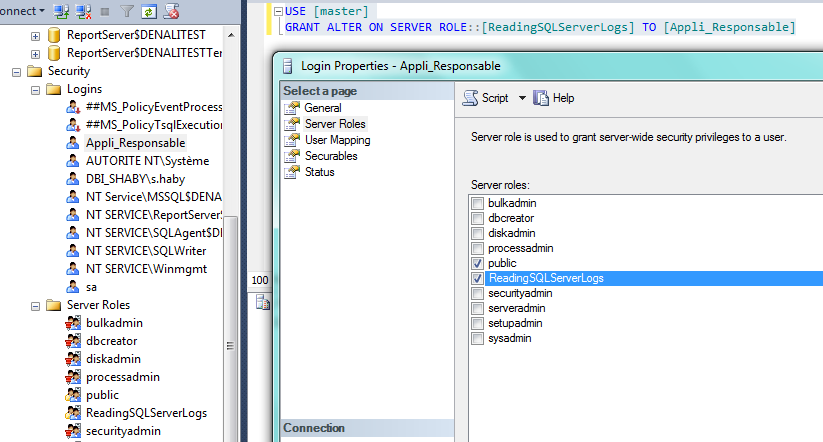
Now, we can grant this role to the user Appli_Responsable like this:
Step 3: Read the Logs
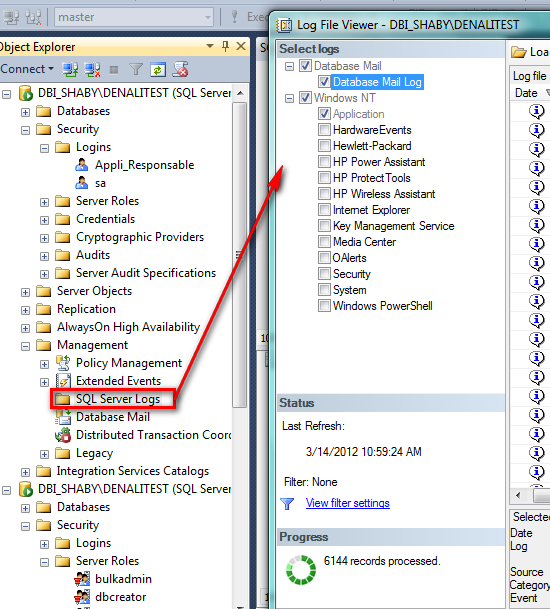
Let’s connect my user and…hohoho…:-)…I can read logs!
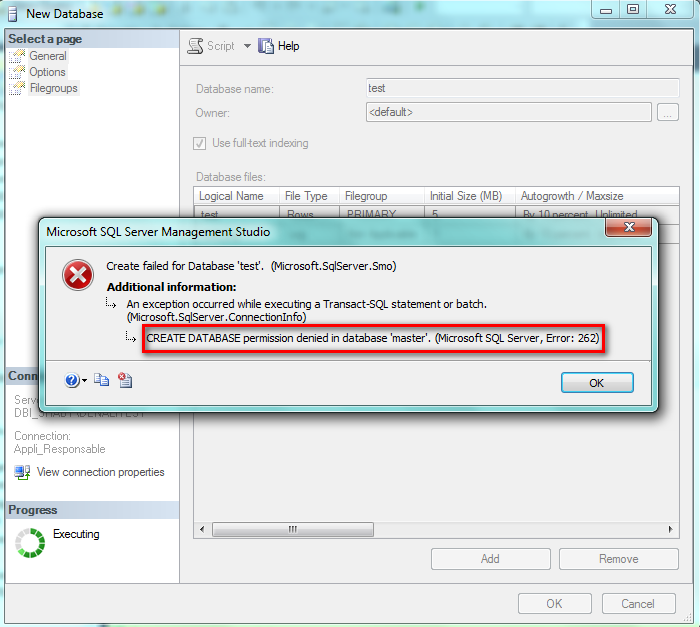
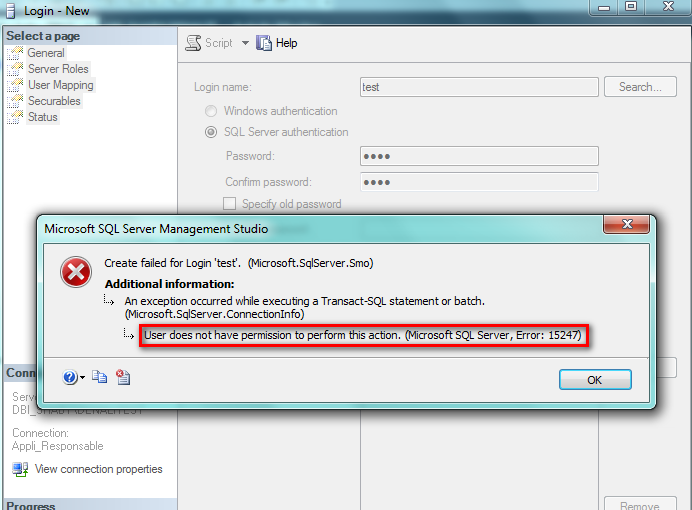
To finish my demo, I tried to create a database and a user and I cannot … not enough rights!
These two pictures are proof:
Conclusion
I just wanted to present this new simple and useful feature to you. I hope this gives you some good ideas for the security of your databases in the future!
![Thumbnail [60x60]](https://www.dbi-services.com/blog/wp-content/uploads/2022/08/STH_web-min-scaled.jpg)
![Thumbnail [90x90]](https://www.dbi-services.com/blog/wp-content/uploads/2025/05/martin_bracher_2048x1536.jpg)
![Thumbnail [90x90]](https://www.dbi-services.com/blog/wp-content/uploads/2025/11/LTO_WEB.jpg)