Skip to content

Windows

Monitoring PostgreSQL on Windows with PgHero and Docker

I know, I know, PostgreSQL usually feels more at home on Linux. But guess what? PgHero works just fine on Windows too, and I gave it a try myself. If you’re running PostgreSQL in a Docker container, this setup is surprisingly easily, and it gives you a great performance dashboard without touching your base system. In this post, I’ll show… 

Dctm – Configure the memory of an IDS Target on Windows

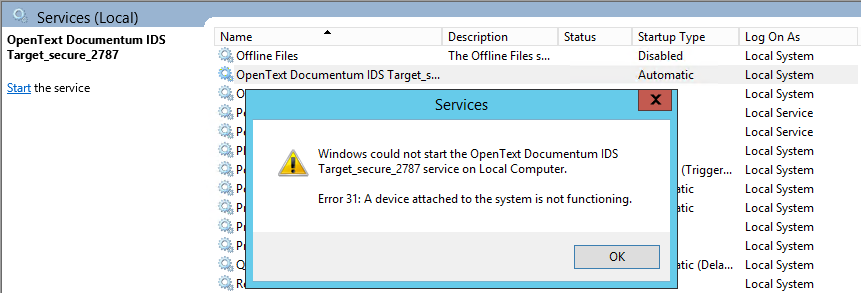
The Documentum Interactive Delivery Services (IDS) doesn’t seem to be very popular, at least in my experience, as I haven’t seen that one used in a lot of situations. However, when I did, I always had to increase the IDS Memory, as the default JVM was never enough to process an actual production load. Memory configuration on Linux On Linux,… 

Oracle DMK release 2.2.0 new features / Windows support.

DMK is a Database Management Kit that can be used in various database environments. It simplifies command-line tasks for Databases Administrator on Unix and Windows systems. It supports multiple databases including Oracle, MongoDB, MariaDB, and PostgreSQL. It also includes additional modules for automating RMAN backups, database duplication, and database creation.dbi-services recently released version 2.2.0, introducing significant improvements for Oracle databases with RAC/ASM and enhanced support… 

Monitor M-Files with Zabbix

So far, for Zabbix monitoring, I only covered Linux based servers. We can put aside MS-SQL which was monitored via ODBC, thus without any Zabbix agent involved. In this blog post, I will explain you how I was able to monitor a Document Manage System (DMS) like M-Files which is running on Windows. By the way, Vincent did a great… 

Migration with Data Guard: Oracle on Windows AWS to Oracle Cloud Infrastructure (OCI)

Oracle offers a number of methods to migrate Oracle databases to the Oracle Cloud Infrastructure (OCI). From Data Pump through RMAN, Data Guard and even Golden Gate there should be a solution for just about everyone. However, most of these managed migration services require that the source system is running Linux. So what do you do when you’re running Windows?… 

CIFS mounts no more compatible with ODA

Introduction Some of us are using CIFS mountpoints on the ODA. This is mostly for sharing files with Windows application servers. On ODA, as on other Linux setup, it works like a charm. But it ends working starting from patch 19.11. Now, it’s no more possible to use these kind of mount. What is CIFS? CIFS (Common Internet File System)… 

Reduce the complexity: be sharing and open source

By Franck Pachot . I thought that my last post on this blog was the previous one but I blog when it comes to my mind – nothing planned. And two things got me to write this. First, last week we got our 20th dbi xChange where we meet with colleagues. And I love discussing with colleagues about what we… 

K8s on Windows/VirtualBox

By Franck Pachot . This is a little demo, easy to copy-paste, if you want to play with Kubernetes on your laptop. And, not a simple “Hello World” but a real database running here, able to scale up and down with full availability. Install Virtualbox I use Oracle VirtuaBox because I’m a big fan of Oracle products, especially when they… 

SQL Server: Create a Shared Storage for your Failover Cluster LAB

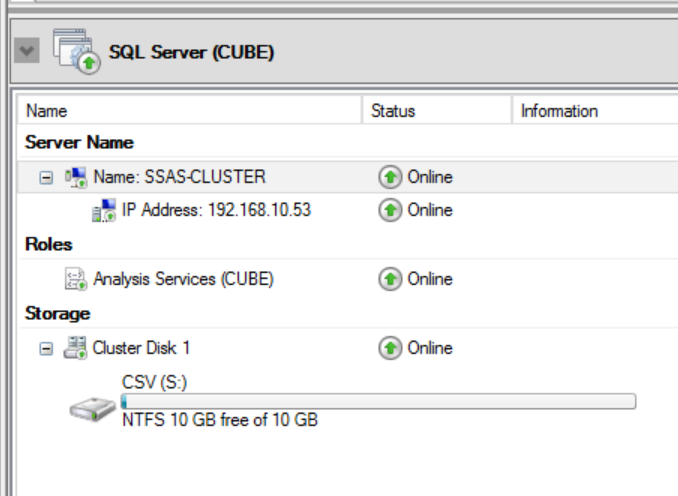
I’m currently working on the migration of a Failover Clustered SSAS instance from Windows Server 2012 to Windows Server 2019. The context is quite complex and in order to choose the right migration scenario I need to play with it on my LAB environment first. I usually work with AlwaysOn architectures and it’s not often that I need to set… 

Oracle autoupgrade on Windows and plugin to a Container DB with virtual accounts

In a project I recently had to upgrade an Oracle 12.2.-DB to 19.9. and at the same time migrate from the non-container architecture to the container architecture. The interesting part here is to do this on Windows. Actually both steps (upgrade and plugin) are possible using the autoupgrade tool , which is the preferred tool to do Oracle upgrades today.…