Skip to content

Backup

SP2 for SQL Server 2016 is available with new helpful DMVs

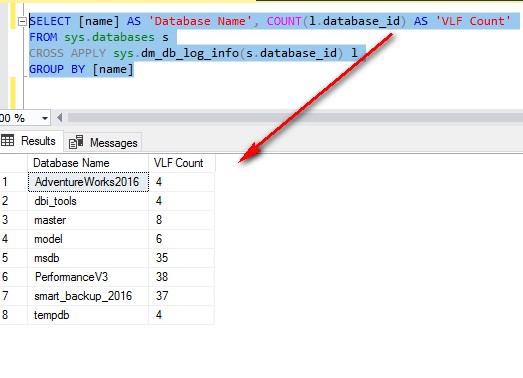
Last month (April 24, 2018), the Service Pack 2 for SQL Server 2016 was released and distributed. This Service Pack has new DMVs, already available in SQL Server 2017 RTM. In this article, I will just write few words about 2 DMVs (sys.dm_db_log_stats & sys.dm_db_log_info) and a new column (modified_extent_page_count) in the DMV sys.dm_db_file_space_usage that I presented during our last… 
PgBackRest : Dedicated Backup Host

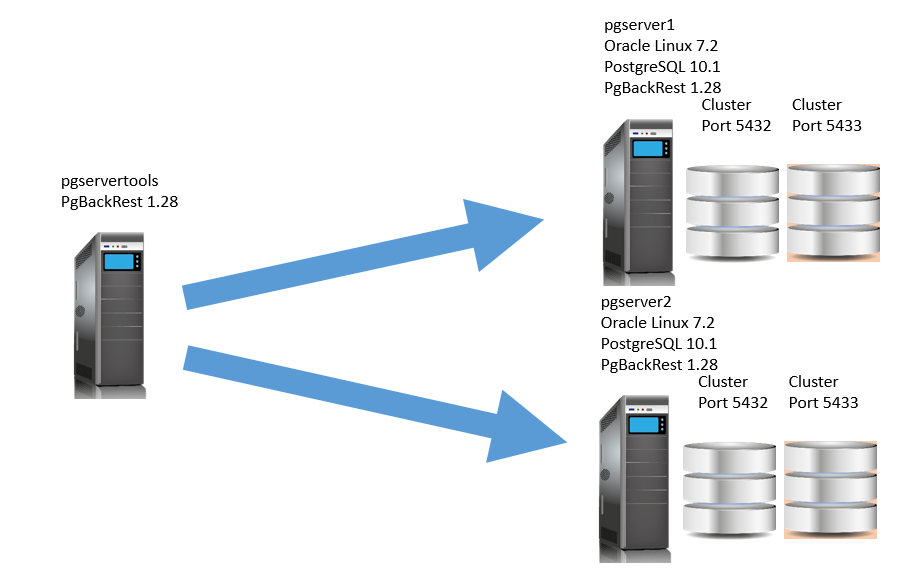
By Mouhamadou Diaw In previous blogs (blog1 and blog2) we saw a configuration of PgBackRest where the tool is installed in the same server that also hosts the PostgreSQL cluster. This configuration is fine if we have a single database server. But in the case that we have many database servers, it is more suitable to have a dedicated server… 

Backup and Restore PostgreSQL with PgBackRest I

By Mouhamadou Diaw Many tools can be used to backup PostgreSQL databases. In this blog I will talk about PgBackRest which is a simple tool that can be used to backup and restore a PostgreSQL database. Full, differential, and incremental backups are supported. In this first blog I will present a basic configuration of pgbackprest. Our configuration is composed of… 

EDB BART 2.0 – How to upgrade and block level incremental backups

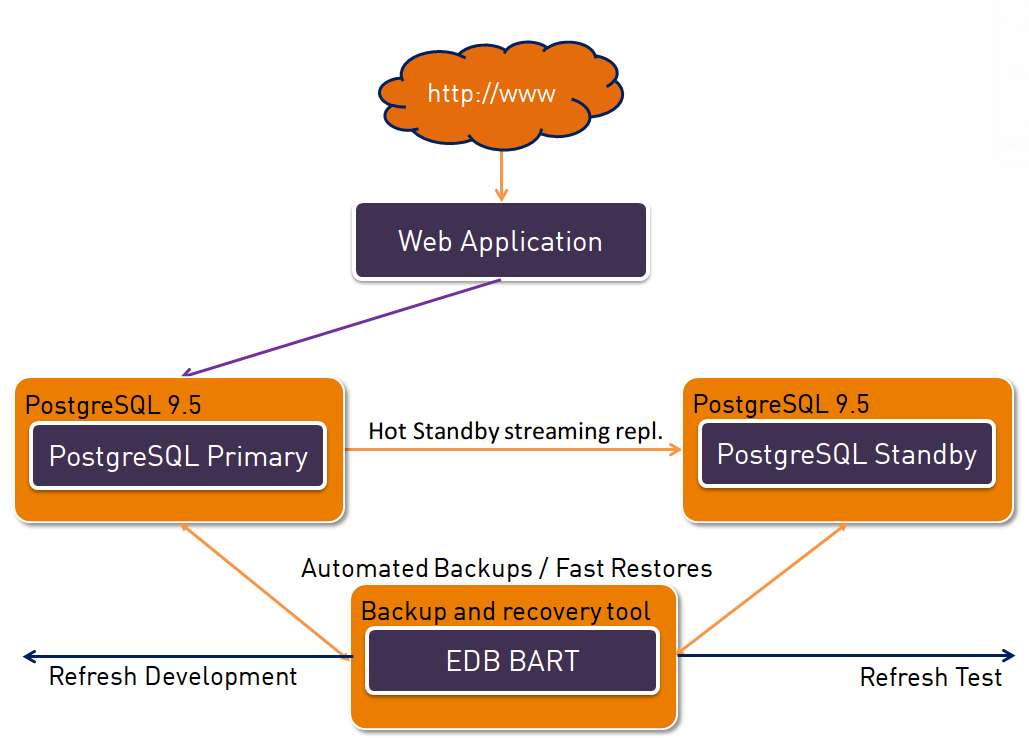
We already have some posts on how you can use EDB BART to backup and restore your PostgreSQL instances from one central server (EnterpriseDB Backup and Recovery Tool (BART), getting started with postgres plus advanced server (2) – setting up a backup and recovery server). The current version you can download from the EnterpriseDB website is 1.1 but version 2.0… 

Can I do it with PostgreSQL? – 1 – Restore points

When discussing with customers about PostgreSQL we often hear that they can do things in one database that they can not do in PostgreSQL. Most of the times this is not true and you actually can do it in PostgreSQL. Maybe not in exactly the same way but this is not surprising as PostgreSQL does implement features not in exactly… 

Windows: Sauvegarde RMAN sur un disque partagé

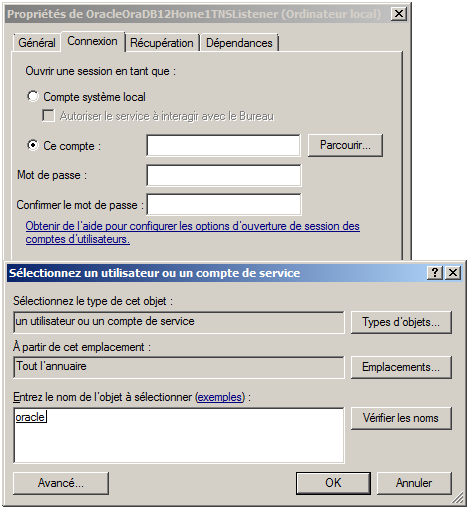
Dans ce blog, je vais vous expliquer comment exporter les backups RMAN sur un « share disk » appartenant à un Domaine. Assurer la sécurité des données est l’une des tâches principales de l’administrateur : La mise en œuvre d’une protection des fichiers sensibles de la base : Fichier de contrôle Fichiers de journalisation La mise en place d’une stratégie de sauvegarde/récupération : Adaptée aux contraintes… 

SQL Server 2016 AlwaysOn: Direct seeding and backup considerations

As promised in my prior blog post, we’ll talk now about direct seeding feature and backups. We found an interesting LIMIT_CONCURRENT_BACKUPS value for current state of the hadr_automatic_seeding_state_transition event. As said last time, this value is meaningful by itself. So let’s try to perform a backup while the database is concerned by an active seeding session. In fact, my backup… 

Attunity Replicate: Backup & Restore a task

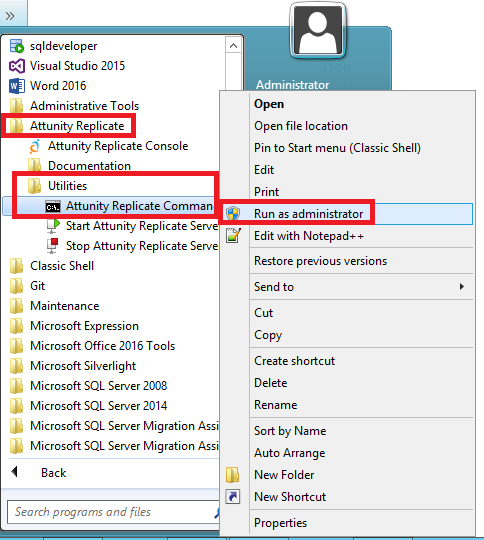
By a customer, we faced the question: how to backup and restore a replication task in Attunity Replicate? We don’t see any button or menu into the administration web console and in the Guide line, we haven’t really a section about Backup and Restore ??? How to back up a task? The backup is, in reality, an export… The first… 

SQL Server 2016: Extended Events are more powerful as Trace Flag for Backups and Restores

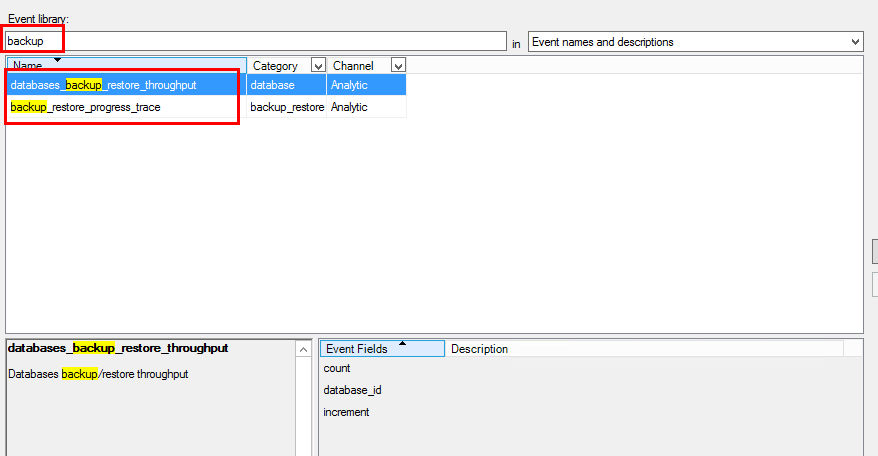
Before SQL Server 2016, we use Trace Flag to display information about backup and restore operations like the 3004, 3014, 3213 or 3604. Here a link to the MSDN with a great SQL Server trace flag list SQL Server 2016 provides 2 new Extended Events: backup_restore_progress_trace database_backup_restore_throughput backup_restore_progress_trace will give detailed information during the backup process and restore operation database_backup_restore_throughput… 

Managed Backup with SQL Server 2014

In a previous blog post called Backup a SQL Server database from On-Premise to Azure, I presented the different tools to backup your on-premise databases on Azure Storage. SQL Server Managed Backup to Windows Azure was one of these tools. In my opinion, Managed Backup is a great tool. That is why I decided to dedicate an entire blog to…