

The SERVERPROPERTY() function is so nice to use to have information about the instance and server very quickly. Sometimes it’s good to come back to basis…
How to begin? Read the documentation of course here but you will see a lot of informations…
After reading the documentation, how to have the first useful information?
The first information will be about the SQL Server installed like the server name, instance name, build and version with also some advanced information like last update date, the KB or CU.
Here this first query:
SELECT
  SERVERPROPERTY('MachineName') AS [Server_Name],
  SERVERPROPERTY('InstanceName') AS [Instance_Name],
  SERVERPROPERTY('Edition') AS [Edition],
  SERVERPROPERTY('ProductVersion') AS [Product_Version],
  SERVERPROPERTY('ProductLevel') AS [Product _Level],
  SERVERPROPERTY('ProductBuild') AS [Product _Build],
   SERVERPROPERTY('ProductMajorVersion') AS [Advanced_Product_ Major_Version],
  SERVERPROPERTY('ProductMinorVersion') AS [Advanced_Product_Minor_Version],
   SERVERPROPERTY('ProductUpdateReference ') AS [Advanced_KB_Version],
  SERVERPROPERTY('ProductUpdateLevel') AS [Advanced_Update _Level],
  SERVERPROPERTY(' ResourceLastUpdateDateTime ') AS [Advanced_Last_Update_Date]
Result of a test:
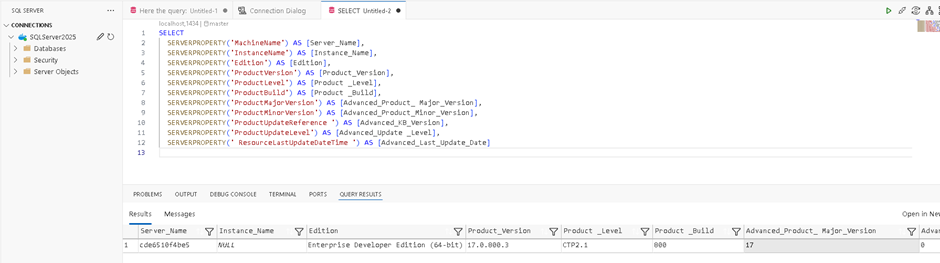
I run all queries on my sql server container under Visual Studio Code and sql server 2025 CPT2.1.
Questions about your own setup? A dbi services consultant can look at your case.
Talk to an expert (opens in a new tab)You can have more info about it here (dbi Blog)
After, some other useful information will be if the instance has features installed like Polybase or Full-Text seach but also some configuration like filestream or HA.
Here the query:
SELECT
  SERVERPROPERTY('MachineName') AS [Server_Name],
  SERVERPROPERTY('InstanceName') AS [Instance_Name],
  SERVERPROPERTY('IsPolyBaseInstalled') AS [Is_Polybase_Installed],
  SERVERPROPERTY('IsFullTextInstalled') AS [Is_Full-Text_Search_Installed],
  SERVERPROPERTY('IsAdvancedAnalyticsInstalled') AS [Is_Advanced_Analytics_Installed],
  SERVERPROPERTY('FilestreamConfiguredLevel') AS [is_Filestream_enabled],
  SERVERPROPERTY('IsBigDataCluster') AS [Is_BigData_Cluster_enabled],
  SERVERPROPERTY('IsClustered') AS [Is_Clustered],
  SERVERPROPERTY('IsHadrEnabled') AS [Is_HADR_enabled],
   SERVERPROPERTY('IsTempDbMetadataMemoryOptimized') AS [Is_TempDB_for_Memory_Optimized_Tables_Enabled],
  SERVERPROPERTY('IsXTPSupported') AS [Is_IN_Memory_OLTP_Supported],
  SERVERPROPERTY('IsExternalGovernanceEnabled') AS [Is_External_Governance_Enabled];
Result of a test:
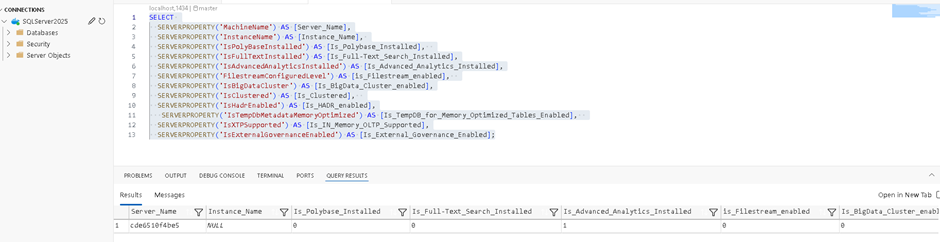
You can notice that the last property is the External governance. This is linked to the Microsoft Purview access policies.
The next useful information will be about the security.
Here the query:
SELECT
  SERVERPROPERTY('MachineName') AS [Server_Name],
  SERVERPROPERTY('InstanceName') AS [Instance_Name],
  SERVERPROPERTY('IsIntegratedSecurityOnly') AS [Is_Integrated_Security_Only],
  SERVERPROPERTY('IsSingleUser') AS [Is_Single_User],
  SERVERPROPERTY('IsExternalAuthenticationOnly') AS [s_External_Authentication_Only];
Result of a test:
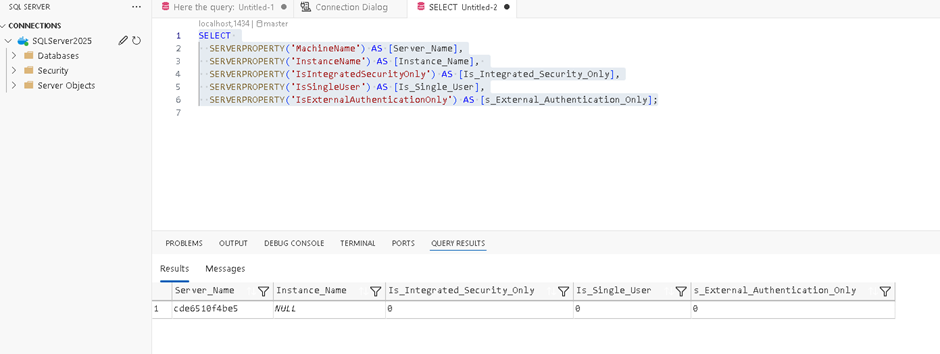
The External Authentication concerns the Microsoft Entra-only authentication for Azure SQL Database & Azure SQL Managed Instance.
The last information package is the collation/character set with this query:
SELECT
  SERVERPROPERTY('MachineName') AS [Server_Name],
  SERVERPROPERTY('InstanceName') AS [Instance_Name],
  SERVERPROPERTY('Collation') AS [Collation],
  SERVERPROPERTY('LCID') AS [Windows_Locale_Identifier],
  SERVERPROPERTY('SqlCharSetName') AS [SQL_Character_Set_Name],
  SERVERPROPERTY('SqlSortOrderName') AS [SQL_Sort_Order_Name];
Result of a test:
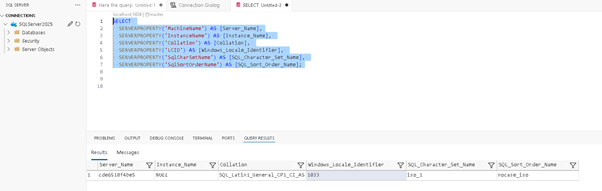
To conclude, you have now in this blog 4 useful queries to find information on the server level.
Don’t hesitate to add your comments or give me other useful property that you use.!