

Recently I was called by a customer because the failover on a SQL server AlwaysOn 2 nodes cluster does not work.
I connect to the first node of AlwaysOn cluster who is the primary and check the cluster with the Failover Cluster Manager.
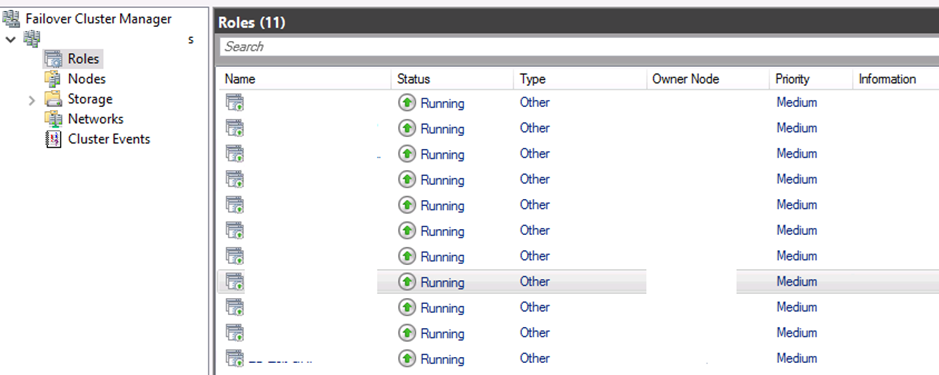
Nothing tells us that it is not working. All is green! It’s a good point!
I connect also to the instance with SSMS and check all AAGs in the instances through the dashboard of all listeners. Everything is green, and databases are synchronized.
First, I try to do a failover through the Failover Cluster Manager:
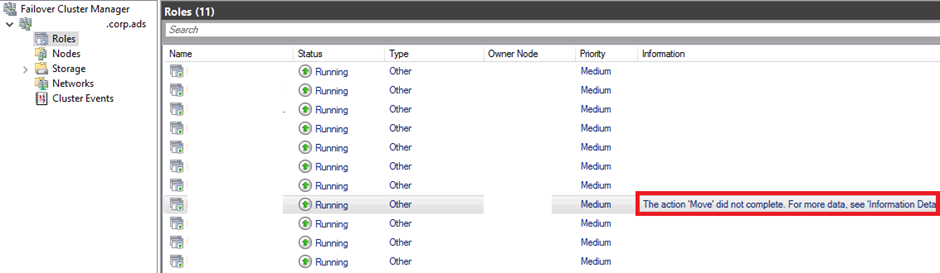
Strange, it’s not working, it’s coming back to the primary…
Questions about your own setup? A dbi services consultant can look at your case.
Talk to an expert (opens in a new tab)As you can see in the screenshot, I have the message “The action ‘Move’ did not complete. For more data, see ‘Information Details’”
If you click on “Information Details”, you have the error message:
error code 0x80071398
The operation failded because either the specified cluster node is not the owner of the group or the node is not a possible owner of the group
Ok, let’s try also by script with SSMS:
ALTER AVAILABILITY GROUP [xxx] FAILOVER;
GO
I have also an error message:
Failed to perform a manual failover of the availability group ‘xxx’ to server instance ‘xxx’. (Microsoft.SqlServer.Management.HadrModel)
An exception occurred while executing a Transact-SQL statement or batch. (Microsoft.SqlServer.ConnectionInfo)
Failed to move a Windows Server Failover Clustering (WSFC) group to the local node (Error code 5016). If this is a WSFC availability group, the WSFC service may not be running or may not be accessible in its current state, or the specified cluster group or node handle is invalid. Otherwise, contact your primary support provider. For information about this error code, see “System Error Codes” in the Windows Development documentation.
Failed to designate the local availability replica of availability group ‘xxx’ as the primary replica. The operation encountered SQL Server error 41018 and has been terminated. Check the preceding error and the SQL Server error log for more details about the error and corrective actions. (Microsoft SQL Server, Error: 41018)
I begin to check all the parameters of the cluster…
After some minutes, hours…, I find that we have 2 little missing checkboxes on the Failover Cluster Manager…
When you are in the Failover Cluster Manager, on our listerner, verify the Resources and specifically the Advanced Policies of the “Other Resources” and on Server Name on both Name and IP address. In my case, the second server was not checked on the name of the server name and on the Other resources:
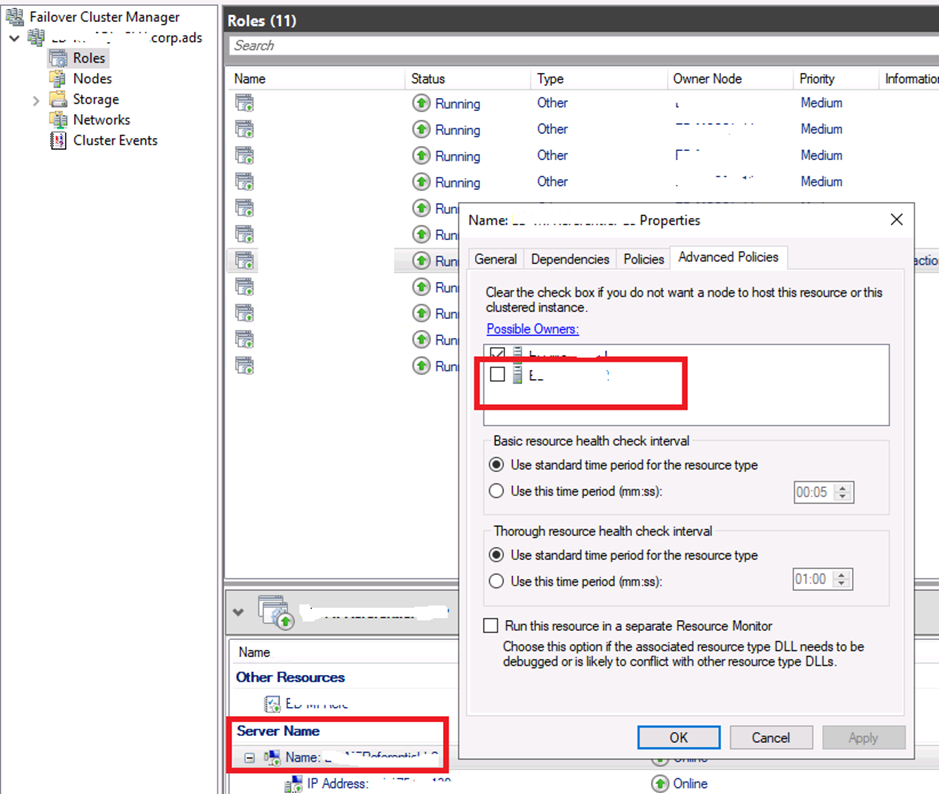
After checking the box, the failover was possible.
My advise is to control everytime these “Advanced Policies” on the Resources of the cluster.
I hope this post can also help you when you are facing the problem.
See you soon to continue to share our experience with you!