

Working on Jenkins and Artifactory I often seen options suggesting Maven tool,but what is Maven purpose?How can we use and install it on a Windows system?During this install you may encounter some kind of issues
Introduction
Maven is a tool that can be used for building and managing any Java-based project ( In our case we will use it on Jenkins )
Maven builds a project using its project object model (POM) and a set of plugins
More info about Apache Maven following their site:
https://maven.apache.org/index.html
We will see now how to install it and avoid installation issues
Installation
- Prerequisites

- Install Java
You must have Java installed to install Maven
https://www.oracle.com/java/technologies/javase-downloads.html
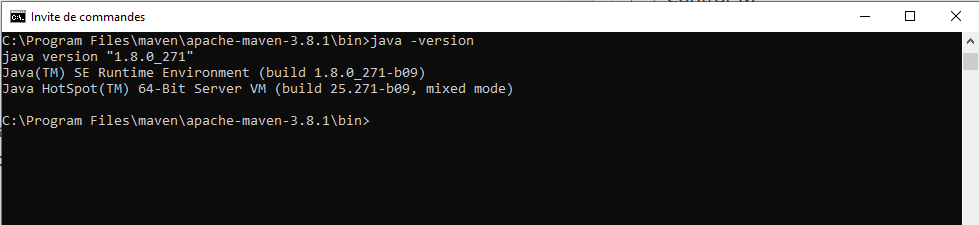
Once installed you can verify your Java version
- Install Maven
Maven installation link
https://maven.apache.org/install.html
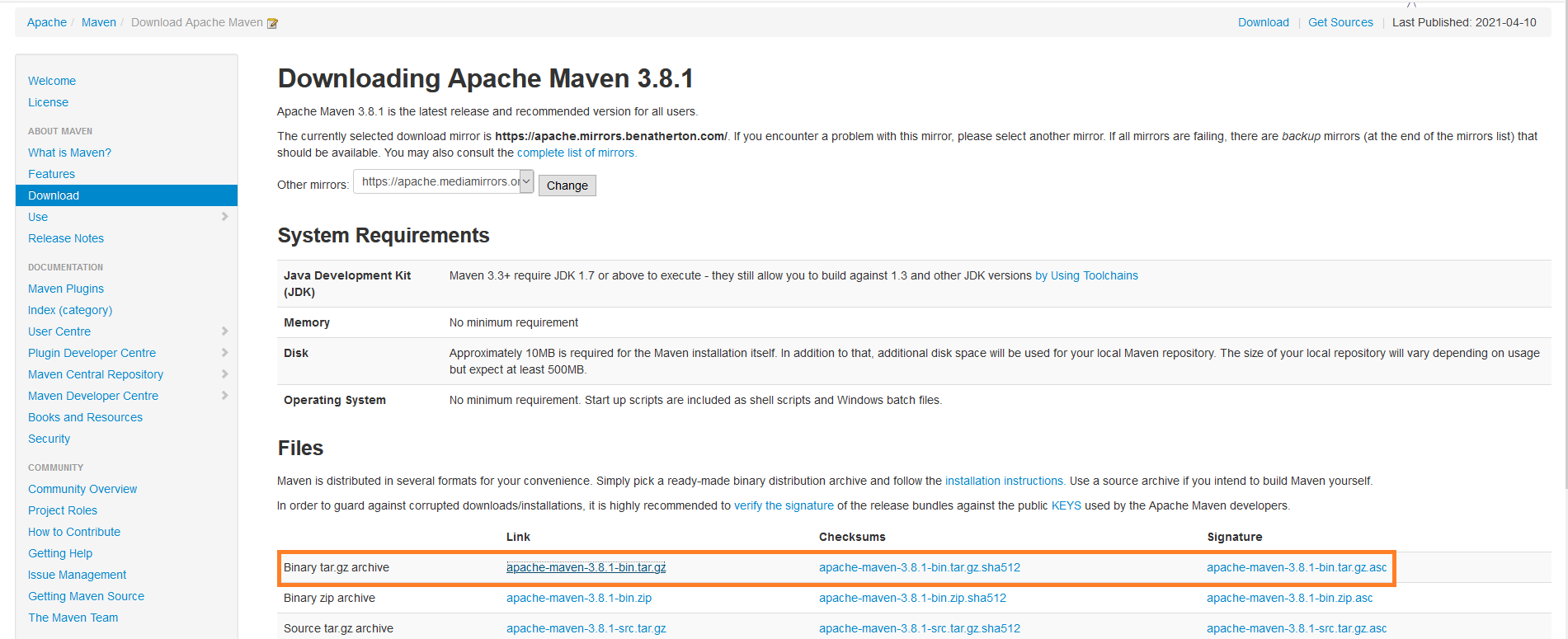
The installation of Apache Maven is a simple process of extracting the archive and adding the `bin` folder with the `mvn` command to the `PATH`
- Download the file on first line
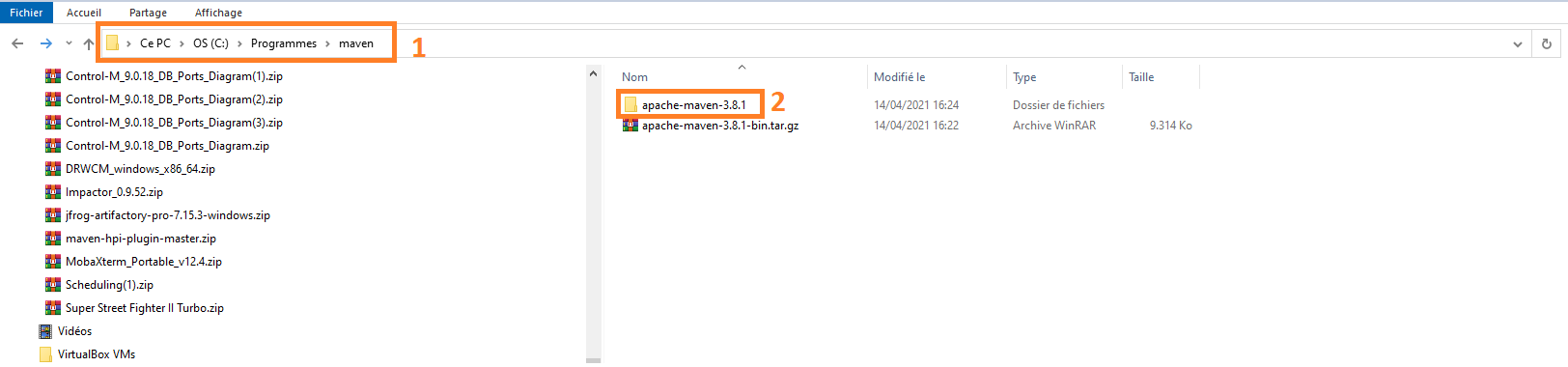
- Create a folder named Maven and uncompress the tar file
Issue encountered when launching a Maven command
When going into bin folder to start the command mvn -v we get this error
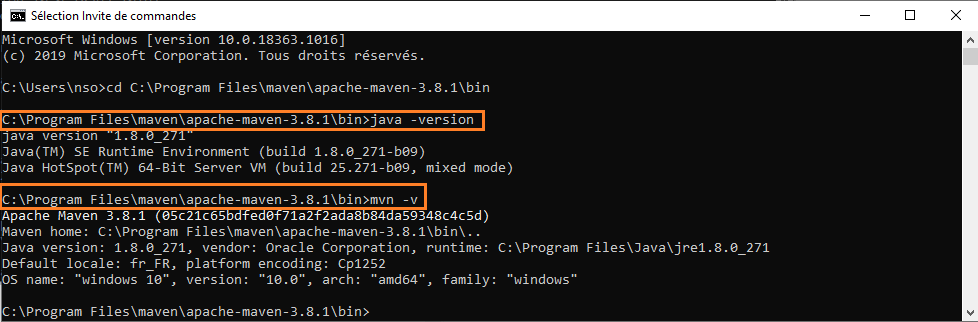
C:\Users\nso>cd C:\Program Files\maven\apache-maven-3.8.1\bin

C:\Program Files\maven\apache-maven-3.8.1\bin>java -version
java version "1.8.0_271"
Java(TM) SE Runtime Environment (build 1.8.0_271-b09)
Java HotSpot(TM) 64-Bit Server VM (build 25.271-b09, mixed mode)

C:\Program Files\maven\apache-maven-3.8.1\bin>mvn -v
Error: Could not find or load main class org.codehaus.plexus.classworlds.launcher.Launcher
The reason is that environment variable value are not correctly set
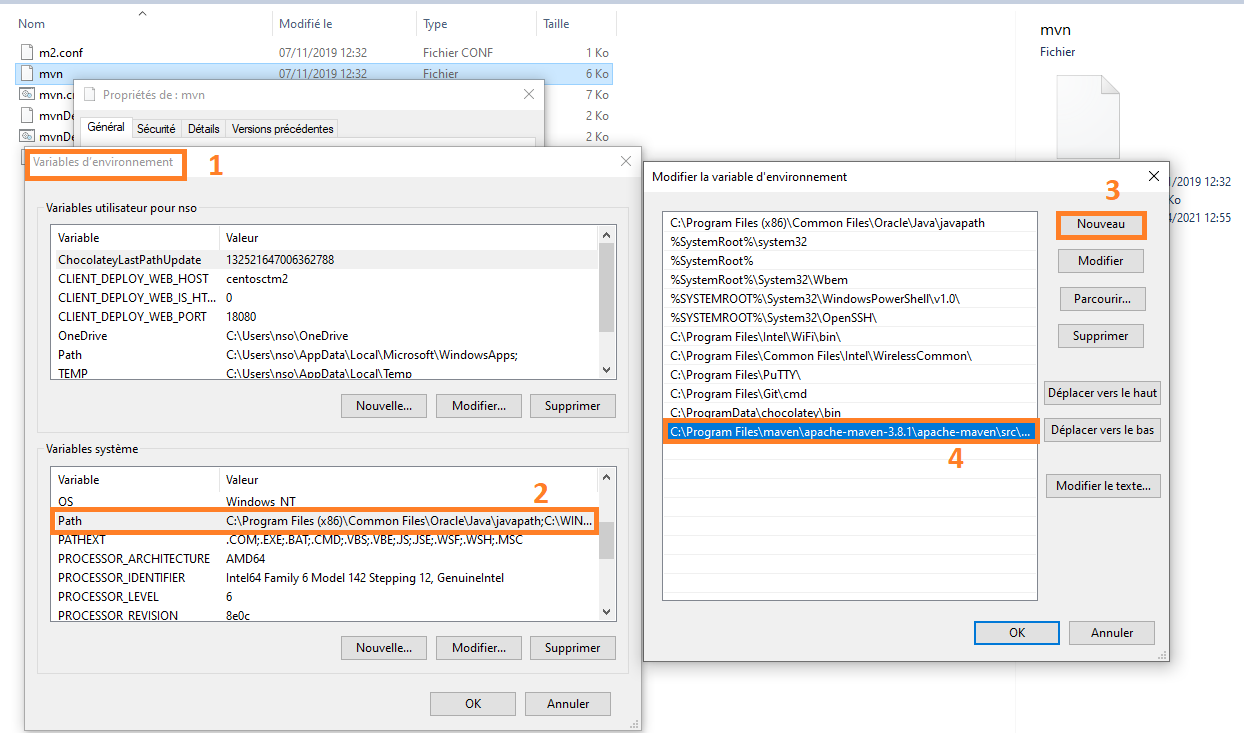
- Go to environment variable options on your machine:
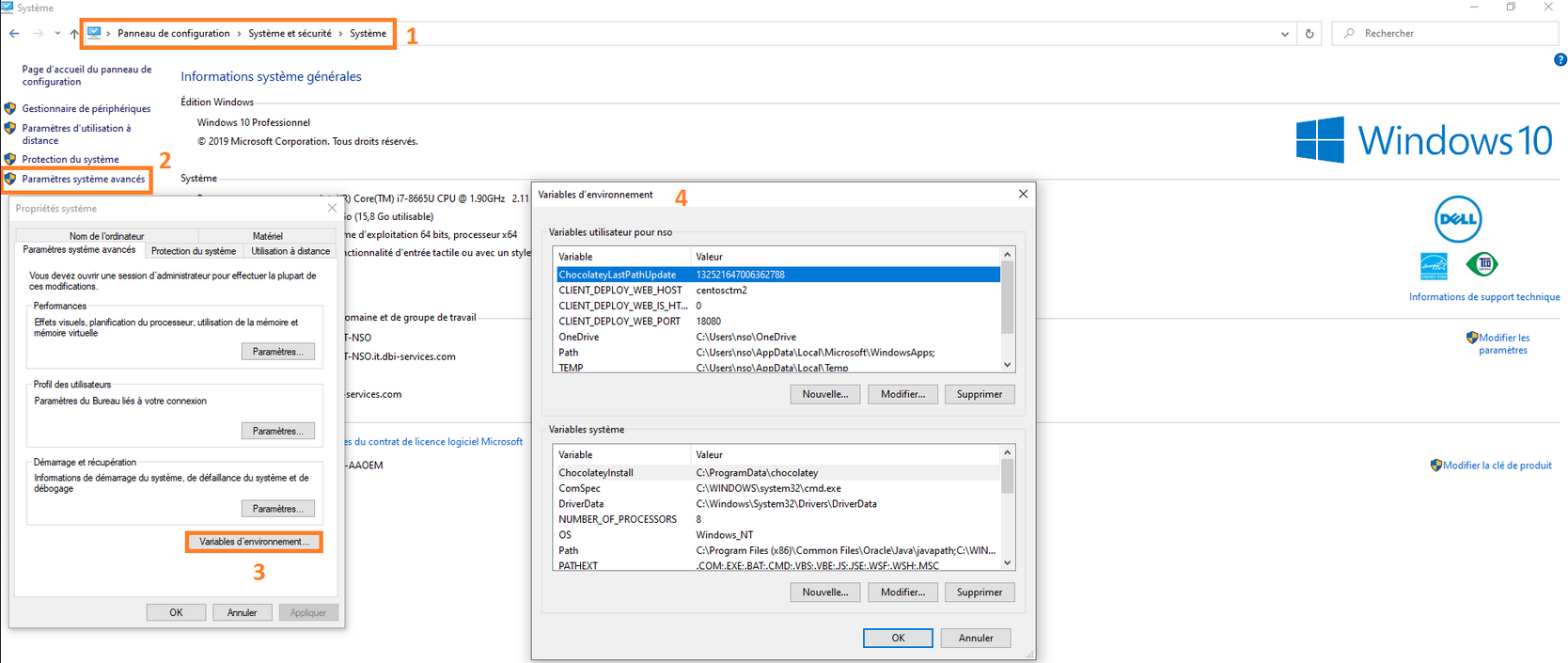
- Add Java home variable
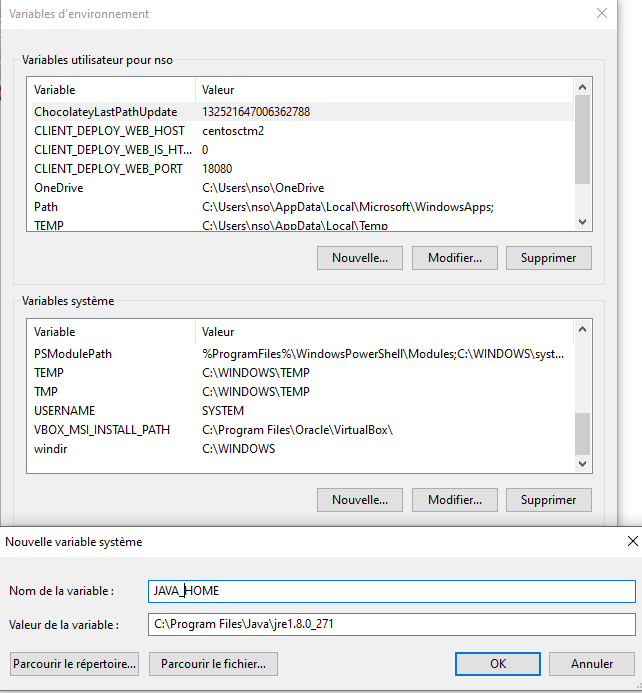
- Add Maven environment variable:
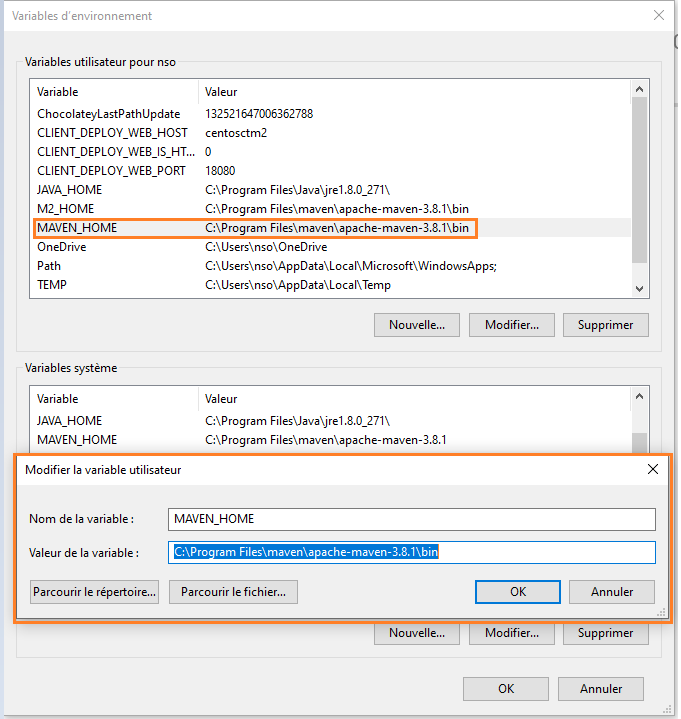
- Define the Maven home
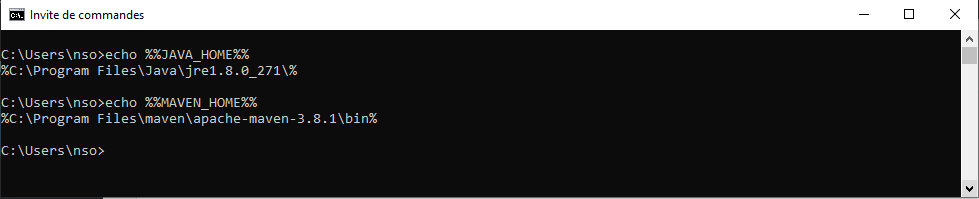
- Check if variable are correctly set for JAVA and MAVEN
- Test command again to check if Maven is correctly installed and issue fixed
Conclusion
Here we are Maven is correctly installed on your Windows post you can now use it for your Jenkins builds and associate it with Artifactory!
