

Chronoscan is a well known application to scan, split and extract metadata from documents. This is possible with traditional functionalities like Intelli-Tag from Chronoscan, which requires additional complex and sometimes time-consuming configuration.
It also offers an AI implementation, which makes things much less complex and reduces implementation time considerably. In the last version that I reviewed and tested, I discovered the possibility of using a local AI implementation. This means that AI servers which are not under your own control can be eliminated. As you can imagine, this is a game changer, as it puts your data back under your own government’s control, which is a major achievement in terms of security requirements.
Introduction to the use case
In this blog, I will present a possible implementation based on the handling of invoices. We will import them, split them and extract the metadata. The next step is straightforward: we will store them in a M-Files vault, including the PDF and the metadata we defined.
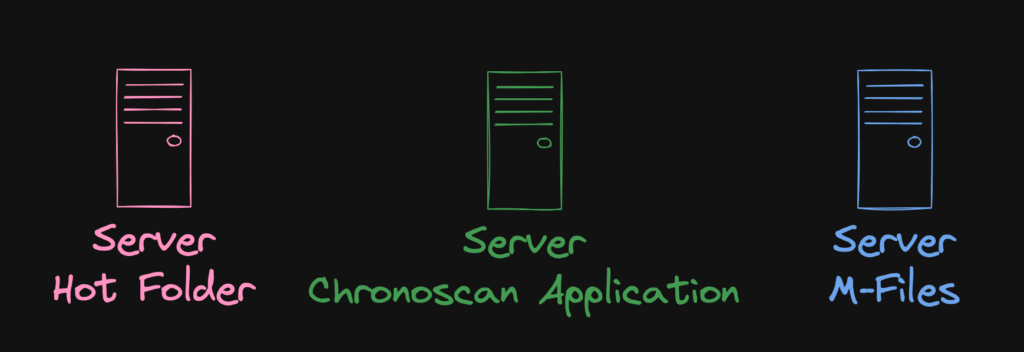
The diagram below clearly shows the high level of the technical requirements and provides a comprehensive overview of the necessary infrastructure and software.
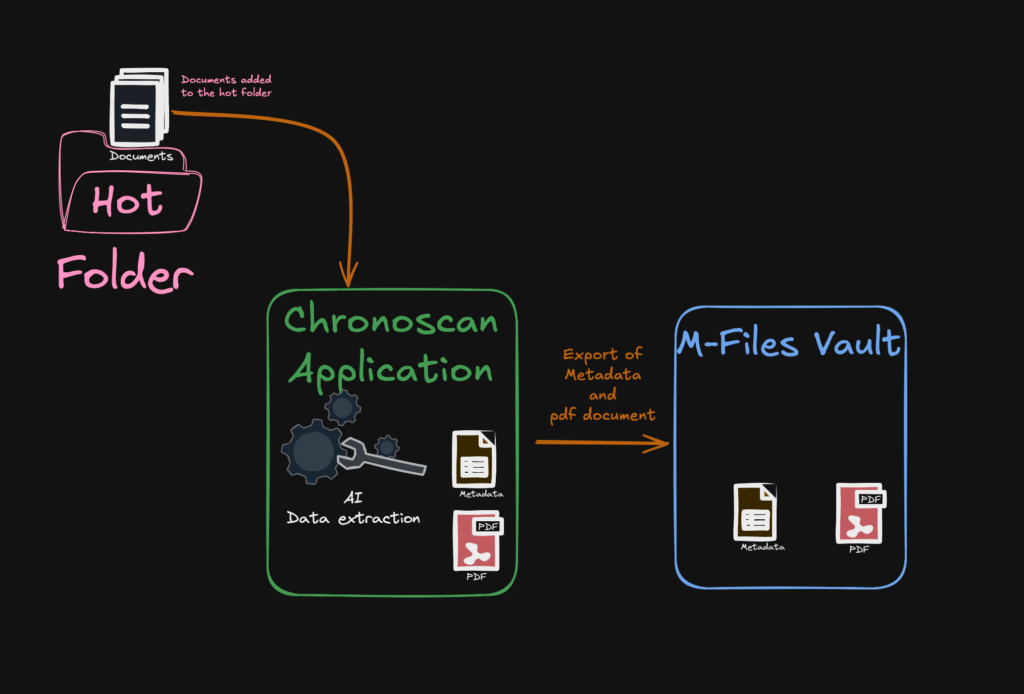
The first step in the process is to add the documents to the designated hot folder. This will initiate the automatic document handling process.
It is possible to move a document manually from an email or directly from a scanner, and add it to the hot folder.
Questions about your own setup? A dbi services consultant can look at your case.
Talk to an expert (opens in a new tab)How the documents import works.
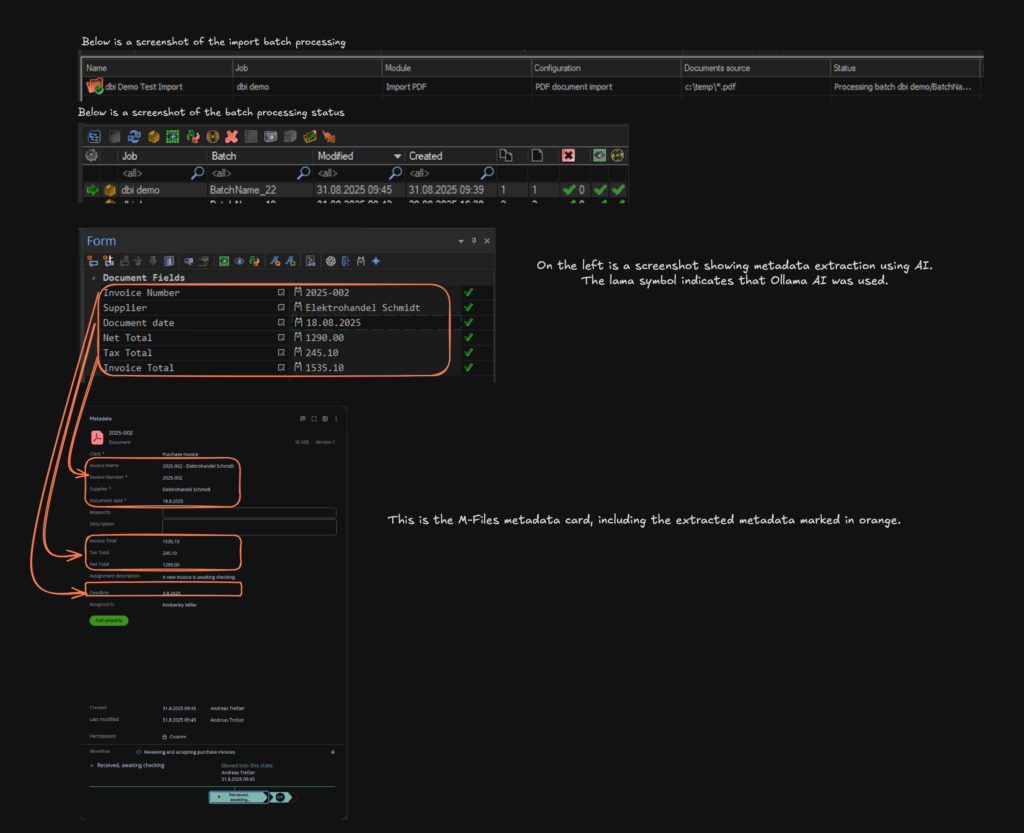
Chronoscan regularly verifies the hot folder for new documents. Should a valid document be identified, the system will initiate the import, analysis and export processes. In this example, we will follow the steps outlined in the diagram below when importing the document.
Finally the import to M-Files
In the final stage of the process, the document and its extracted metadata are exported to the M-Files Vault. As is clearly evident. Please refer to the image below for further information. The document has been correctly assigned to the relevant document class, including the defined metadata.
Should you be seeking a comprehensive automated solution for the management of both electronic and paper-based documentation, with subsequent processing according to your business’s specific workflow, we invite you to contact us to discuss your particular requirements.
We can then work together to define a solution and phrase a project. As a first step, we can create a proof of concept to confirm that the solution will meet your needs and make your daily work easier and saving you resources.