

Earlier this week, Oracle Database 26ai was released, but GoldenGate 26ai is also available now ! New features were added, but before diving into some of these changes in an upcoming blog post, let’s see what changed from a GoldenGate administrator perspective.
Installation, setup and patching
As you may know, GoldenGate 26ai is just a patch of the existing 23ai version. For these 23ai setups, upgrading to 26ai is nothing more than applying the January patch (38850057, or 23.26.0.0.0).
But if you plan on installing a new GoldenGate 26ai (38850058 on MOS), you also don’t have to change a lot of things compared to what you were already doing with 23ai. I wrote an extensive guide for both graphic and silent installations, and there is very little change.
- In the graphic installation, nothing changes except cosmetic aspects. You can follow the graphic installation guide for 23ai.
- In the silent installation, only the
oracle.install.responseFileVersionparameter changes. EvenINSTALL_OPTIONstays the same. A workingogg26.rspto install the binaries looks like this:
oracle.install.responseFileVersion=/oracle/install/rspfmt_ogginstall_response_schema_v26_1_0
INSTALL_OPTION=ORA23ai
SOFTWARE_LOCATION=/u01/app/oracle/product/ogg26ai
INVENTORY_LOCATION=/u01/app/oraInventory
UNIX_GROUP_NAME=oinstall
For the rest (including the oggca.sh run), nothing changes from the guide mentioned above.
Web UI new features
GoldenGate 23ai came with a lot of changes to the web UI. 26ai keeps the same overall look but with many interesting new features.
Questions about your own setup? A dbi services consultant can look at your case.
Talk to an expert (opens in a new tab)Services are not separated anymore

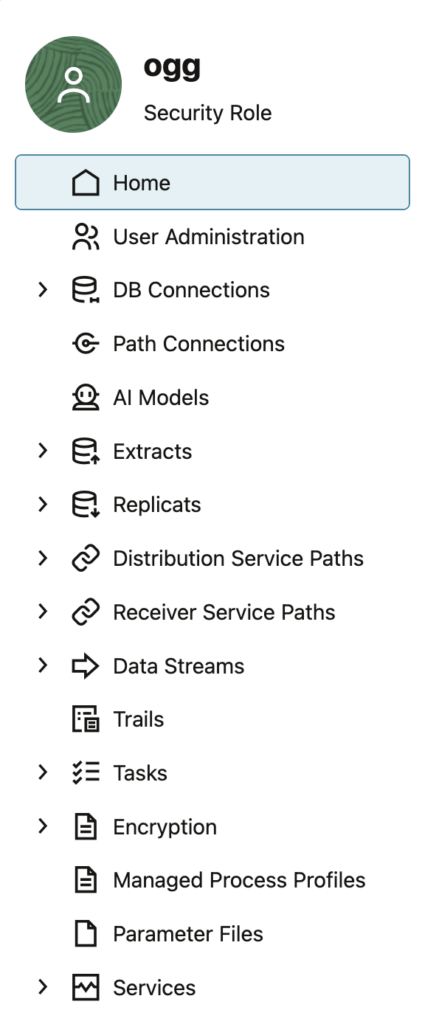
As shown above, GoldenGate 23ai and earlier versions of the Microservices Architecture were separating services in the Web UI without any real advantage from a user experience perspective.
Processes and ports for the different GoldenGate 26ai services are still distinct, but in the Web UI, you no longer have a distinction between services. The interface is more user-friendly, with everything managed on one tab.
This way, you can access distribution and receiver services features directly from the administration service tab.
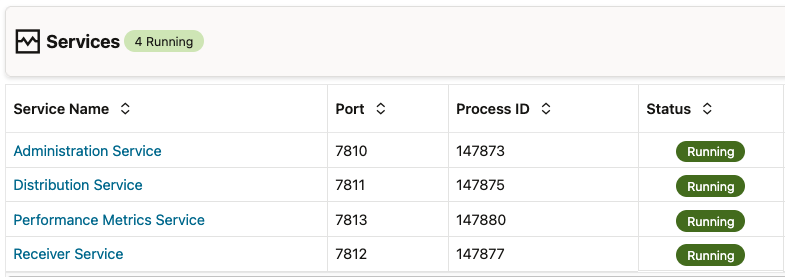
You also have a new Services tab where you can check the status of all the services of a single deployment. Before, you could only do that from the service manager interface.
AI features
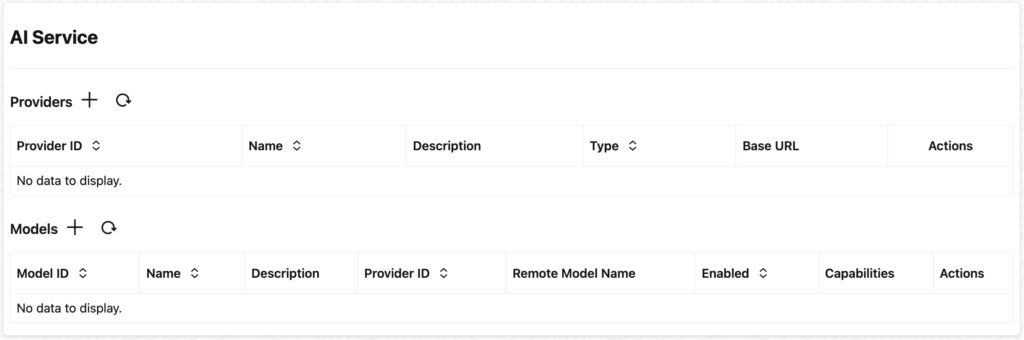
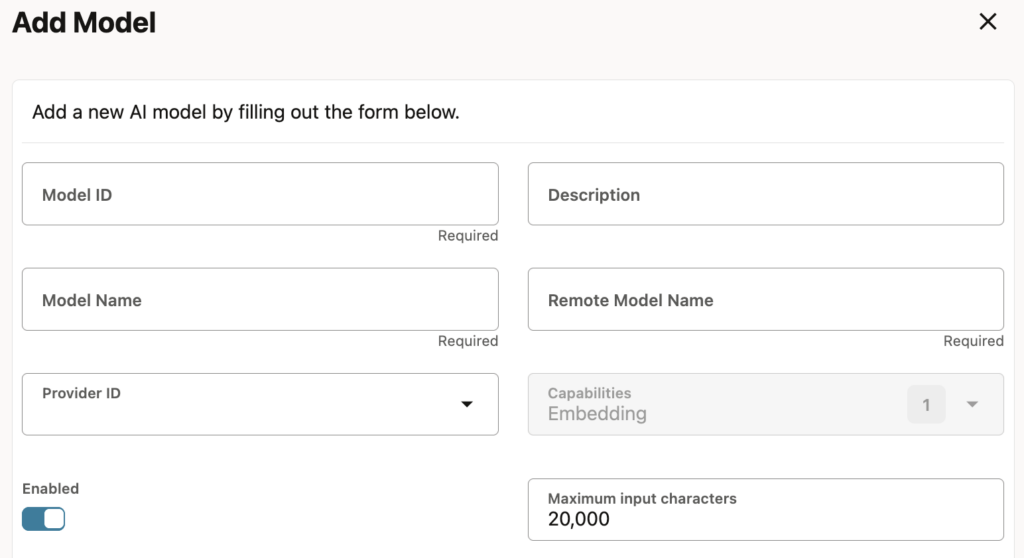
GoldenGate 26ai comes with new AI features that are available from the Web UI. I will dedicate a blog to these changes, but here is a first glimpse of what is possible. From the service manager interface, you can add AI providers and models.
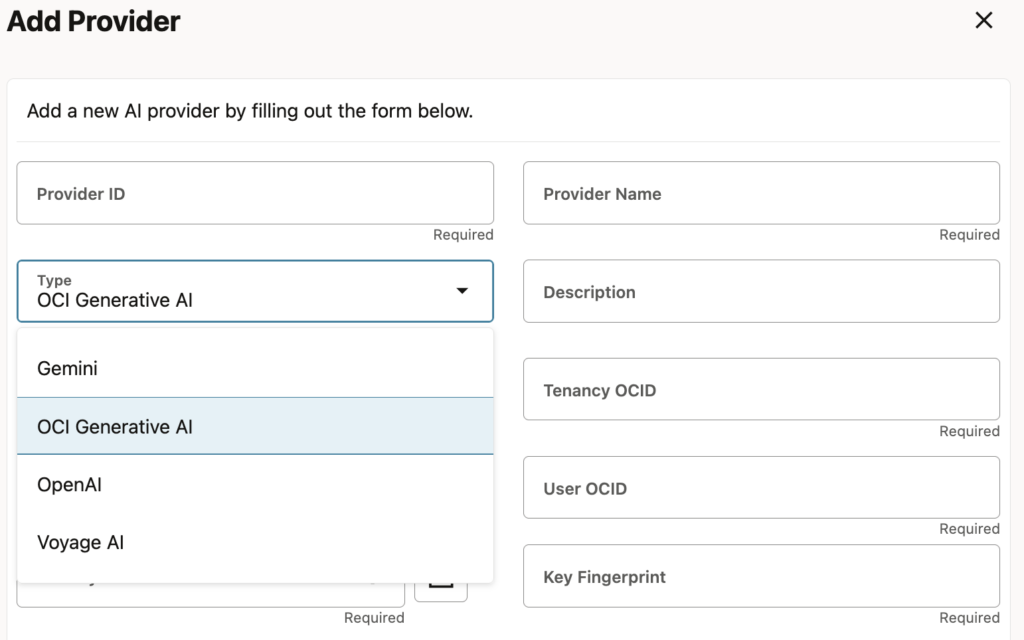
At the moment, four different providers are available:
- Gemini
- OCI Generative AI
- OpenAI
- Voyage AI
For OCI Generative AI, you specify OCIDs of different OCI components. For the others, a URL and the API key are the only things you need. Once the provider is added, you can add models (for instance, OpenAI’s gpt-5.2).
And last but not least, you can view the new AI service on the server:
[oracle@vmogg bin]$ ps -ef|grep AIService
oracle     60905   60721  0 20:50 ?        00:00:00 /u01/app/oracle/product/ogg26ai/bin/AIService
If you haven’t jumped into the Microservices Architecture yet, don’t waste your time with intermediary versions of GoldenGate. If your source and target support it, install GoldenGate 26ai now !