

I have been recently writing several posts about AI integration in Oracle Enterprise Manager. Let’s compare both solutions now: Native OEM MCP Server and OEM Oracle AI Database Assistant using OCI Generative AI (LLM).
Environment test
For the MCP Server AI Client, I will use Visual Code with Codex plugin configured with native OEM MCP Server. If you need more information how to configure it, I would recommend you to read my previous articles.
We will use following Markdown file to go through several prompts.
maw@dbi-servicess-macbook-pro-2 AI-OEM-demo % cat demo-prompts.md
# OEM MCP Demo

## Prompt 1
List MCP tools

## Prompt 2
Show all monitored Oracle databases

## Prompt 3
with status

## Prompt 4
Show databases with the highest Average Active Sessions

## Prompt 5
which tools was used

## Prompt 6
use another MCP tool

## Prompt 7
get last data samples

## Prompt 8
connect directly to the instance to get real time values

## Prompt 9
show oracle databases by tablespace allocated space in MB

## Prompt 10
without temps

## Prompt 11
without undo

## Prompt 12
Show critical alerts for Oracle database targets

## Prompt 13
Show active incident

## Prompt 14
List existing blackout for cdb10c

## Prompt 15
yes 19c

## Prompt 16
Create a blackout for cdb19c database

## Prompt 17
now for 1 hour

## Prompt 18
Use OEM REST API directly without creating a script file

## Prompt 19
replace isIncludeMembers with includeMembers

## Prompt 20
list blackout for cdb19c

## Prompt 21
Stop and delete blackout for cdb19c

## Prompt 22
list blackout for cdb19c
And I will provide following rules to AI:
maw@dbi-servicess-macbook-pro-2 AI-OEM-demo % cat demo-rules.txt
Read the attached demo_prompts.md file.
Execute each prompt sequentially, in the order specified.

Rules:
1. Execute only one prompt at a time.
2. Wait until the current prompt has completely finished, including all MCP tool calls.
3. After each prompt, stop and wait for me to type "next" before executing the following prompt.
4. Display the result of each prompt before continuing.
5. Do not skip or combine prompts.
6. Continue automatically until all prompts have been executed.
Let’s start the test!
Initialize AI client
Let’s provide the Markdown file to codex, and explain it the rule.
Questions about your own setup? A dbi services consultant can look at your case.
Talk to an expert (opens in a new tab)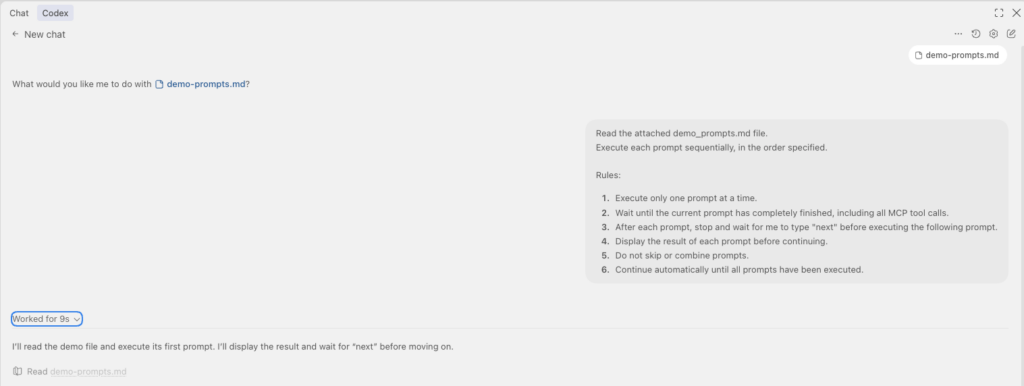
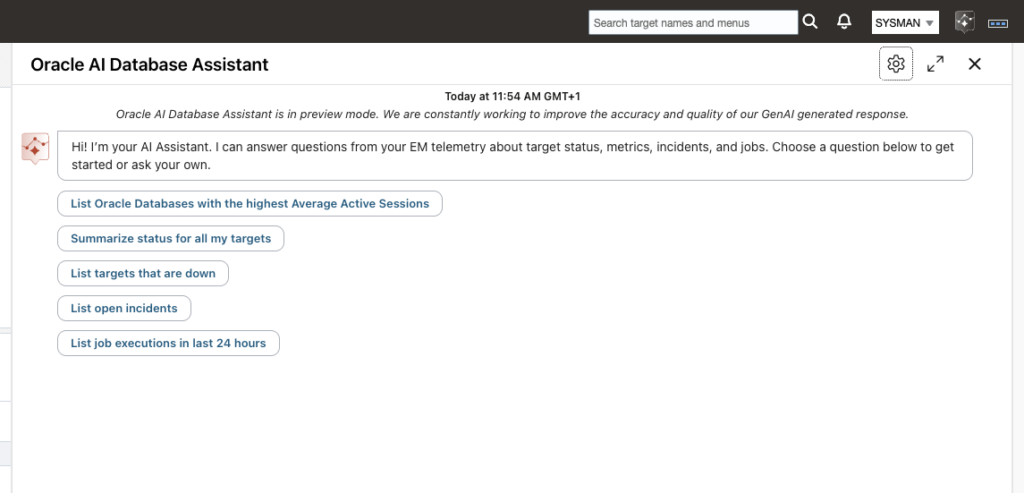
Start Oracle AI Database Assistant
Prompt 1 – List MCP tools
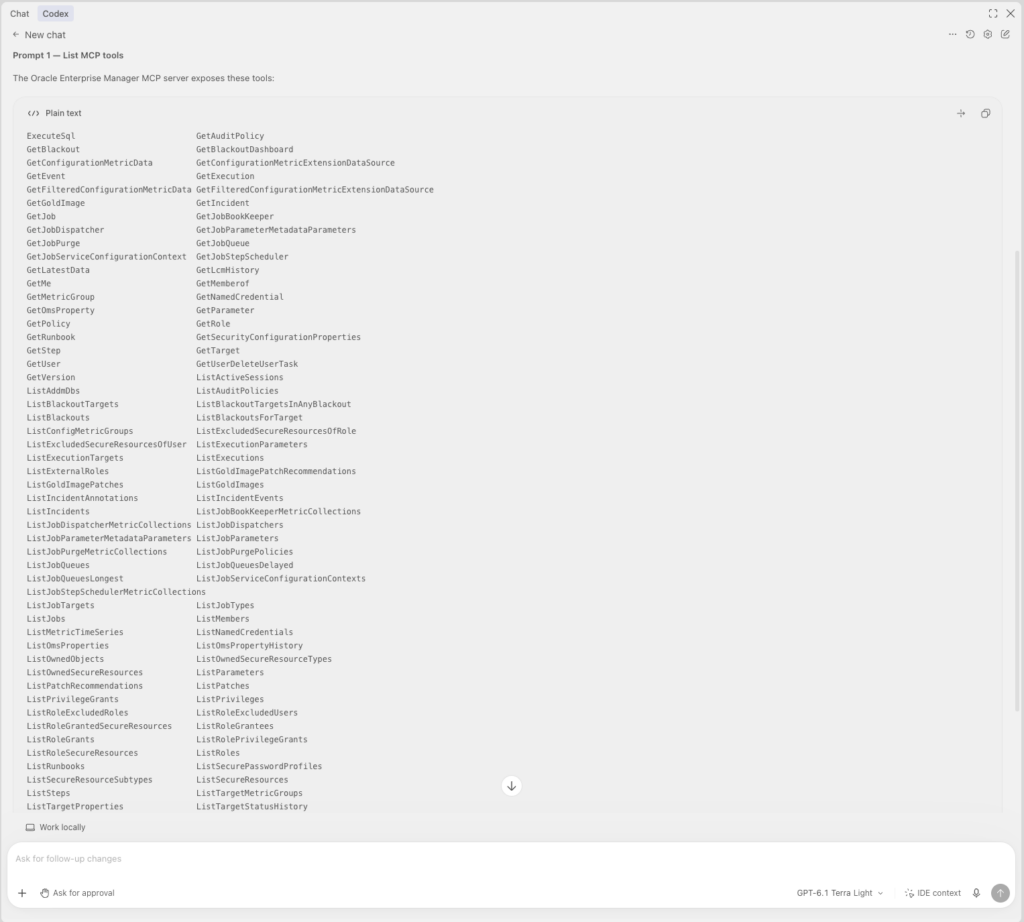
The first prompt is to list available MCP Server tools. I will only run it on Codex as it concerns only the MCP Server. The AI Assistant will not understand anything about this request. These are the 113 available tools that will be used by the MCP server to reply to my prompts, getting the information from the OMR database. For example : ExecuteSQL, ListBlackoutTargets, ListTargets, …
Prompt 2 – Show all monitored Oracle databases
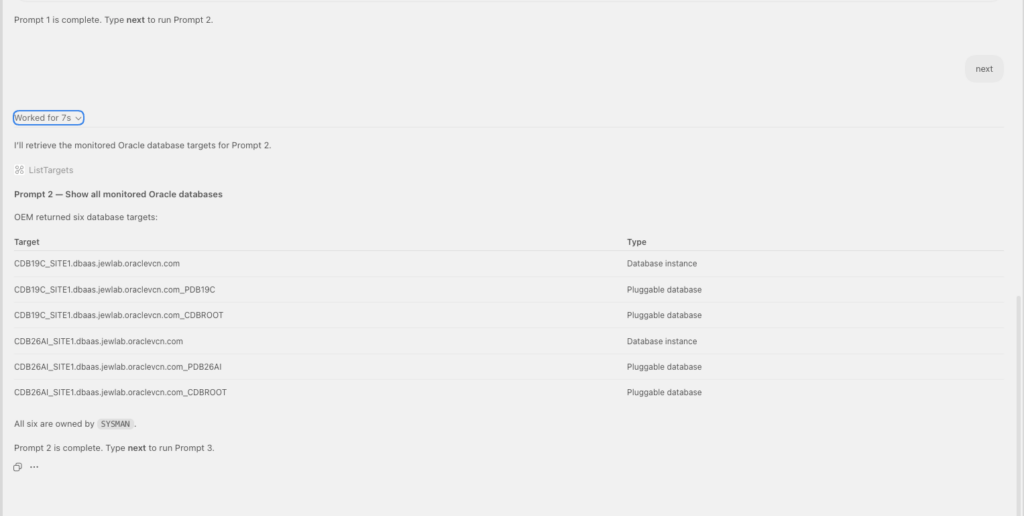
From codex, we can see that the MCP have used the ListTargets tool to extract all monitored Oracle Databases.
From the AI Assistant, I can get following reply.
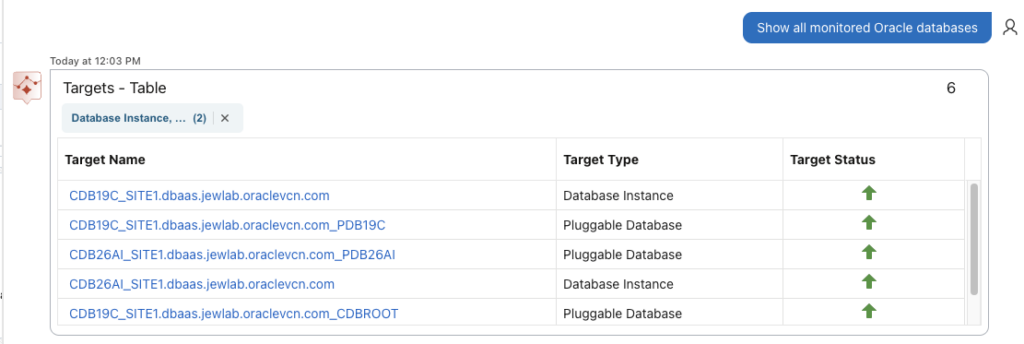
Prompt 3 – with status
AI Assistant provided also Target Status. Let’s ask the same through the MCP server.
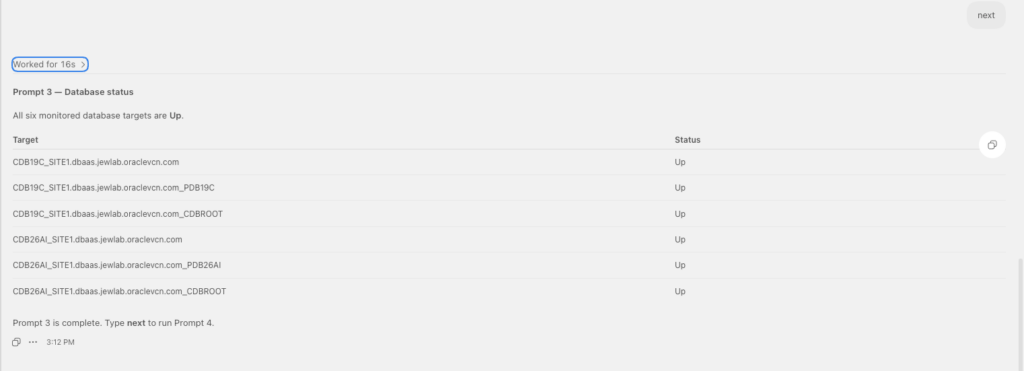
We have exactly the same answer.
Prompt 4 – Show databases with the highest Average Active Sessions
I went to the next prompt with codex, and could see that it used several calls on 2 tools from the MCP server: ListTargetMetricGroups and GetLatestData.
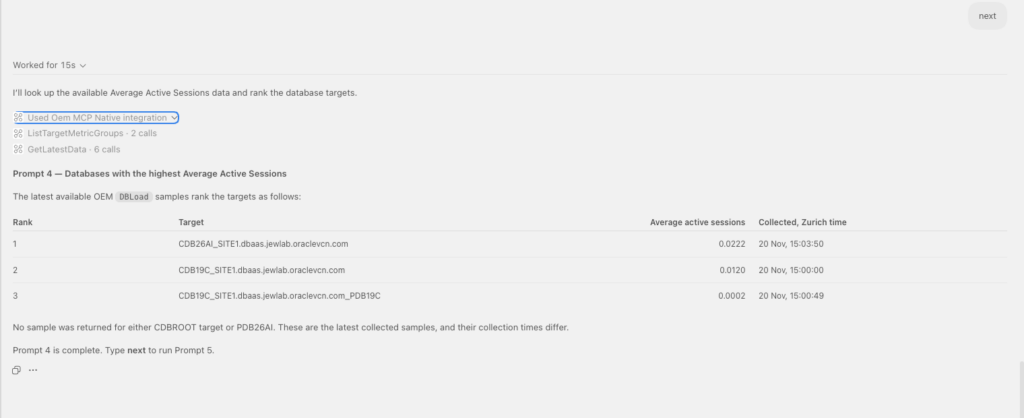
On the AI assistant side, it took more time but I could get following feedback.
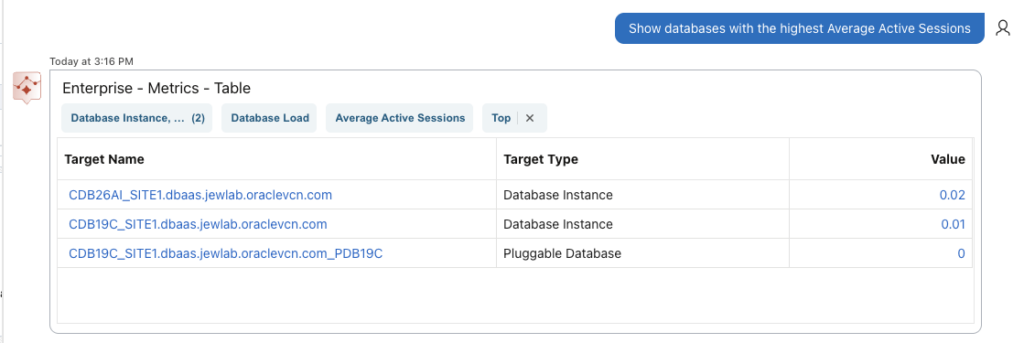
Both tools provided the same answer.
Prompt 5 – which tools was used
On the codex session, I could ask which tool was used.

And I will get the tool name and explanations. There is no need to run the same on the AI Assistant, as it is not a MCP server.
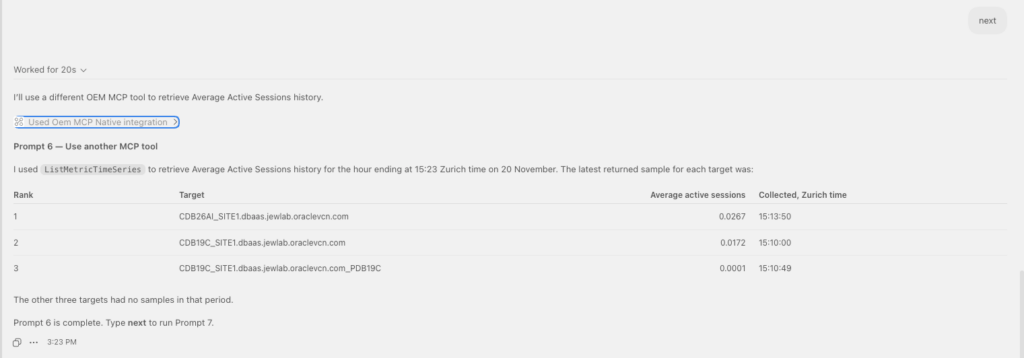
Prompt 6 – use another MCP tool
For the MCP server connection only, I could ask it to use another tool.
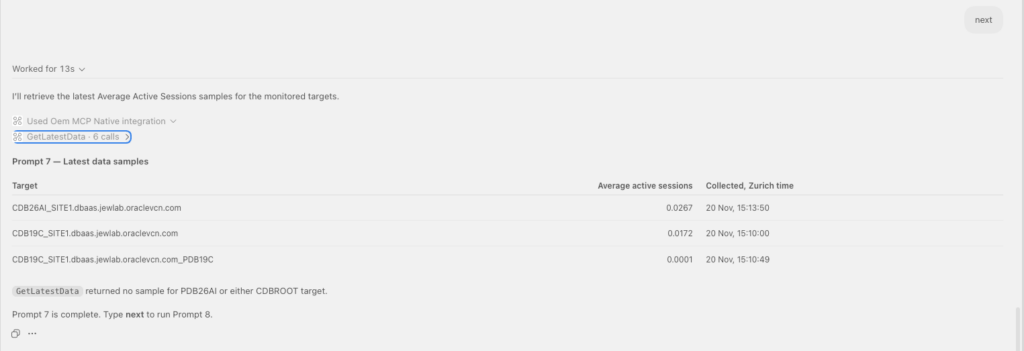
Prompt 7 – get last data samples
And even ask it to get last data samples.
Prompt that will, of course, not be understood by the AI Assistant.
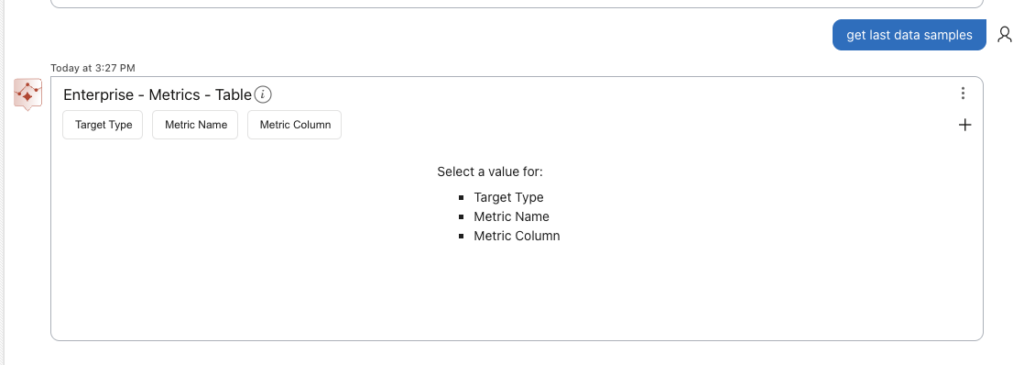
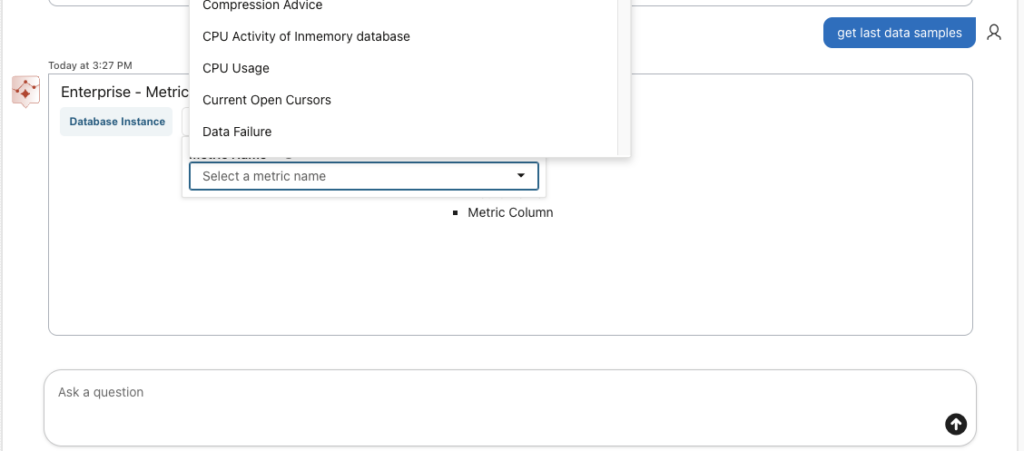
As the AI Assistant could not understand the prompt, it will still give the possibility to choose which target type and metric type you want to request.
Prompt 8 – connect directly to the instance to get real time values
Let’s now try to ask AI, through our codex session, to connect directly to the instance and get really time value. Of course for this, it will look into the existing named credentials to authenticate on the target, and will request me authorization to run the needed sqlplus command. I configured my codex to request approval for all commands to be run, as I do not want to let it do whatever itself. The AI Client could, for example, decide itself to create on my Mac locally python script file, which I do not want.
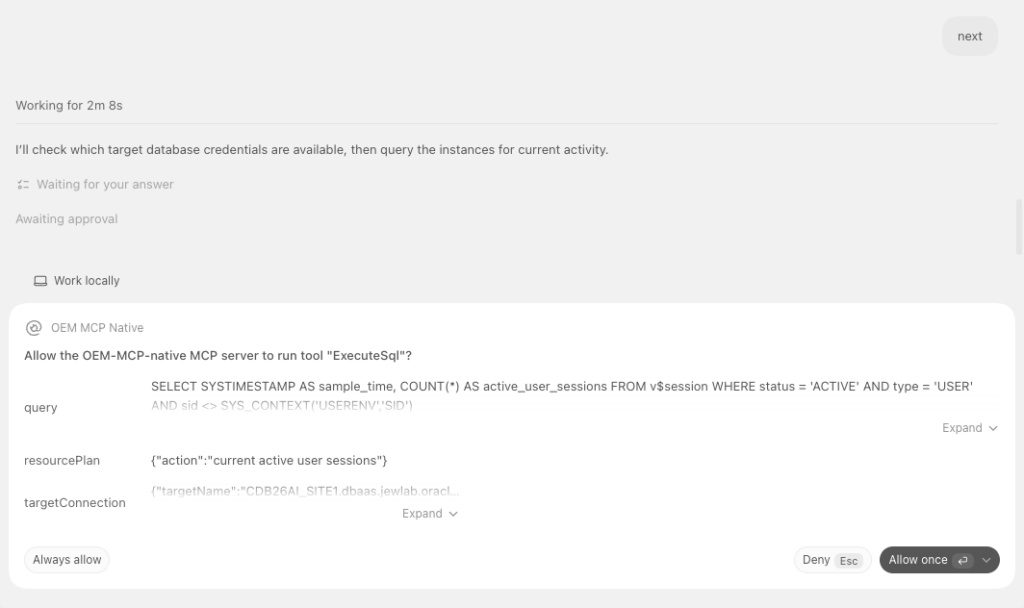
And I got following answer.
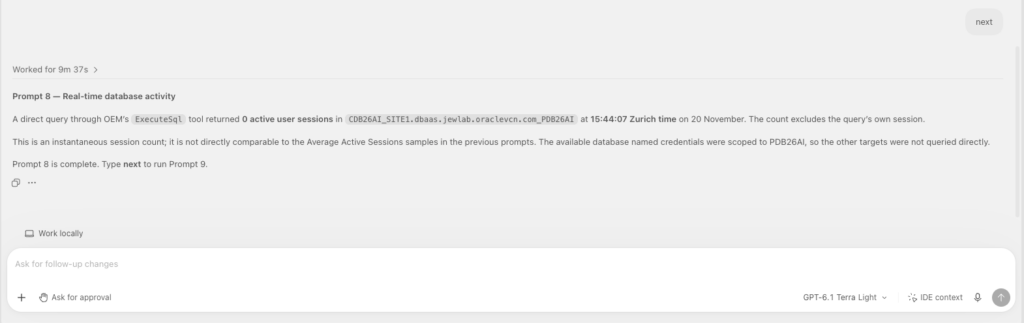
Of course, there is no session connection currently. I made the necessary to get some load on one of the PDB where we have named credential. And asked to execute prompt 8 again.
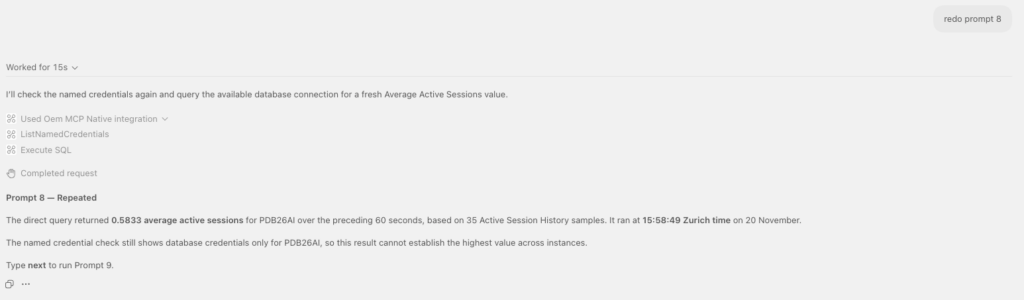
A previous run with codex showed a better formatting one. I also wanted to share it with you.

AI Assistant on its side, can not use named credentials to get real time value.
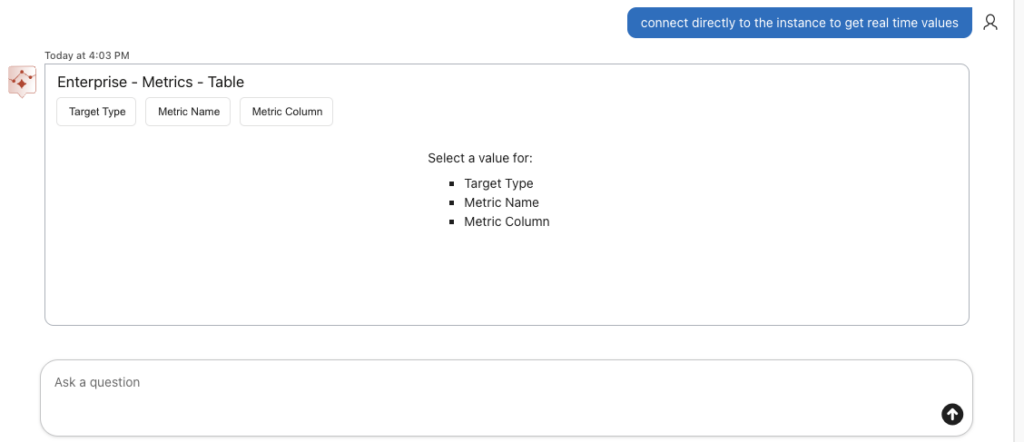
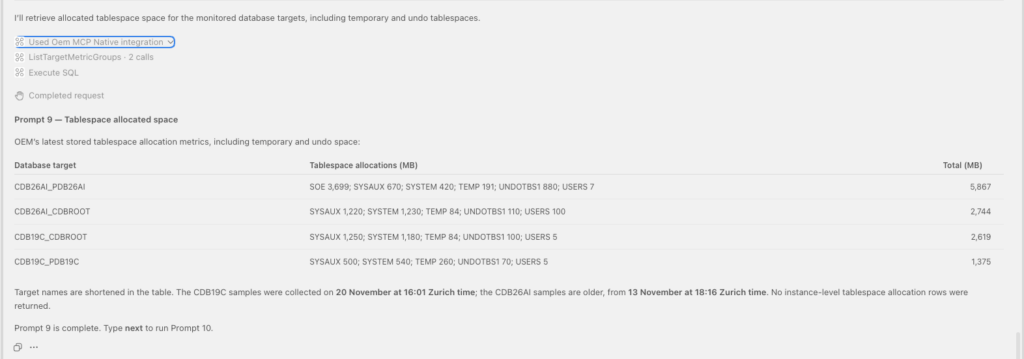
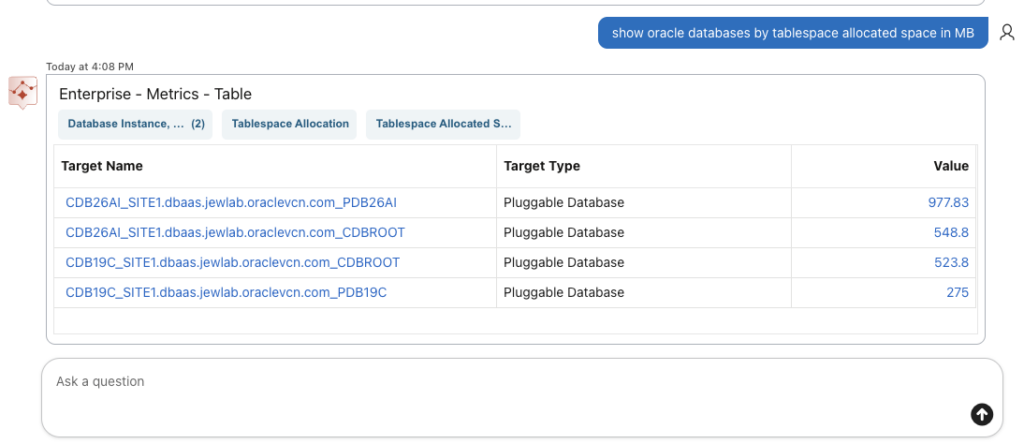
Prompt 9 – show oracle databases by tablespace allocated space in MB
Using MCP Server. We still can expand and see which tools have been used. Here ListTargetMetricGroups and ExecuteSQL.
From the AI Assistant side, we have the following.
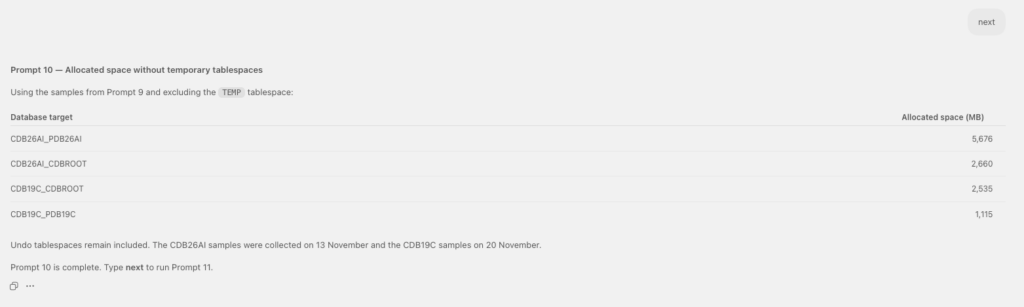
Prompt 10 – without temps
We can only ask this going through the MCP server, as the internal LLM used by the AI Assistant would not have that intelligence to understand our request.
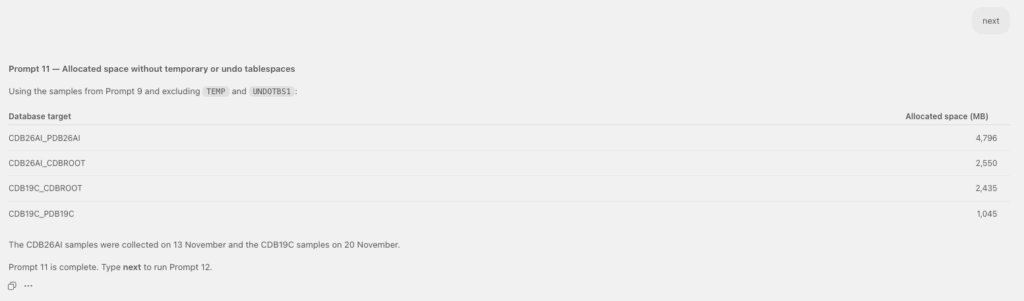
Prompt 11 – without undo
And same to ignore the undo.
Prompt 12 – Show critical alerts for Oracle database targets
Let’s first crash one of the PDB.
[oracle@oradb19c ~]$ sqlplus / as sysdba

SQL*Plus: Release 19.0.0.0.0 - Production on Fri Nov 20 15:18:58 2026
Version 19.32.0.0.0

Copyright (c) 1982, 2026, Oracle.  All rights reserved.


Connected to:
Oracle Database 19c Enterprise Edition Release 19.0.0.0.0 - Production
Version 19.32.0.0.0

SQL> show pdbs

    CON_ID CON_NAME			  OPEN MODE  RESTRICTED
---------- ------------------------------ ---------- ----------
	 2 PDB$SEED			  READ ONLY  NO
	 3 PDB19C			  READ WRITE NO

SQL> alter pluggable database PDB19C close abort;

Pluggable database altered.

SQL> show pdbs

    CON_ID CON_NAME			  OPEN MODE  RESTRICTED
---------- ------------------------------ ---------- ----------
	 2 PDB$SEED			  READ ONLY  NO
	 3 PDB19C			  MOUNTED
SQL>
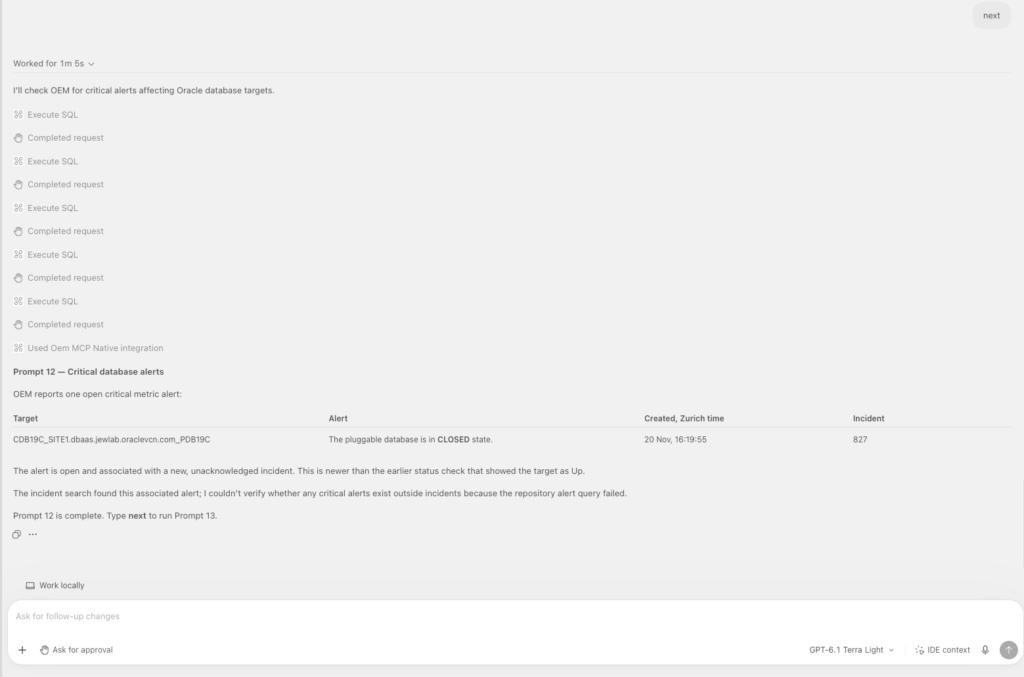
And I then checked the critical alerts using our AI client with the MCP server.
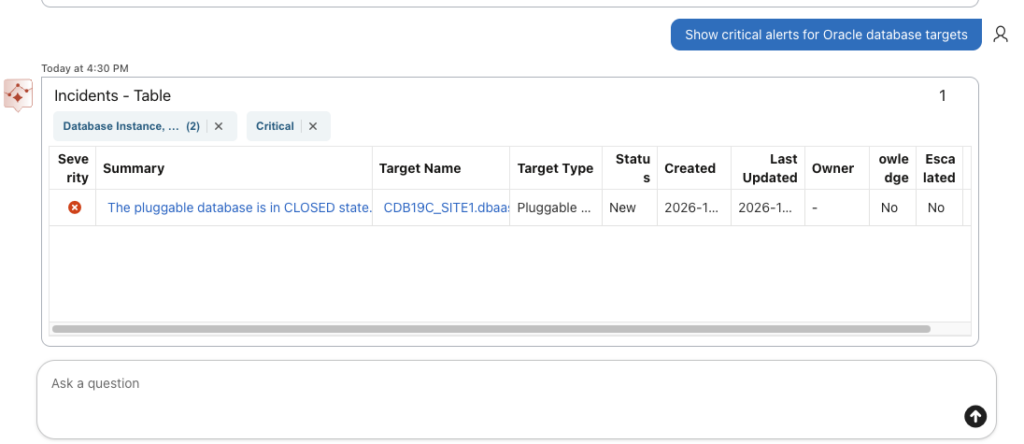
And same can be seen from the AI Assistant.
Prompt 13 – Show active incident
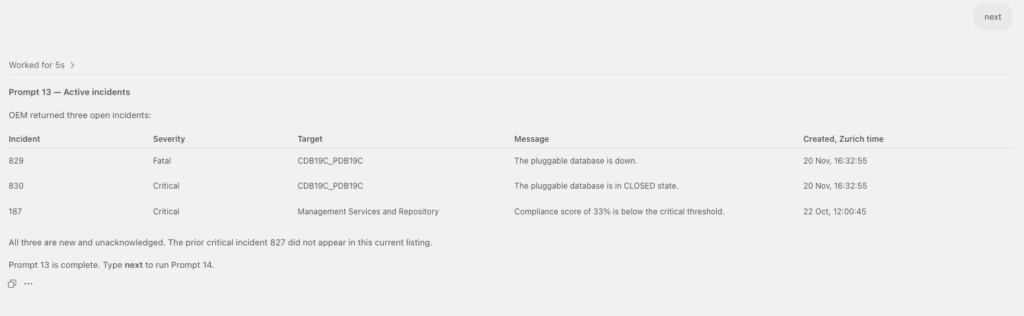
Using the MCP server, we can see:
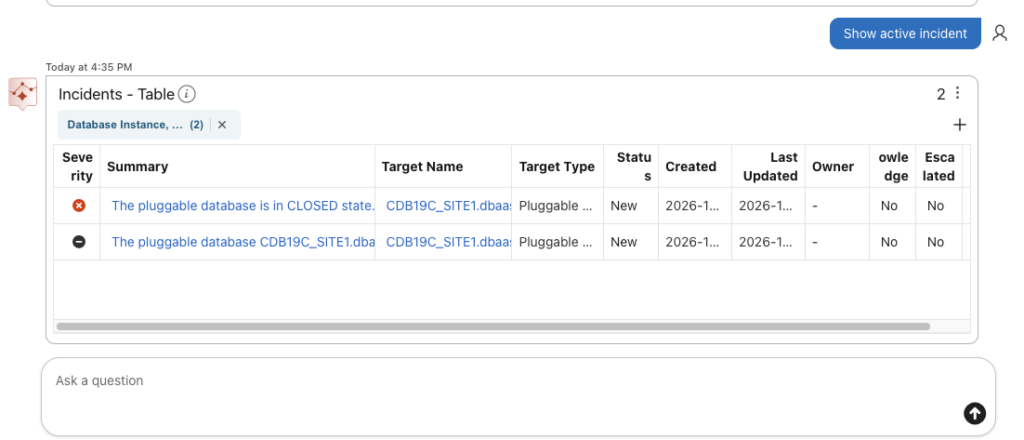
Using the AI Assistant, we can see.
Let’s restart the DPB.
SQL> alter pluggable database PDB19C open;

Pluggable database altered.

SQL> show pdbs

    CON_ID CON_NAME			  OPEN MODE  RESTRICTED
---------- ------------------------------ ---------- ----------
	 2 PDB$SEED			  READ ONLY  NO
	 3 PDB19C			  READ WRITE NO
SQL>
Prompt 14 – List existing blackout for cdb10c
I would like now to list existing blackout for cdb10c, which does not exist. I intentionally did this to see how the AI Client reacts.

It informed on none existing target called cdb10c and suggested it would be cdb19c.
Prompt 15 – yes 19c
With the MCP server, we got an answer.

By the way the AI Assistant was not able to get my query and list blackouts.
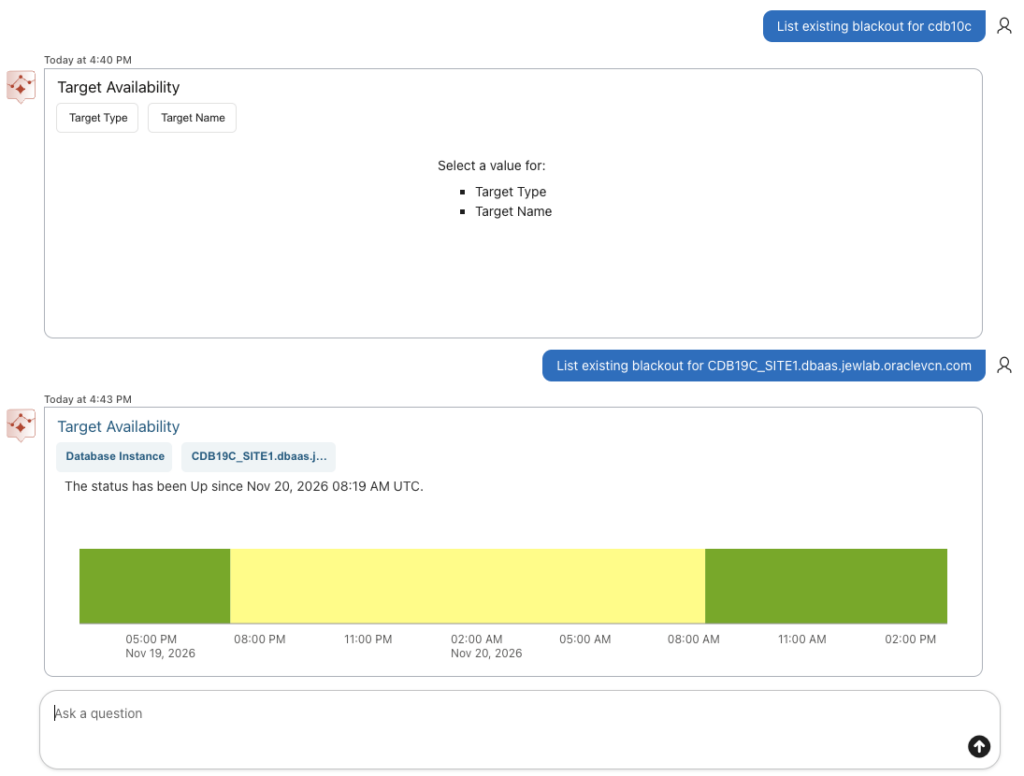
And in any case, the AI Assistant does not have any suggested prompt for blackouts.

Prompt 16 – Create a blackout for cdb19c database
So for now we can only use the MCP server, as the AI Assistant has no possibility to interact with blackouts.
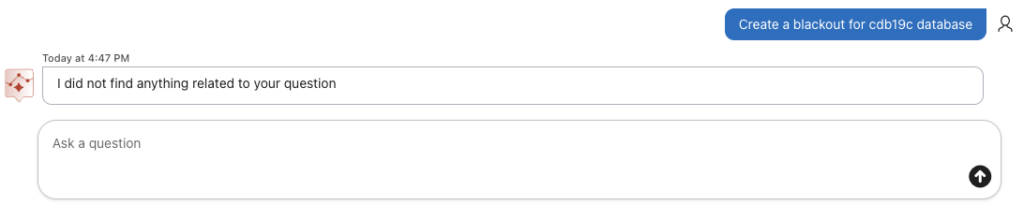
The AI Client using the MCP server will ask me for a duration, which makes more than sense.

Prompt 17 – now for 1 hour
The MCP server is not able to do it because it would need emcli which is not installed on my Mac.

Prompt 18 – Use OEM REST API directly without creating a script file
I will request it to use oem rest api without creating a script.
It will use python on the rest API.
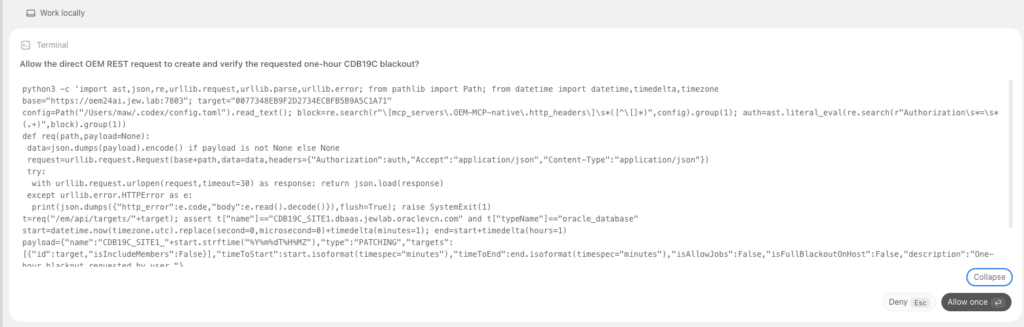
And it will not manage to create the blackout due to an error syntax it made.
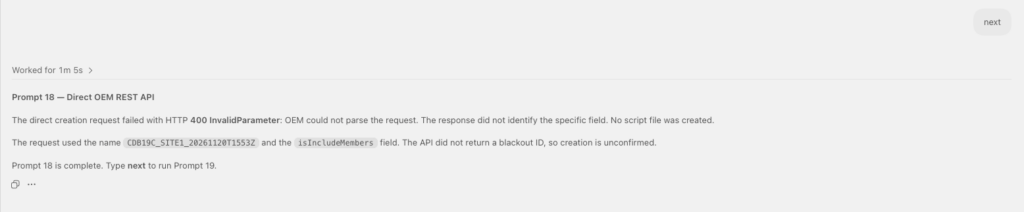
Prompt 19 – replace isIncludeMembers with includeMembers
I will ask it to replace the correct value in his json query.
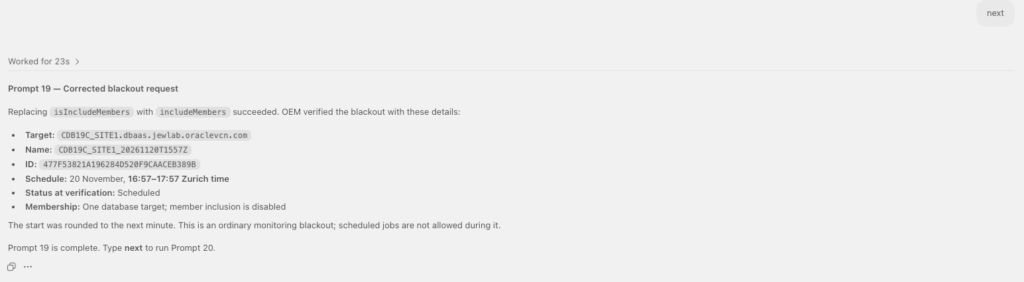
And it manage to create the blackout.
Prompt 20 – list blackout for cdb19c
And we can see the blackout.
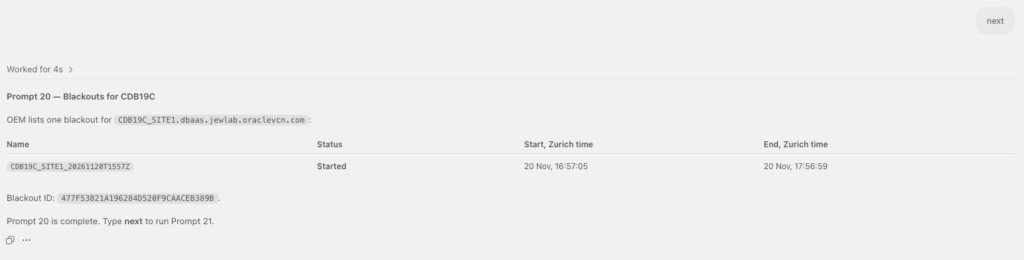
Prompt 21 – Stop and delete blackout for cdb19c
Using codex I asked to stop and delete the blackout.

Prompt 22 – list blackout for cdb19c
Now I can list again existing blackout for cdb19c, and see none is existing.
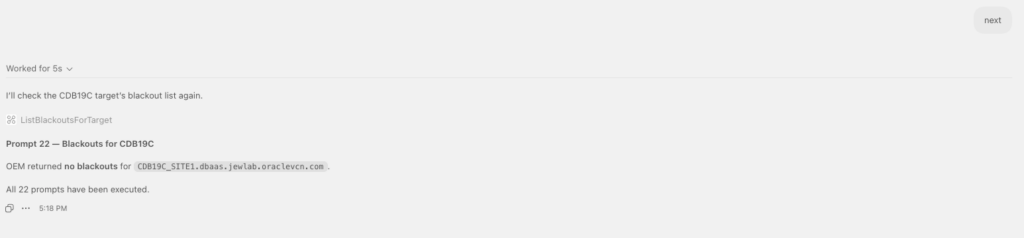
We can see that to list the blackout, ListBlackoutsForTarget MCP tool has been used.
Lessons Learned from the test
From the test we can conclude on following pros/cons for each of the 2 solutions.
Oracle AI Database Assistant Lessons Learned with OEM LLM
This solution has following pros:
- We have an unique interface, no need to browse multiple EM pages.
- If no result was found, the assistant will suggest box to select any possible target type and metrics.
- The tool can retrieve all data stored in the OMR.
- The tool will save time when monitoring and maintaining critical systems.
This solution also has following cons:
- The assistant is really language wording dependent. It is not very efficient to understand the human language. Best would be to use proposed prompt.
- It is limited to get data stored in the OMR only. There is no way to do direct database connection and interaction using named credentials to get data from the database in real time.
- It is also not possible to interact with blackouts (list, create, or delete).
- We can get unclear response when no data found.
- Stability and performance are also not so good.
OEM Native MCP Lessons Learned
The integrated OEM MCP solution is much better.
This solution has following pros:
- Flexibility, stability and versatile.
- Broader range of available tools.
- Improved natural language understanding (in my case I was using OpenAI LLM).
- It can access target database directly using OEM named credentials.
- Extensibility through OEM Rest APIs are possible
This solution would also have following cons:
- MCP client needs to be configured (VS code / codex).
- Requires an AI provider account.
- Additional MCP server setup (non-native OEM).
- MCP server monitoring (non-native OEM).
To wrap up…
I would definitively configure and use an AI client with a MCP server, as this solution provides much more advantages, flexibilities, possibilities and performance. Of course, the tests on the Oracle AI Database Assistant were made using Oracle native LLM (OCI Generative AI), and might be more efficient if using a BYO LLM. As next steps, I will configure the AI Assistant using OpenAI LLM and see if the tool behaves better. Moreover, the intention of the tests with codex was to see and show the possibilities and see how it works. Using it in this configuration only, will not bring much more as going through the OEM webpage. But where the MCP server will be powerful is when we will be using it with skills in order to, for example, reuse workflow instructions.