I have been recently blogging on how I have setup Oracle Enterprise Manager 24ai lab, installed an agent and finally configured Oracle AI Database Assistant. It’s time for me to test it now.
Product evolution
AI integration in Oracle Enterprise Manager 24ai was quite evolving rapidly.
- Ask EM
Was first introduced with Enterprise Manager 24ai Release 1 Update 4.
Dependent of OCI Ops Insight for the chatbot functionality and processing. - Oracle AI Database Assistant
Was introduced in Enterprise Manager 24ai Release 1 Update 10.
Replacing Ask EM
Use of LLM provider: OCI GenAI or BYO LLM - MCP server
Enterprise Manager 24ai Release 1 Update 12 is now integrating a MCP server which will bring a brand of new possibilities.
The MCP server is directly built in OEM. - Finally Enterprise Manager 24ai Release 1 Update 13 will bring a new good feature:
Autocompletion suggestions. We just write on the prompt “oracle databases” and many suggestions might come : “Show Oracle Databases by average active sessions” or “Show Oracle Databases by CPU time”
In a nutshell
Oracle AI Database Assistant will help me interacting with OEM with Natural-Language questions, like “What happened to prod?”. The assistant will then understand my question and retrieves data directly from OMR (Oracle Management Repository). OMR is storing all data for all my targets related to their health, issues and performance.
Oracle AI Database Assistant no longer depends on OCI Ops Insight. OCI Ops Insights subscription is not needed any more.
Oracle AI Database Assistant will use LLM (Large-Language Model). Multiple LLM are supported:
- You can use the one from Enterprise Manager, so OEM as provider. Oracle AI Database Assistant will access directly OCI Generative AI.
- Or you can bring your own LLM Provider. Two Models are supported : OpenAI or Ollama. To use external LLM provider you will need some additional access between OMS server and OCI.
Prerequisites
There is a few prerequisites to configure and use Oracle AI Database Assistant. I will remind them here, but please refer to my other blogs explaining how to configure Oracle AI Database Assistant for guidance with screenshots.
- Log as SYSMAN for configuring Oracle AI Database Assistant
- Choice in LLM provider
- To use Enterprise Manager provider one account in a supported region is needed
- Japan Central (Osaka): ap-osaka-1
- Germany Central (Frankfurt): eu-frankfurt-1
- Brazil East (Sao Paulo): sa-saopaulo-1
- UK South (London): uk-london-1
- US Midwest (Chicago): us-chicago-1
- Oracle AI Database Assistant to be enabled in Enterprise Manager
- Activated per default
- Command line
emctl set property -name enable_genai_assistant -value false|true
- OCI policies so that Enterprise Manager can access the OCI Generative AI service
allow group to manage opsi-genai-em-session in compartment
allow group to use generative-ai-family in compartment - An OCI Named Credential for communication with OCI LLM service
- Use of Enterprise Manager LLM provider
- OCI Authentication through API key
With Oracle AI Database Assistant, you can bring your own LLM Provider:
- Bring-Your-Own LLM Providers
- OpenAI or Ollama
- API Key for LLM provider authentication
- Name of the model to be used
- Model endpoint URL
- OMS property oracle.sysman.llm.provider.allowedProviderUrls
- Network connectivity between OMS and the provider endpoint
And what about the cost? Oracle AI Database Assistant includes a complimentary allocation of AI tokens for OCI Generative AI models. The cost can be visible through the OCI Ops Insights service.Once the allocated tokens are consumed, extended cost charged to the OCI account based on the AI model and the OCI region. See following oracle documentations:
https://www.oracle.com/cloud/price-list/#pricing-ai
https://docs.oracle.com/en-us/iaas/Content/generative-ai/home.htm
Let’s do some further tests!
Let’s have fun and test the Oracle AI Database Assistant, now I could configure it.
Asking for targets…
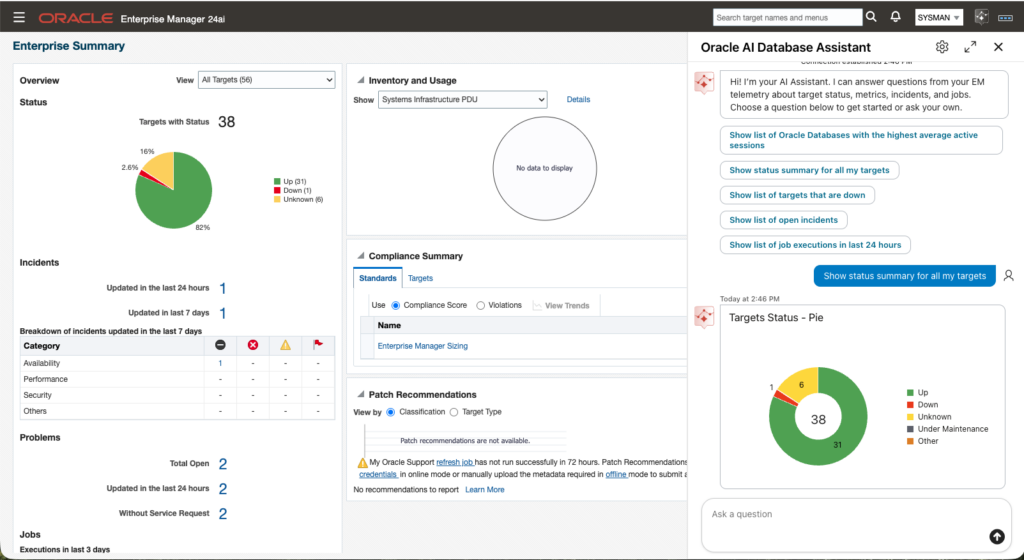
I first asked about status summary for all my targets. Answer was coherent with the OEM summary dashboard.
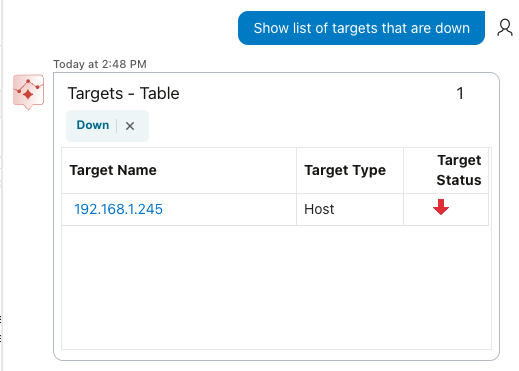
I then asked to list the target that are down, which of course is ok as the host was not up and running.
I then started the lab node.


I confirmed there is no more target down.
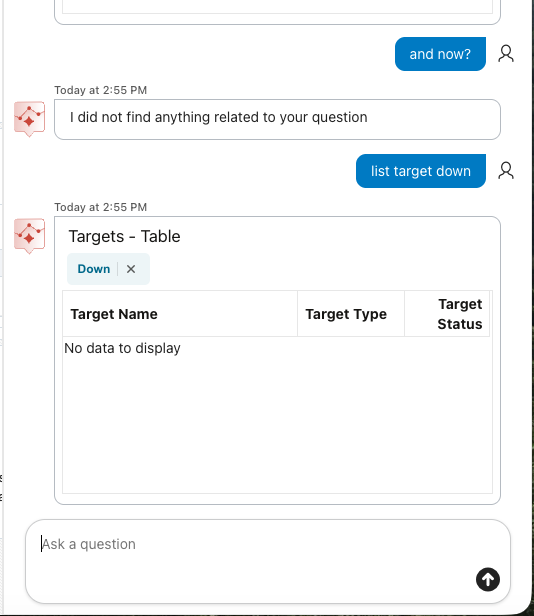
I can see that no more targets are down. I took the opportunity to test the language wording, and as we can see, Oracle AI Database Assistant was not able to understand the situation, and my question “and now?” referring to make it (we would have been attracted to write him, but let’s use it 😉 ) understand that I wanted the same previous questions was not understandable. We can only use specific OEM language.
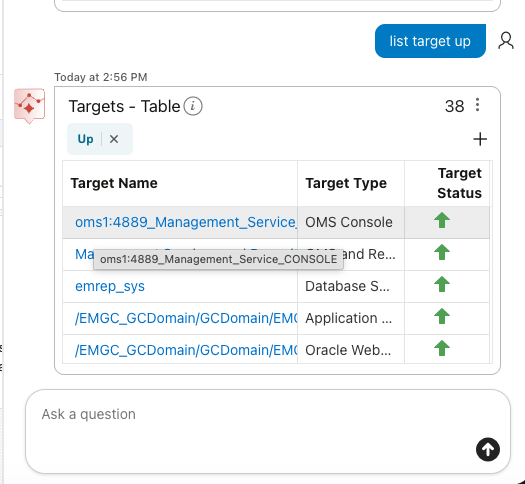
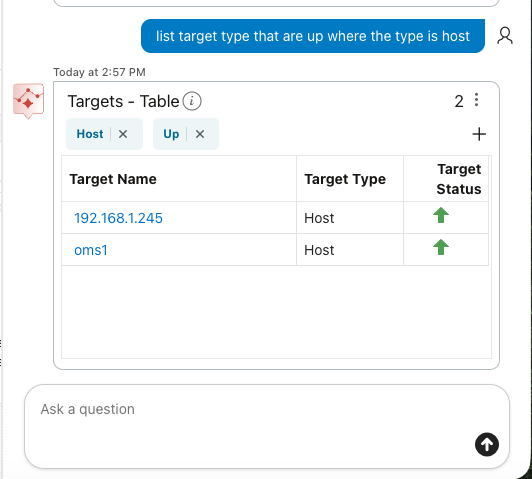
I could list the targets that are up. What is cool is that I do not need to make full sentences. “List target up” was enough for the assistant to understand the question.
I could also ask to filter on host type, which was successfully.
Asking for documentation…
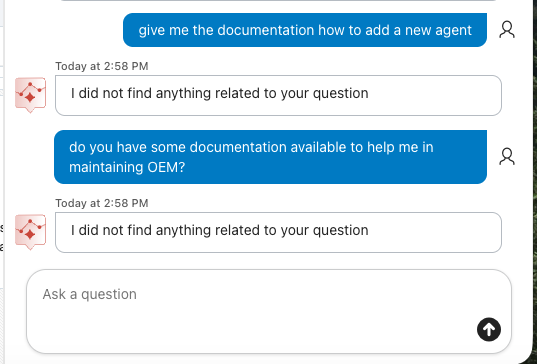
As we can see, the assistant will not provide me any OEM documentation, and the expected prompt stick on OEM data model language.
Asking for incidents…
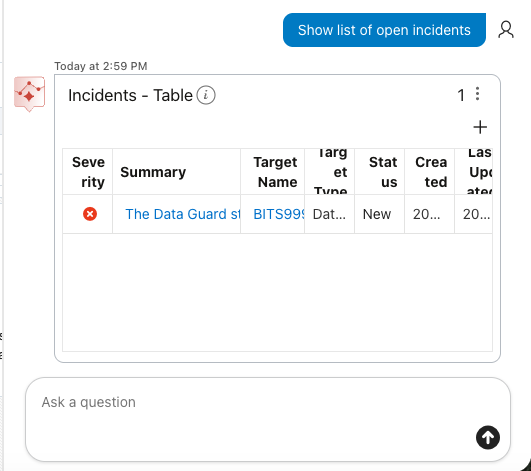
I could also successfully list open incidents.
Asking for databases status…
I could list database target status, and also the assistant understand pdb, pluggable database.
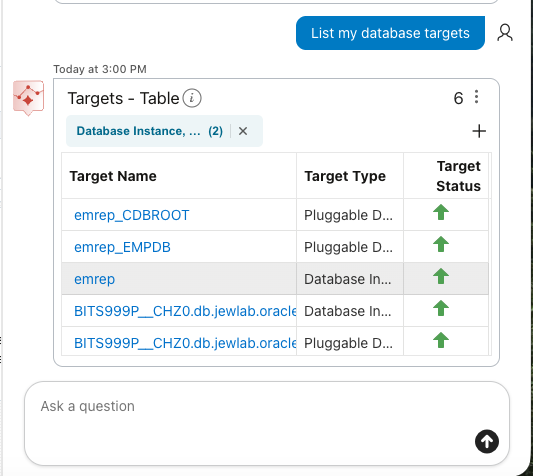
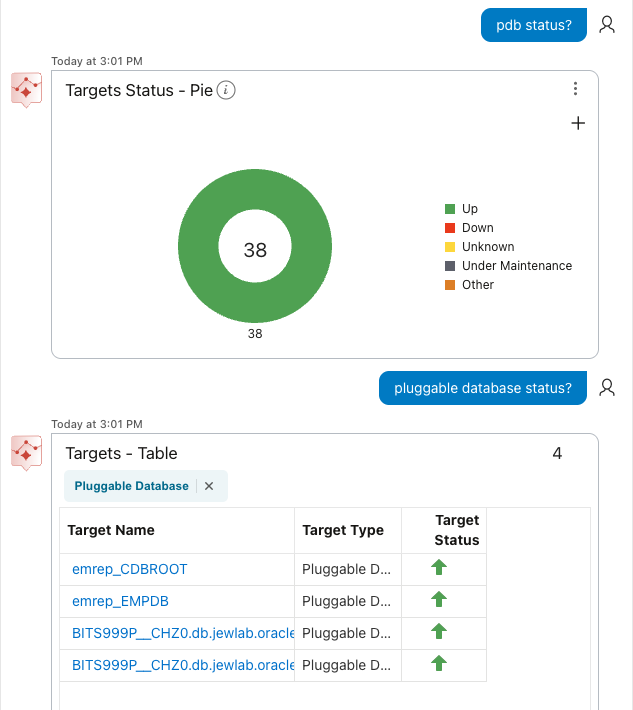
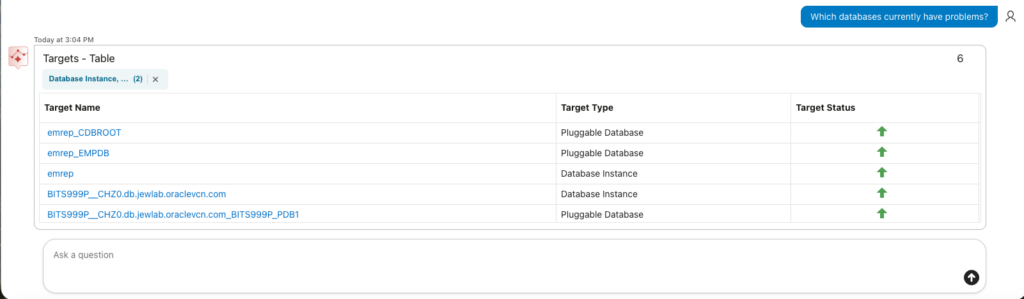
Asking the assistant to list databases that have currently problems, I could get as answer… All databases. We can easily understand that the assistant take word that it understands and that it can put in correlation with any data from the OMR without making a full analyse of the full question.
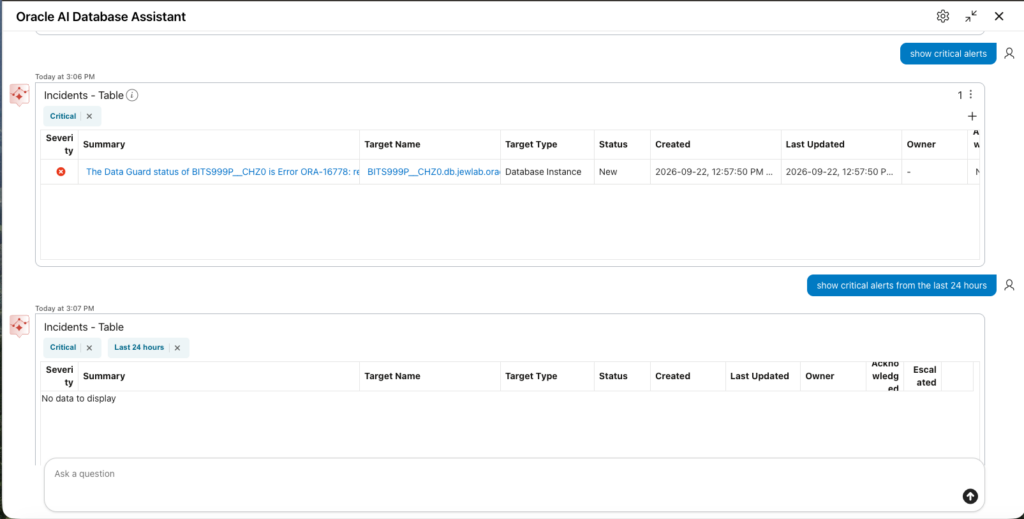
Asking for critical alerts…
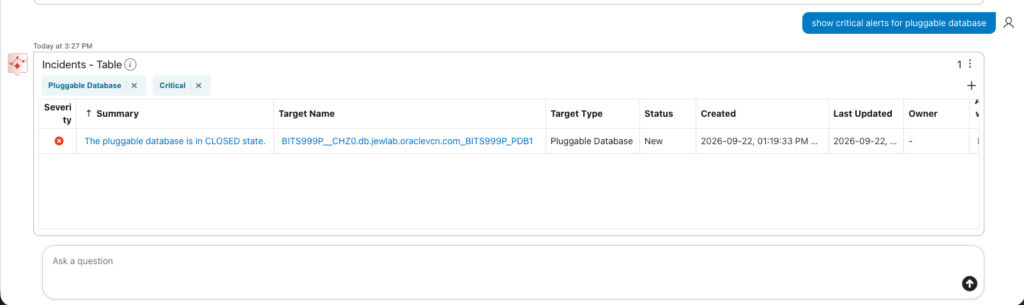
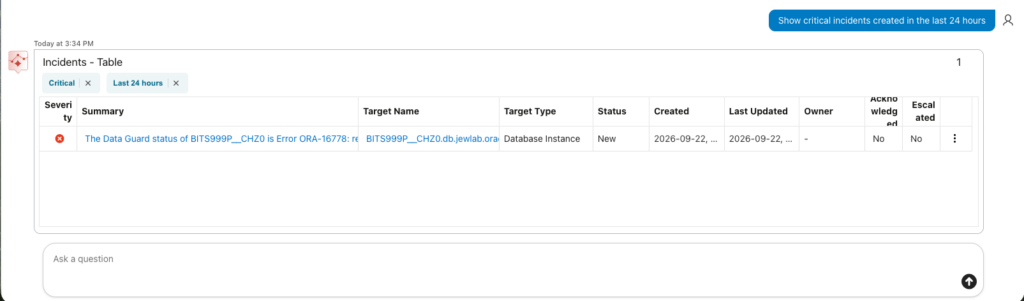
I could also ask the assistant to list the critical alerts. This was working as expected. I was only a quite of surprised that asking the same for the last 24 hours, I got no data displayed. Which is incoherent knowing I have one running… We can see that the “last 24 hours” has been understood, as the filter “Last 24 hours” appeared.
I stopped BITS999P_PDB1 Pluggable Database to see if it will been displayed in the critical alerts.
Stopping PDB:
[oracle@svl-orap-chz0-cl1n1 ~]$ sqlplus / as sysdba

SQL*Plus: Release 19.0.0.0.0 - Production on Tue Sep 22 13:18:36 2026
Version 19.31.0.0.0

Copyright (c) 1982, 2026, Oracle.  All rights reserved.


Connected to:
Oracle Database 19c EE Extreme Perf Release 19.0.0.0.0 - Production
Version 19.31.0.0.0

SQL> show pdbs

    CON_ID CON_NAME           OPEN MODE  RESTRICTED
---------- ------------------------------ ---------- ----------
     2 PDB$SEED               READ ONLY  NO
     3 BITS999P_PDB1          READ WRITE NO

SQL> alter session set container=BITS999P_PDB1;

Session altered.

SQL> alter pluggable database close abort;

Pluggable database altered.

SQL> show pdbs

    CON_ID CON_NAME           OPEN MODE  RESTRICTED
---------- ------------------------------ ---------- ----------
     3 BITS999P_PDB1          MOUNTED
Let’s check the critical alerts again.
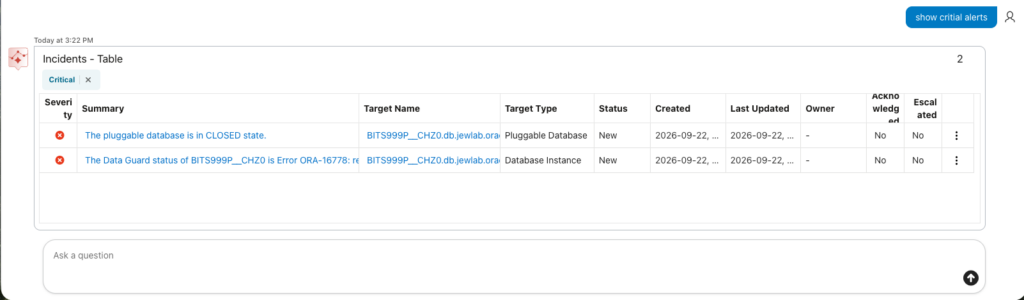
Working as expected. I could even be more precise filtering on pluggable database only.
I restarted the PDB:
SQL> alter pluggable database open;

Pluggable database altered.

SQL> show pdbs

    CON_ID CON_NAME           OPEN MODE  RESTRICTED
---------- ------------------------------ ---------- ----------
     3 BITS999P_PDB1          READ WRITE NO
SQL>
And I could confirm the alerts disappeared.
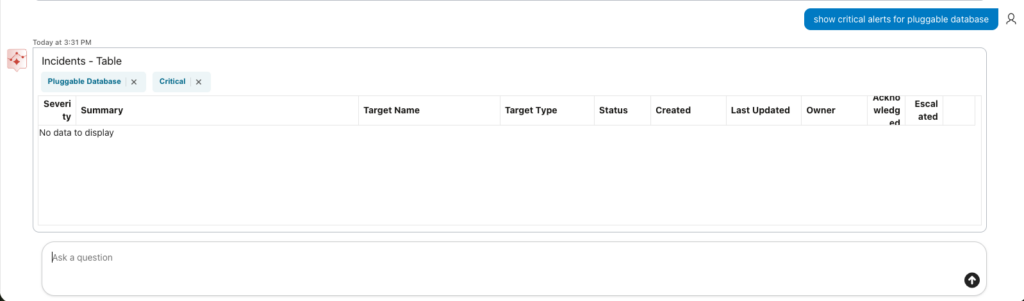
Oh by the way, now my Data Guard alerts for last 24 hours filter is working. No idea why.
Asking what happened to my database…
I can ask what happened to a specific database in the last night, and the answer is totally coherent. We can see how the filters are appearing according to the content of my prompt: “Pluggable Database”, “BITS999P_PDB1”, “Last 1 day”.
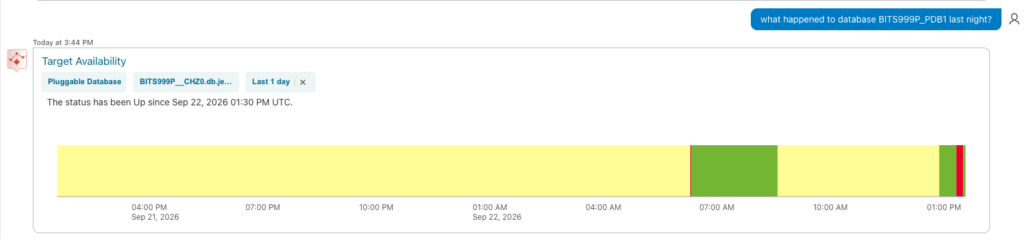
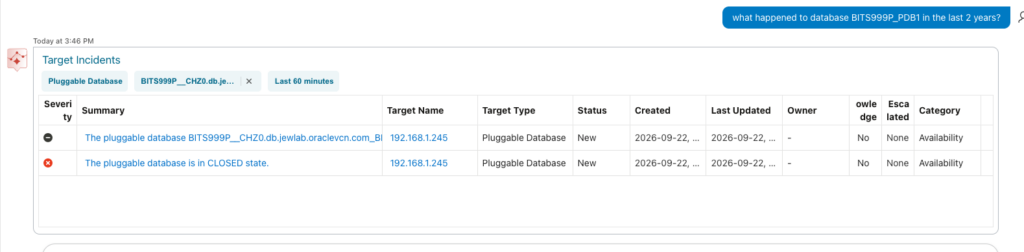
Asking what happened to the PDB in the last 2 years, the filter automatically applied is “Last 60 minutes”. This might be related to a purge parameter, I guess… I have no explanation so far.
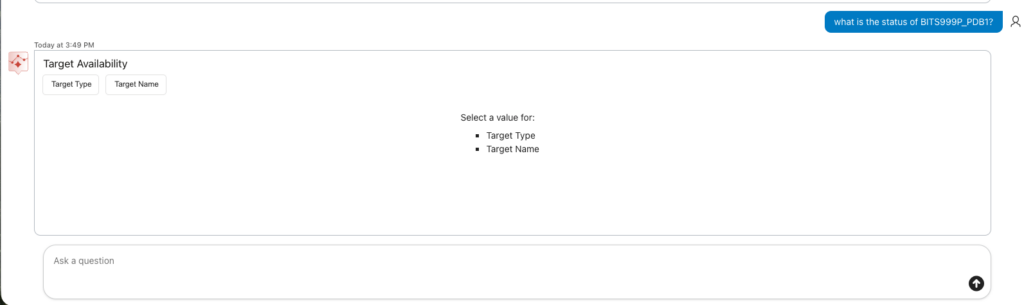
Asking what is the status of BITS999P_PDB1, we can see that the assistant did not understand the question, but added some drop-down list, where I can choose data.
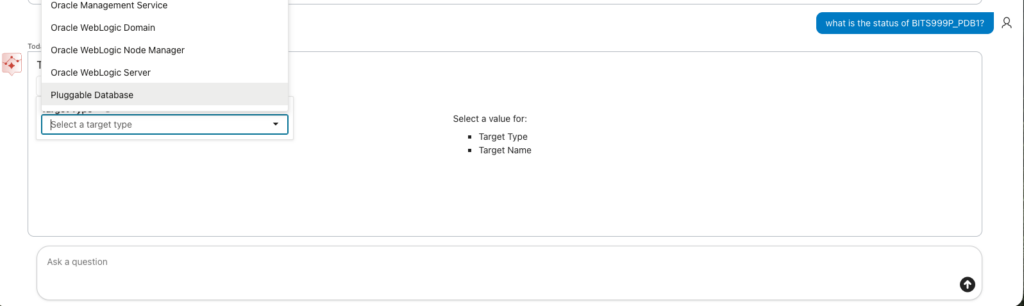
Which will give me the possibility to get some valid information.
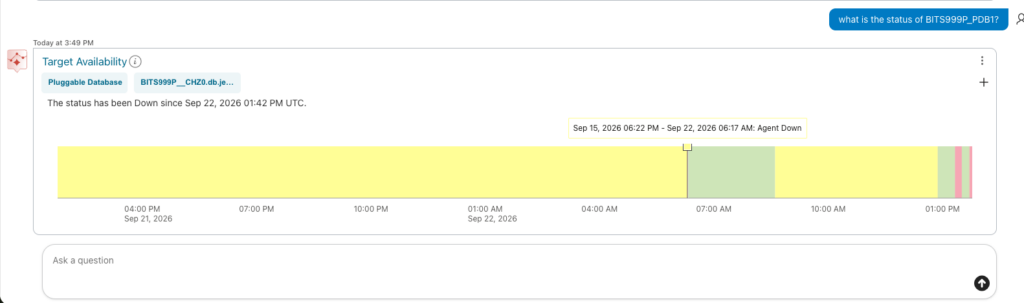
I could also successfully query what happened to the PDB in a time frame. Which is a very good added value.
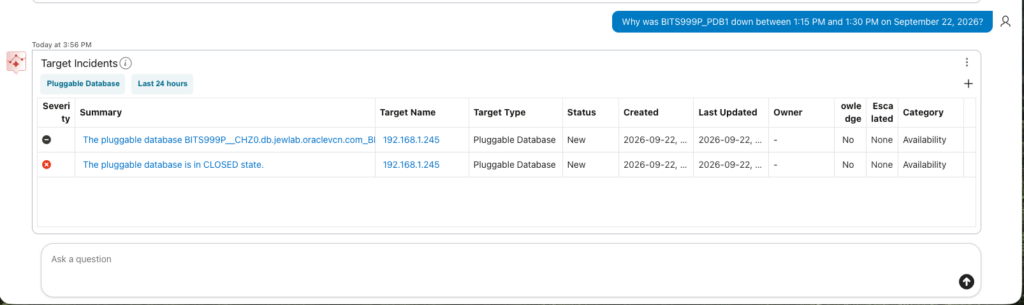
Asking for tablespace usage…
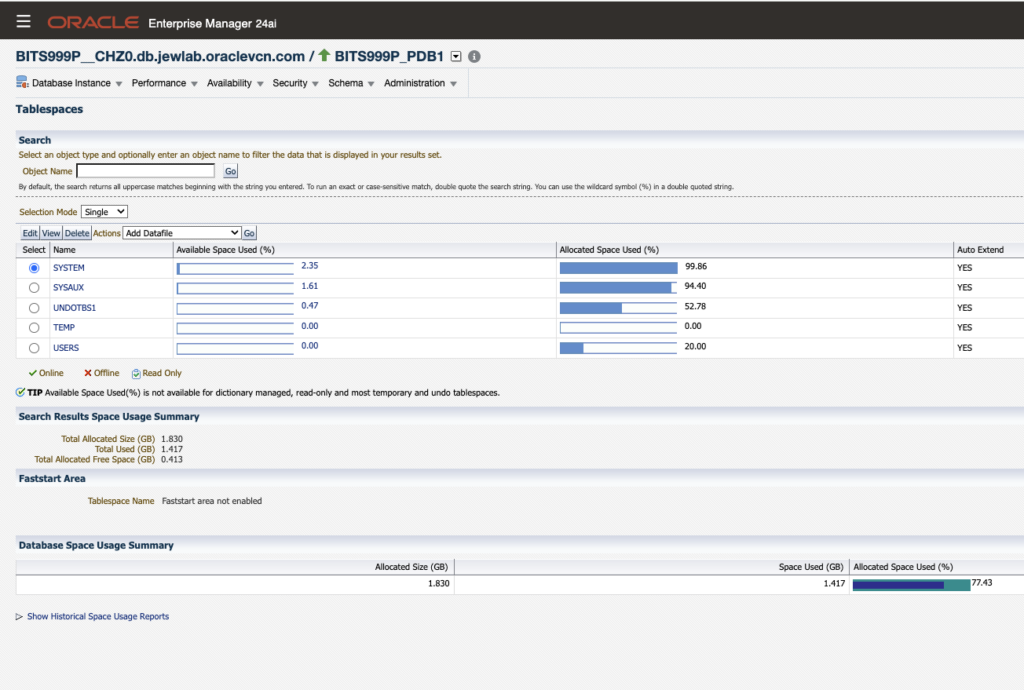
I also asked for pluggable database tablespace usage, for the same PDB. I could get an answer, which really is not that readable.
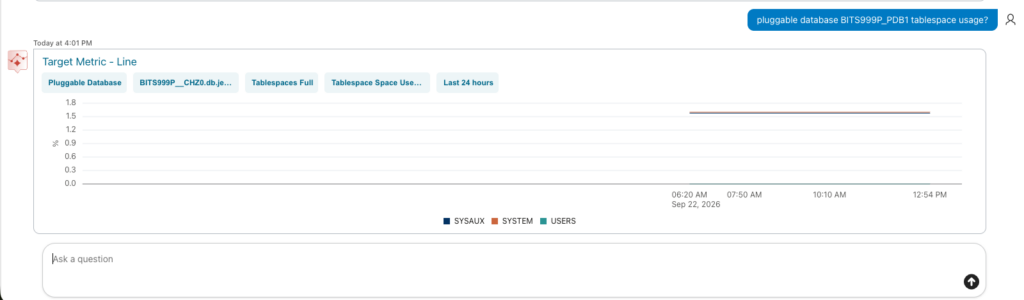
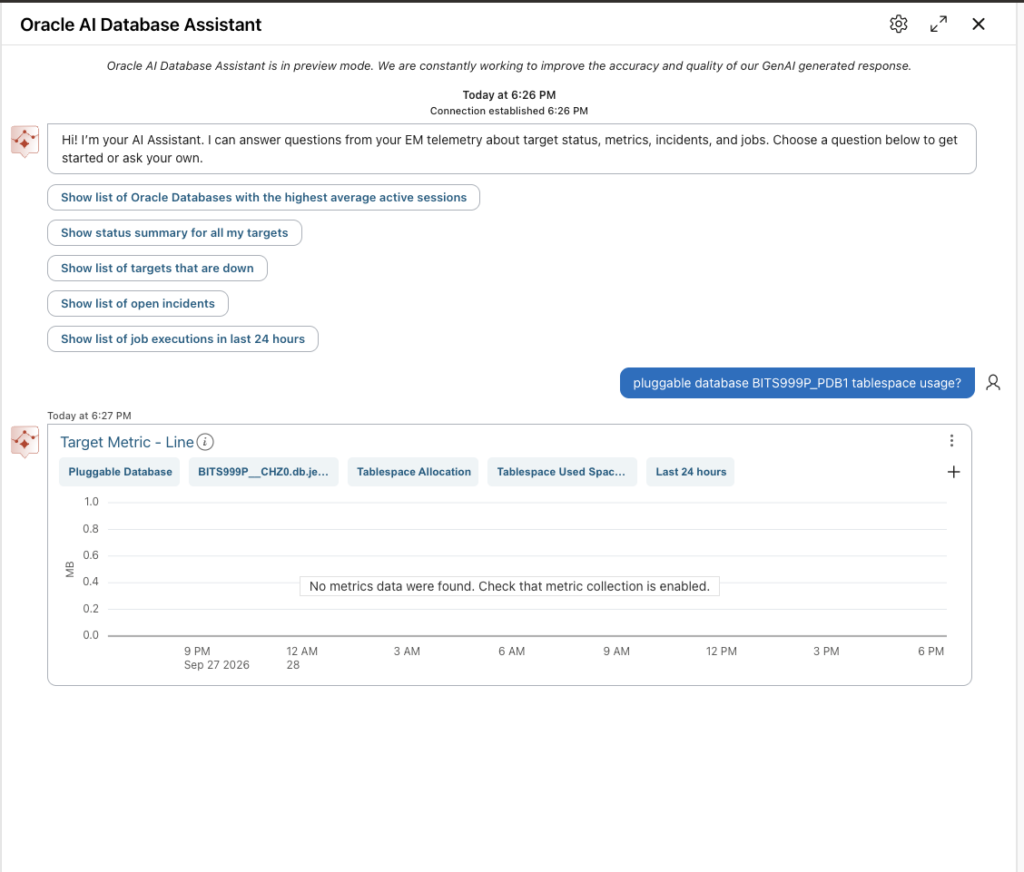
But the more surprising is the assistant might not be so trustable. Let me explain why. Later on, I could see get coherent results for target status, incidents, but I could not get any information any more for the tablespace usage.
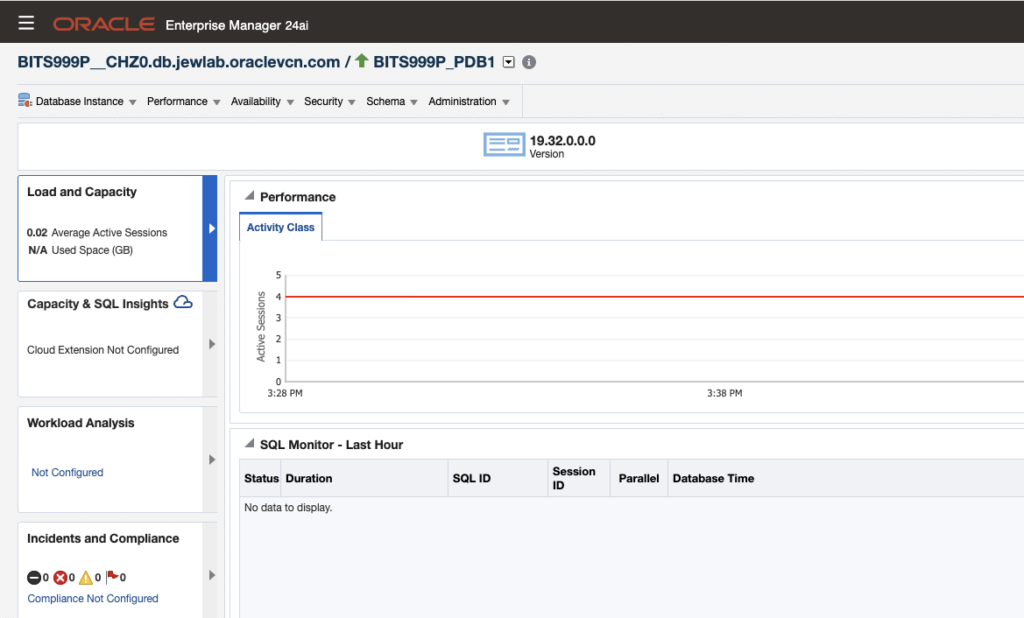
Even if the metrics are available in OEM, see next pictures.
To wrap up…
Following is the pros and cons I see in this new Oracle AI assistant.
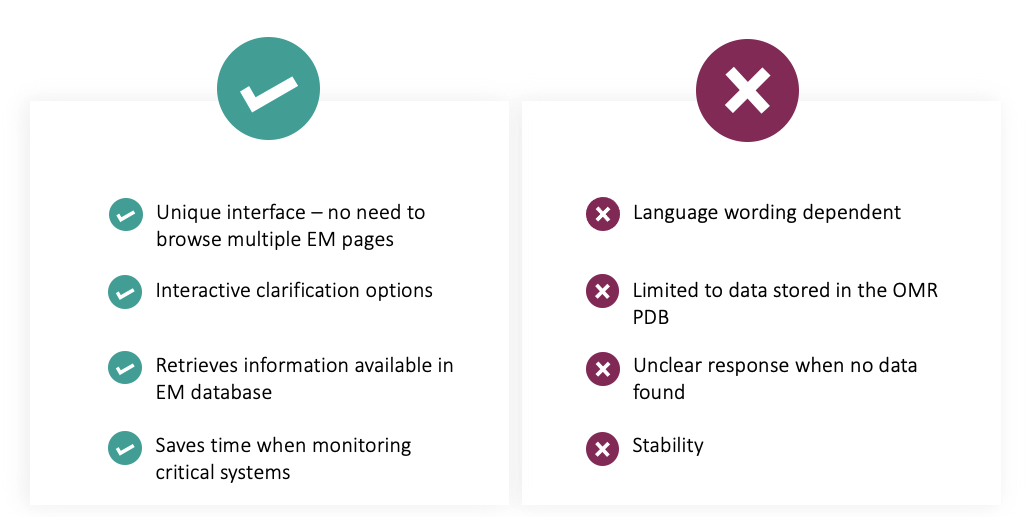
When I think it is a good startup, with an assistant that will help to get more quickly the health, issue and performance on any target monitored by OEM, the tool still need to improve the stability and the trust we can put on him.
![Thumbnail [60x60]](https://www.dbi-services.com/blog/wp-content/uploads/2022/08/MAW_web-min-scaled.jpg)
![Thumbnail [90x90]](https://www.dbi-services.com/blog/wp-content/uploads/2025/05/JDE_Web-1-scaled.jpg)
![Thumbnail [90x90]](https://www.dbi-services.com/blog/wp-content/uploads/2025/11/LTO_WEB.jpg)
![Thumbnail [90x90]](https://www.dbi-services.com/blog/wp-content/uploads/2025/07/ALK_MIN.jpeg)
![Thumbnail [90x90]](https://www.dbi-services.com/blog/wp-content/uploads/2023/05/AEA_web_min.jpg)