Recently I had to patch an ODA at one of our customer from 19.20 to 19.26, going through 19.24. As you are aware of, knowing we go from Oracle Linux 7 (19.20) to Oracle Linux 8 (19.24), we need to patch the ODA using Data Preserving Reprovisioning. This includes a reimage of the nodes…
Data Preserving Reprovisioning will allow you reprovisioning an already deployed Oracle Database Appliance system keeping the storage and the databases on the appliance, so without any modifications on the information stored in the ASM (storage). The information of the source system will be saved in a server data archive files. The appliance will then be reimaged with Oracle Database Appliance release iso image and the saved metadata will be used to directly reprovision the system and bring back all the resources such as databases, DB systems, Oracle ASR, and others.
The reimage can only be done using the java remote console, available with the ILOM. Remember that to attach the iso on the java console and use it during the reimage, you need to add it and connect it as described in the next picture.
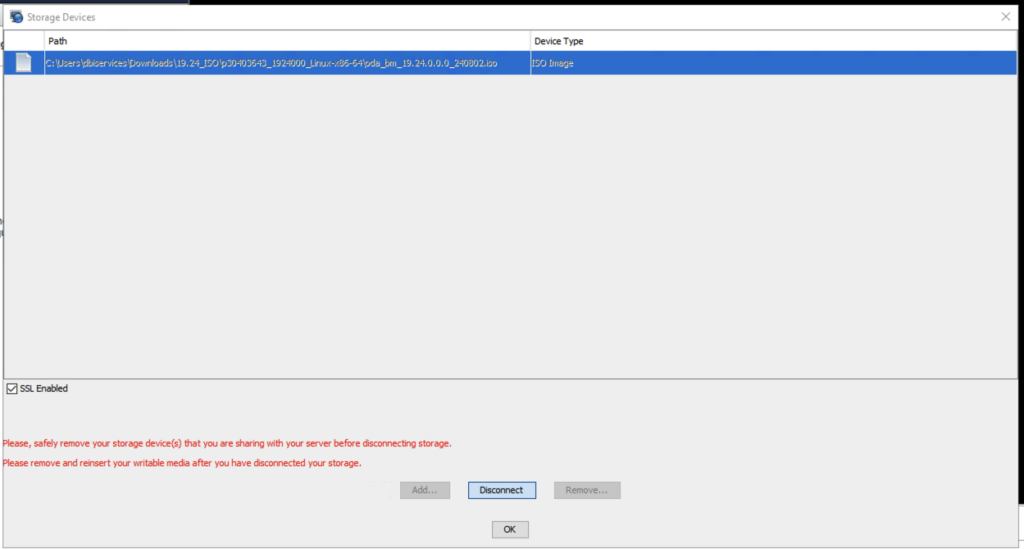
It is important to see the following red message to ensure that the connection with the iso is made and that it can be used.

The problem is that after a time, during the reimage process, the java remote console lost full control on the node, having as consequence a lost of the iso connection and a failure in the reimage process.
This could be seen in the console with the message (View Only) displayed in the bar and the Red Cross on the top of the Computer (screen)/mouse image.
Here:

When it should be:

Here the whole picture showing the connection problem.

And we can see the message : “Sorry, keyboard and mouse connection has been lost. \nIf storage was being shared it has been lost also”.

When a correct connection would be the following one, having (Full Control) message displayed in the bar, with no lost of keyboard/mouse and storage (iso) connection.
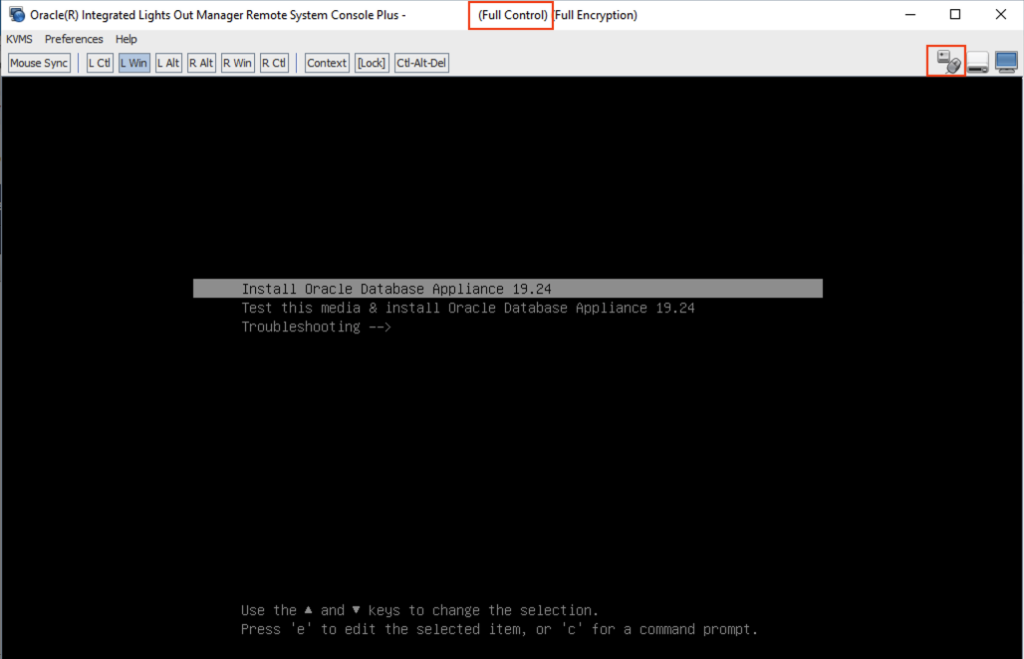
After several tries it was always the same problem. After a few minutes, lost of the connection…
I then decided to check the ILOM sessions, connecting to the ILOM through ssh connection.
login as: root
Keyboard-interactive authentication prompts from server:
| Password:
End of keyboard-interactive prompts from server

Oracle(R) Integrated Lights Out Manager

Version 5.1.1.23 r151958

Copyright (c) 2023, Oracle and/or its affiliates. All rights reserved.

Warning: HTTPS certificate is set to factory default.

Hostname: ODA01-ilo

-> show /SP/sessions

 /SP/sessions
    Targets:
        55342
        55346 (current)

    Properties:

    Commands:
        cd
        delete
        show
I found surprising to see so high sessions id. I decided to reset the ILOM. This would of course not restart the node.
-> reset /SP
Are you sure you want to reset /SP (y/n)? y
Performing reset on /SP
And connected again to the ILOM through ssh to checked the sessions:
login as: root
Keyboard-interactive authentication prompts from server:
| Password:
End of keyboard-interactive prompts from server

Oracle(R) Integrated Lights Out Manager

Version 5.1.1.23 r151958

Copyright (c) 2023, Oracle and/or its affiliates. All rights reserved.

Warning: HTTPS certificate is set to factory default.

Hostname: ODA01-ilo

-> show /SP/sessions

 /SP/sessions
    Targets:
        1 (current)

    Properties:

    Commands:
        cd
        delete
        show
The sessions id were back to one, and I did not have any lost connection issue any more. I could successfully reimage the ODA to 19.24 version.
![Thumbnail [60x60]](https://www.dbi-services.com/blog/wp-content/uploads/2022/08/MAW_web-min-scaled.jpg)
![Thumbnail [90x90]](https://www.dbi-services.com/blog/wp-content/uploads/2025/05/JDE_Web-1-scaled.jpg)