

I want to improve the Virtual User (VU) I created in my previous blog by adding dynamic browsing of the shop web site. Indeed, as VU is based on a HAR file, it is statically browsing the website. Thus, if the website is evolving like a new species is added, the VU will never browse to it. For now, it is always going into “Fish” category and add a “Koi” to the cart. This is not really simulating real customer behavior (randomness either, but it is better 😉 ). That’s why, I will explain you here how to add some randomness in the browsing to be more dynamic.
Extracting Information
First thing, I must do is to get all links to every category of the shop from page body.
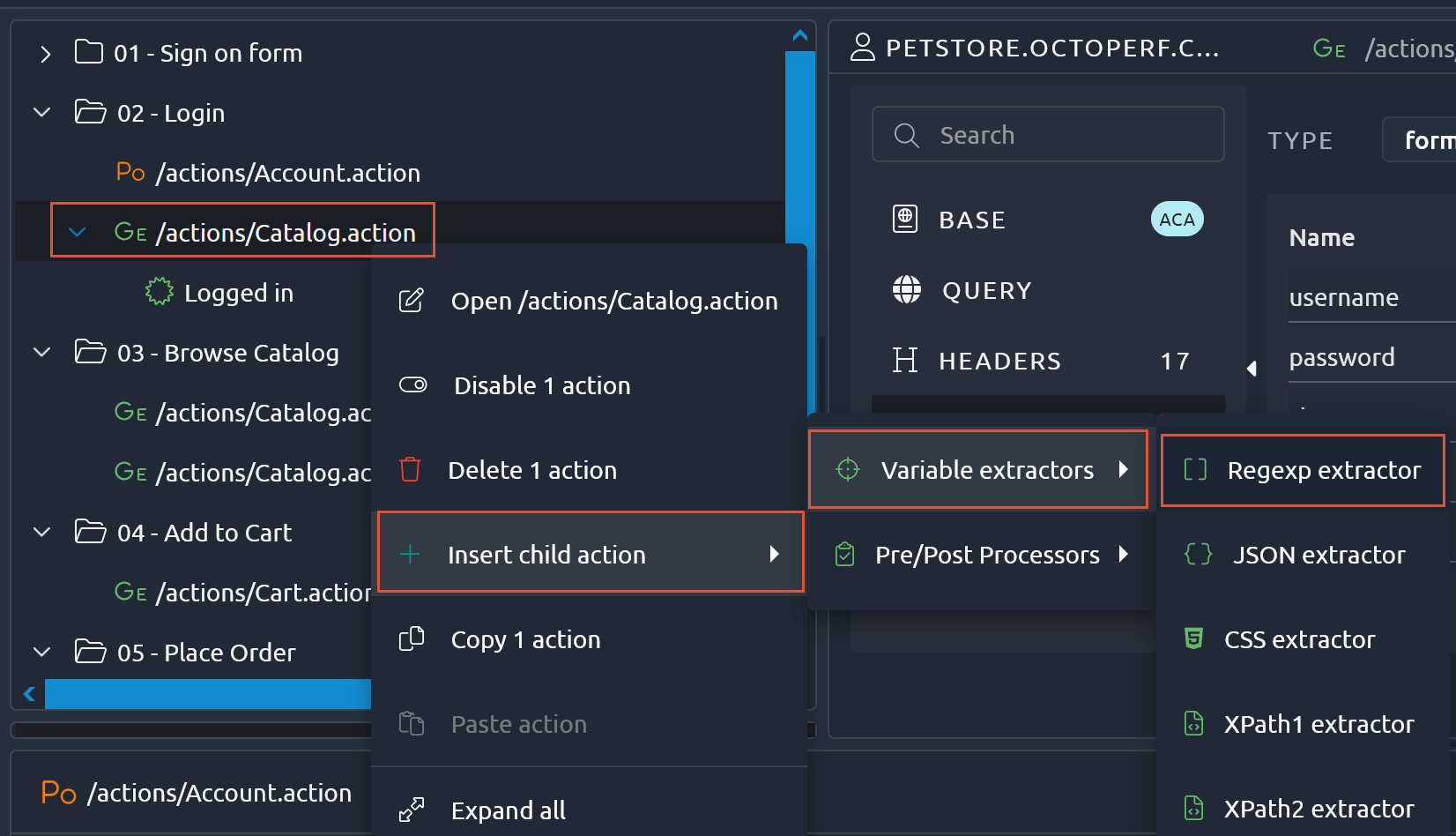
To do that, I will add a “Regexp extractor”:
Then, we must fill in few information to it:
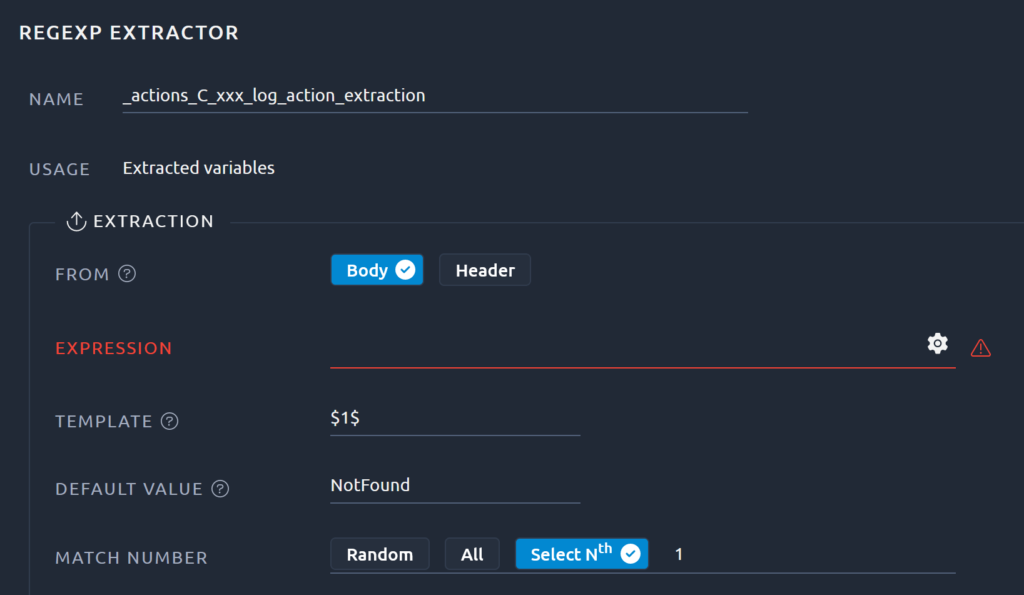
The most important field is “expression”. It is a regular expression that will be used to find and extract matching patterns. Fortunately, OctoPerf is providing a tool to build it more easily. A click on the gear will open the recorded content and I will be able to find object I want to focus on (i.e. all species URLs):
Questions about your own setup? A dbi services consultant can look at your case.
Talk to an expert (opens in a new tab)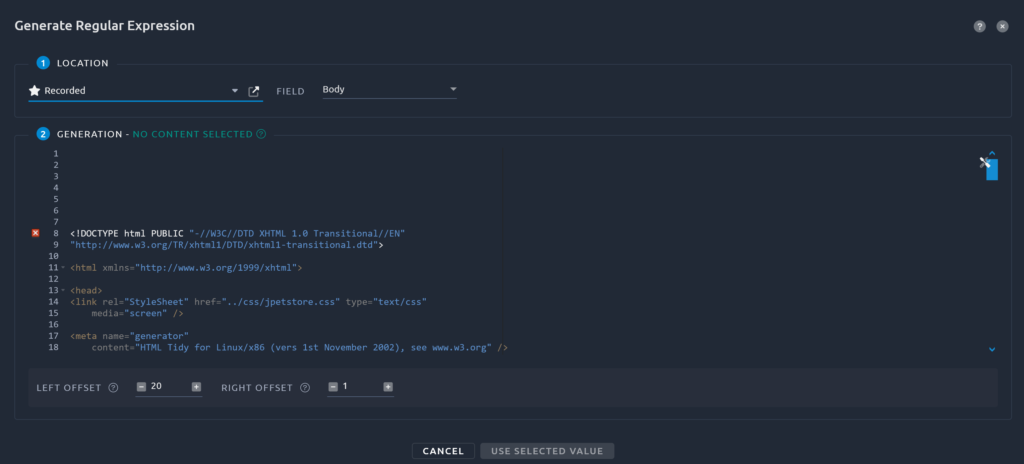
In that window, I can search for any string. Let’s look for “Fish”:
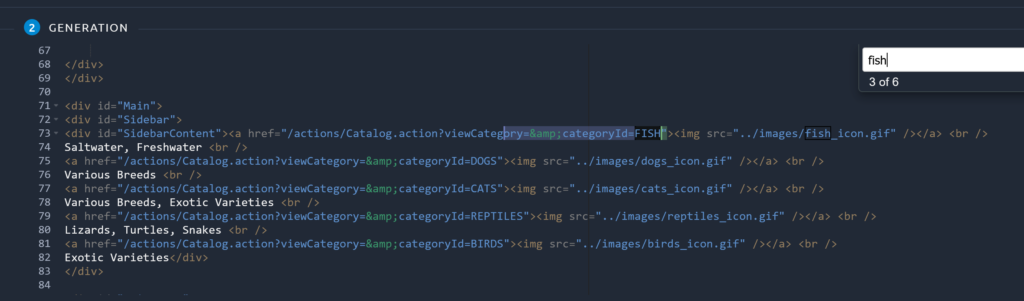
Here, we can see the 5 existing species. If I select the part I am interested in (i.e. categoryId), it will automatically create a simple regexp for me:
ory=&categoryId=(.+?)"Another nice feature of OctoPerf is the ability to test this regular expression against the recorded content, so let’s try it (I am selecting All in Match Number option).
With this new regexp, the list of extracted variables looks like the following:
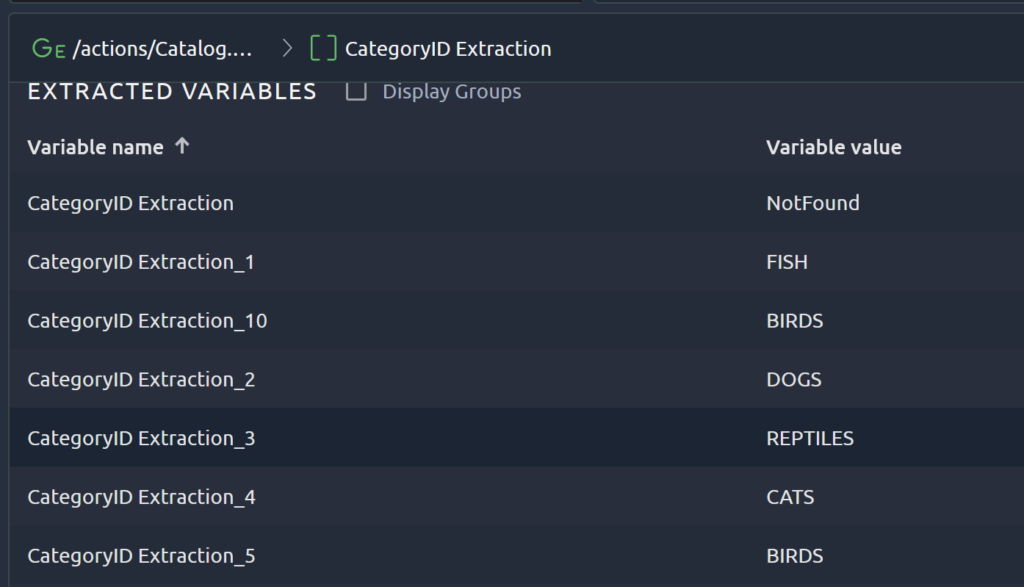
You see there are duplicated results as links are present twice in the web page. As I will select Random option in “Match Number” parameter, it will be fine as it does not change category distribution (all categories are doubled).
Using Variable
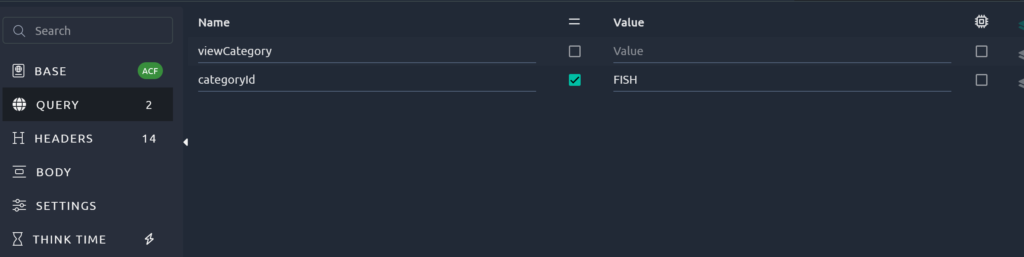
Now that we have the variable, let’s use it in the GET query that list all items in a category. The URL is currently containing a hard coded value: “FISH”:
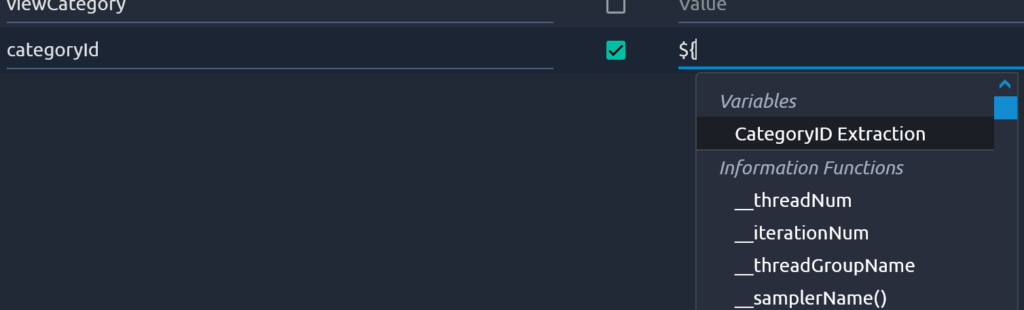
I will empty the field and type “${“, then OctoPerf will suggest possible values including variables:
Extracting Product
The next step is quite similar to previous, but as we are getting better, I will a bit faster.
- Create a new RexExp Extractor under the GET action
- Click on the gear to find the list of productId’s
- Select the interesting text to get regexp generated:
duct=&productId=(.+?)" - Click Save and Debug to confirm it is working:
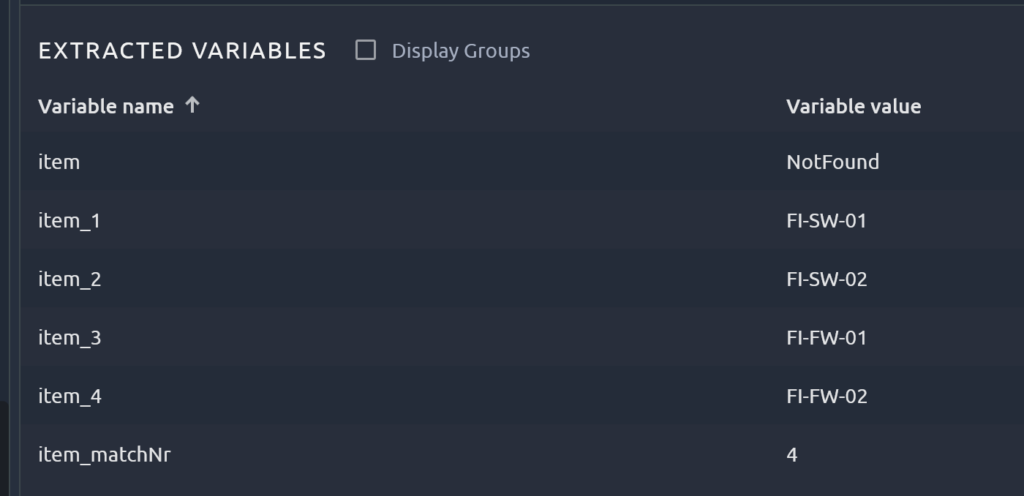
Note that result might differ as the categoryId is selected randomly.
Next, we need to modify the GET action on the productId to be dynamic as well:
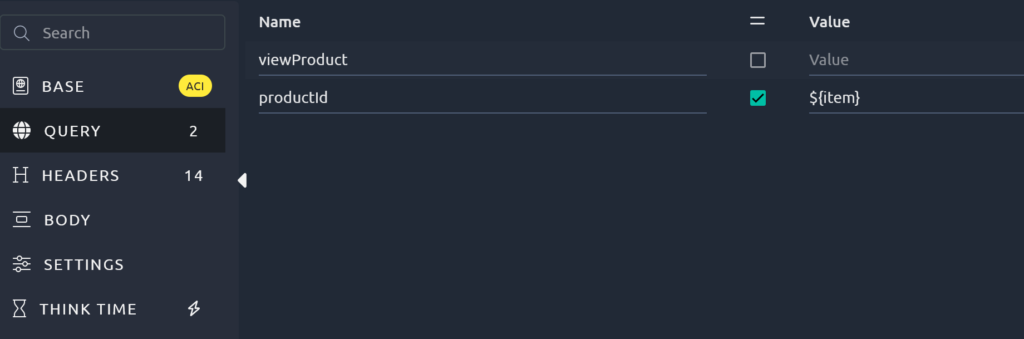
GET action inside 04 – Add to Cart container must be modified as well.
Run
Finally, I will run the VU to check how it behaves and ensure I did not forget anything.
With these changes, the VU will work even if shop is adding or removing any species in the catalog as variables are dynamically extracted from web pages.
