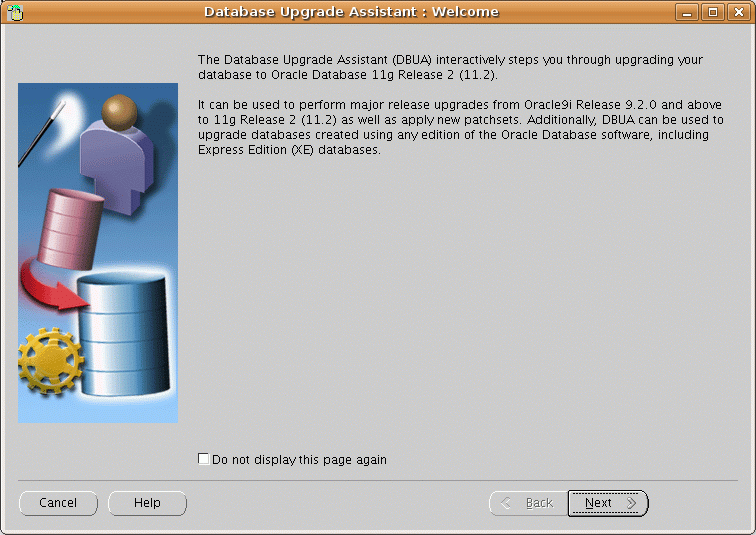
Last week at a customer, I used DBUA to upgrade an Oracle database from 10g to 11g and the migration ran successfully. However, the day after I got a monitoring message that the diag directory is growing very rapidly.
Analysis
I began checking why the diagnostic directory was growing so fast. And I found out that all 11g databases – the new one and all the other ones – reported the message below each second in the database alert.log file.
WARNING: Oracle executable binary mismatch detected.

Binary of new process does not match binary which started instance

issue alter system set "_disable_image_check" = true to disable these messages
This problem occured because during the database upgrade procedure, DBUA recompiles the Oracle binary executable. Thus all databases using this Oracle executable file send WARNINGS that the executable was recompiled.
oracle@chbsslcmdbdb1:~/app/oracle/product/11.2.0.2/bin/ [DBACT411] ls -lrt
 ....
 -rwxr-xr-x 1 oracle dba      3771 Oct 28  2010 emagentdeploy.pl
 -rwxr-xr-x 1 oracle dba      6299 Oct 28  2010 dbca
 -rwxr-xr-x 1 oracle dba      3552 Oct 28  2010 db2gc
 -rwsr-s--x 1 oracle dba 228886356 Jun  9 09:59 oracle
How to fix this problem
A restart from all affected database must be done.
My recommendation
When you upgrade an 11g database on a server where you still have a 11g database running that you can not restart: Install a new ORACLE_HOME and this problem will only affect your new database which can be fixed with a simple restart of the database.
![Thumbnail [60x60]](https://www.dbi-services.com/blog/wp-content/uploads/2022/08/HER_web-min-scaled.jpg)
![Thumbnail [90x90]](https://www.dbi-services.com/blog/wp-content/uploads/2025/05/martin_bracher_2048x1536.jpg)
![Thumbnail [90x90]](https://www.dbi-services.com/blog/wp-content/uploads/2025/11/LTO_WEB.jpg)
![Thumbnail [90x90]](https://www.dbi-services.com/blog/wp-content/uploads/2022/08/STH_web-min-scaled.jpg)