In a previous blog, I noted that there might be a bug with the Maximum Input Characters setting in GoldenGate 26ai AI Service. The bug was confirmed by Oracle, so let’s see what it is exactly.
Bug found in GoldenGate 26ai AI Service
Maximum Input Characters is a setting in the AI Service. You can set it when registering a new model in the web UI.
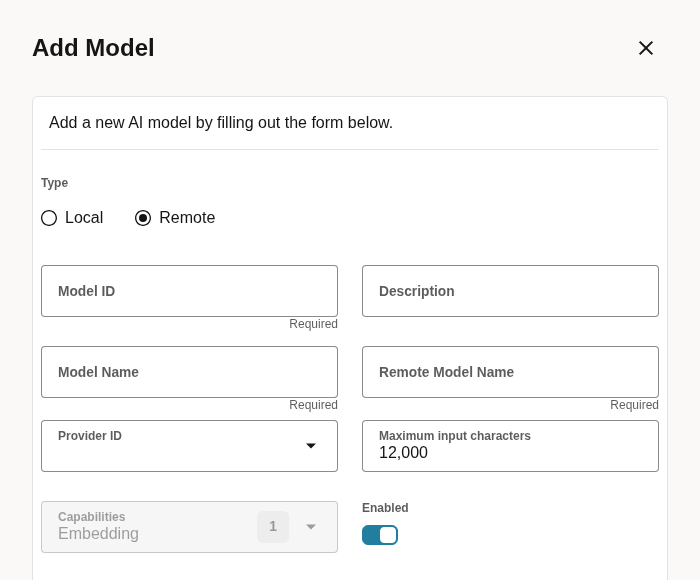
In the Oracle documentation, the parameter is described as a cap on how much text is sent to the embedding model before it leaves GoldenGate. This ensures that an @AISERVICE mapping cannot send more than intended, and does not reach a token limit, or increase your consumption.
If this setting worked, a model with Maximum Input Characters set to 1 should truncate any input to a single character before calling the AI Service. This is not what I found when testing it.
Proof of the bug
Model registration
I registered two AI Service models against the same Gemini provider and the same remote model (gemini-embedding-001). They differ only in Maximum Input Characters: one set to 1000, the other to 1.
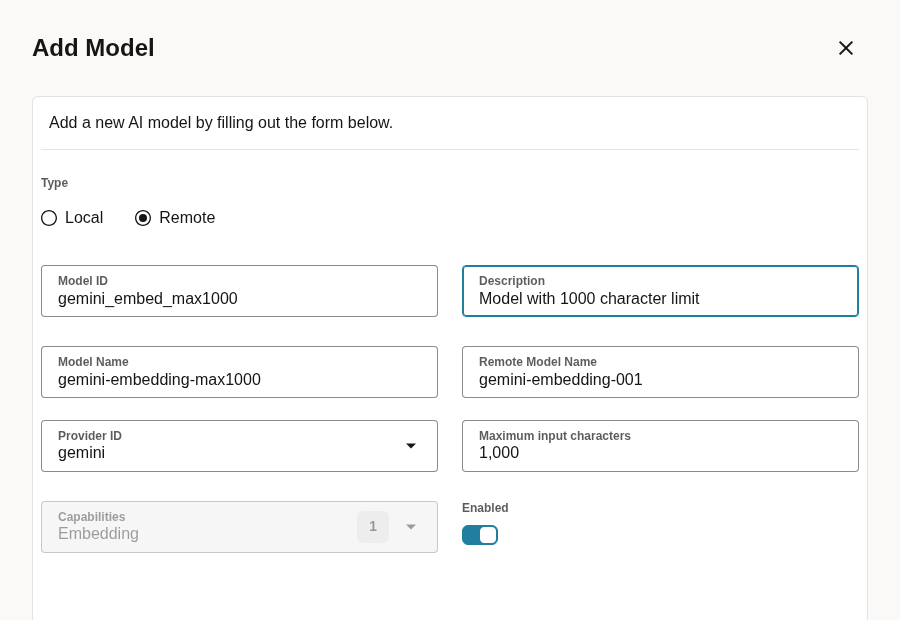
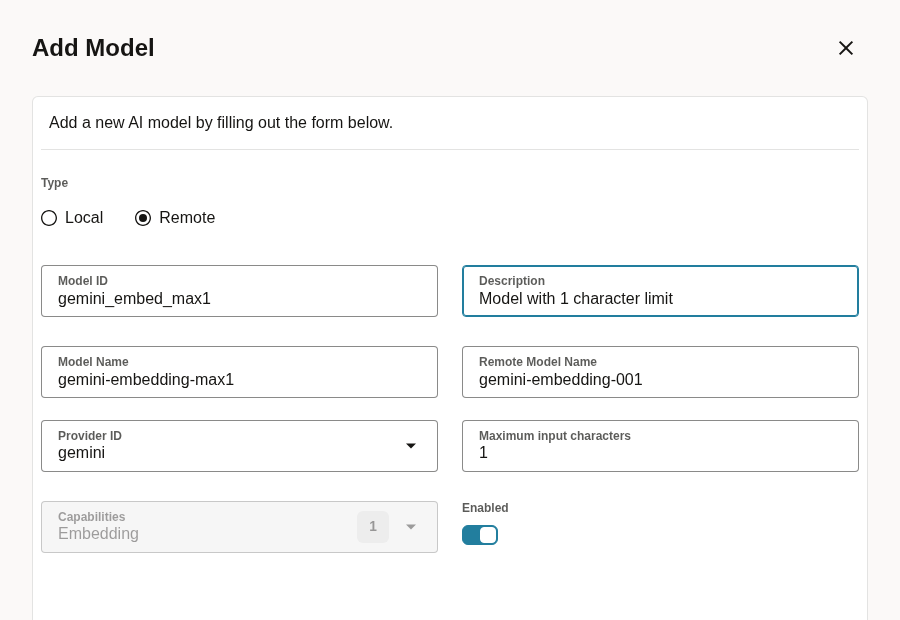
If I query both models with the REST API, I can see the settings properly saved, in limits.maxInputCharacters:
{
    "id": "gemini_embed_max1000",
    "name": "gemini-embedding-max1000",
    "type": "remote",
    "enabled": true,
    "loaded": false,
    "description": "Model with 1000 character limit",
    "capabilities": [
        "embed"
    ],
    "providerId": "gemini",
    "remoteModelName": "gemini-embedding-001",
    "parameters": {},
    "limits": {
        "maxInputCharacters": 1000
    }
}
{
"id": "gemini_embed_max1",
"name": "gemini-embedding-max1",
"type": "remote",
"enabled": true,
"loaded": false,
"description": "Model with 1 character limit",
"capabilities": [
"embed"
],
"providerId": "gemini",
"remoteModelName": "gemini-embedding-001",
"parameters": {},
"limits": {
"maxInputCharacters": 1
}
}Replicat used in the test
I built an EXTAI/REPAI pair between PDB1.APP_PDB1.PRODUCTS on the source and PDB26.APP_PDB26.PRODUCTS on the target. Its COLMAP maps the description column through three separate @AISERVICE calls into three different VECTOR(3072, FLOAT32) columns:
MAP PDB1.APP_PDB1.PRODUCTS, TARGET APP_PDB26.PRODUCTS,
COLMAP (
    USEDEFAULTS,
    desc_vector_max1000 = @AISERVICE(embed, 'gemini_embed_max1000', description),
    desc_vector_max1000_run2 = @AISERVICE(embed, 'gemini_embed_max1000', description),
    desc_vector_max1 = @AISERVICE(embed, 'gemini_embed_max1', description));
The first two calls use the same model (gemini_embed_max1000). This is to show the baseline argument that the same input, embedded with the same model twice, produce the same vector. The third call uses the 1 character model, to test the bug.
Baseline and embedding noise
The truncation is only relevant if identical inputs reliably produce identical output. Before comparing vectors across models, I first confirmed the embedding had no noise, by inserting the same 100 character description into two source rows and let both flow through the pipeline:
INSERT INTO app_pdb1.products (id, name, description) VALUES (101, 'AI Service Max Input Chars Test Row 1', 'GoldenGate 26ai AI Service test row for comparing embeddings across the max1000 and max1 test models');
INSERT INTO app_pdb1.products (id, name, description) VALUES (102, 'AI Service Max Input Chars Test Row 2', 'GoldenGate 26ai AI Service test row for comparing embeddings across the max1000 and max1 test models');
COMMIT;
Then, I compared the gemini_embed_max1000 vector between the two rows. I also compared the two separate @AISERVICE calls to the same model within row 101 itself. Both come back with a cosine distance of 0:
SQL> SELECT VECTOR_DISTANCE(a.desc_vector_max1000, b.desc_vector_max1000, COSINE) dist_101_vs_102_same_input
FROM app_pdb26.products a, app_pdb26.products b
WHERE a.id = 101
AND b.id = 102;

DIST_101_VS_102_SAME_INPUT
--------------------------
                         0
The conclusion is that gemini-embedding-001 is deterministic for identical input. Now, if the max1 vector is identical to the max1000 vector, we can rule out embedding noise.
Does the 1 character limit change anything?
With the same transaction, let’s look at the two different @AISERVICE calls, against a model capped at 1000 characters and one capped at 1:
SQL> SELECT id, VECTOR_DISTANCE(desc_vector_max1000, desc_vector_max1, COSINE) dist_max1000_vs_max1, VECTOR_DISTANCE(desc_vector_max1000, desc_vector_max1000_run2, COSINE) dist_max1000_vs_rerun
FROM app_pdb26.products
WHERE id IN (101, 102);

ID  DIST_MAX1000_VS_MAX1 DIST_MAX1000_VS_RERUN
--- -------------------- ---------------------
101                    0                     0
102                    0                     0
On both models, the distance between the resulting vectors is zero. If the Maximum Input Characters were enforced, the vectors should be different between both models. This proves that the Maximum Input Characters setting saved as 1 had no effect on what was sent to Gemini.
GoldenGate even has a documented warning for a situation where the input would exceed the limit. OGG-30677 is defined as @AISERVICE source column {0} contains {1} characters, exceeding model {2}'s maximum input limit of {3} characters. But in my case, the warning never appeared in the log files.
What can break?
I added a fourth @AISERVICE call to the same replicat, mapping a CLOB column (big_description) through the 1000 character model. I then tried pushing progressively larger inputs.
With 100000 characters, the countTokens endpoint reports this input at 23679 tokens, way more than the documented inputTokenLimit of gemini-embedding-001. It applied without any error and produced a real 3072 dimension vector, distinct from every other vector in this blog.
SQL> SELECT id, VECTOR_DIMS(desc_vector_bigtest) dims
FROM app_pdb26.products
WHERE id = 103;

ID  DIMS
--- ----
103 3072
Here, we can see that even the documented token limit of your provider might not stop the AI Service to work.
Reaching quota limit
On top of the per-request token limit, depending on your billing settings, you might have a usage quota on the API key. A request can be rejected by Gemini, and this error is raised in AIService.log:
{
    "error": {
        "code": 429,
        "message": "You exceeded your current quota, please check your plan and billing details. For more information on this error, head to: https://ai.google.dev/gemini-api/docs/rate-limits. To monitor your current usage, head to: https://ai.dev/rate-limit. ",
        "status": "RESOURCE_EXHAUSTED"
    }
}
And in this case, the replicat abends with the following error:
2026-09-27 08:22:21  WARNING OGG-30679  Response from EMBED endpoint using model gemini_embed_max1000 returned error: code REMOTE_INFERENCE_FAILED, message 'HTTP 429 - Too Many Requests: {
  "error": {
    "code": 429,
    "message": "You exceeded your current quota, please check your plan and billing details. For more information on this error, head to: https://ai.google.dev/gemini-api/docs/rate-limits. To monitor your current usage, head to: https://ai.dev/rate-limit. ",
    "status": "RESOURCE_EXHAUSTED"
  }
}
'.

2026-09-27 08:22:21  WARNING OGG-01431  Canceled grouped transaction on PDB26.APP_PDB26.PRODUCTS, Mapping error.
2026-09-27 08:22:27  ERROR   OGG-01668  PROCESS ABENDING.
Summary
Maximum Input Characters does not protect a replicat from an oversized @AISERVICE mapping. Because of this, the only real limit to your embeddings in GoldenGate is a usage quota. This can affect your replication, whether you rely on the setting for functional truncation or to lower your costs. Until the bug is fixed, be careful when using the AI Service!
![Thumbnail [60x60]](https://www.dbi-services.com/blog/wp-content/uploads/2025/05/JDE_Web-1-scaled.jpg)
![Thumbnail [90x90]](https://www.dbi-services.com/blog/wp-content/uploads/2022/08/MAW_web-min-scaled.jpg)