Earlier this week, Oracle Database 26ai was released, but GoldenGate 26ai is also available now ! New features were added, but before diving into some of these changes in an upcoming blog post, let’s see what changed from a GoldenGate administrator perspective.
Installation, setup and patching
As you may know, GoldenGate 26ai is actually just a patch of the existing 23ai version. For these 23ai setups, upgrading to 26ai is nothing more than applying the January patch (38850057, or 23.26.0.0.0).
But if you plan on installing a new GoldenGate 26ai (38850058 on MOS), you also don’t have to change a lot of things compared to what you were already doing with 23ai. I wrote an extensive guide for both graphic and silent installations, and there is very little change.
- In the graphic installation, nothing changes except cosmetic aspects. You can follow the graphic installation guide for 23ai.
- In the silent installation, only the
oracle.install.responseFileVersionparameter changes. EvenINSTALL_OPTIONstays the same. A workingogg26.rspto install the binaries looks like this:
oracle.install.responseFileVersion=/oracle/install/rspfmt_ogginstall_response_schema_v26_1_0
INSTALL_OPTION=ORA23ai
SOFTWARE_LOCATION=/u01/app/oracle/product/ogg26ai
INVENTORY_LOCATION=/u01/app/oraInventory
UNIX_GROUP_NAME=oinstall
For the rest (including the oggca.sh run), nothing changes from the guide mentioned above.
Web UI new features
GoldenGate 23ai came with a lot of changes to the web UI. 26ai keeps the same overall look but with many interesting new features.
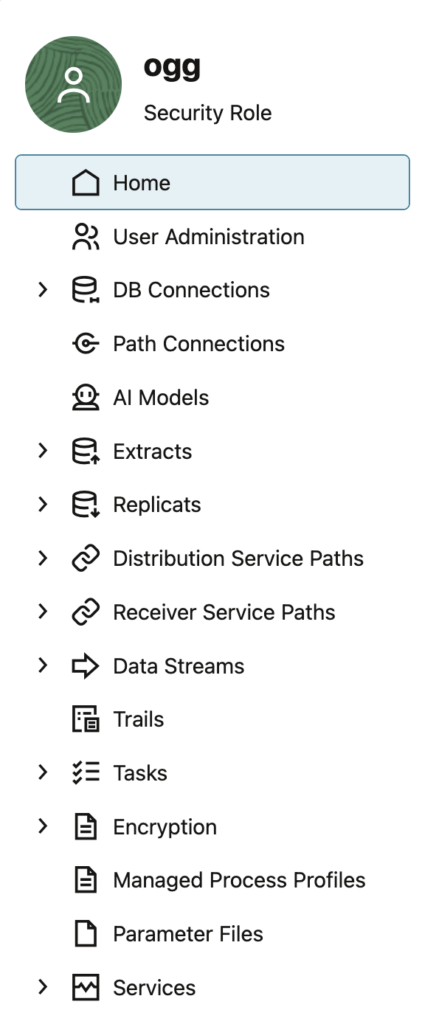
Services are not separated anymore

As shown above, GoldenGate 23ai and earlier versions of the Microservices Architecture were separating services in the Web UI without any real advantage from a user experience perspective.
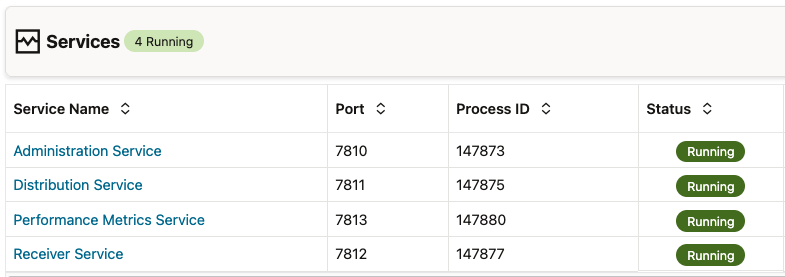
Processes and ports for the different GoldenGate 26ai services are still distinct, but in the Web UI, you no longer have a distinction between services. The interface is more user-friendly, with everything managed on one tab.
This way, you can access distribution and receiver services features directly from the administration service tab.
You also have a new Services tab where you can check the status of all the services of a single deployment. Before, you could only do that from the service manager interface.
AI features
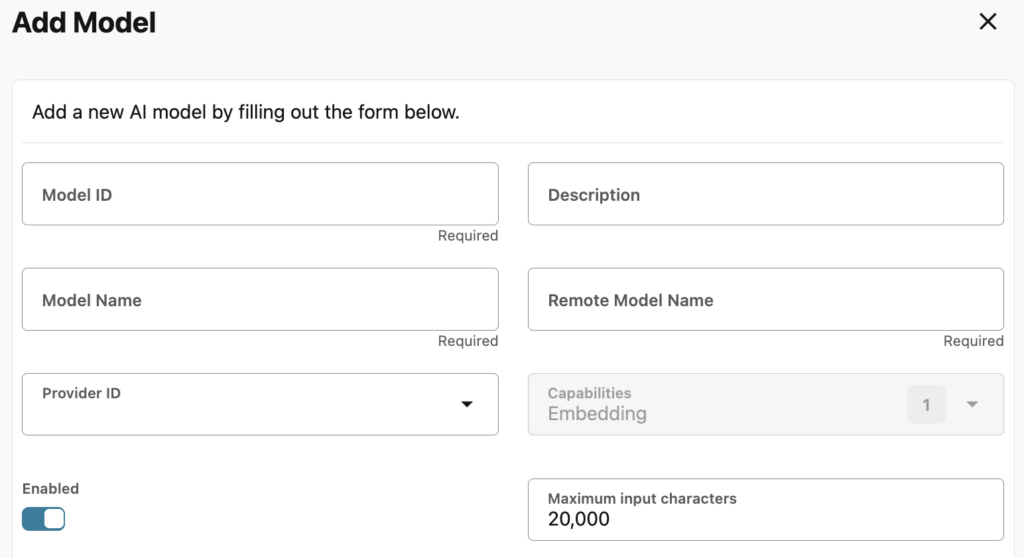
GoldenGate 26ai comes with new AI features that are available from the Web UI. I will dedicate a blog to these changes, but here is a first glimpse of what is possible. From the service manager interface, you can add AI providers and models.
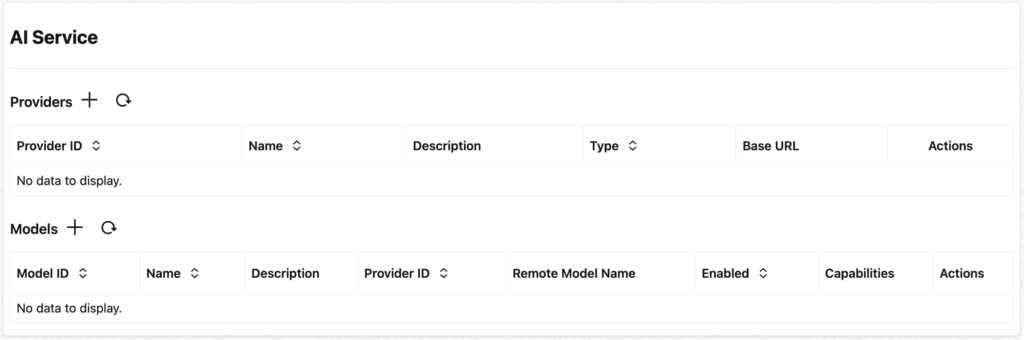
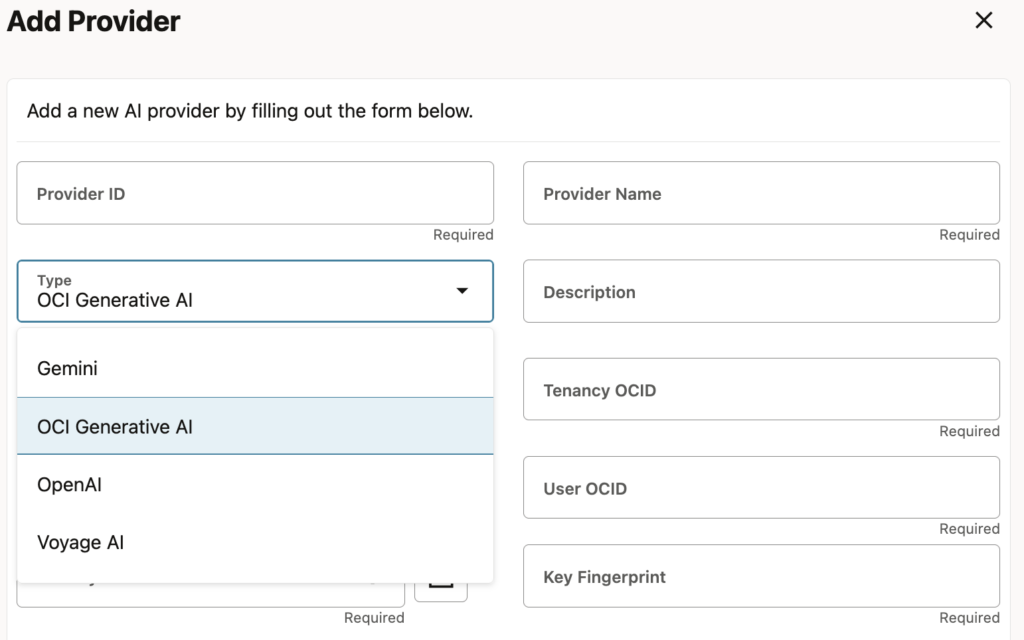
At the moment, four different providers are available:
- Gemini
- OCI Generative AI
- OpenAI
- Voyage AI
For OCI Generative AI, you specify OCIDs of different OCI components. For the others, a URL and the API key are the only things you need. Once the provider is added, you can add models (for instance, OpenAI’s gpt-5.2).
And last but not least, you can view the new AI service on the server:
[oracle@vmogg bin]$ ps -ef|grep AIService
oracle     60905   60721  0 20:50 ?        00:00:00 /u01/app/oracle/product/ogg26ai/bin/AIService
If you haven’t jumped into the Microservices Architecture yet, don’t waste your time with intermediary versions of GoldenGate. If your source and target support it, install GoldenGate 26ai now !
![Thumbnail [60x60]](https://www.dbi-services.com/blog/wp-content/uploads/2025/05/JDE_Web-1-scaled.jpg)
![Thumbnail [90x90]](https://www.dbi-services.com/blog/wp-content/uploads/2022/08/MAW_web-min-scaled.jpg)