

By Mouhamadou Diaw
In this previous blog, we have installed Dbvisit standby for Windows on both servers. We suppose that the database is created and that the standby is configured (see this blog). The steps are the same that on Linux except that the command is launched on a traditional DOS terminal or a PowerShell. We will not describe these steps (see here for more details).
Dbvisit by default will neither send nor apply the archived log files. With Windows we can use the Windows Scheduler or since Dbvisit 8 the Daemon.
To use Windows Scheduler we just remind that the command to be scheduled is
|
1
|
dbvctl.exe –d PROD |
–dbvctl.exe is located in the Dbvisit install directory
–PROD is the name of the database
Since Dbvisit 8, it is no longer needed to use the Windows scheduler to send and to apply archived logs. We can use the new background process option where you can run Dbvisit Standby for each DDC (database) in the background. We can manage this via the Central Console.
When using Windows, the background process will run as a Windows Service. A Windows Service will be created on the primary and standby server for each database. Below an example of how to create a service for the database PROD
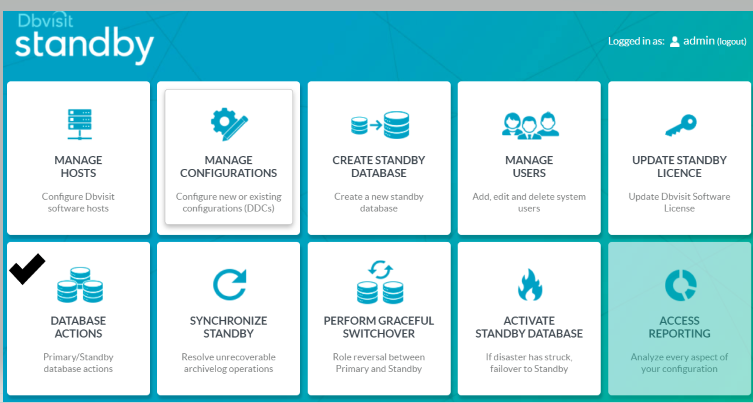
And choose DATABASE ACTIONS TAB
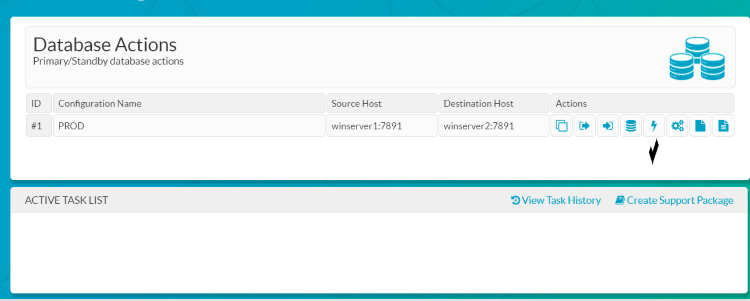
Choose Daemon Actions
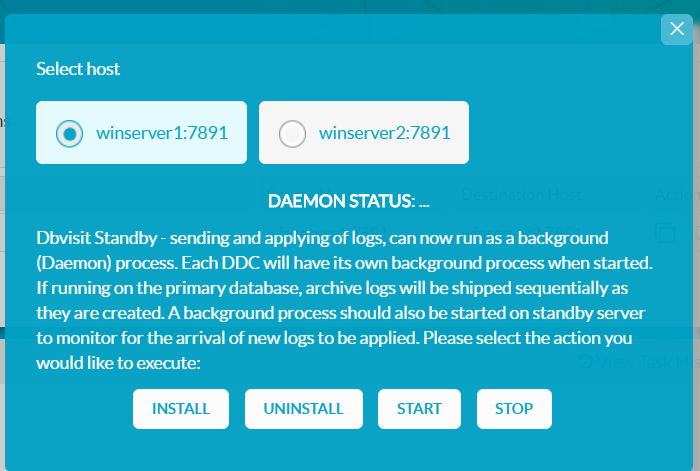
After when we select a host we will see the status of the daemon on this host. We are to create the Daemon using the INSTALL button.
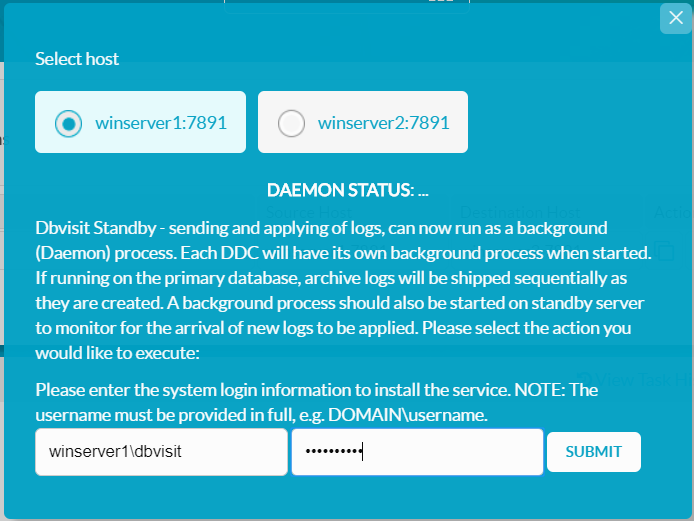
We provide the credentials of the user dbvisit. This user will be the owner of the service which be created for the Daemon. And let’s submit

Everything is OK. If we click again on DAEMON ACTIONS and select the host winserver1 we will have
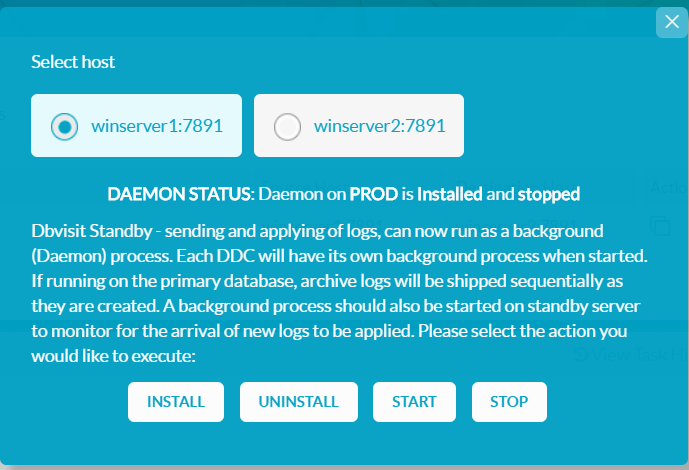
And we can start the Daemon.
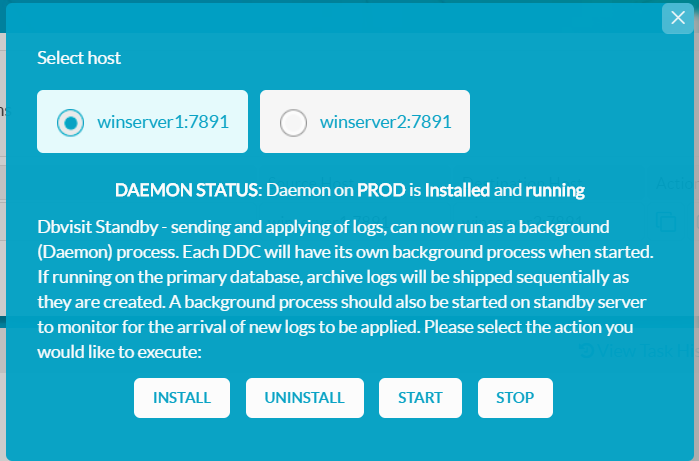
The same steps have to be done on both servers.
We then should have a Windows service configured with an automatic startup.

And now Dbvisit will send and apply archive logs as soon as they are generated.