When automating your GoldenGate deployment management, you might want to create path connections with the GoldenGate REST API. This is an important aspect when connecting GoldenGate deployments with distribution paths. A first step towards this is to create a path connection on the same deployment as the distribution server where the distribution path will run.
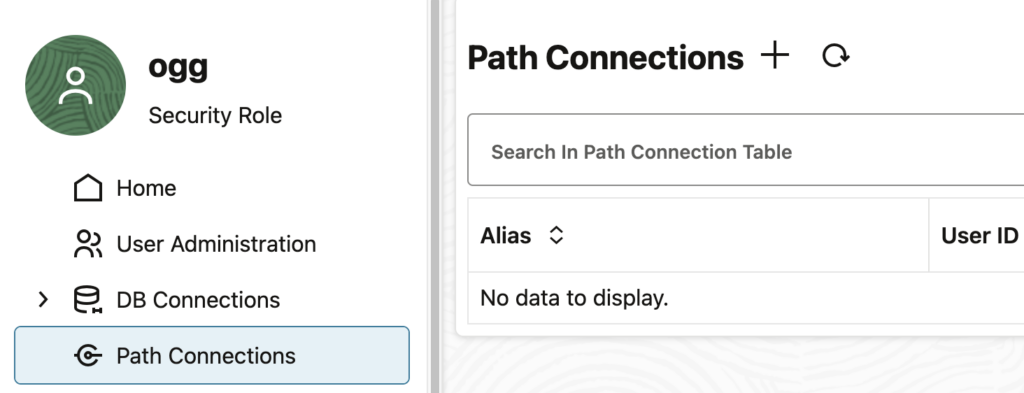
In the GoldenGate web UI, you can easily create Path Connections. Just go to the Path Connections tab, add a path, and specify the following information:
- Credential Alias: Alias used to connect to the target deployment. It doesn’t have to match any name on the target deployment.
- User ID: Real username that must exist on the target deployment.
- Password: Password associated with the User ID given before.
restapi.log analysis
But what about the REST API ? When looking at the list of endpoints given by Oracle, no REST endpoint explicitly refers to path connections, so how to create path connections through the REST API ?
The key point to understand is that path connections are not independent GoldenGate objects. In fact, they exist as a subset of another object, which you should know by now : aliases. Aliases are created to store credentials and are organized in domains. The default domain is called OracleGoldenGate, and Oracle has a reserved name for a subtype of domains : Network.
We can see this easily when creating a path connection through the web UI, and then looking at the restapi.log file. Open the log file located in the var/log folder of your deployment, or read the blog I wrote about restapi.log analysis. Using this method, we see the endpoint and the content of the API call. Here, for instance, I created a path connection from the web UI, to connect to ogg_user with the ogg_target alias.
oracle@vmogg: jq -c 'select (.request.context.verb == "POST" and .request.context.uriTemplate == "/services/{version}/credentials/{domain}/{alias}")' restapi.ndjson

{"request":{"context":{"verb":"POST","uri":"/services/v2/credentials/Network/ogg_target","uriTemplate":"/services/{version}/credentials/{domain}/{alias}"}},"content":{"userid":"ogg_user","password":"** Masked **"},...}
Path connection creation with the REST API
To summarize, path connections are just aliases in the Network domain. This simplifies the creation of path connections. You just need to make a POST API call to the alias endpoint, specifying Network as the domain. The exact endpoint is then /services/{version}/credentials/Network/{alias}.
Quick example: using the GoldenGate Python client I presented in another blog, let’s create an alias in the Network domain :
>>> from oggrestapi import OGGRestAPI

>>> ogg_client = OGGRestAPI(
    url="https://vmogg",
    username="ogg",
    password="ogg")
Connected to OGG REST API at https://vmogg

>>> ogg_client.create_alias(
    alias='ogg_dbi_blog',
    domain='Network',
    data={
        "userid": "ogg_user_on_target",
        "password": "***"
    }
)
{'$schema': 'api:standardResponse', 'links': [{'rel': 'canonical', 'href': 'https://vmogg/services/v2/credentials/Network/ogg_dbi_blog', 'mediaType': 'application/json'}, {'rel': 'self', 'href': 'https://vmogg/services/v2/credentials/Network/ogg_dbi_blog', 'mediaType': 'application/json'}], 'messages': [{'$schema': 'ogg:message', 'title': 'Credential store altered.', 'code': 'OGG-15114', 'severity': 'INFO', 'issued': '2026-03-22T10:14:01Z', 'type': 'https://docs.oracle.com/en/middleware/goldengate/core/23.26/error-messages/'}]}
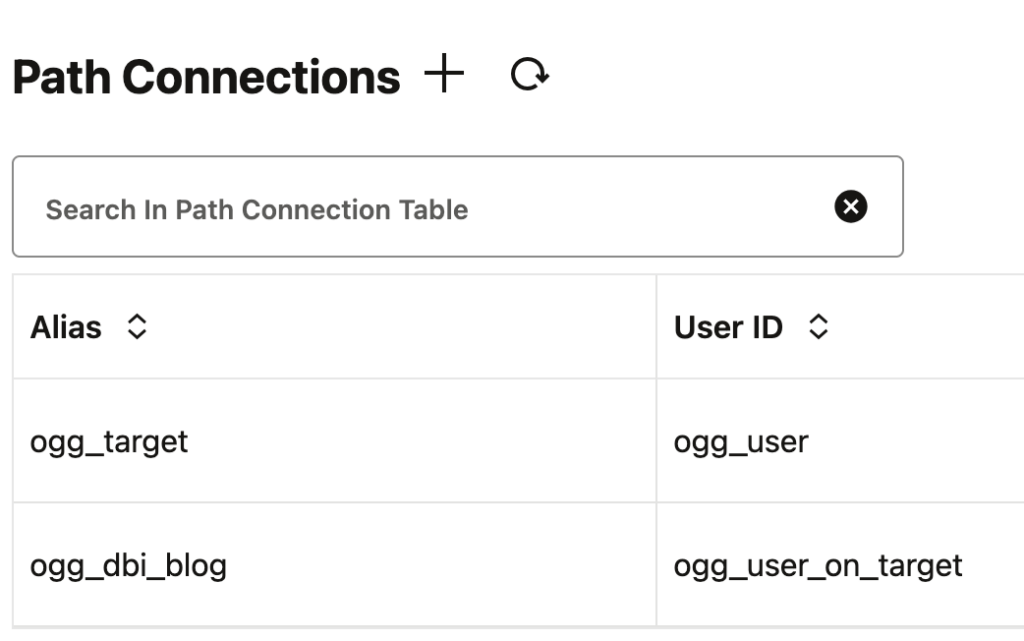
After refreshing the web UI, the newly created path connection is visible.
![Thumbnail [60x60]](https://www.dbi-services.com/blog/wp-content/uploads/2025/05/JDE_Web-1-scaled.jpg)
![Thumbnail [90x90]](https://www.dbi-services.com/blog/wp-content/uploads/2025/05/martin_bracher_2048x1536.jpg)