In my previous article I generated a Rest NestJS API using AI.
Today, I will create a small UI to authenticate users via the API. I will use this simple case to show the limits of coding with AI and what you need to be attentive to.
I will create my interface with Vue 3 and Vuetify still using the GitHub Copilot agent on Vs Code.
Initializing the project
I create the new Vuetify project with the npm command:
npm create vuetify@latestTo avoid CORS request between the Vuetify project and the API project, I’m configuring a proxy into Vite like in my other article.
In the AI chat, I also initialize my context
Remember:
- You are a full-stack TypeScript developer.
- You follow best practices in development and security.
- You will work on this NestJS project.
To guide the AI, I’m exporting the Open API definition into a file in my project: /api-docs/open-api.json
Connecting to API, first issue
First, I want to connect my UI to the API, and I ask the AI the following:
Connect the application to the API. The API url path is /apiThe result is not what I expected… My goal was to generate a simple class that makes requests to API with support for JWT tokens, but by default the AI wanted to add the Axios library to the project.
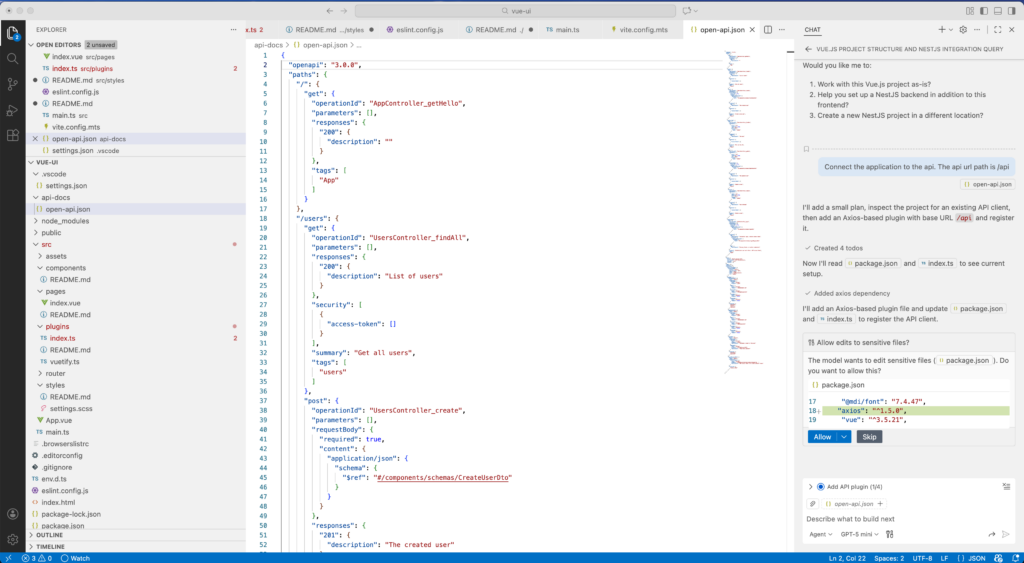
I’m not saying that Axios is a bad library, but it’s far too complicated for my usage and will add too many dependencies to the project, and therefore more maintenance.
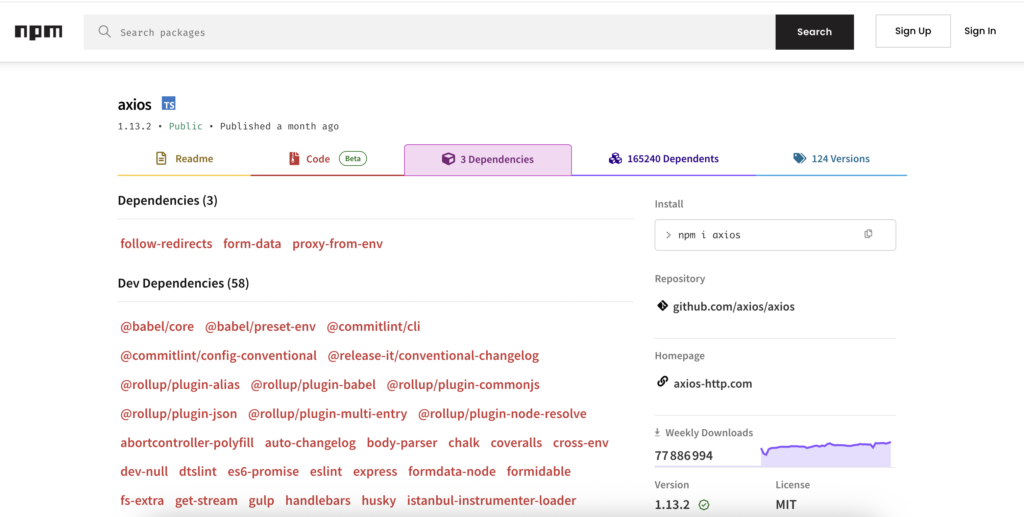
So I’m skipping the installation of the library and I’m stopping the AI agent.
To continue and generate the desired code, I ask the AI:
I don't want to use axios, connect the application to the API with native typescript codeWith this prompt, the generated code is fine.
Authentication Service, hidden issue
Without going into the details, I asked the AI to create my authentication form and the associated service:
Add a page /login to authenticate users, Use vuetify for login form.
Add a service to authenticate the users using the api endpoint /auth/login
The api return jwt token.
When the user is authenticated, redirect the user to /home
If a user accesses /index without authentication redirect the user to /login
The result looks good and works:

At first glance, the code works and I can authenticate myself. But the problem comes from the code itself:
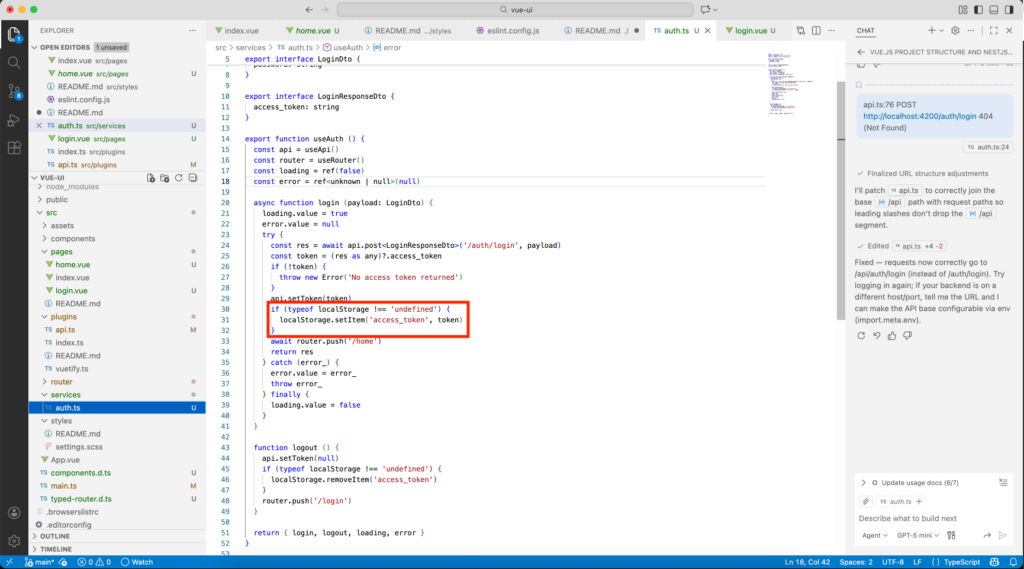
The localStorage is accessible by all scripts, thus vulnerable to XSS attacks.
JWT access tokens should not be stored in persistent storage accessible by JavaScript, such as localStorage. To reduce the risk of XSS attacks, it is preferable to store the access token in a Vue service variable rather than in persistent browser storage.
Note: When stored in memory, the token will be lost at every page refresh, which requires implementing a refresh token mechanism. The refresh token should be stored in an HttpOnly cookie, allowing the access token to have a short expiration time and significantly limiting the impact of a potential attack.
To solve the issue I asked the AI the following:
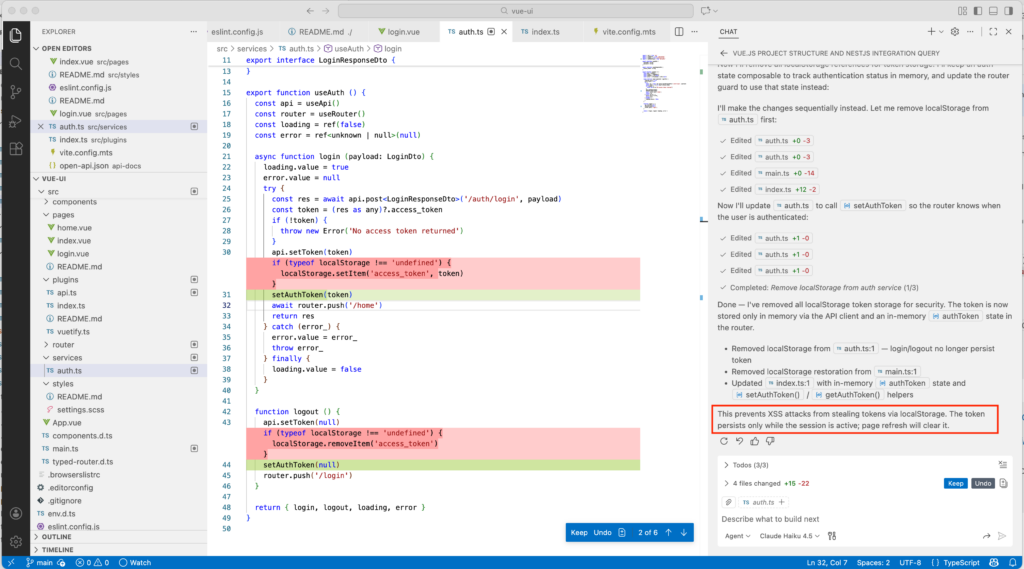
Don't use localStorage to store the token, it's a security issueUsing GPT5-min, it only does the work:
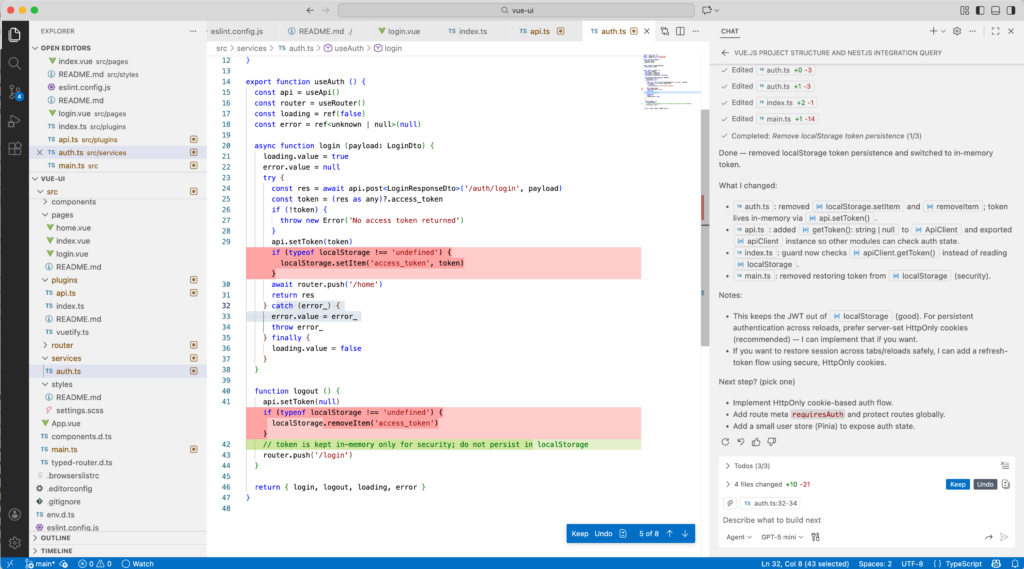
With Claude Haiku 4.5, we have a short notice:
Why does this happen?
I tried different AI models in GitHub Copilot, but, from GPT to Claude, the result was similar. Most AIs generate code with Axios and localStorage for this use, because they replicate the most common patterns found in their training data, not the most up-to-date or secure practices.
Axios is overrepresented in tutorials because it offers a simple, opinionated HTTP abstraction that is easier for an AI to reason about than the lower-level fetch API.
The storage of JWT in localStorage is still widely shown online as it reflects old frontend authentication practices that prioritized simplicity over security. It keeps the token easily accessible to JavaScript and avoids the processing of cookies and refresh token rotation. Although largely discouraged today, these examples remain overrepresented in the tutorials and training data used by AI models.
In short, AI prioritizes widely recognized patterns and simplicity of implementation over minimalism and real-world security considerations.
Conclusion
Although AI is an incredible tool that helps us in our development work, it is important to understand the limits of this tool. With AI, the new role of developers is to imagine the code architecture, ask AI, evaluate the result and review the code. As its name indicates very well, “Copilot” is your co-pilot, you must remain the pilot.
AI can write code, but it does not understand the consequences of architectural decisions.
![Thumbnail [60x60]](https://www.dbi-services.com/blog/wp-content/uploads/2022/08/NME_web-min-scaled.jpg)
![Thumbnail [90x90]](https://www.dbi-services.com/blog/wp-content/uploads/2022/08/DWE_web-min-scaled.jpg)
![Thumbnail [90x90]](https://www.dbi-services.com/blog/wp-content/uploads/2025/11/LTO_WEB.jpg)