

The last posts outlined how you can bring up a PostgreSQL instance in the Amazon cloud, how you can restrict access to the instance, how you can configure it and how you can add a read replica. In this post we’ll look at how you can load data to the instance. A database without data does not make much sense, does it?
For having some data available to load I’ll populate my local PostgreSQL 9.4 instance with a new database and some data:
(postgres@[local]:4445) [postgres] > select version();
                                                         version

-------------------------------------------------------------------------------------------------------
-------------------
 PostgreSQL 9.4.1dbi services on x86_64-unknown-linux-gnu, compiled by gcc (GCC) 4.8.3 20140911 (Red Ha
t 4.8.3-9), 64-bit
(1 row)

Time: 1.256 ms

(postgres@[local]:4445) [postgres] > create database cloud;
CREATE DATABASE
Time: 1948.216 ms
(postgres@[local]:4445) [postgres] > \c cloud
You are now connected to database "cloud" as user "postgres".

(postgres@[local]:4445) [cloud] > create table tcloud1 ( a int );
CREATE TABLE
Time: 196.661 ms

(postgres@[local]:4445) [cloud] > insert into tcloud1 values (generate_series(1,1000000));
INSERT 0 1000000
Time: 6899.367 ms

(postgres@[local]:4445) [cloud] > create index icloud1 on tcloud1 (a);
CREATE INDEX
Time: 5390.778 ms
So, I have a database called “cloud” which contains a table with 1’000’000 rows and an index.
The first obvious method to get this local database to the cloud is pg_dump, so lets create a dump of my local database:
postgres@oel7:/home/postgres/ [PG3] time pg_dump -f /var/tmp/cloud.dmp cloud

real	0m0.217s
user	0m0.018s
sys	0m0.051s
postgres@oel7:/home/postgres/ [PG3] head /var/tmp/cloud.dmp
--
-- PostgreSQL database dump
--

SET statement_timeout = 0;
SET lock_timeout = 0;
SET client_encoding = 'UTF8';
SET standard_conforming_strings = on;
SET check_function_bodies = false;
SET client_min_messages = warning;
I should be able to load this dump into the cloud database. First I’ll need to create the database in the cloud instance:
daniel1=> create database cloud;
CREATE DATABASE
daniel1=> \l
                                  List of databases
   Name    |  Owner   | Encoding |   Collate   |    Ctype    |   Access privileges
-----------+----------+----------+-------------+-------------+-----------------------
 cloud     | daniel1  | UTF8     | en_US.UTF-8 | en_US.UTF-8 |
 daniel1   | daniel1  | UTF8     | en_US.UTF-8 | en_US.UTF-8 |
 postgres  | daniel1  | UTF8     | en_US.UTF-8 | en_US.UTF-8 |
 rdsadmin  | rdsadmin | UTF8     | en_US.UTF-8 | en_US.UTF-8 | rdsadmin=CTc/rdsadmin
 template0 | rdsadmin | UTF8     | en_US.UTF-8 | en_US.UTF-8 | =c/rdsadmin          +
           |          |          |             |             | rdsadmin=CTc/rdsadmin
 template1 | daniel1  | UTF8     | en_US.UTF-8 | en_US.UTF-8 | =c/daniel1           +
           |          |          |             |             | daniel1=CTc/daniel1
(6 rows)
Having the database available I should be able to load the data:
dwe@dwe:~$ time psql -h daniel1.c8rrtm2sxmym.eu-central-1.rds.amazonaws.com -U daniel1 cloud < /var/tmp/cloud.dmp
Password for user daniel1:
SET
SET
SET
SET
SET
SET
CREATE EXTENSION
ERROR:  must be owner of extension plpgsql
SET
SET
SET
CREATE TABLE
ERROR:  role "postgres" does not exist
CREATE INDEX
REVOKE
ERROR:  role "postgres" does not exist
ERROR:  role "postgres" does not exist
GRANT

real	0m17.894s
user	0m0.128s
sys	0m0.024s
Looks not so bad. The user postgres does not exist in the cloud instance, therefore the errors. When I check the dump file for that:
dwe@dwe:~$ cat /var/tmp/cloud.dmp | grep postgres
-- Name: tcloud1; Type: TABLE; Schema: public; Owner: postgres; Tablespace:
ALTER TABLE tcloud1 OWNER TO postgres;
-- Data for Name: tcloud1; Type: TABLE DATA; Schema: public; Owner: postgres
-- Name: icloud1; Type: INDEX; Schema: public; Owner: postgres; Tablespace:
-- Name: public; Type: ACL; Schema: -; Owner: postgres
REVOKE ALL ON SCHEMA public FROM postgres;
GRANT ALL ON SCHEMA public TO postgres;
… it is just the permissions which I do ignore here. Otherwise I’d have to re-create the database, change the statements in the dump file and all would be fine. The extension plpgsql does exist anyway:
daniel1=> \c cloud
psql (9.3.10, server 9.4.5)
WARNING: psql major version 9.3, server major version 9.4.
         Some psql features might not work.
SSL connection (cipher: ECDHE-RSA-AES256-GCM-SHA384, bits: 256)
You are now connected to database "cloud" as user "daniel1".

cloud=> \dx
                 List of installed extensions
  Name   | Version |   Schema   |         Description
---------+---------+------------+------------------------------
 plpgsql | 1.0     | pg_catalog | PL/pgSQL procedural language
(1 row)
The important point is if my data is there:
cloud=> select count(*) from tcloud1;
  count
---------
 1000000
(1 row)

cloud=> \d+ tcloud1
                       Table "public.tcloud1"
 Column |  Type   | Modifiers | Storage | Stats target | Description
--------+---------+-----------+---------+--------------+-------------
 a      | integer |           | plain   |              |
Indexes:
    "icloud1" btree (a)
Has OIDs: no
Yes, it is. As I did add a replica in the last post the data should be there too:
dwe@dwe:~$ psql -h daniel2.c8rrtm2sxmym.eu-central-1.rds.amazonaws.com -U daniel1 cloud -c "select count(*) from tcloud1"
Password for user daniel1:
  count
---------
 1000000
(1 row)
Cool. Quite easy. Another option would be to use the copy command. Lets prepare the source:
(postgres@[local]:4445) [postgres] > \c cloud
You are now connected to database "cloud" as user "postgres".
(postgres@[local]:4445) [cloud] > create table tcloud2 as select * from tcloud1;
SELECT 1000000
Time: 5221.107 ms

(postgres@[local]:4445) [cloud] > copy tcloud2 to '/var/tmp/tcloud2.dmp';
COPY 1000000
Time: 151.243 ms

postgres@[local]:4445) [cloud] > \! head /var/tmp/tcloud2.dmp
1
2
3
4
5
6
7
8
9
10
And now load it to the cloud instance:
dwe@dwe:~$ psql -h daniel1.c8rrtm2sxmym.eu-central-1.rds.amazonaws.com -U daniel1
Password for user daniel1:
psql (9.3.10, server 9.4.5)
WARNING: psql major version 9.3, server major version 9.4.
         Some psql features might not work.
SSL connection (cipher: ECDHE-RSA-AES256-GCM-SHA384, bits: 256)
Type "help" for help.

daniel1=> \c cloud
psql (9.3.10, server 9.4.5)
WARNING: psql major version 9.3, server major version 9.4.
         Some psql features might not work.
SSL connection (cipher: ECDHE-RSA-AES256-GCM-SHA384, bits: 256)
You are now connected to database "cloud" as user "daniel1".

cloud=> create table tcloud2 (like tcloud1 including indexes);
CREATE TABLE
cloud=>

cloud=> copy tcloud2 from '/var/tmp/tcloud2.dmp';
ERROR:  must be superuser to COPY to or from a file
HINT:  Anyone can COPY to stdout or from stdin. psql's \copy command also works for anyone.
Hm, so my user is not allowed to do that as I am not a superuser. But the hint helps. We just can use psql’s “\copy” command instead:
cloud=> \copy tcloud2 from '/var/tmp/tcloud2.dmp';
cloud=> select count(*) from tcloud2;
  count
---------
 1000000
(1 row)

cloud=>
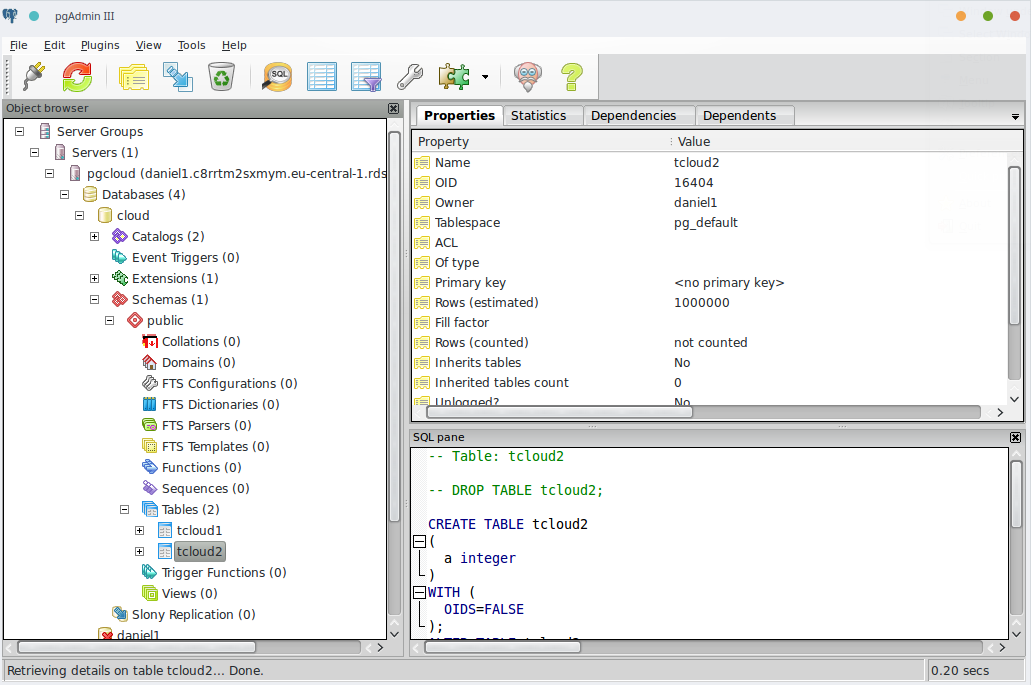
All the data is there. Of course you can use graphical tools like pgadmin3 to load the data, too:
Conclusion: It is really easy and fast to bring data from a local PostgreSQL instance to a cloud instance. Happy loading …