

In live from the JSS2015 (Journée SQL Server 2015) in Paris, we saw that the CTP3.1 has been available in the night of these 2 days.
One new feature available for this release in the T-SQL domain is COMPRESS and DECOMPRESS.
Through a GZIP algorithm, you can compress and decompress an argument for nvarchar, varchar, varbinary, char and binary data types.
I create a table to test these new feature. The source table is a workload of the ErrorLog with three columns:
- LogDate (datetime)
- Process (varchar(20))
- Text(varchar(MAX))
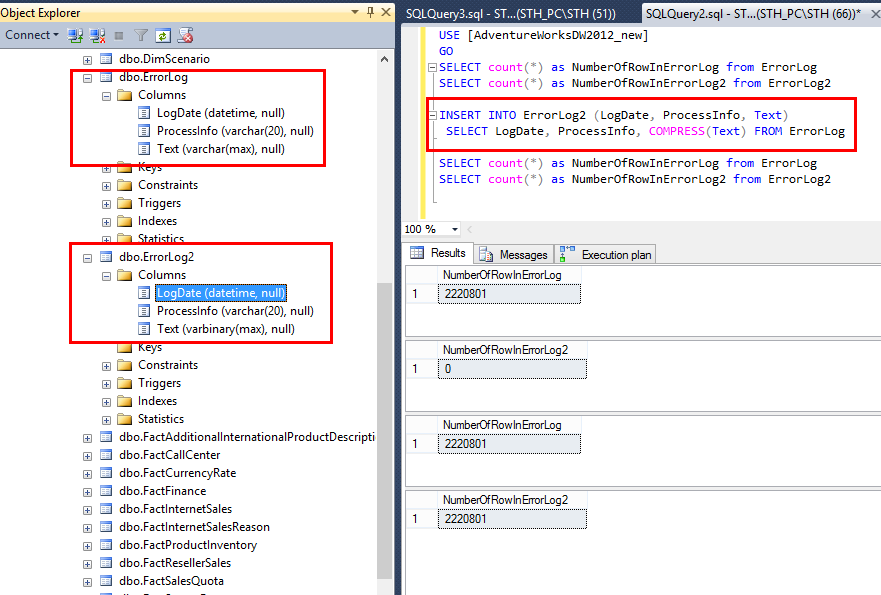
The goal is to copy all rows from ErrorLog Table and compress the Column “Text” with a data type varchar(max) in a second ErrorLog table: ErrorLog2
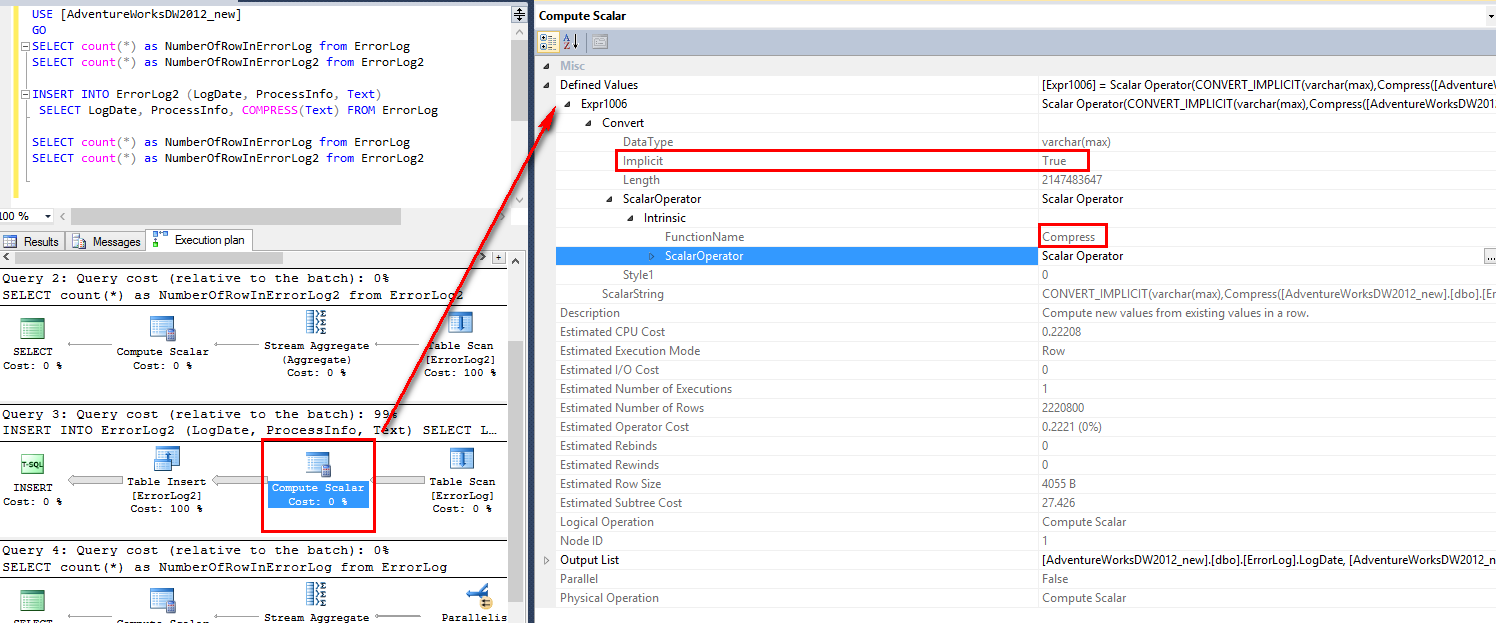
In the execution plan, the compression has an implicit conversion in a “compute scalar” operation.
The result of a compression on a column is a varbinary
If I do a simple select on these tables, the compressed column appears with some unreadable characters.
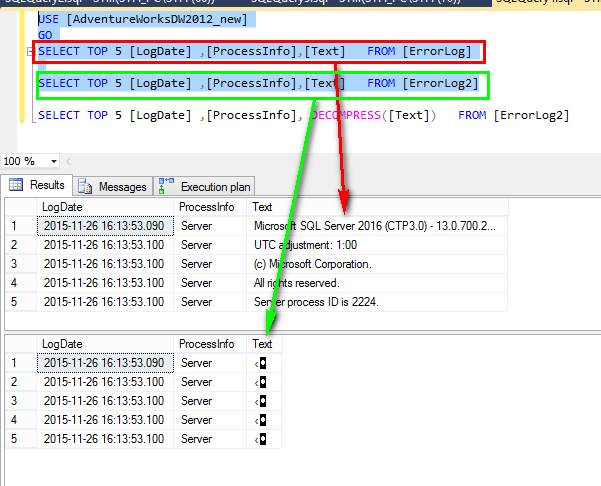
I try to read the line with the DECOMPRESS option.
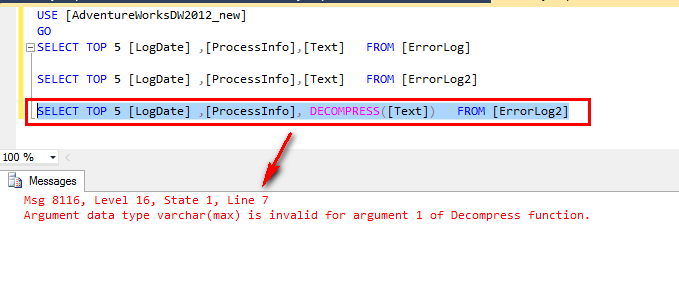
In this case, you have not an implicit conversion like in the insert.
You can see that an error message 8116 appears with an invalid argument of the decompression function.
To have a varbinary, I used the CAST function
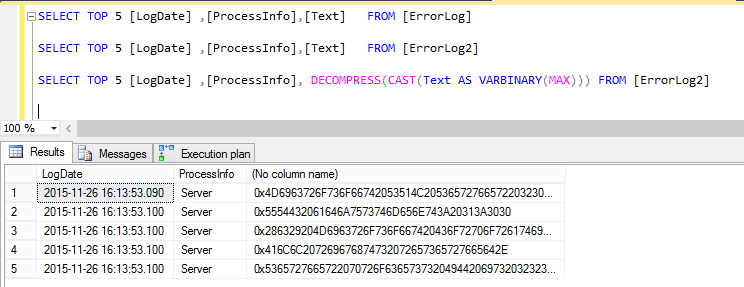
With the CAST, the Column Text cannot be read correctly and I need to use a second time a CAST to have a varchar.
SELECT TOP 5 [LogDate] ,[ProcessInfo], CAST(DECOMPRESS(CAST(Text AS VARBINARY(MAX))) AS VARCHAR(MAX)) FROM [ErrorLog2]
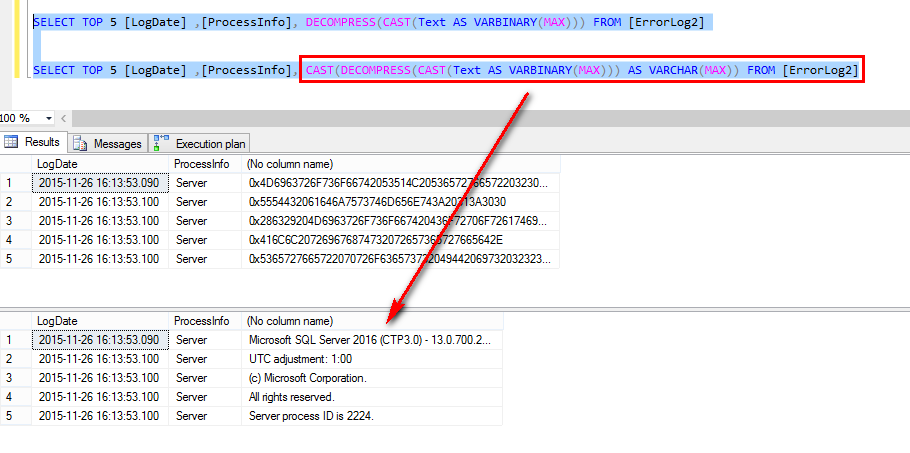
2 CAST to have the information is very awful! 😕
In a second time, I create a new table like ErrorLog but with a column Text in Varbinary(max): ErroLog3
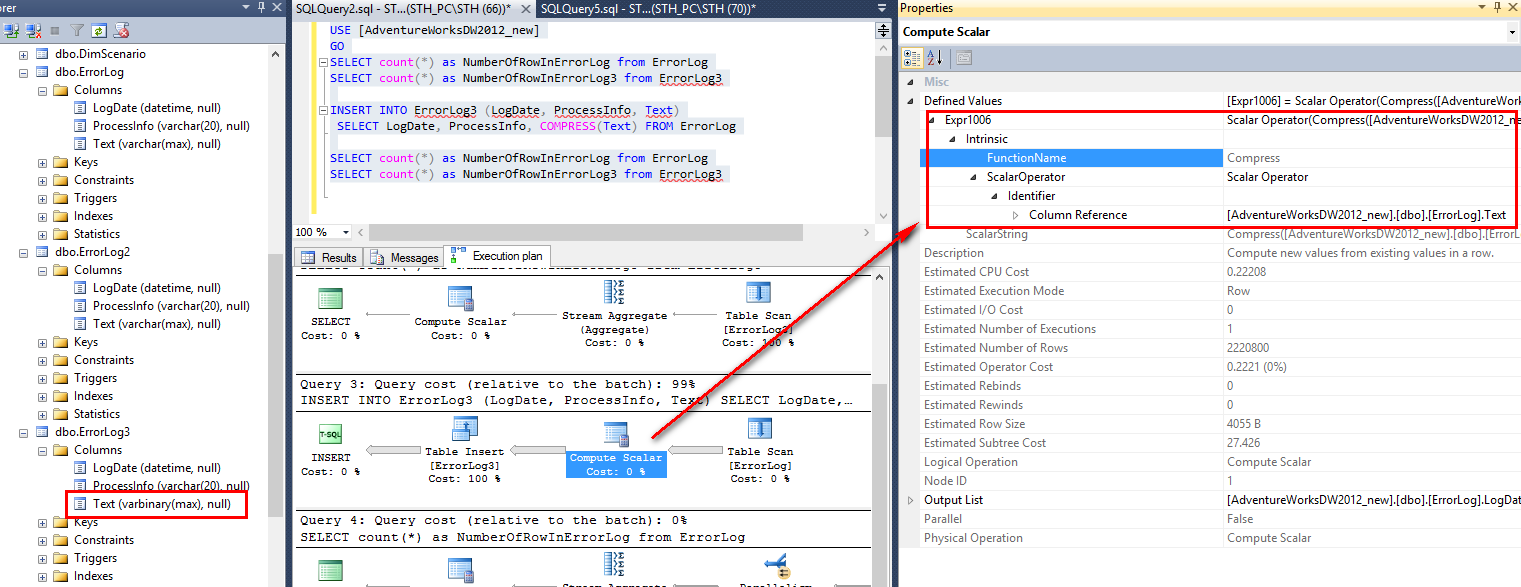
You can notice that no implicit conversion is done during an insert.
As before, I try to read the line with the DECOMPRESS option.
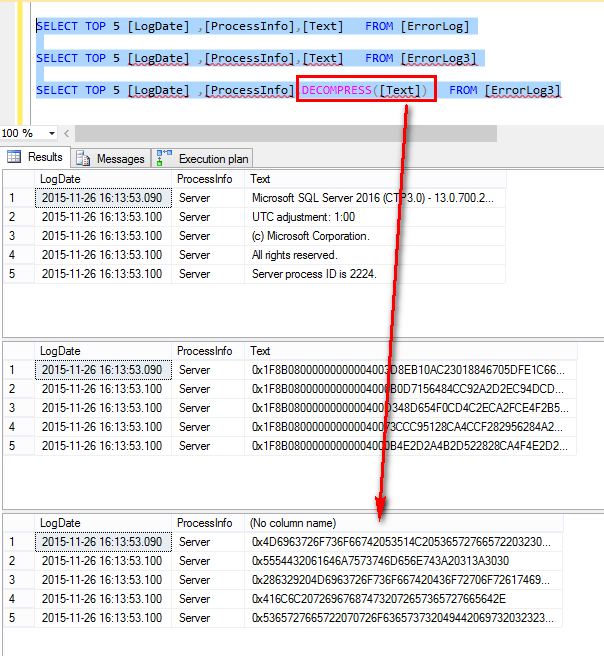
I have no error message in this case but the Column Text cannot be read.
I must reuse a CAST to have a readable column
SELECT TOP 5 [LogDate] ,[ProcessInfo], CAST (DECOMPRESS(Text) as varchar(max)) FROM [ErrorLog3]
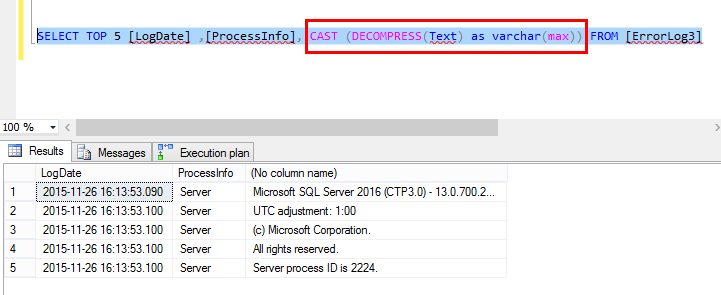
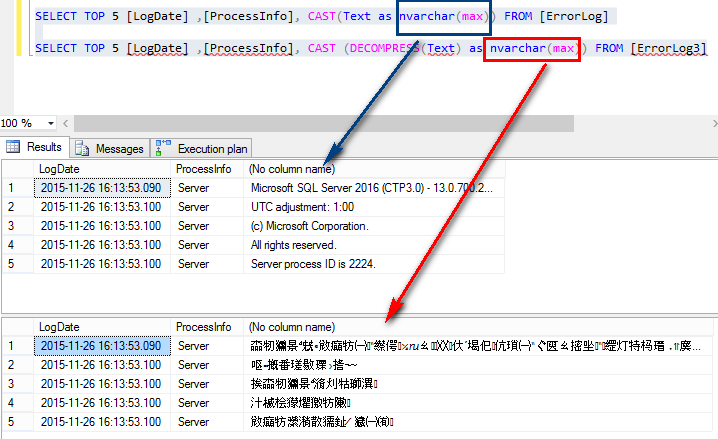
Et Voila! I finish this test with a little tips: instead of decompressing with varchar I have to use nvarchar.
I let you see the result.
Msdn reference for COMPRESS
Msdn reference for DECOMPRESS