I have already blogged on how to setup Oracle AI Database Assistant available since Enterprise Manager 24ai Release 1 Update 10, and also blogged doing some tests.
For some prompts I was getting the error “No metrics data were found”. In this blog, I would like to explain how I resolved the problem.
Problem description
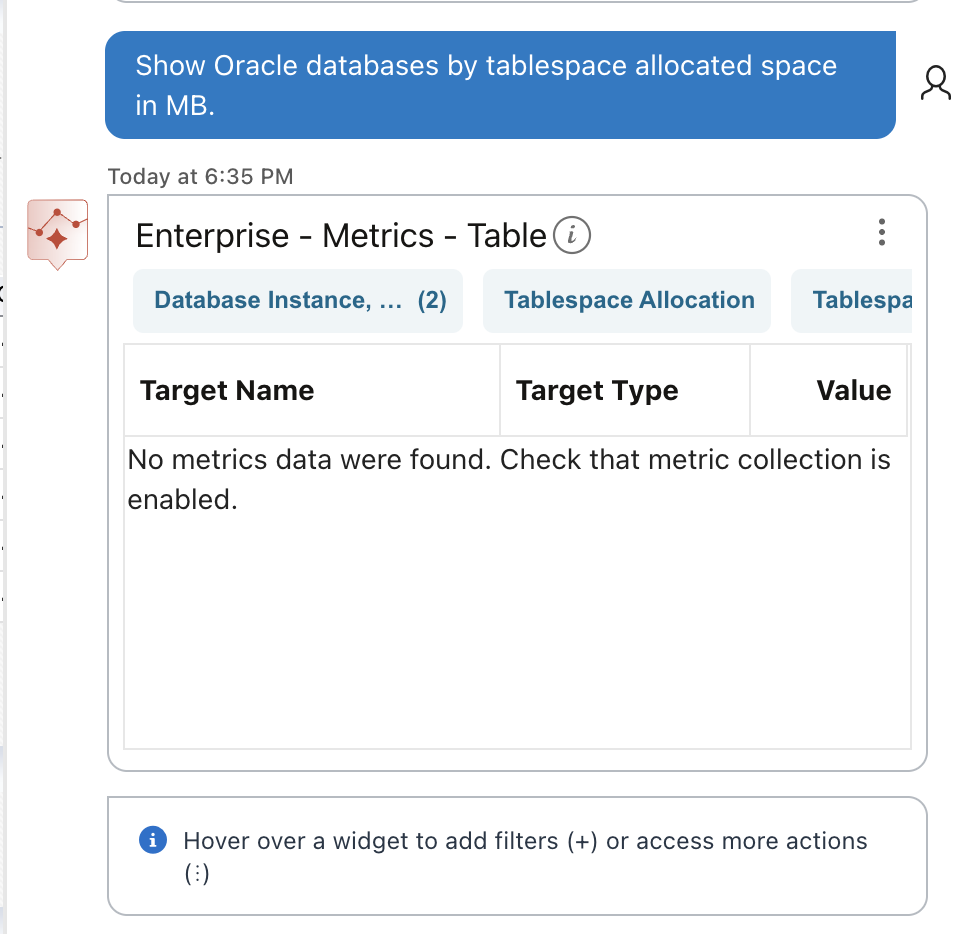
Running for example the prompt: “Show Oracle databases by tablespace allocated space in MB” I was getting the message “No metrics data were found. Check that metric collection is enabled”.
Explanation
This prompt will need “Tablespace Allocation” and “Tablespace Allocated Space (MB)” metrics.
Let’s check for one of the target DB configured in OEM and see if the metric is enabled.
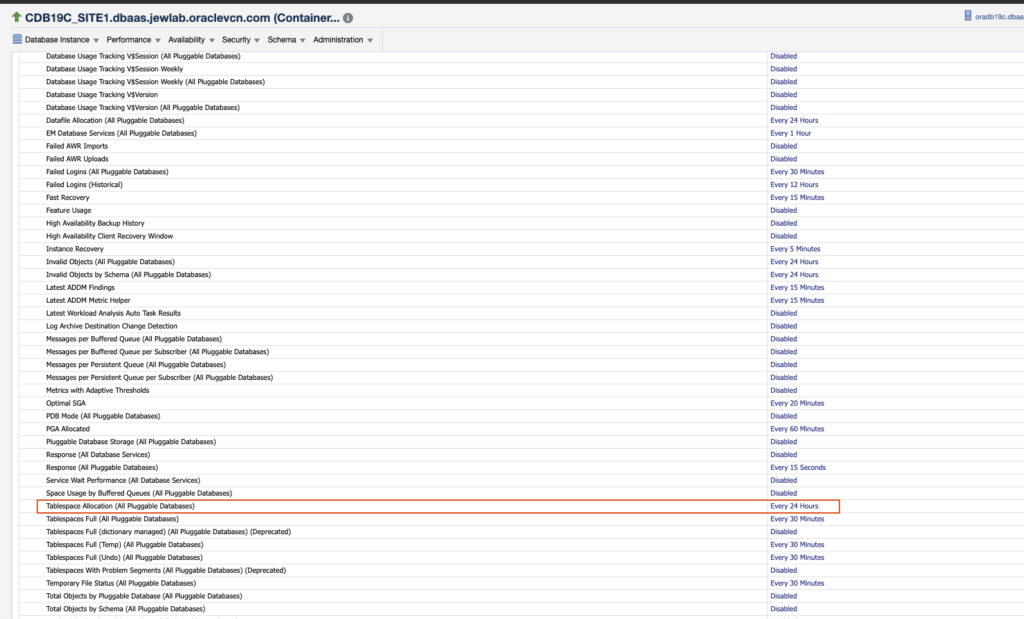
The metrics is enabled and refresh rate is “every 24 hours”.
Let’s see if there is some data already stored in OMR.
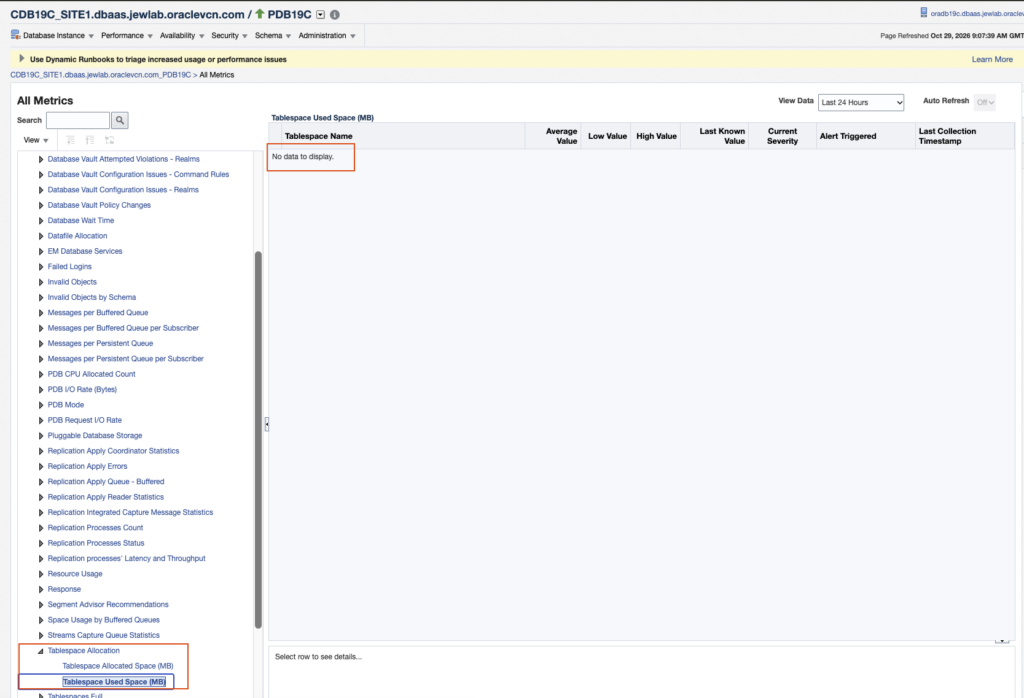
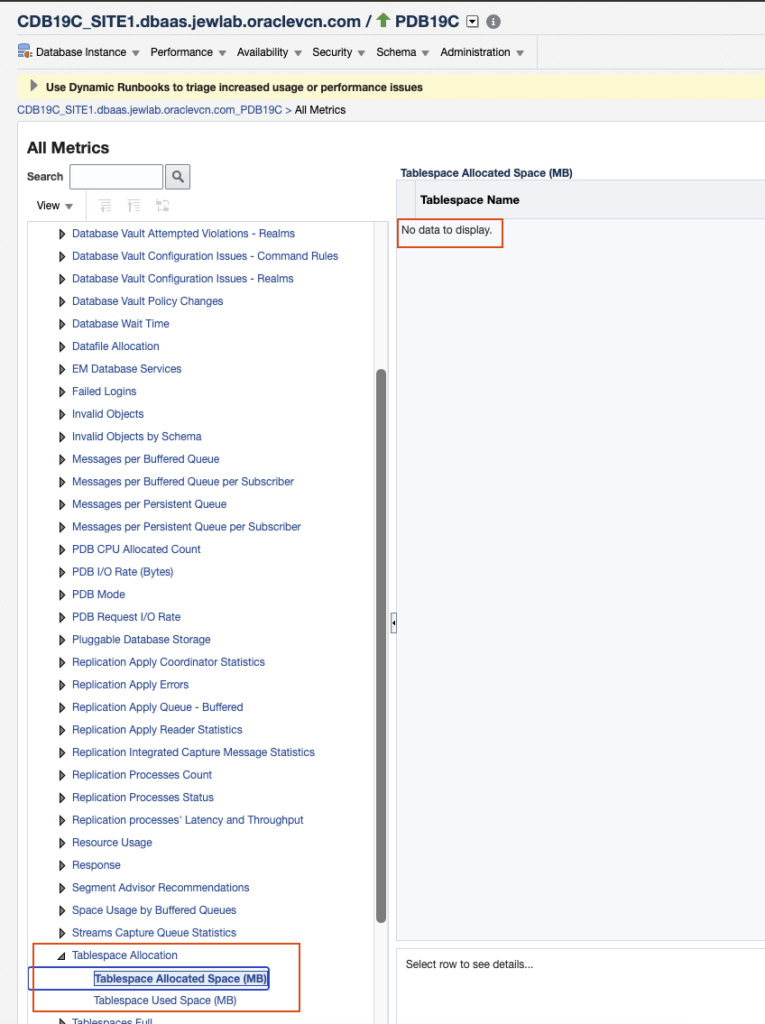
As we can see there is no data for this metrics even if the metric is enabled.
This comes from the fact that it is our lab and the nodes are not always up and running.
Resolution
Let’s connect to the DB System node hosting the database (OEM Agent) and check available targets:
[oracle@oradb19c ~]$ /opt/oracle/agentem24ai/agent_24.1.0.0.0/bin/emctl config agent listtargets
Oracle Enterprise Manager 24ai Release 1
Copyright (c) 1996, 2024 Oracle Corporation.  All rights reserved.
[oradb19c.dbaas.jewlab.oraclevcn.com, host]
[oradb19c.dbaas.jewlab.oraclevcn.com:3872, oracle_emd]
[agent24c1_3_oradb19c.dbaas.jewlab.oraclevcn.com_8659, oracle_home]
[CDB19C_SITE1.dbaas.jewlab.oraclevcn.com, oracle_database]
[ASMNET1LSNR_ASM_oradb19c.dbaas.jewlab.oraclevcn.com, oracle_listener]
[LISTENER_oradb19c.dbaas.jewlab.oraclevcn.com, oracle_listener]
[CDB19C_SITE1.dbaas.jewlab.oraclevcn.com_CDBROOT, oracle_pdb]
[CDB19C_SITE1.dbaas.jewlab.oraclevcn.com_PDB19C, oracle_pdb]
[OraDB19000_home1_2_oradb19c.dbaas.jewlab.oraclevcn.com_6741, oracle_home]
[OraGI19Home1_1_oradb19c.dbaas.jewlab.oraclevcn.com_9873, oracle_home]
So we have the target name to be used: [CDB19C_SITE1.dbaas.jewlab.oraclevcn.com_PDB19C, oracle_pdb]
Let’s trigger the tablespace allocation metric collection on the Agent for this target:
[oracle@oradb19c ~]$ /opt/oracle/agentem24ai/agent_24.1.0.0.0/bin/emctl control agent runCollection "CDB19C_SITE1.dbaas.jewlab.oraclevcn.com_PDB19C:oracle_pdb" "tbspAllocation"
Oracle Enterprise Manager 24ai Release 1
Copyright (c) 1996, 2024 Oracle Corporation.  All rights reserved.
---------------------------------------------------------------
EMD runCollection completed successfully

[oracle@oradb19c ~]$
We now need to upload the pending collected data to OMS:
[oracle@oradb19c ~]$ /opt/oracle/agentem24ai/agent_24.1.0.0.0/bin/emctl upload agent
Oracle Enterprise Manager 24ai Release 1
Copyright (c) 1996, 2024 Oracle Corporation.  All rights reserved.
---------------------------------------------------------------
EMD upload completed successfully
[oracle@oradb19c ~]$
Now check if we have some data metrics for tablespace allocation for this target:
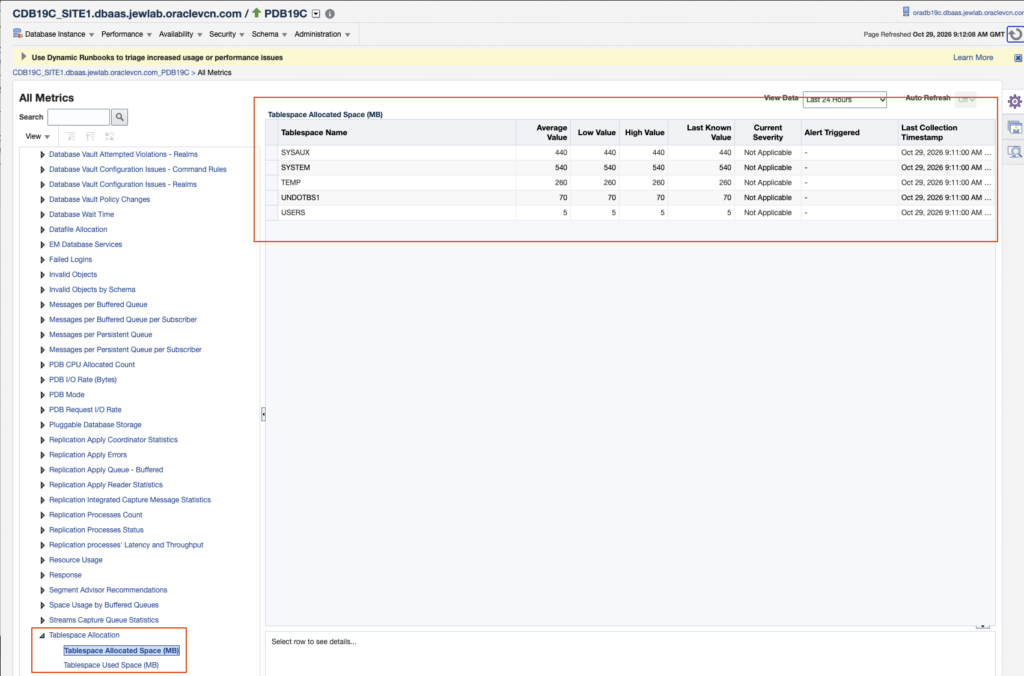
Yes we have!
Let’s change the metric settings to have it run on hourly bases:
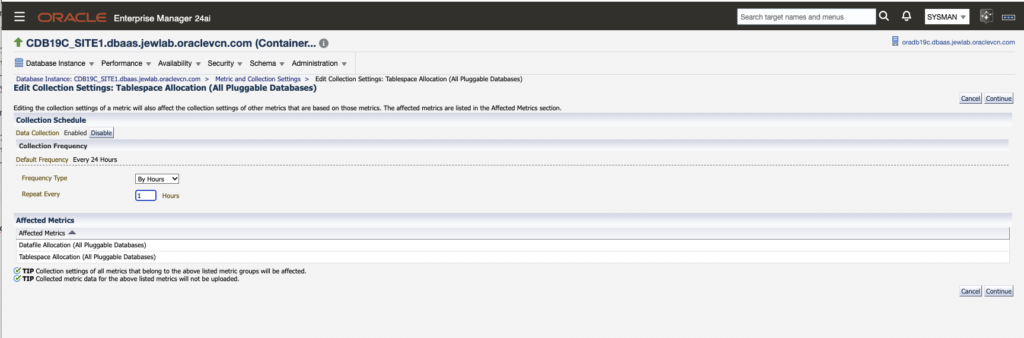
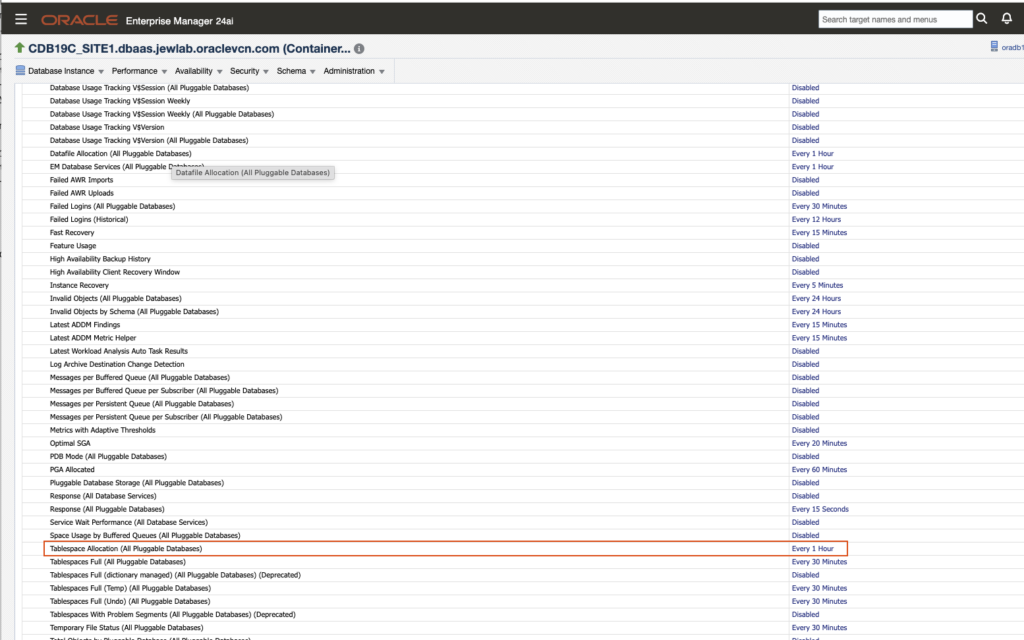
To wrap up…
I did the same for the other DB System nodes. Let’s check with the AI prompt to see if we have now some result.
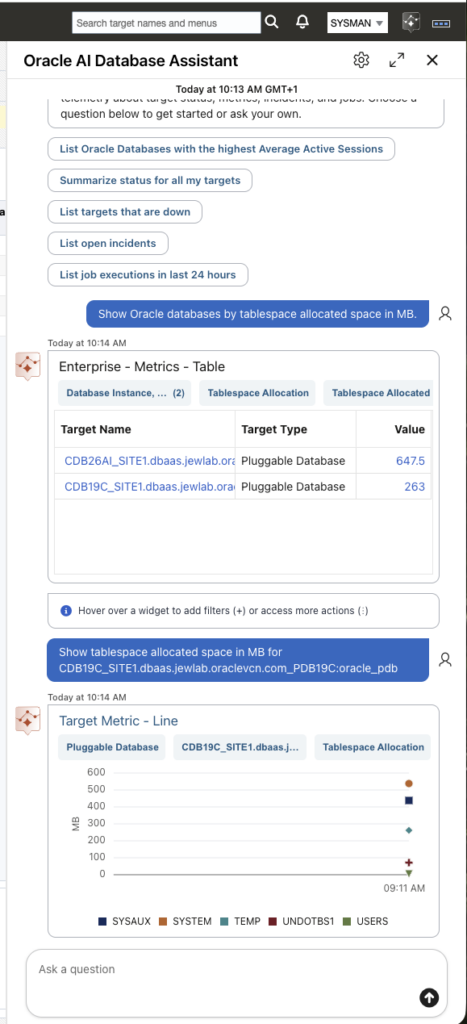
And it’s now working!
So in case of such error, “No metrics data were found. Check that metric collection is enabled”, need to find the corresponding metrics and check if the metric is enabled and data are existing. What is most difficult is to find a documentation providing the corresponding metrics according to the prompt family. If I find anything further, I will update this blog.
![Thumbnail [60x60]](https://www.dbi-services.com/blog/wp-content/uploads/2022/08/MAW_web-min-scaled.jpg)
![Thumbnail [90x90]](https://www.dbi-services.com/blog/wp-content/uploads/2025/05/martin_bracher_2048x1536.jpg)