A customer recently asked me about the difference between Java Web Start and the Forms Standalone Launcher for running Oracle Forms applications.
I found it a very good question. From the user’s perspective, both methods look similar: the Forms application opens in its own Java window. The real difference is how the application is launched, deployed, secured, and maintained on the workstation.
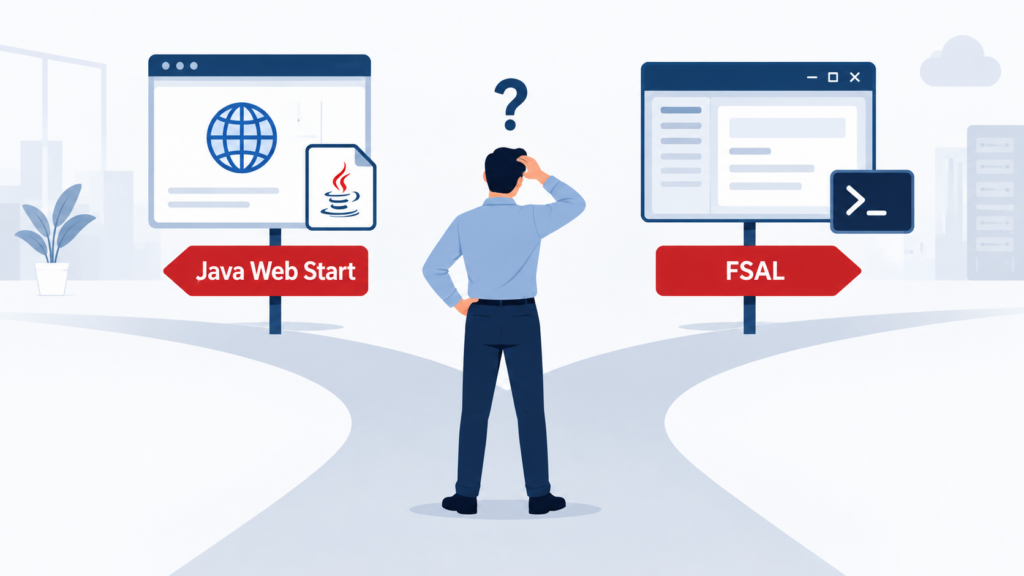
Here is the practical answer, based on experience with Oracle Forms environments.
First, both methods use the same Forms architecture
Whether you use Java Web Start or FSAL:
- The Forms application remains hosted centrally on the application server.
- The
.fmx,.mmx, and.plxmodules stay on the server. - A Java-based Forms client runs on the user’s workstation.
- The client communicates with Oracle Forms Services, generally hosted on WebLogic Server.
- The application itself normally does not need to be rewritten when changing the launch method.
Therefore, FSAL is not a return to the old Forms 6i client/server architecture. It only provides a similar desktop experience,
Java Web Start
Java Web Start, or JWS, launches the application using a JNLP file.
The user normally opens a Forms URL:
https://forms.example.com/forms/frmservlet?config=webstart
The server generates a .jnlp file, which is downloaded and opened by Java Web Start. The Forms application then runs in a separate Java window.
Oracle describes Java Web Start as a semi-browserless configuration: the browser can be used to initiate the application, but the application does not run inside the browser window.
Advantages of Java Web Start
- Users can start the application from a familiar web link.
- The JNLP configuration is generated centrally by the Forms server.
- Java archives can be downloaded and cached automatically.
- It can integrate well with environments where authentication starts in the browser.
- It usually requires limited change when replacing an older browser-based Forms deployment.
Disadvantages of Java Web Start
- It depends on Java Web Start technology, which is associated mainly with Java 8.
- Java Web Start is no longer included in modern JDK releases.
- JNLP file associations can behave differently depending on the workstation and browser.
- Browser security settings may prevent the JNLP file from opening automatically.
- Java cache problems are relatively common.
- Certificate changes, proxies, and local Java security settings can affect application startup.
- Troubleshooting frequently involves the user’s workstation rather than the Forms server.
My experience with Java Web Start
Once correctly configured, Java Web Start works well. However, many operational incidents are related to the client environment:
- The
.jnlpfile is downloaded but not opened. - The workstation uses the wrong Java version.
- The operating system loses the JNLP file association.
- An old JAR remains in the Java cache.
- A certificate renewal causes a new security warning.
- Browser updates change how downloaded JNLP files are handled.
These are rarely Forms application problems, but they still generate support requests.
When should you choose Java Web Start?
Java Web Start remains reasonable when:
- The organization already has a stable and managed Java 8 environment.
- The existing JWS deployment works reliably.
- Users need to launch Forms from a browser-based portal.
- The authentication or SSO process requires a browser.
- The objective is a short-term migration with minimal client-side change.
I would be more cautious about selecting JWS for a completely new, long-term deployment because of its dependency on legacy Java deployment technology.
Forms Standalone Launcher
The Forms Standalone Launcher, or FSAL, launches Oracle Forms without relying on a browser or Java Web Start.
The workstation runs the frmsal.jar launcher directly:
java -jar frmsal.jar -url "https://forms.example.com/forms/frmservlet?config=standaloneapp"
In practice, users do not need to enter this command. It can be included in a desktop shortcut, shell script, batch file, or software deployment package.
Advantages of FSAL
- It is fully independent of the browser.
- It does not require Java Web Start or a browser plug-in.
- It provides a clean desktop application experience.
- Browser updates do not affect the application launch.
- The startup command can be standardized and controlled by the IT team.
- Java parameters, memory settings, truststores, and logging can be explicitly configured.
- It is generally easier to reproduce and troubleshoot startup issues.
- It aligns better with current Java versions and Oracle’s modern Forms direction.
Disadvantages of FSAL
- The
frmsal.jarlauncher must be distributed to every workstation. - The launcher version must match the Oracle Forms server version and patch level.
- IT must maintain the desktop shortcut or startup script.
- Java and the required certificates must be correctly deployed on each workstation.
- Updating or patching Forms may require redistributing
frmsal.jar. - SSO, single sign-off, JavaScript integration, and communication with web pages require careful validation.
- The initial workstation packaging may require more preparation than simply publishing a URL.
My experience with FSAL
FSAL generally requires more preparation during the initial rollout. The Java runtime, frmsal.jar, truststore, startup parameters, and shortcut must be packaged correctly.
Once that work is completed, the result is usually more predictable.
The application is no longer affected by browser behavior, JNLP file associations, or Java Web Start cache issues. When a startup problem occurs, the launch command and console output also provide a clearer troubleshooting path.
One important operational point is the management of frmsal.jar. It should not be treated as a generic launcher that can be reused forever. It is version-specific and must remain aligned with the Forms installation.
When should you choose FSAL?
FSAL is generally the better choice when:
- You are implementing a new Oracle Forms deployment.
- You are upgrading to a recent Oracle Forms release.
- You want to remove browser dependencies.
- You want to use a modern and centrally managed Java runtime.
- Workstations are managed using tools such as Microsoft Intune, SCCM, or another software distribution platform.
- You need predictable startup parameters and easier troubleshooting.
- Forms is primarily used as a business desktop application.
Direct comparison
| Area | Java Web Start | FSAL |
|---|---|---|
| Launch method | URL and JNLP file | Java command, script, or shortcut |
| Browser dependency | Partial | None |
| Java Web Start required | Yes | No |
| User experience | Separate Java window | Separate Java window |
| Client deployment | JNLP association and compatible Java | Java runtime and frmsal.jar |
| Central configuration | formsweb.cfg and JNLP | formsweb.cfg and launch package |
| Main operational risk | Java cache, JNLP, browser and file association | Launcher distribution and version alignment |
| Troubleshooting | Often distributed across browser, Java and OS | Generally more direct through command and logs |
| Best fit | Existing stable JWS deployment | New or modernized deployment |
My recommendation
For an existing, stable Java Web Start environment, I would not migrate to FSAL only for the sake of changing technology. The migration should provide a clear operational or security benefit.
For a new deployment or a major Oracle Forms upgrade, I would generally choose FSAL.
It removes the browser and Java Web Start dependencies, gives the IT team better control over the client runtime, and provides a more predictable operational model.
The final choice should nevertheless be validated against:
- The Oracle Forms version
- The certified client Java version
- The SSO implementation
- WebUtil and custom JAR usage
- JavaScript integration
- Proxy and TLS requirements
- The workstation deployment strategy
The key point is simple: Java Web Start is easier to expose through a URL, while FSAL is easier to control as a managed desktop application.
Oracle documentation
![Thumbnail [60x60]](https://www.dbi-services.com/blog/wp-content/uploads/2022/09/DDI_web-min-scaled.jpg)