I have been looking to study and test what Oracle GenAI Ask EM assistant, also called now Oracle AI database assistant, can offer. This generative AI assistant is directly integrated into Oracle Enterprise Manager 24ai. Before being able to look into Ask EM, I first had to install an Oracle EM platform. I had the choice between doing all the installation myself manually or installing it from Oracle Marketplace. Knowing my current need, I decided to install it from the Oracle Marketplace. I would like to share in this first Ask EM series blogs this installation.
Pros and Cons for a Marketplace installation
For my current purpose of getting a lab in order to test GenAI Ask EM feature, the advantages of doing an installation from the marketplace are the following:
- Faster and less work to get a working environment ready for Ask Em testing
- Less possible errors and problems
- Oracle prope a full preconfigured image with OS and EM
- Minimalize deployement time
- More time to focus on Ask EM testing
The disadvantage would be to have:
- Less flexibility
But I really do not need any customized installation.
The manual installation complexity would mainly be to install and configure manually:
- Oracle VM with OS (Oracle Linux)
- EM repository database
- EM weblogic
- EM software installation and patching
- OMS
- …
Pre-requirements
Please note following:
- I will be installing a simple deployment sizing lab.
- Enterprise Manager Instance Shape, VM.Standard2.4, will then be suffisient.
- I will use existing VCN and subnet
- I will make a single node installation with Enterprise Manager and database installed in a private subnet. This will have the benefit not to expose the Instance on the public network. I will then need a bastion VM which will be part of the installation
Cost estimation
But what would be the cost? The cost will come mainly from the cost of the components:
- Compute instance will be charged based on the shape, OCPU and memory. It is in general the biggest cost
- Block Volume which is charged per provisioned GB
- Networking. VCN, subnets and security lists are free of charge, and are anyhow already existing.
- Single instance repository database does not require any license
- Use EM features only covered by your existing oracle licenses. Pack such as the Diagnostics Pack, Tuning Pack, Lifecycle Management Pack, etc., require the appropriate licenses.
The EM stack from the Marketplace is with BYOL (Bring Your Own License). In any case, I will strongly recommend to check your license and evaluate the cost on your side before doing any installation, moreover if it is for a production installation. My case is just a lab testing case.
Oracle Enterprise Manager 24ai installation
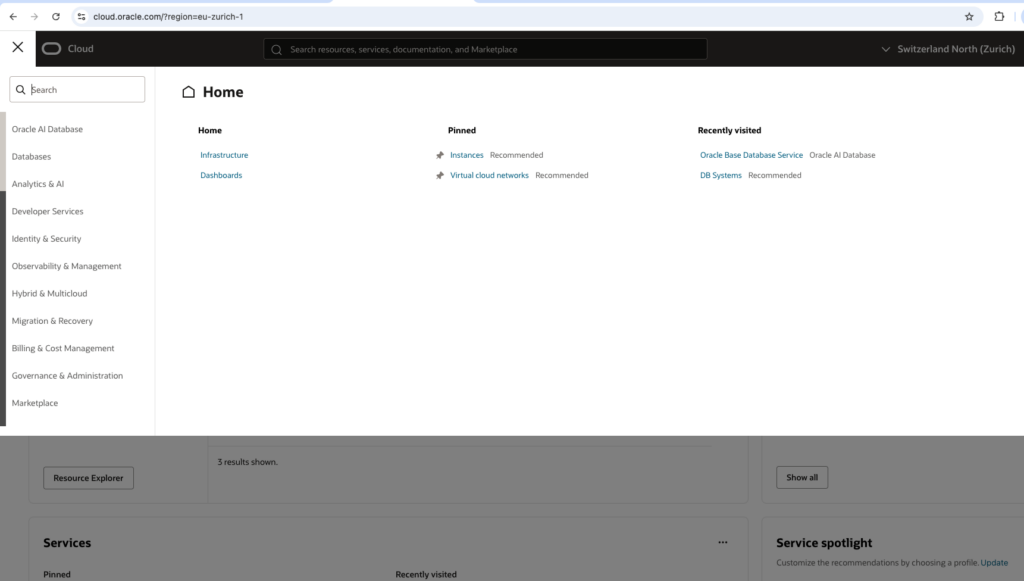
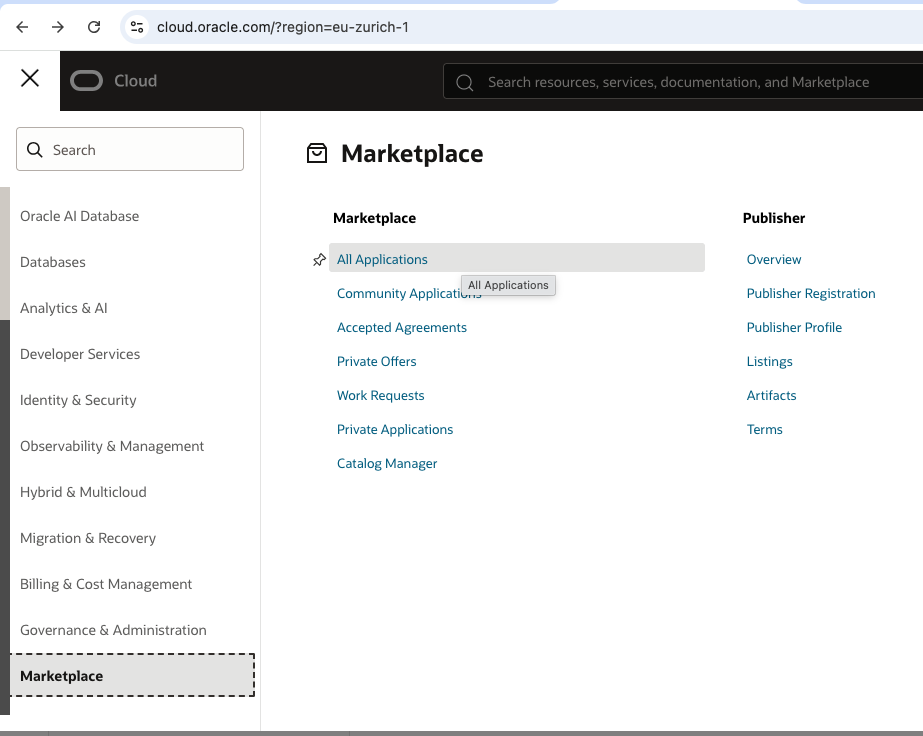
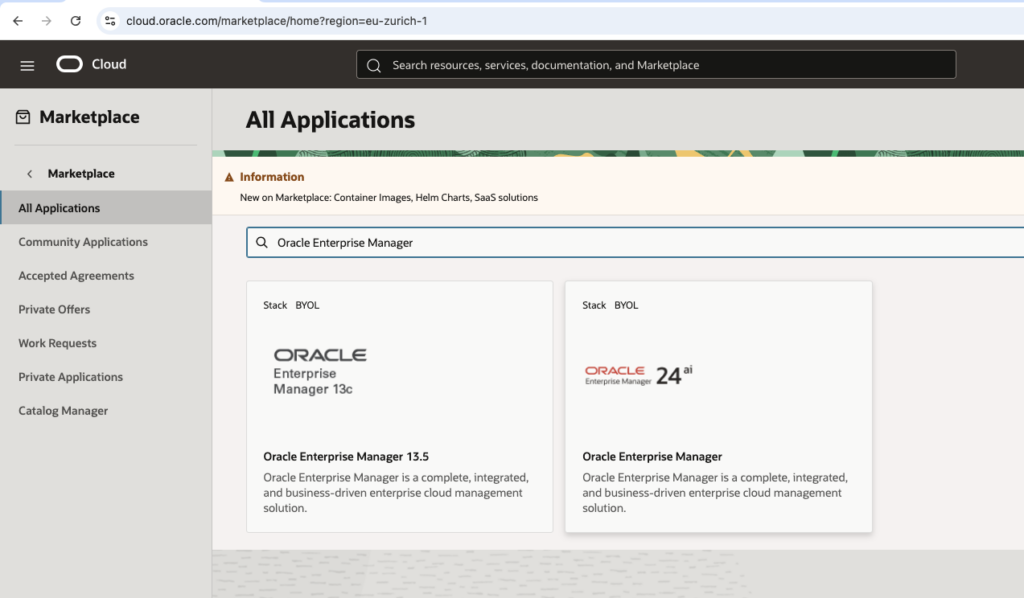
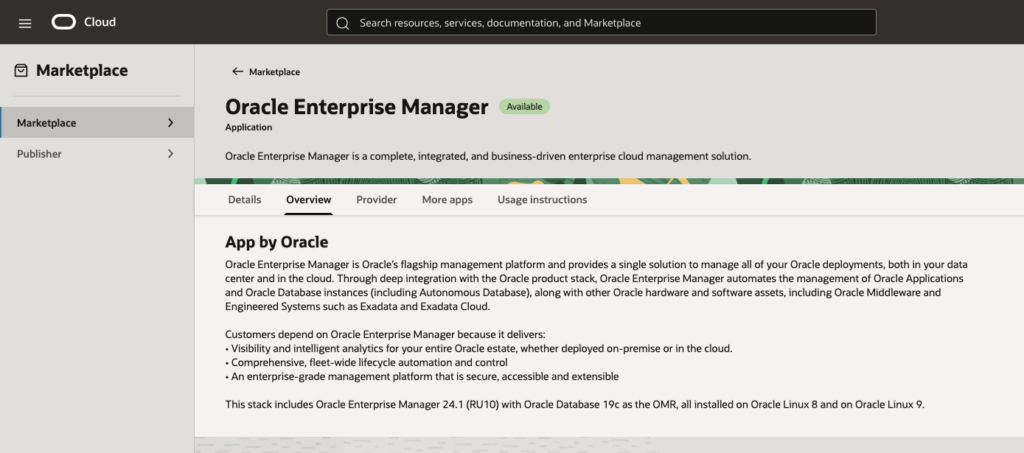
I will first sign in to OCI and go to Marketplace. From there I will search and click on Oracle Enterprise Manager, see below pictures.
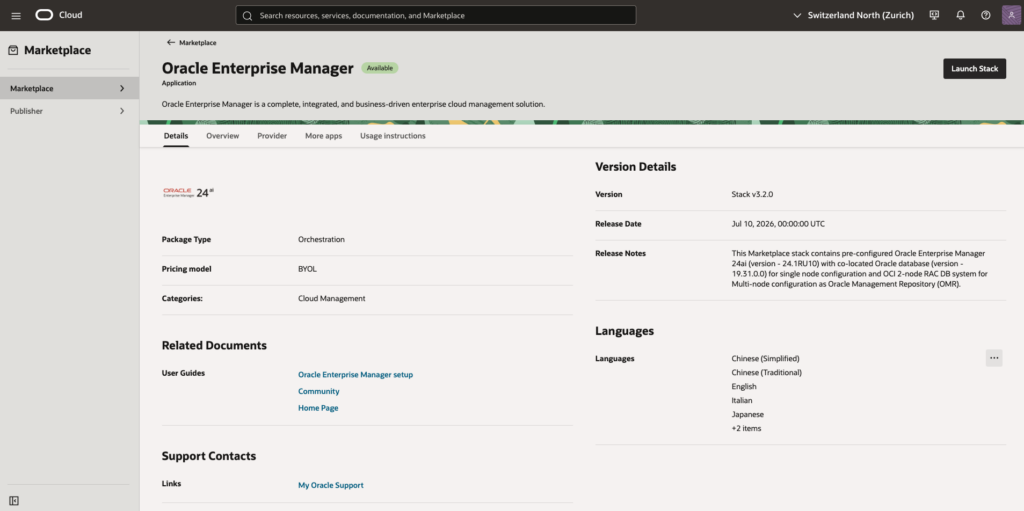
Once you have selected the Oracle Enterprise Manager 24ai stack, review the information to ensure it is accurate and click on Launch State.
Following 3 pictures will show the details.
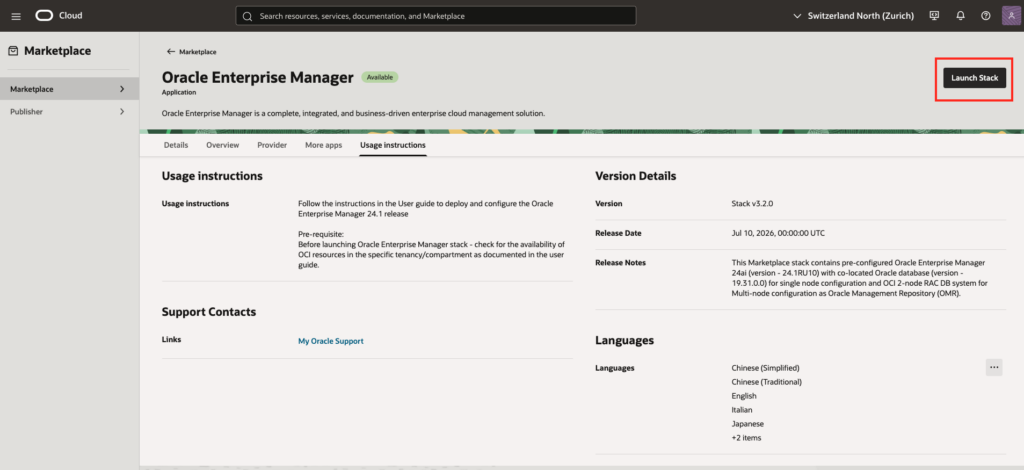
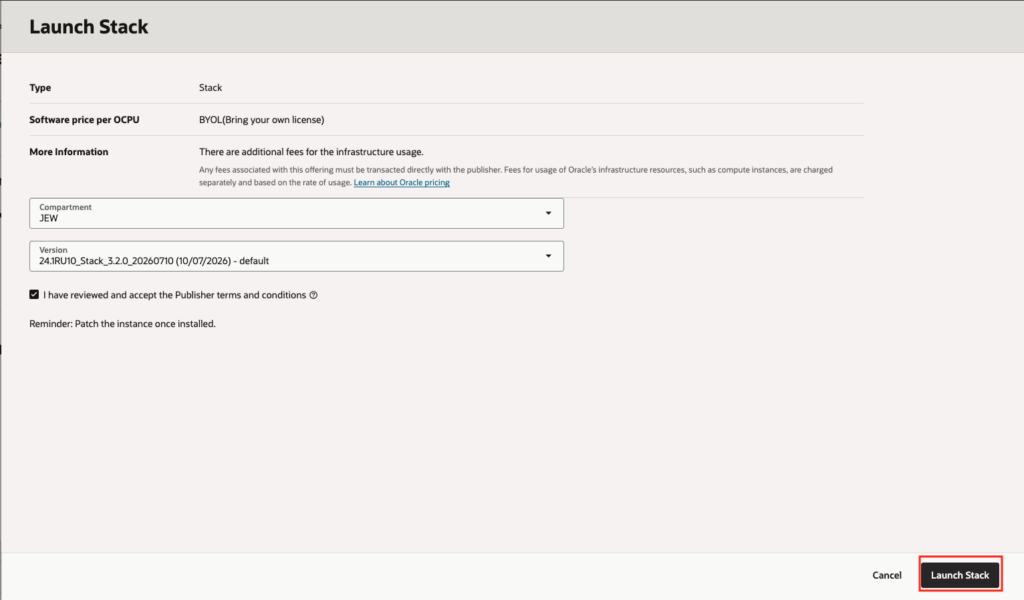
Configure Compartment, accept the terms and conditions and launch the stack, see:
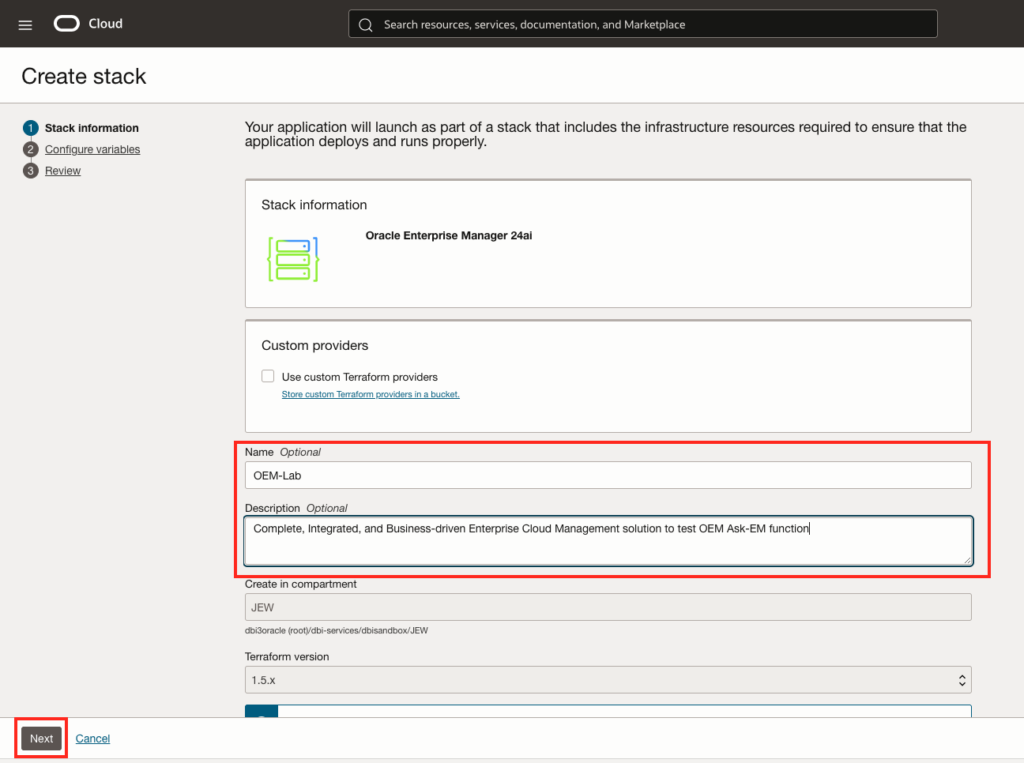
Provide a name and a desciption, and click next, see:
Configure the installation and sizing details:
- Choose simple as deployment size. One node is suffisient for our lab and test
- Click on advanced deployment to reuse existing infracsture (VCN and subnets)
See following picture:
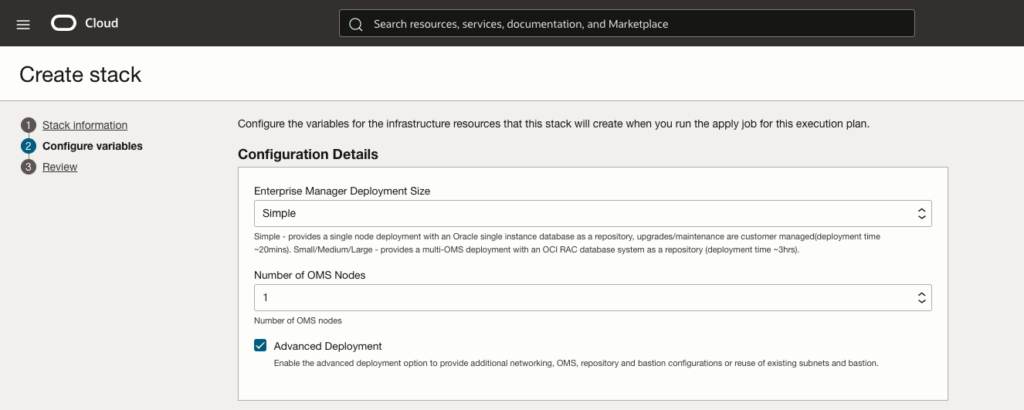
Provide existing VCN Name:
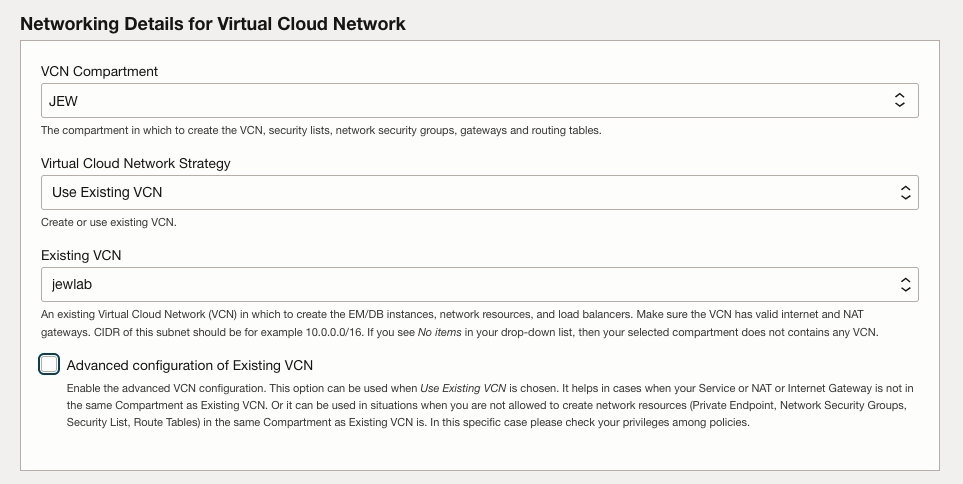
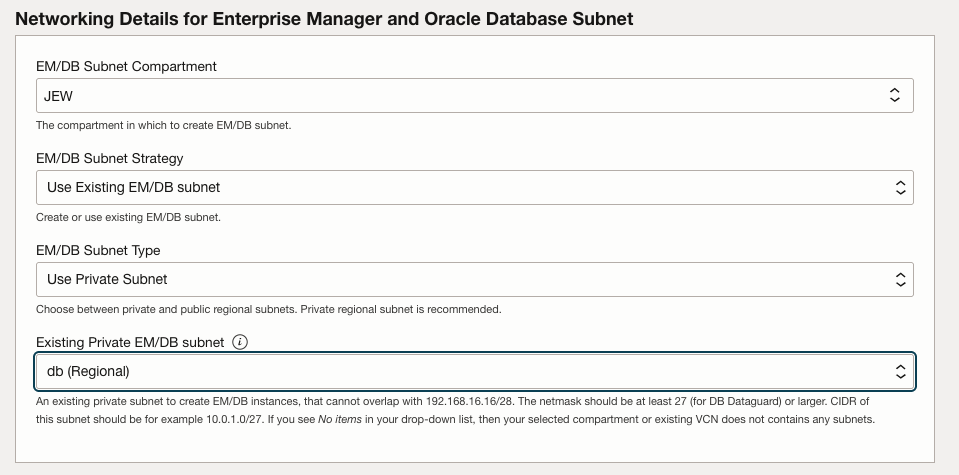
Provide networking details making sure to chose existing private subnet:
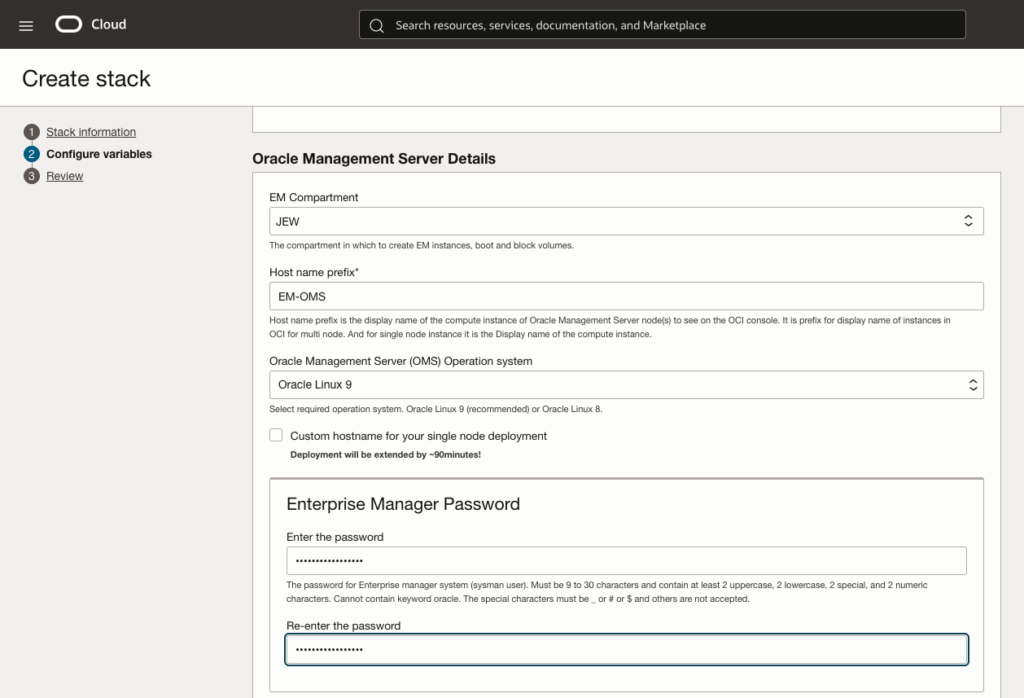
Configure Oracle Management providing Server details.
First we will provide an hostname prefix, choose Operating System version and provide Enterprise Manager password:
We will provide agent registration password and weblogic admin and node manager password, before chosing Enterprise Manager Instance shape and boot volume size. As discussed in the pre-requirement, a VM.Standard2.4 is enough for my need.
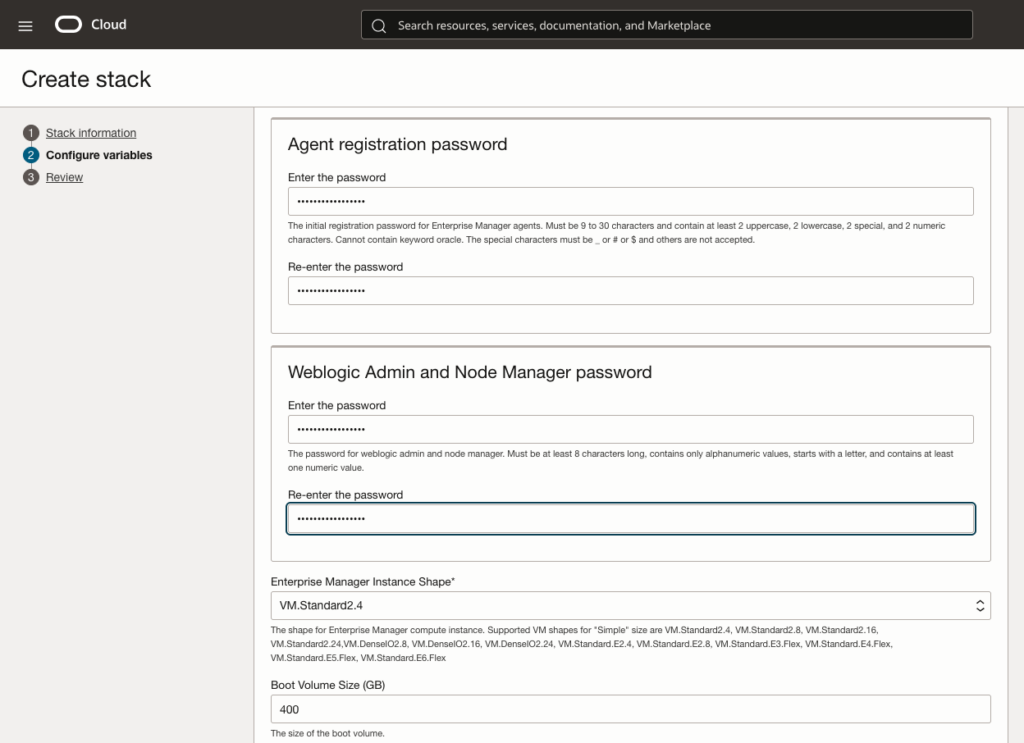
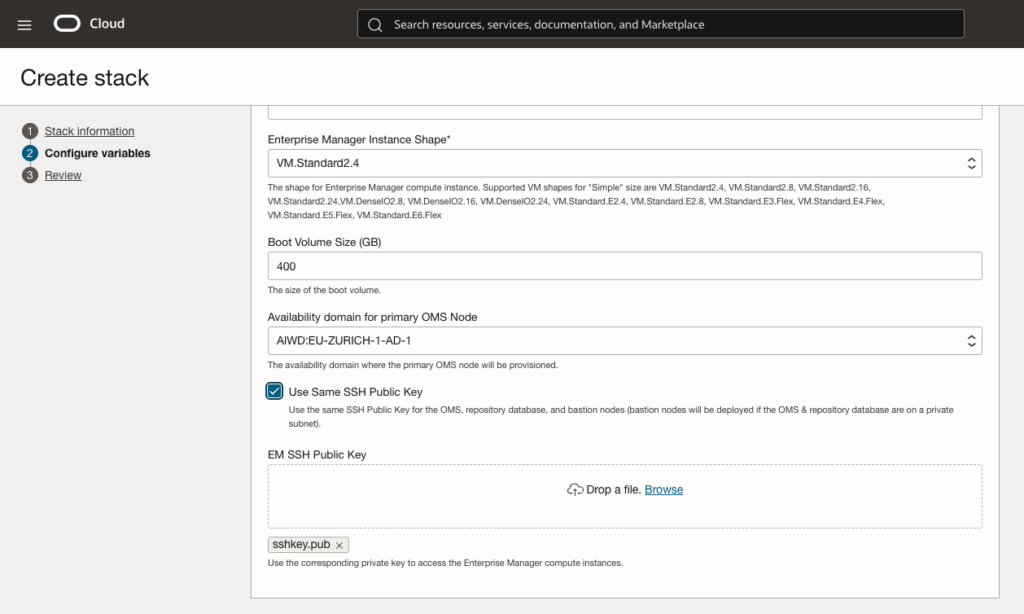
And finally also provide the public key to be able to access the VM later on with SSH.
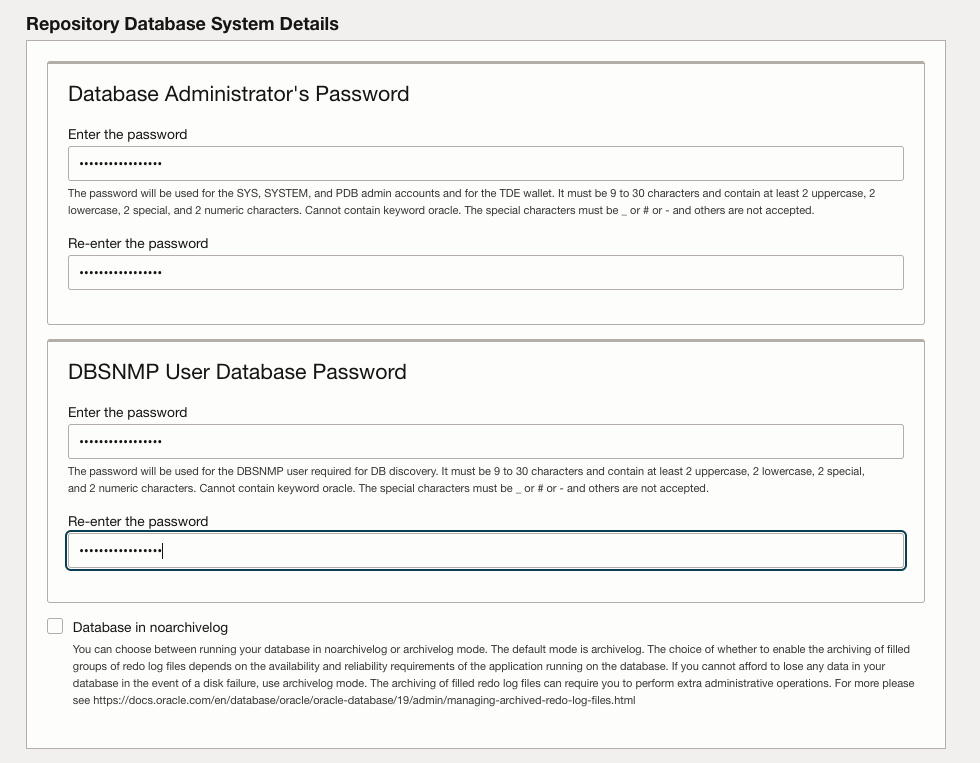
I will also have to provide all the details concerning the repository database, that’s to say database sys and dnsnmp user password. I will keep the database in archive log mode.
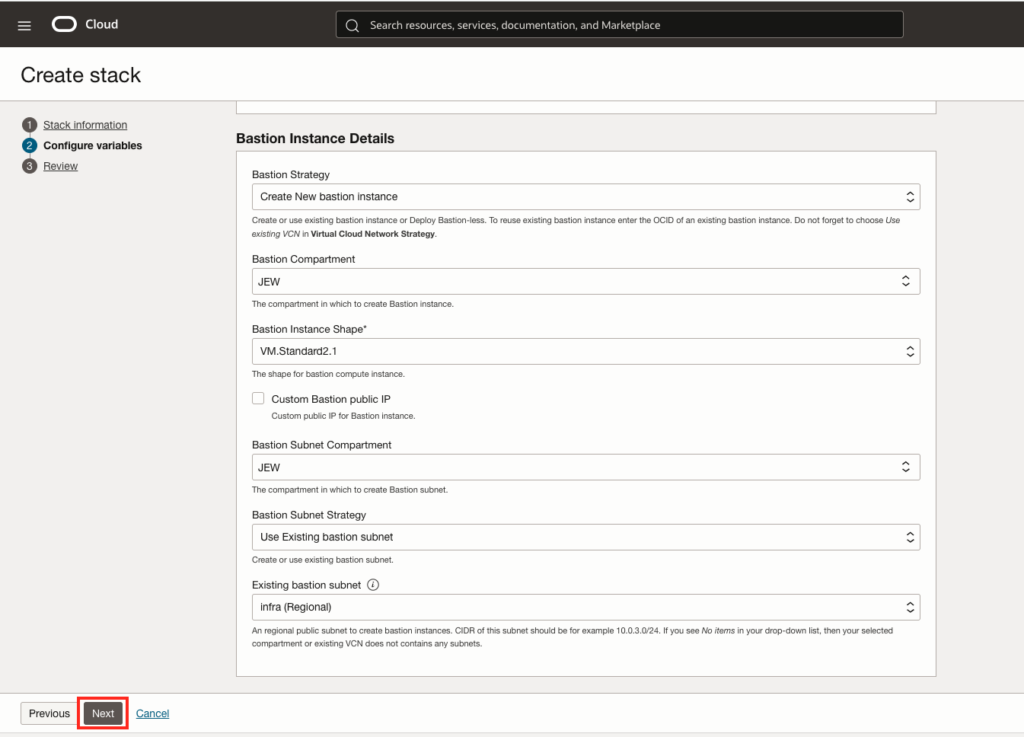
As I choose to install Enterprise Manager in the private subnet, I will need a bastion. I could decide to use an existing one where the installation will make needed changes or create a new one specific for EM. I decided to create a new one, but using existing subnet, see following information that needs to be provided, before clicking next button:
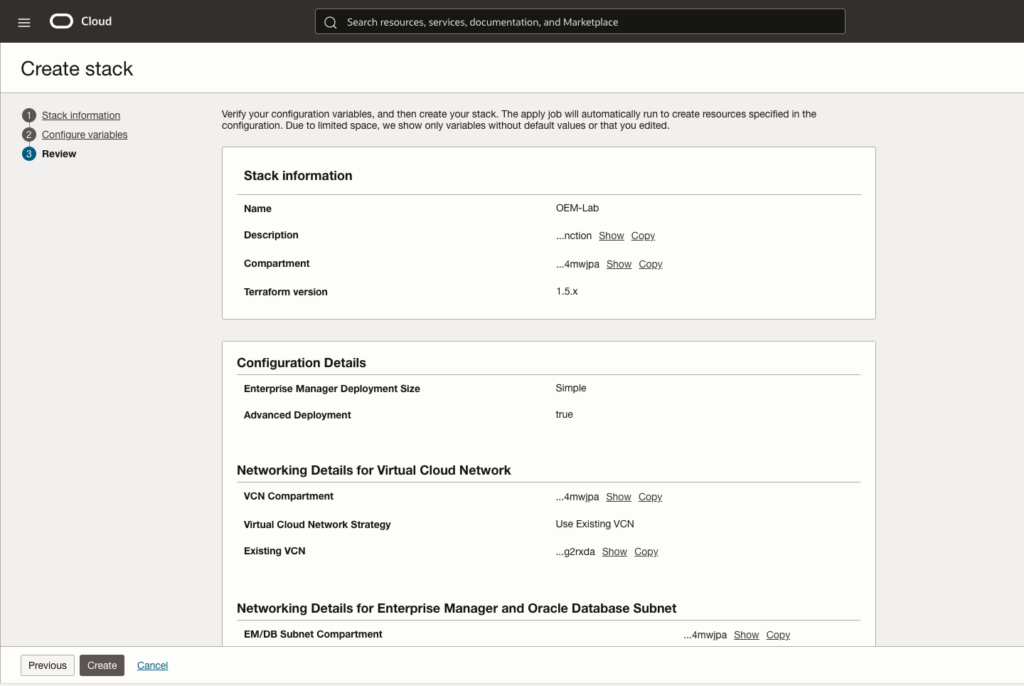
Review the whole configuration:
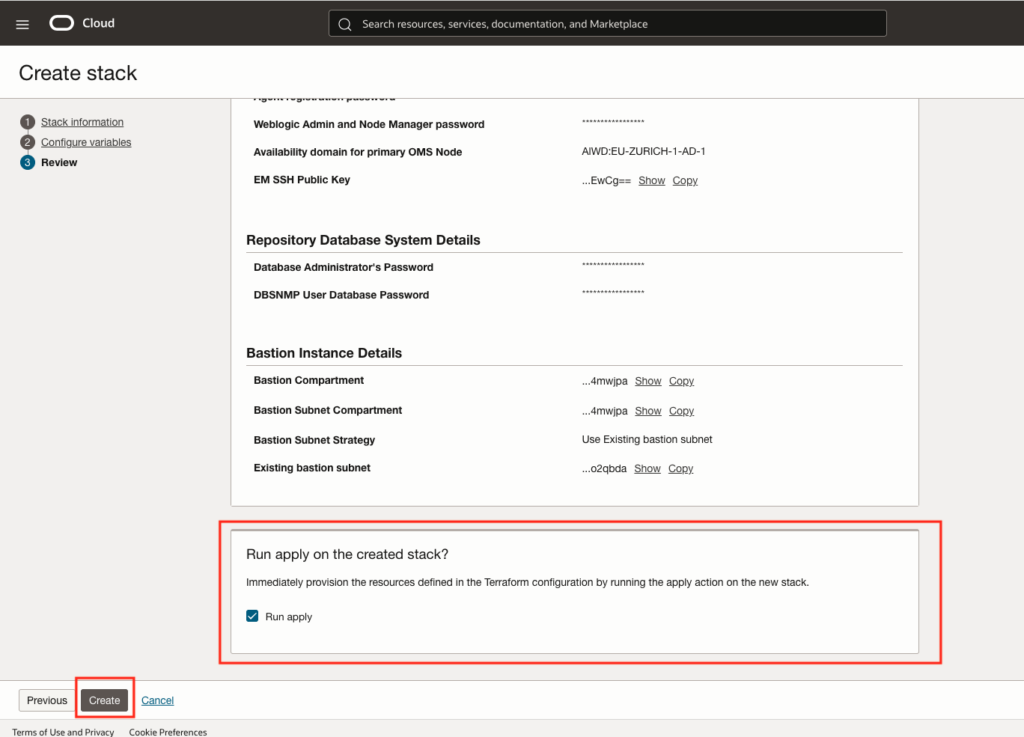
Select run apply and click the create button.
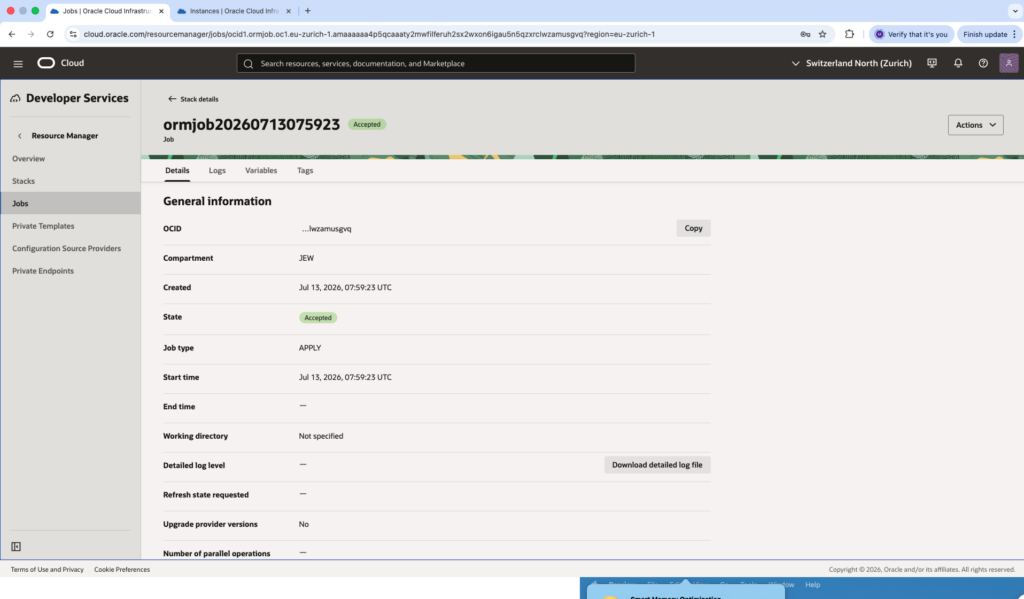
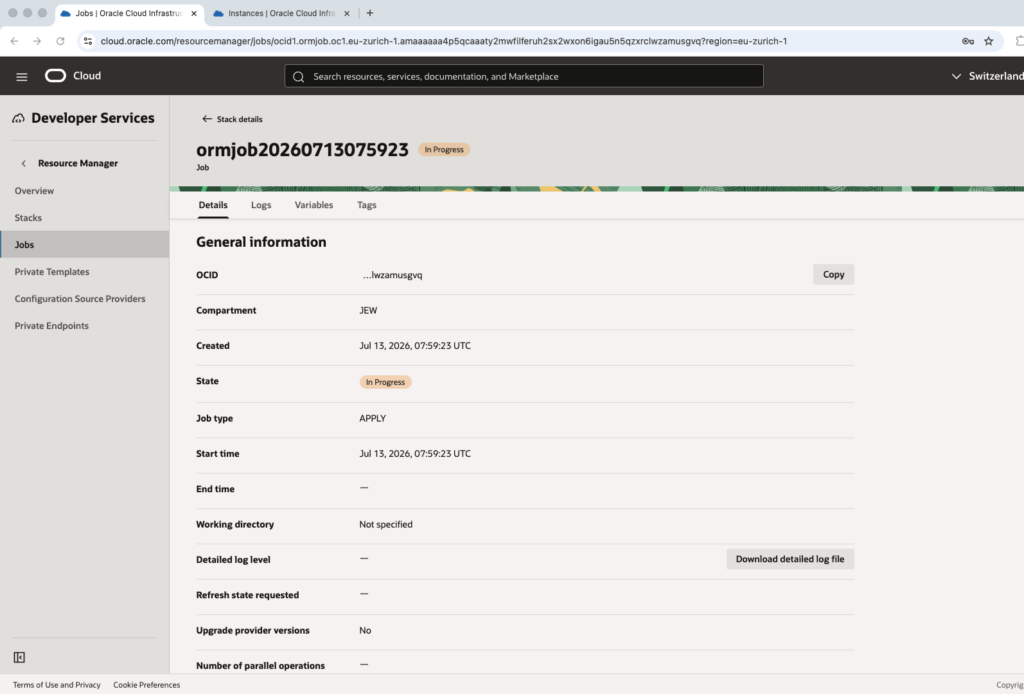
And the we can see the job stack execution. The status will first go to Accepted status and then In progress status, see next pictures:
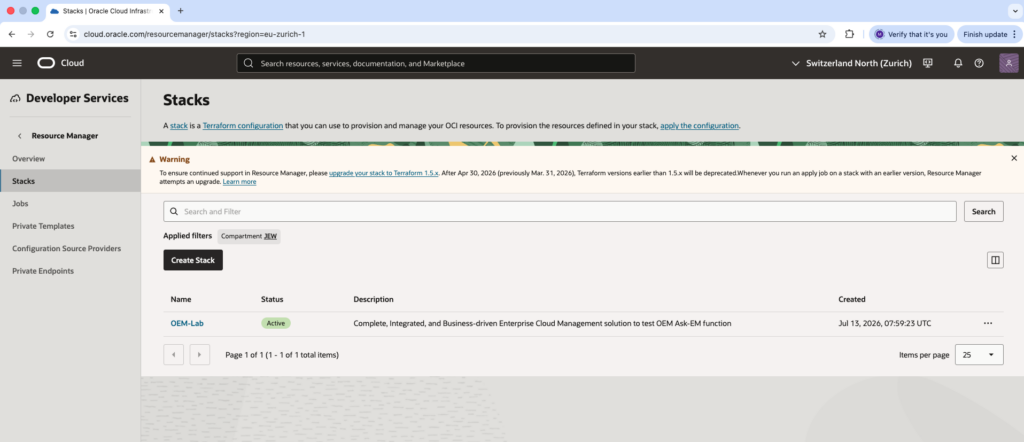
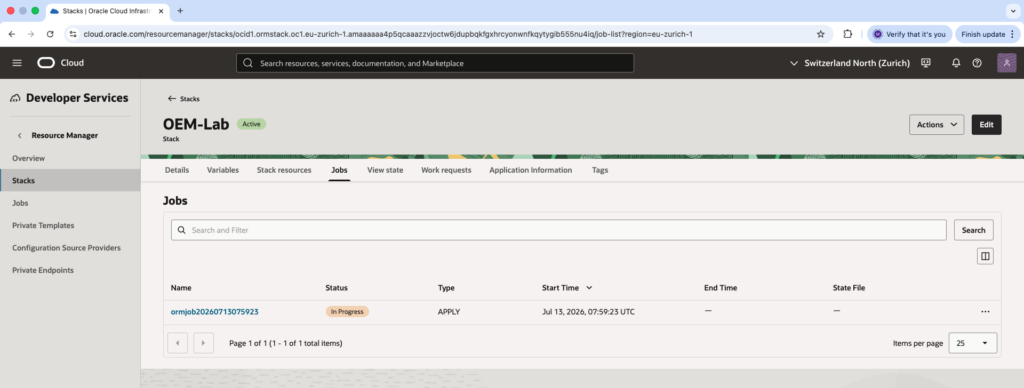
Checks…
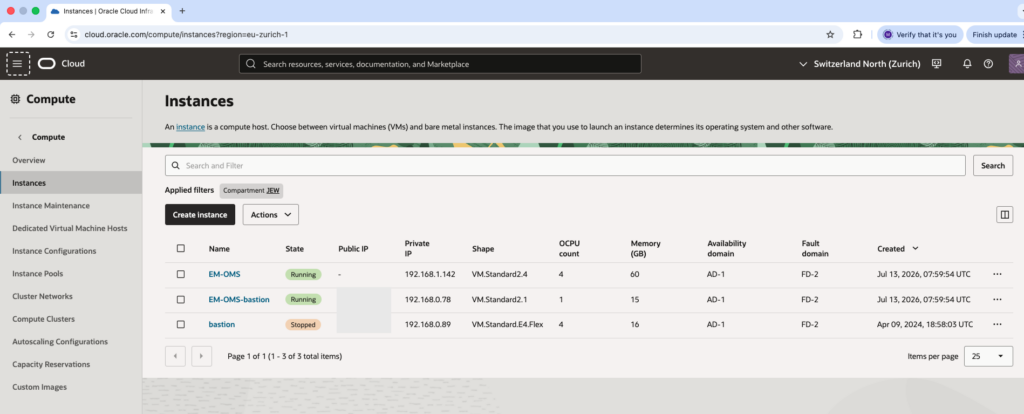
Once completed, we can check the job stack status, the created VM compute instance (OMS server, bastion) and EM access.
Job stack
As we can see in the next picture, the job status is now Succeeded.
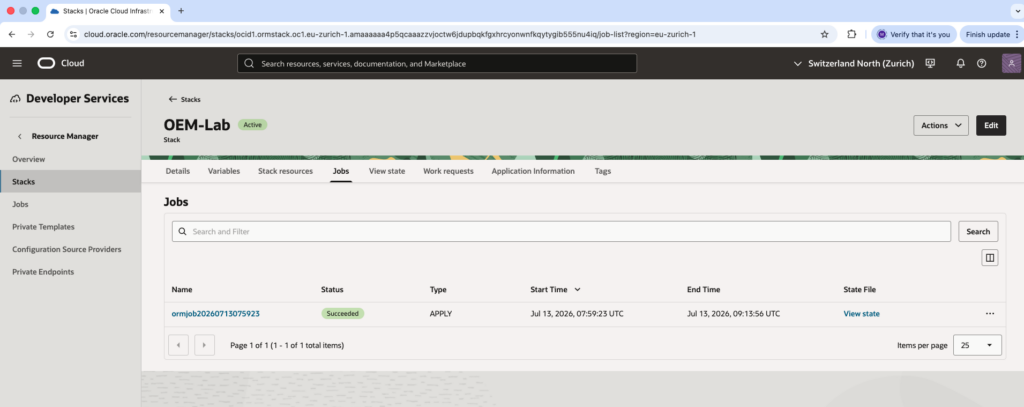
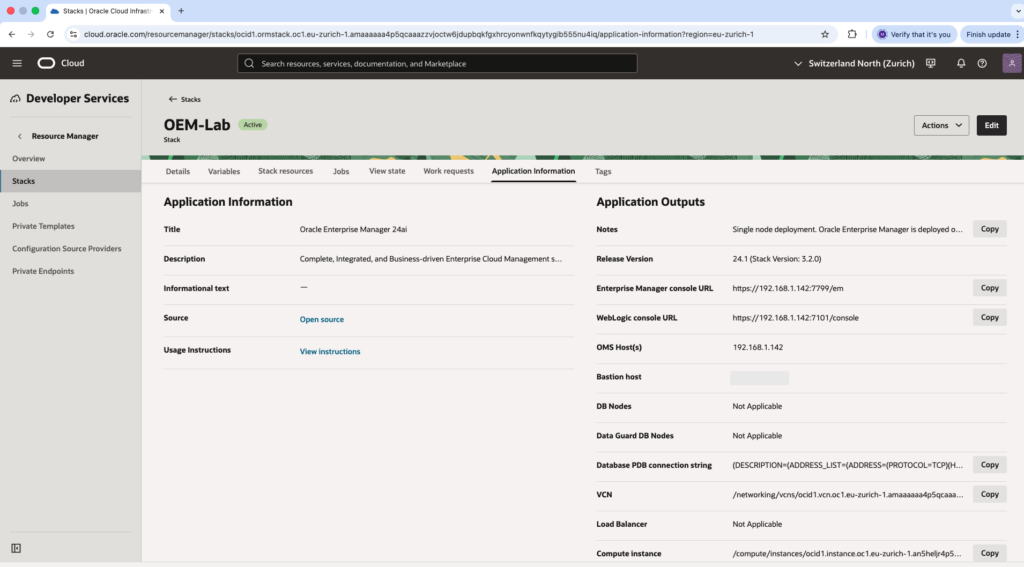
In Resource Manager, under Stacks menu, we can see our OEM-Lab stack that is active. All components information will be provided.
Compute VM instances
We can check in our compartment the running EM-OMS VM compute instance and EM-OMS-bastion.
EM Web access
Let’s first check and confirm that I can join the OMS Bastion from my MAC.
maw@DBI-LT-MAW2 ~ % ssh -i /Users/maw/Documents/Current-Dokument/Dokument/pem_ssh_key/yak_beta_workshop/srv/sshkey [email protected]
The authenticity of host '152.67.XX.XXX (152.67.XX.XXX)' can't be established.
ED25519 key fingerprint is: SHA256:CVPCXt9EwZ153fUVnZf3AGADYNVqT9fJGaU70TKbX+I
This key is not known by any other names.
Are you sure you want to continue connecting (yes/no/[fingerprint])? yes
Warning: Permanently added '152.67.XX.XXX' (ED25519) to the list of known hosts.
** WARNING: connection is not using a post-quantum key exchange algorithm.
** This session may be vulnerable to "store now, decrypt later" attacks.
** The server may need to be upgraded. See https://openssh.com/pq.html
Last login: Mon Jul 13 08:25:33 2026 from 140.238.169.22
[opc@em-oms-bastion ~]$
AS I choose an installation on private network, I do not have access to EM through a web browser from my MAC. I first need to configure a ssh tunnel.
maw@DBI-LT-MAW2 ~ % ssh -i /Users/maw/Documents/Current-Dokument/Dokument/pem_ssh_key/yak_beta_workshop/srv/sshkey -L 7799:192.168.1.142:7799 [email protected]
** WARNING: connection is not using a post-quantum key exchange algorithm.
** This session may be vulnerable to "store now, decrypt later" attacks.
** The server may need to be upgraded. See https://openssh.com/pq.html
Last login: Mon Jul 13 11:02:53 2026 from 146.4.101.46
[opc@em-oms-bastion ~]$
Check from OMS bastion that EM console is reachable.
[opc@em-oms-bastion ~]$ curl -k https://192.168.1.142:7799/em302 Moved Temporarily This document you requested has moved temporarily.
It's now at https://192.168.1.142:7799/em/login.jsp.
[opc@em-oms-bastion ~]$
Check that the connection is possible on EM from my MAC directly after I have created the SSH tunnel:
maw@DBI-LT-MAW2 ~ % curl -k https://localhost:7799/em302 Moved Temporarily This document you requested has moved temporarily.
It's now at https://localhost:7799/em/login.jsp.
maw@DBI-LT-MAW2 ~ %
All is good, I can not test from my MAC using a web browser.
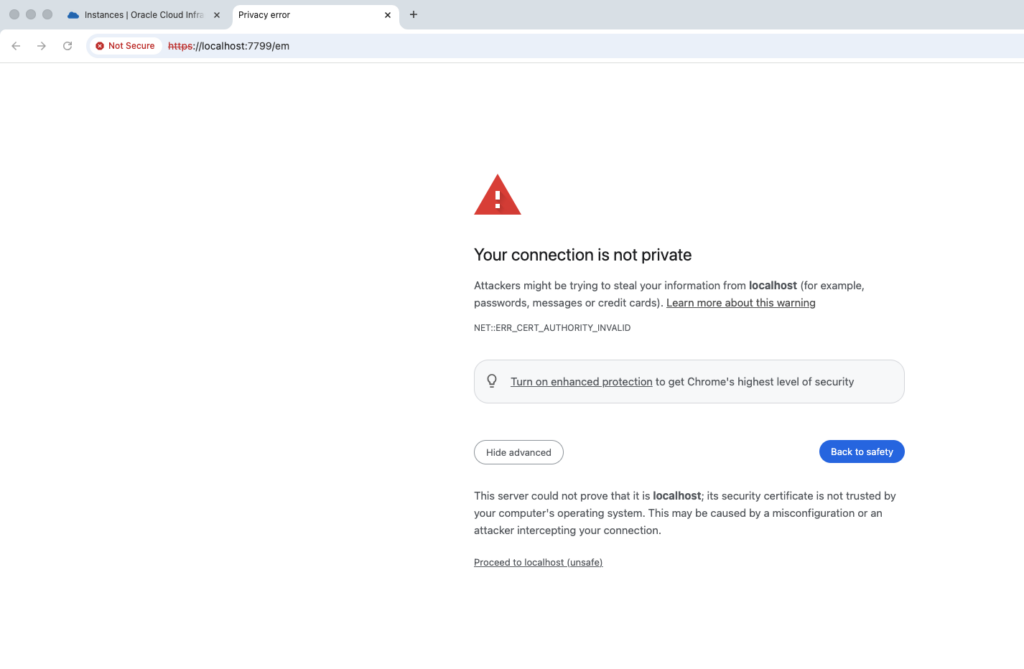
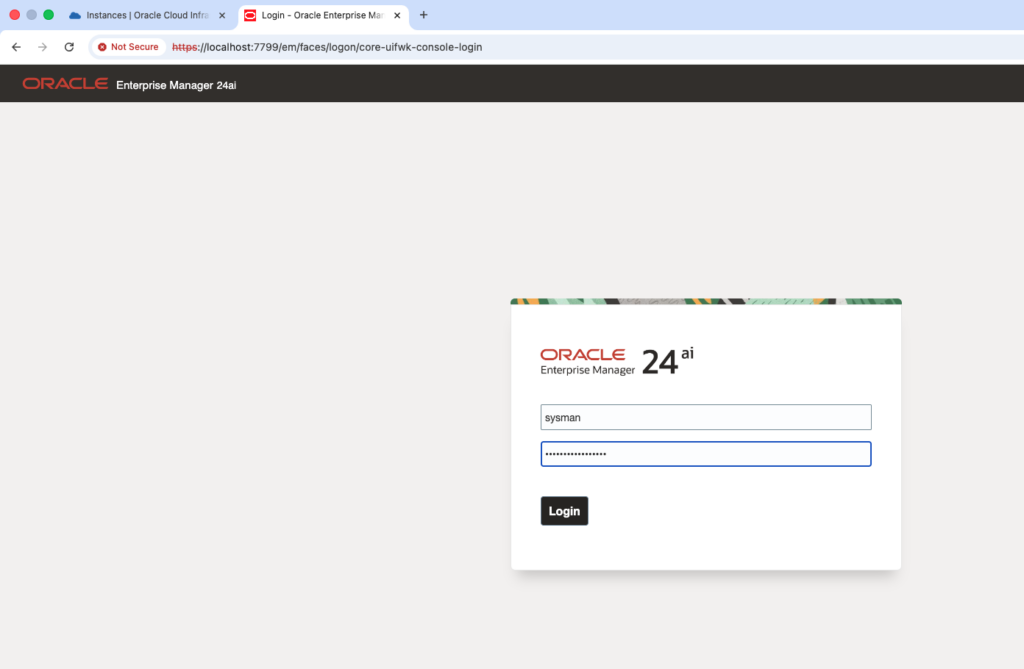
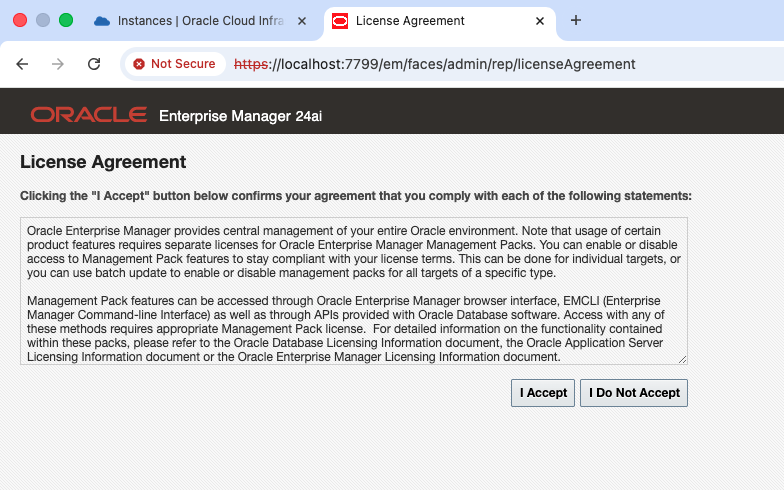
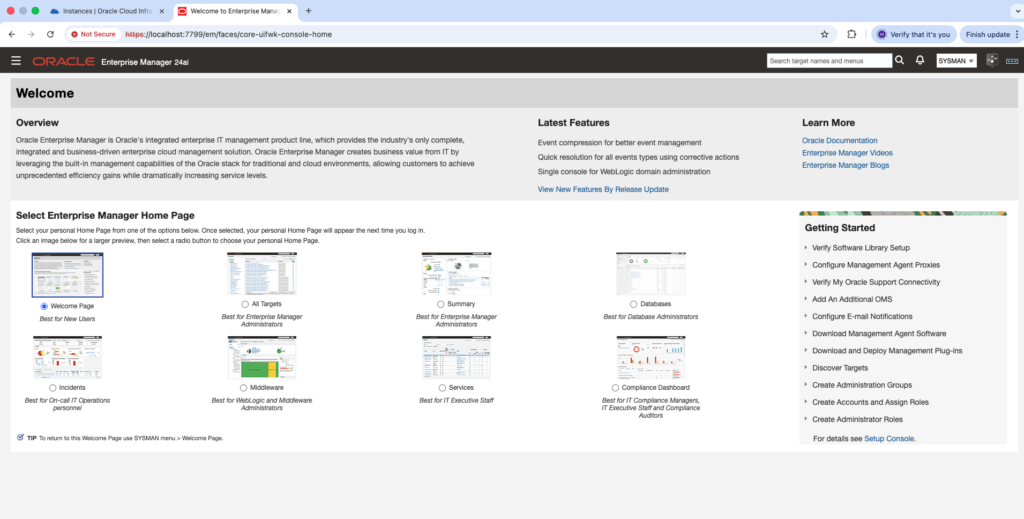
Let’s go in the summary page.
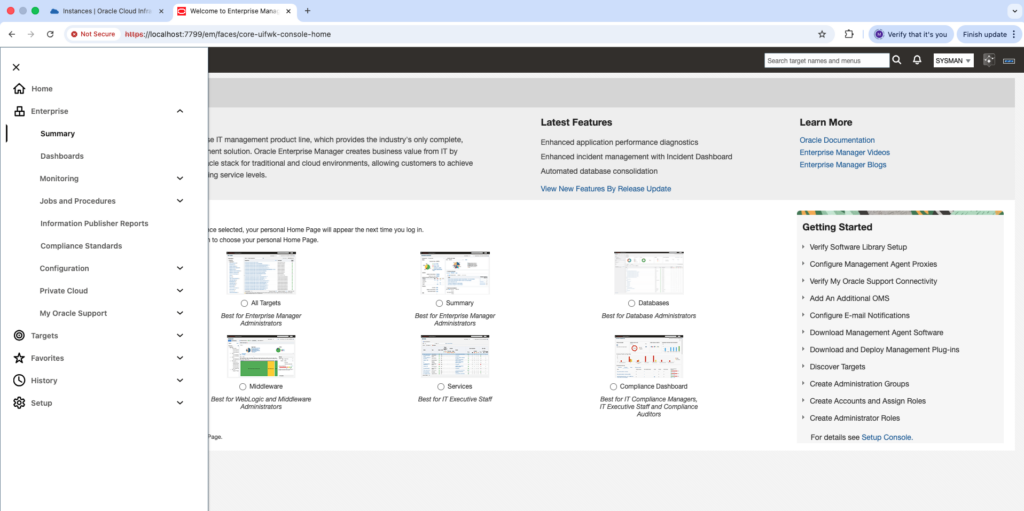
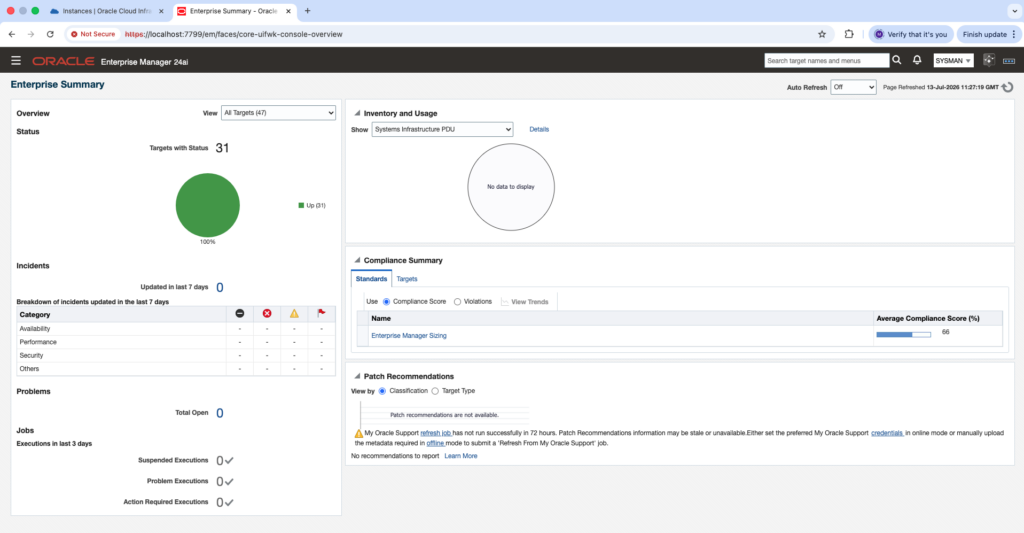
To wrap up…
The easiest way for me to have got a EM lab installation to look into GenAI Ask EM was to install it from the marketplace. Now I’m ready to install some agent on some database host and test Ask EM functionality. I will be sharing this in a next blog.
![Thumbnail [60x60]](https://www.dbi-services.com/blog/wp-content/uploads/2022/08/MAW_web-min-scaled.jpg)
![Thumbnail [90x90]](https://www.dbi-services.com/blog/wp-content/uploads/2025/05/JDE_Web-1-scaled.jpg)
![Thumbnail [90x90]](https://www.dbi-services.com/blog/wp-content/uploads/2025/05/martin_bracher_2048x1536.jpg)